1. Introducció
The XOSS G Gen2 GPS Bike Computer is a wireless, Bluetooth-enabled cycling computer designed to provide comprehensive real-time data for cyclists. Featuring a 2.2-inch LCD screen, IPX7 waterproof rating, and a long-lasting rechargeable battery, it offers reliable performance for various cycling conditions. This manual provides detailed instructions for setting up, operating, maintaining, and troubleshooting your device.

Image: The XOSS G Gen2 GPS Bike Computer showing its main display with current speed, time, and distance metrics.
2. Configuració
2.1 Contingut del paquet
Verifiqueu que tots els components siguin presents al paquet:
- XOSS G Gen2 Bike Computer x1
- Muntatge x1
- Mount Rubber Pad x1
- Rubber Bands x2
- Cable de càrrega tipus C x1
- Use Manual x1

Image: A visual representation of all items included in the XOSS G Gen2 package, such as the computer, mount, charging cable, and manual.
2.2 Muntatge del dispositiu
Attach the bike computer to your handlebar using the provided mount, rubber pad, and rubber bands. Ensure the mount is securely fastened and the computer clicks firmly into place.
2.3 Càrrega inicial
Before first use, fully charge the device using the supplied USB-C cable. The USB-C interface is located on the bottom of the device. A full charge provides up to 28 hours of battery life.
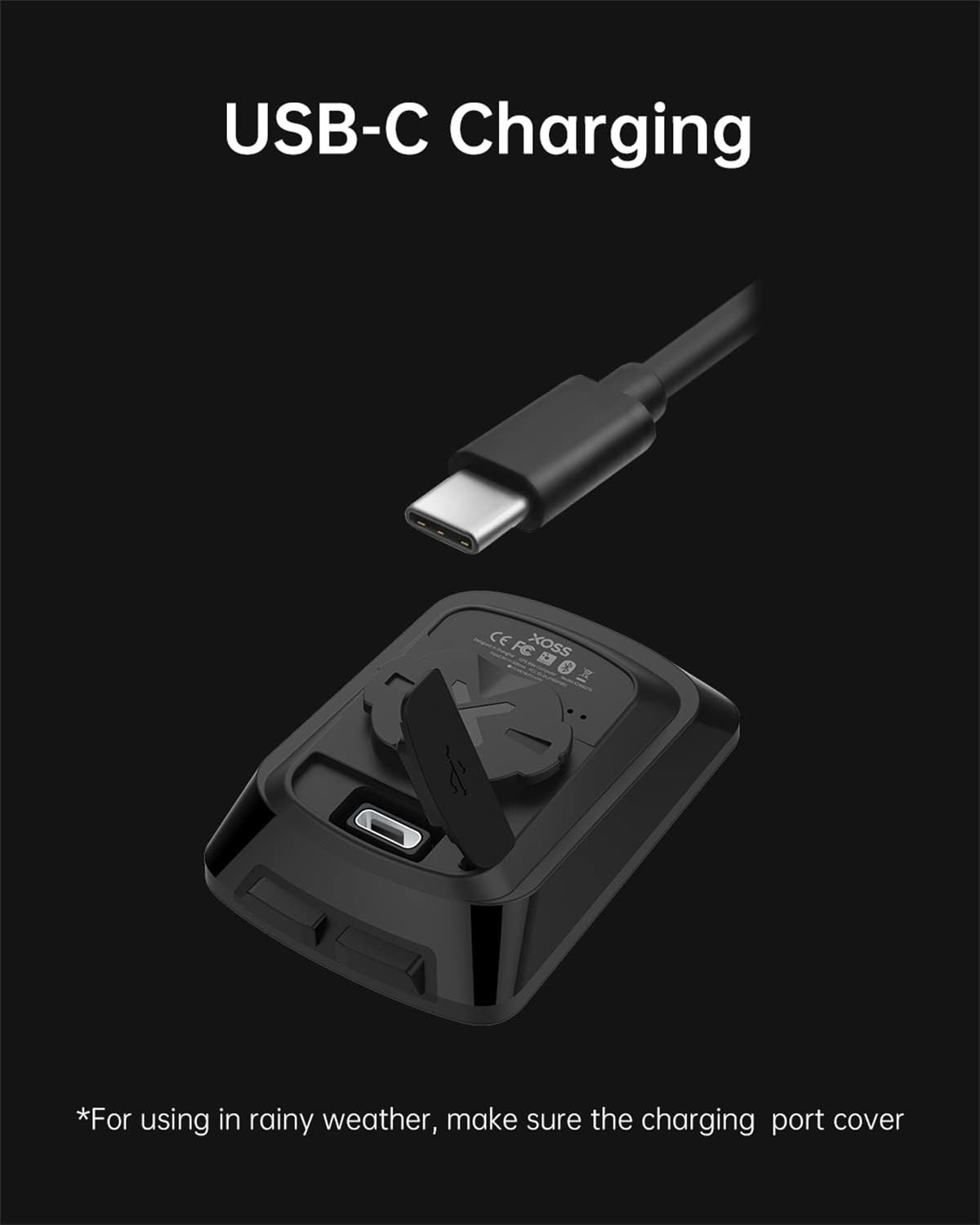
Imatge: Una imatge detallada view of the XOSS G Gen2's USB-C charging port, highlighting its modern connectivity.

Image: The XOSS G Gen2 bike computer being charged via its USB-C cable, demonstrating the charging process.
3. Instruccions de funcionament
3.1 Encès/Apagat
To power on the device, press and hold the power button located on the bottom right. To power off, press and hold the same button.
3.2 Posicionament GPS
The XOSS G Gen2 supports GPS, Beidou, and QZSS positioning for fast and accurate data acquisition. Ensure you are in an open area for optimal GPS signal reception. The device will automatically begin recording data once a GPS signal is acquired.

Image: An illustration depicting GPS satellites, highlighting the XOSS G Gen2's high-sensitivity GPS for quick and accurate location fixes.
3.3 Screen Display and Data Fields
The 2.2-inch LCD screen provides clear data display with automatic backlight for visibility in various lighting conditions. The device can display up to 5 data points on a single screen, with a total of 11 data options available. You can customize the displayed data fields via the XOSS app.

Image: A hand holding the XOSS G Gen2, showcasing its 2.2-inch LCD screen and clear data display.

Image: The XOSS G Gen2 mounted on a bike, demonstrating its rich screen data display during a ride.

Image: The XOSS G Gen2 screen with its automatic backlight feature, ensuring readability in dim conditions.
3.4 XOSS App Synchronization
Connect your XOSS G Gen2 to the XOSS app on your smartphone via Bluetooth to upload ride data and synchronize with platforms like Strava. The app allows for detailed data analysis and customization of device settings.

Image: A smartphone screen showing the XOSS app, which provides detailed ride data and analysis features.

Image: A user holding both the XOSS G Gen2 and a smartphone, illustrating the seamless synchronization with Strava for ride data.

Image: The XOSS app displaying advanced data analysis, including charts for cadence and heart rate, for comprehensive training insights.

Image: The XOSS G Gen2 alongside a smartphone showing a 3D map of a cycling route, demonstrating the ReAR 3D video feature for ride visualization.
3.5 Vídeo oficial del producte
Video: An official product video from XOSS showcasing the features and benefits of the G Gen2 GPS Bike Computer, including its display, GPS capabilities, and app integration. (Duration: 0:39)
4. Manteniment
4.1 Impermeabilització (IPX7)
The XOSS G Gen2 has an IPX7 waterproof rating, meaning it can withstand immersion in water up to 1 meter for 30 minutes. For use in rainy weather, ensure the USB-C charging port cover is fully closed. After riding in wet conditions, dry the computer thoroughly.

Image: The XOSS G Gen2 with water droplets on its surface, illustrating its IPX7 waterproof capability.

Image: The XOSS G Gen2 mounted on a bike, being splashed with water, demonstrating its IPX7 waterproof durability in wet conditions.
4.2 Neteja
Netegeu el dispositiu amb un suau, damp drap. Eviteu utilitzar productes de neteja abrasius o dissolvents que puguin danyar la pantalla o la casing.
4.3 Cura de la bateria
To maximize battery lifespan, avoid fully discharging the device frequently. Store the device in a cool, dry place when not in use for extended periods.

Image: Two cyclists enjoying a ride in a scenic mountain environment, symbolizing the extended 28-hour battery life of the XOSS G Gen2.
5. Solució De Problemes
| Problema | Causa possible | Solució |
|---|---|---|
| El dispositiu no s'encén. | Bateria baixa; dispositiu bloquejat. | Charge the device fully. Press and hold both buttons simultaneously for 10 seconds to reset. |
| Senyal GPS perdut o inexacte. | Obstruït view of sky; weak signal area. | Mou-te a una zona oberta amb claredat view of the sky. Wait for the device to acquire a stable signal. |
| Cannot synchronize with XOSS app. | Bluetooth off; app not updated; device not paired. | Ensure Bluetooth is enabled on your phone. Update the XOSS app to the latest version. Follow in-app instructions to pair the device. |
| Screen not visible in low light. | Automatic backlight not active or insufficient. | The device features automatic backlight. Ensure the device is not in a power-saving mode that might dim the screen. |
6. Especificacions
- Model: G Gen2
- Marca: XOSS
- Color: Negre
- Mida de la pantalla: 2.2 polzades
- Tipus de visualització: LCD
- Durada de la bateria: Up to 28 Hours (500mAh rechargeable lithium battery)
- Connectivitat: USB-C (charging), Bluetooth (app sync)
- Suport GPS: GPS, Beidou, QZSS
- Classificació impermeable: IPX7
- Pes de l'article: 42 grams
- Tipus de muntatge: Muntatge de manillar
- Entrada de la interfície humana: Botons
- Material: Plàstic
7. Garantia i Suport
7.1 Informació de la garantia
The XOSS G Gen2 GPS Bike Computer comes with a one-year warranty from the date of purchase. This warranty covers manufacturing defects and malfunctions under normal use. It does not cover damage caused by misuse, accidents, unauthorized modifications, or improper maintenance.
7.2 Atenció al client
For technical assistance, troubleshooting, or warranty claims, please contact XOSS customer support through their official website or the contact information provided in your product packaging. Please have your purchase receipt and product model number ready when contacting support.
For more information, visit the official XOSS Store: XOSS Store on Amazon


