1. Introducció
This manual provides comprehensive instructions for setting up, operating, and maintaining your LaView 4MP Bulb Security Camera. Designed for both indoor and outdoor use, this camera offers advanced features such as 5G & 2.4GHz dual-band WiFi connectivity, 360-degree panoramic view, 2K resolution, full-color day and night vision, intelligent motion detection with tracking, two-way audio, and compatibility with Amazon Alexa.
2. Contingut del paquet
- LaView 4MP Bulb Security Camera (Model: LV-PWL2-B-5G)
- E27 Universal Screw Adapter
- Manual d'usuari
- Accessoris de muntatge
3. Configuració i instal·lació
3.1 Instal·lació física
The LaView Bulb Security Camera is designed for easy installation into standard E27 bulb sockets. Ensure the power to the socket is turned off before installation.
- Apagar: Turn off the power to the light fixture where you intend to install the camera.
- Enroscar: Carefully screw the LaView Bulb Security Camera into the E27 bulb socket until it is snug. If the socket is recessed or the camera does not fit properly, use the provided E27 universal screw adapter to extend the connection.
- Encès: Restore power to the light fixture. The camera will power on and begin its initialization process.

Figure 3.1: Easy and quick installation into a standard E27 bulb socket. The camera is designed to fit most bulb sockets, and an adapter is included for recessed fixtures.
A video demonstrating the installation of a LaView camera into a recessed lighting trim is available from an independent creator. This video shows the process of screwing the camera into a light socket and ensuring proper fit for optimal panoramic view.
3.2 Descàrrega d'aplicacions i connexió Wi-Fi
To operate your camera, you will need to download the LaView app and connect the camera to your home Wi-Fi network. The camera supports both 2.4GHz and 5GHz dual-band WiFi for stronger signals and extended range up to 328 feet.
- Descarregar l'aplicació: Cerca "LaView" in your mobile device's app store (iOS or Android) and download the official LaView aplicació.
- Crea un compte: Obriu l'aplicació i seguiu les instruccions que apareixen a la pantalla per crear un compte d'usuari nou.
- Afegeix un dispositiu: Select the option to add a new device. The app will guide you through the pairing process.
- Configuració Wi-Fi: Ensure your phone is connected to the 2.4GHz or 5GHz Wi-Fi network you intend to use for the camera. Enter your Wi-Fi password when prompted.
- Escaneja el codi QR: The app will generate a QR code. Hold your mobile device with the QR code approximately 8-12 inches in front of the camera lens. The camera will emit a tone once the QR code is successfully scanned.
- Finalització: Wait for the camera to connect to the network. Once connected, you can name your camera and begin live viewing.

Figure 3.2: The LaView Bulb Security Camera integrates seamlessly with the LaView mobile application, allowing for easy setup and control.

Figure 3.3: The camera supports both 2.4GHz and 5GHz dual-band WiFi, providing a stronger signal and extended coverage up to 328 feet from your router.
4. Instruccions de funcionament
4.1 Viu View i control de panoràmica/inclinació
Once connected, you can access the live view of your camera through the LaView app. The camera features a 360-degree panoramic view with pan and tilt capabilities, allowing you to remotely adjust the viewangle de ing.
- Accés en directe View: Obriu el LaView app and select your camera from the device list to view el feed en directe.
- Panorama/inclinació: Use the directional controls within the app to pan (horizontal movement) and tilt (vertical movement) the camera lens to cover your desired area. The camera offers 355° pan and 62° tilt.

Figure 4.1: The camera's pan and tilt functions allow for comprehensive coverage of your space, with the ability to return to a preset position after tracking motion.
4.2 Detecció i seguiment de moviment
The camera is equipped with accurate motion detection and tracking features. When motion is detected, the camera can send alerts to your phone and automatically track the moving object.
- Activa la detecció de moviment: Navigate to the camera settings in the LaView app to enable motion detection.
- Customize Sensitivity: Adjust the sensitivity level of motion detection to minimize false alarms.
- Seguiment de moviments: Activate motion tracking to allow the camera to follow detected movement within its field of view. After tracking, the camera can return to its preset position.
- AI Human Detection Filter: Utilize the built-in AI human detection filter to reduce false alarms by up to 95%, ensuring you only receive important alerts related to human presence.

Figure 4.2: The camera's alarm function, including a spotlight and audible siren, can deter intruders. The AI human detection filter helps to reduce false alerts.
4.3 Night Vision and Image Quality
The LaView Bulb Security Camera provides clear 4MP HD 2560x1440P resolution with 12x digital zoom, ensuring ultra-clear images both day and night. It features full-color night vision and a 17ft night vision range.
- Visió nocturna a tot color: The camera utilizes starlight color night vision technology to capture detailed, colorful images even in low-light conditions.
- Resolució: Experience superior image clarity with 4MP resolution compared to standard resolutions.

Figure 4.3: LaView's starlight color night vision provides clear, full-color images in low light, offering a significant improvement over traditional spotlight night vision.
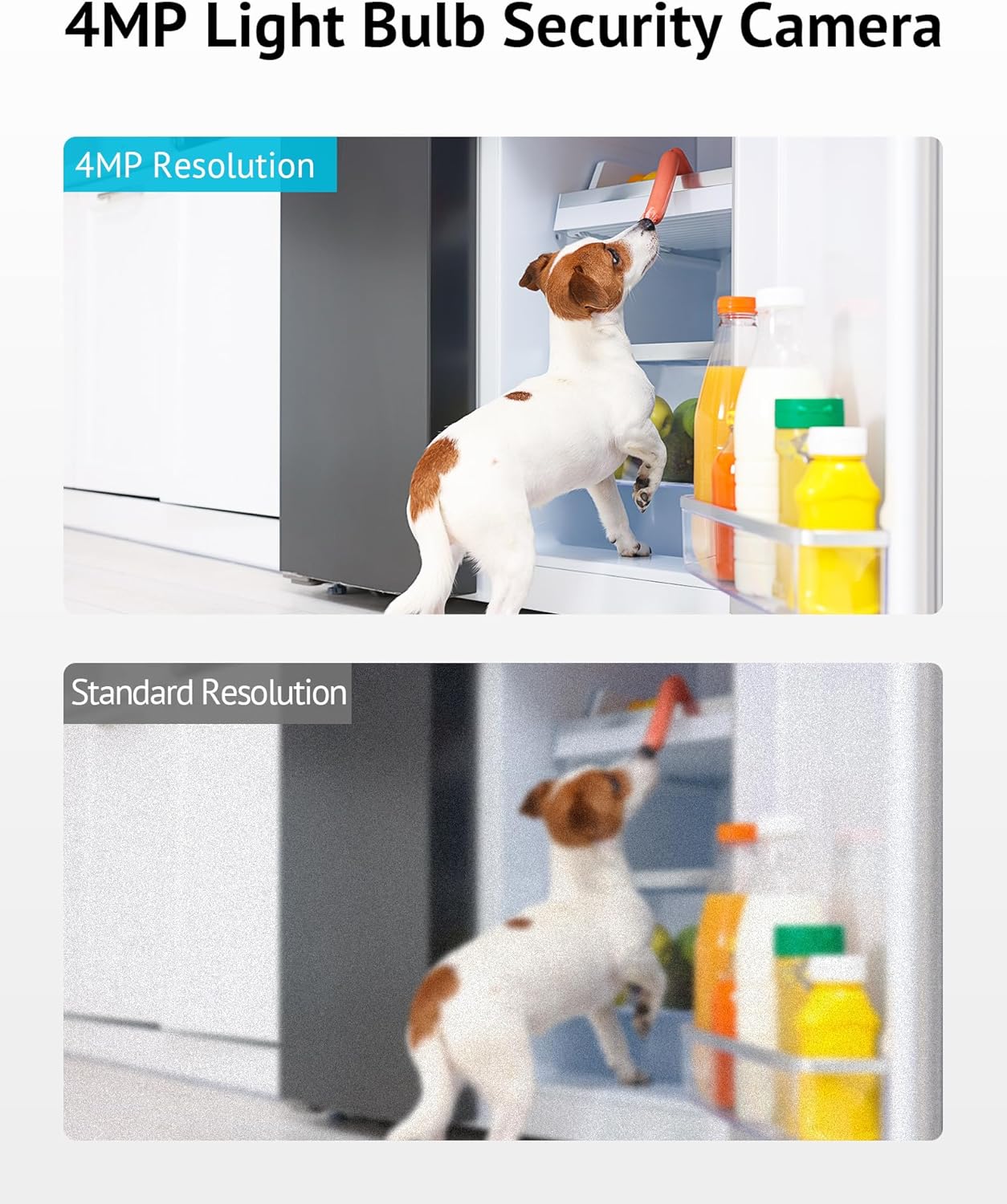
Figure 4.4: The 4MP resolution of the LaView camera captures significantly more detail than standard resolution cameras, as shown in this comparison.
4.4 Two-Way Audio and Audible Alarm
Communicate directly through the camera using the two-way audio feature or activate the loud alarm siren to deter unwanted visitors.
- Àudio bidireccional: Fes servir les icones del micròfon i l'altaveu de l'aplicació per parlar i escoltar a través de la càmera.
- Alarma sonora: Activate the siren feature from the app to emit a loud alarm sound.
4.5 Continuous Recording and Storage
The camera supports 24/7 continuous recording, ensuring constant surveillance. You have options for video storage.
- Targeta micro SD: Insert a Micro SD card (up to 128GB, not included) into the camera's designated slot for local storage of recordings.
- Emmagatzematge al núvol: LaView offers cloud storage options for secure, off-site backup of your video footage. Check the app for details on available plans.

Figure 4.5: The LaView camera supports 24/7 continuous recording, with options for free 30-day AWS Cloud storage and support for up to 128GB Micro SD cards for uninterrupted playback.
4.6 Multi-User and Multi-Platform Support
Share live views with family members and access your camera feed from various devices.
- Accés compartit: Grant access to up to 20 users to view live feeds from up to 9 cameras simultaneously through the app.
- Compatibilitat de la plataforma: The LaView app is available on iOS, Android, and Windows platforms.
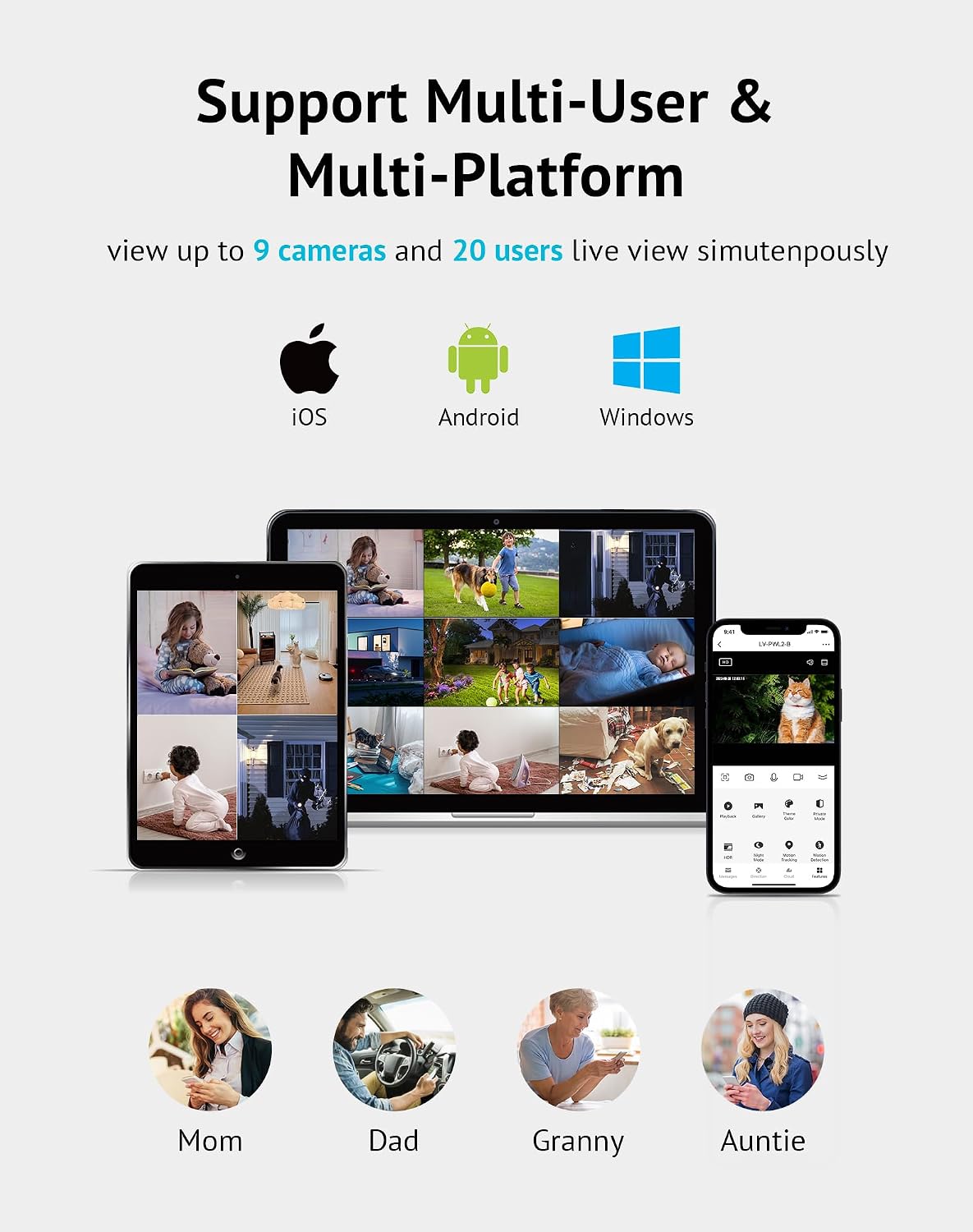
Figure 4.6: The LaView system supports multi-user and multi-platform access, allowing up to 20 users to view up to 9 cameras live simultaneously across iOS, Android, and Windows devices.
4.7 Integració de la llar intel·ligent
The LaView Bulb Security Camera is compatible with Amazon Alexa, allowing for voice control and integration into your smart home ecosystem.
- Compatibilitat amb Alexa: Link your LaView account with your Amazon Alexa account to enable voice commands for viewing camera feeds on compatible Alexa-enabled devices.
5. Manteniment
Regular maintenance ensures optimal performance and longevity of your LaView Bulb Security Camera.
- Neteja: Netegeu suaument la lent i el cos de la càmera amb un drap suau i sec. Eviteu utilitzar productes químics agressius o materials abrasius que puguin danyar la càmera.
- Actualitzacions de firmware: Periodically check the LaView app for available firmware updates. Keeping your camera's firmware up-to-date ensures access to the latest features, security enhancements, and performance improvements.
- Gestió de la targeta SD: If using a Micro SD card for storage, regularly review i fer una còpia de seguretat dels aliments importantstage. Consider formatting the SD card periodically through the app to maintain optimal recording performance.
- Consideracions ambientals: While designed for outdoor use, ensure the camera is installed in a location protected from direct heavy rain or extreme weather conditions to prolong its lifespan.
6. Solució De Problemes
If you encounter issues with your LaView Bulb Security Camera, refer to the following common troubleshooting steps:
| Problema | Possible causa/solució |
|---|---|
| La càmera no es connecta a la Wi-Fi. | Ensure your Wi-Fi network is 2.4GHz or 5GHz. Verify the Wi-Fi password. Move the camera closer to the router. Reset the camera by holding the reset button (refer to app for location) until you hear a voice prompt. |
| Frequent false motion alarms. | Adjust the motion detection sensitivity in the app. Enable the AI Human Detection Filter to reduce alerts from non-human movements. Ensure the camera's field of view està allunyat d'objectes en moviment com ara branques d'arbres o banderes. |
| Siren volume is too low. | Check the volume settings within the LaView app. Ensure there are no obstructions around the camera's speaker. |
| App constantly prompts for upgrades/cloud service. | To disable most push ads, navigate in the app to: APP > Me page > click on the upper right corner > Privacy Permission Settings > disable Personalization. It may take several days for all pop-ups to cease. |
| Mala qualitat d'imatge a la nit. | Ensure the camera lens is clean. Check for any reflective surfaces near the camera that might interfere with night vision. Verify that the night vision mode is enabled in the app. |
7. Especificacions
| Nom del model | LV-PWL2-B-5G |
| Marca | LaView |
| Resolució de captura de vídeo | 4 MP (2560x1440P) |
| Tecnologia de connectivitat | Wi-Fi (5G & 2.4GHz Dual-Band) |
| Camp de View | 360 Degrees (Pan/Tilt: 355° horizontal, 62° vertical) |
| Gamma de visió nocturna | 17 Feet (Full Color Night Vision) |
| Característiques especials | Motion Sensor, Motion Tracking, AI Human Detection, Two-Way Audio, Audible Alarm, LED Light |
| Dispositius compatibles | Ordinador de sobretaula, portàtil, telèfon intel·ligent, tauleta |
| Tipus de controlador | Amazon Alexa, LaView App |
| Ús interior/exterior | Indoor, Outdoor (IP65 rated for water resistance) |
| Font d'alimentació | Corded Electric (E27 Bulb Socket) |
| Opcions d'emmagatzematge | Targeta Micro SD (fins a 128 GB), emmagatzematge al núvol |
| Pes de l'article | 13.7 unces |
| Dimensions del producte | 6 x 6 x 13 polzades |
| UPC | 192728013797 |
8. Garantia i Suport
LaView is committed to providing professional support for its products. For any inquiries or assistance, please utilize the available support channels.
- Live Chat Service: Access live chat support through the LaView app or official weblloc per obtenir ajuda immediata.
- Plans de protecció: Extended protection plans may be available for your product. Please refer to your purchase documentation or the product listing for details on 2-Year, 3-Year, or Complete Protect plans.
- Recursos en línia: Visit the official LaView website for FAQs, updated manuals, and additional support resources.


