1. Introducció
This manual provides detailed instructions for the installation, operation, and maintenance of your MokerLink 4 Port 2.5G Ethernet Switch with 2 Port 10G SFP+ Slot. This unmanaged network switch is designed to enhance your network's performance by providing high-speed connectivity for various devices. Please read this manual thoroughly before using the product to ensure proper setup and functionality.
2. Producte acabatview
2.1 Característiques clau
- Ports d'alta velocitat: Equipped with 4 x 2.5 Gigabit Ethernet Ports (IEEE802.3bz compliant) supporting 10/100/1000Mbps/2.5G adaptive speeds.
- 10G SFP+ Uplink: Includes 2 x 10G SFP+ Ports (compatible with 1G/2.5G modules, SFP modules not included) for high-bandwidth connections.
- Amplada de banda alta: Features a 60Gbps backplane bandwidth for excellent data forwarding performance.
- Unmanaged Plug and Play: Requires no configuration; simply connect power and Ethernet cables. Supports auto MDI/MDIX and auto-negotiation.
- Disseny durador i silenciós: Constructed with a metal casing and fanless operation for silent, stable performance and reduced energy consumption.
- Manteniment fàcil: Power and port LED indicators provide clear status updates for simplified monitoring.
- Aplicació versàtil: Compact design suitable for desktop or wall-mounting in various environments, including home entertainment, offices, 4K video streaming, gaming, NAS, and WiFi 6 AP connections.
2.2 Contingut del paquet
- MokerLink 4 Port 2.5G Ethernet Switch (Model: 4x2.5G + 2x10G SFP)
- Adaptador d'alimentació (12 V/1 A)
- Manual d'usuari (aquest document)
2.3 Disposició del panell frontal

Imatge: Frontal view of the MokerLink 4 Port 2.5G Ethernet Switch, showing the four 2.5G RJ45 ports, two 10G SFP+ ports, and LED indicators.

Image: Detailed diagram of the switch's port configuration, indicating 4x 2.5Gbps ports, 2x 10G SFP+ uplink ports, LED indicators for 2.5G, 1G, Link/Act, SFP, and Power, along with the DC input port.
- Ports 1-4 (2.5G RJ45): These are 2.5 Gigabit Ethernet ports that support 10/100/1000Mbps and 2.5G speeds. Connect your network devices such as computers, NAS, or WiFi 6 APs here.
- Ports 5-6 (10G SFP+): These are 10 Gigabit SFP+ slots for fiber optic connections, compatible with 1G/2.5G/10G SFP/SFP+ modules (not included). Use these for high-speed uplinks to other switches or servers.
- Indicadors LED:
- 2.5G (Orange/Left): Indicates a 2.5Gbps connection on the corresponding RJ45 port.
- 1G (Green/Right): Indicates a 10/100/1000Mbps connection on the corresponding RJ45 port.
- Link/Act (Green): Indicates a successful link and flashes when data is being transmitted or received.
- SFP Indicator (Green): Indicates a link connection on the SFP+ port.
- PWR (indicador d'alimentació): Green when the device is powered on, off when powered off.
- Port d'entrada de CC: Connect the provided 12V/1A power adapter here.
3. Configuració i instal·lació
3.1 Col·locació
- Place the switch on a flat, stable surface or mount it to a wall using appropriate hardware (not included).
- Ensure adequate ventilation around the device. Avoid placing it in enclosed spaces or near heat sources.
- Keep the switch away from moisture and direct sunlight.

Image: Illustration highlighting the fanless design for quiet operation and the simple plug-and-play setup of the switch.
3.2 Connexió del commutador
- Connexió d'alimentació: Connect the provided 12V/1A power adapter to the DC Input Port on the switch and then plug the adapter into a standard electrical outlet. The PWR LED indicator will illuminate green.
- Ethernet Device Connection:
- For 2.5G devices (e.g., WiFi 6 AP, 2.5G NAS, gaming PC), connect an Ethernet cable (Cat5e, Cat6, or Cat6a recommended for optimal performance) from your device to any of the 2.5G RJ45 ports (1-4) on the switch.
- For 1G/100M/10M devices, connect an Ethernet cable to any of the 2.5G RJ45 ports (1-4). The switch will auto-negotiate the speed.
- The corresponding Link/Act LED will light up, and either the 2.5G (orange) or 1G (green) LED will indicate the connection speed.
- SFP+ Uplink Connection (Optional):
- Insert a compatible 1G/2.5G/10G SFP/SFP+ module (not included) into one of the SFP+ slots (5 or 6).
- Connect a fiber optic cable from the SFP+ module to your desired network device (e.g., another switch, server).
- The SFP Indicator LED will illuminate green when a link is established.

Image: The switch connected to multiple 2.5G devices such as a NAS, WiFi 6 AP, WiFi 6 Router, laptop with 2.5G Ethernet adapter, 2.5G gaming PC, and a 4K video source, demonstrating its application in a high-performance network.
4. Funcionament
The MokerLink 4 Port 2.5G Ethernet Switch is an unmanaged device, meaning it requires no software configuration. Once connected as described in the "Setup and Installation" section, the switch will automatically detect connected devices and negotiate the optimal speed (10Mbps, 100Mbps, 1Gbps, or 2.5Gbps for RJ45 ports; 1Gbps, 2.5Gbps, or 10Gbps for SFP+ ports, depending on the module).
Data transmission will begin automatically. Monitor the LED indicators on the front panel to confirm link status and activity for each port.
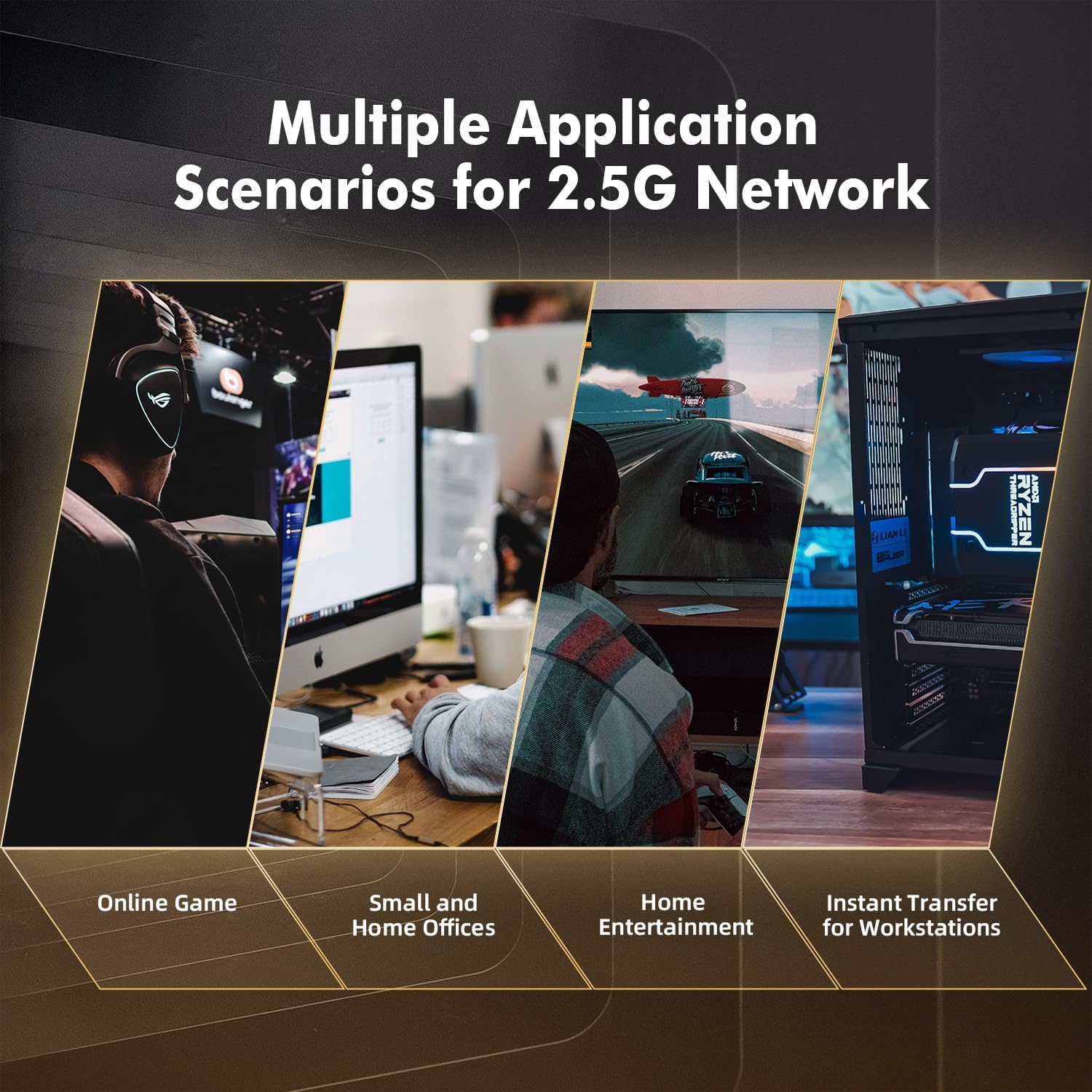
Image: Depiction of the switch being used in multiple scenarios, including online gaming, small and home offices, home entertainment, and instant data transfer for workstations, illustrating its versatility.
5. Manteniment
- Neteja: Feu servir un drap suau i sec per netejar l'exterior de l'interruptor. No utilitzeu netejadors líquids ni en aerosol.
- Ventilació: Ensure that the ventilation openings on the sides of the switch are not blocked to allow for proper heat dissipation. The fanless design relies on natural convection.
- Cicle d'alimentació: If the switch experiences unexpected behavior, disconnect the power adapter, wait for 10 seconds, and then reconnect it. This can resolve many minor issues.
- Gestió de cables: Ensure all network cables are securely connected and not excessively bent or strained.
6. Solució De Problemes
| Problema | Causa possible | Solució |
|---|---|---|
| Sense alimentació (LED PWR apagat) | L'adaptador de corrent no està connectat o està defectuós; problema amb la presa de corrent. | Check power adapter connection. Try a different power outlet. Ensure the power adapter is the correct 12V/1A type. |
| No hi ha enllaç en un port (LED Link/Act apagat) | Ethernet cable disconnected or faulty; connected device is off or faulty; incorrect cable type. | Ensure the Ethernet cable is securely connected at both ends. Try a different Ethernet cable. Verify the connected device is powered on and functioning. Use Cat5e, Cat6, or Cat6a cables for optimal performance. |
| Velocitat de xarxa lenta | Cable quality; device capability; network congestion. | Ensure you are using Cat5e, Cat6, or Cat6a cables for 2.5G connections. Verify that your connected devices support 2.5G Ethernet. Check for other network activity that might be consuming bandwidth. |
| SFP+ port not linking | SFP/SFP+ module not inserted correctly or incompatible; fiber cable issue. | Ensure the SFP/SFP+ module is fully inserted. Verify the module is compatible (1G/2.5G/10G). Check the fiber optic cable for damage and proper connection. |
7. Especificacions
| Característica | Detall |
|---|---|
| Marca | MokerLink |
| Número de model | 4x2.5G + 2x10G SFP |
| Nombre de Ports | 4 x 2.5G Base-T, 2 x 10G SFP+ |
| Velocitat de transferència de dades | 10/100/1000Mbps, 2.5Gbps (RJ45); 1Gbps, 2.5Gbps, 10Gbps (SFP+) |
| Ample de banda del pla posterior | 60 Gbps |
| Tarifa d'enviament de paquets | 33.48 Mpps |
| Suport de marc jumbo | 12Kbytes |
| Mida de la taula d’adreces MAC | 4K |
| Tipus d'interfície | RJ45, SFP+ |
| Consum màxim d'energia | 20 watts |
| Font d'alimentació | External 12V/1A DC Adapter |
| Material de la caixa | Metall |
| Refrigeració | Sense ventilador |
| Dimensions del producte | 9.84 x 7.87 x 3.15 polzades |
| Pes de l'article | 1.06 lliures (0.48 quilograms) |
| Temperatura de funcionament | -10 °C a +55 °C |
| Protecció contra llamps | 4KV |
8. Garantia i Suport
For warranty information and technical support, please refer to the documentation included with your purchase or visit the official MokerLink weblloc web. Els termes de garantia específics poden variar segons la regió i el distribuïdor.
For further assistance, you may contact MokerLink customer support through their official channels.


