Introducció
The Wicked Audio Mojo 300 True Wireless Bluetooth Earbuds are designed to provide a high-quality audio experience with advanced features for everyday use. These earbuds offer long battery life, mobile app integration for custom EQ modes, GPS bud locator, transparency mode, low latency, and are sweat and water resistant, ensuring comfort and durability.
This manual provides detailed instructions on setting up, operating, and maintaining your Mojo 300 earbuds to ensure optimal performance and longevity.
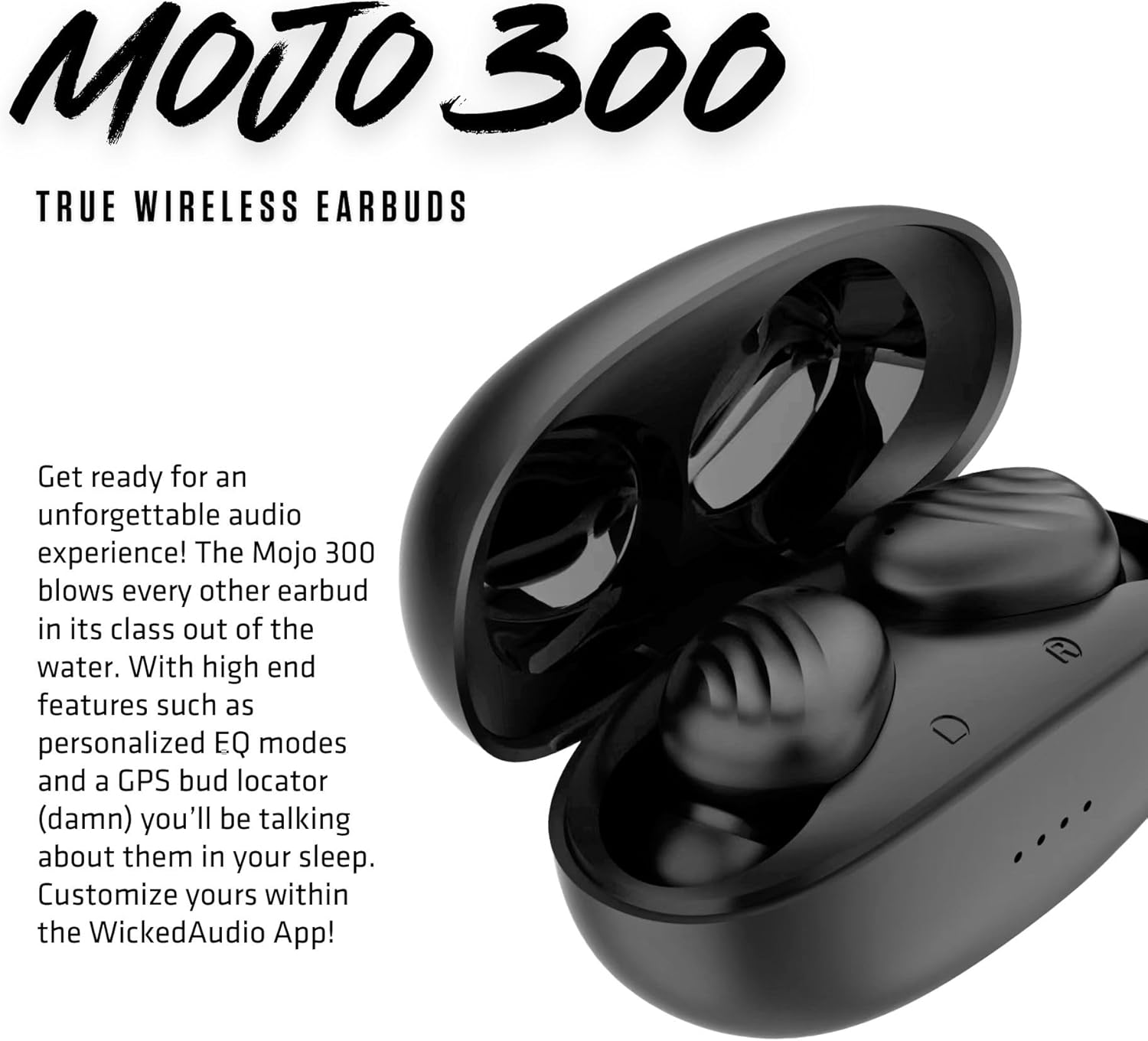
Image: The Mojo 300 True Wireless Earbuds and their charging case, showcasing el seu disseny compacte.
Què hi ha a la caixa
Upon opening your Wicked Audio Mojo 300 package, you should find the following components:
- Auriculars sense fil (esquerra i dreta)
- Estoig de càrrega portàtil
- Cable de càrrega USB-C a USB-C
- Manual d'usuari (aquest document)
- Ear Cushions (3 sizes: Small, Medium, Large)

Imatge: Vista de dalt a baix view of the Wicked Audio Mojo 300 earbuds and their charging case, illustrating the main components.
Configuració
1. Càrrega inicial
Before first use, fully charge your Mojo 300 earbuds and charging case. Place both earbuds into the charging case. Connect the provided USB-C cable to the charging port on the case and the other end to a USB power source. The LED indicators on the case will show charging status.

Image: A hand holding the open charging case with the earbuds nestled inside, ready for charging or use.
2. Emparellament amb el dispositiu
- Assegureu-vos que els auriculars estiguin carregats i dins de l'estoig de càrrega.
- Obre la tapa de la funda de càrrega. Els auriculars entraran automàticament en mode d'emparellament.
- Al dispositiu (telèfon intel·ligent, tauleta, etc.), aneu a la configuració de Bluetooth.
- Select "Mojo 300" from the list of available devices.
- Once connected, you will hear an audio prompt, and the earbuds' indicator lights will change.
Easy Flex Connect: You can pair a single earbud or both. The ergonomic shape ensures a comfortable fit right out of the case.

Image: A woman wearing a Wicked Audio Mojo 300 earbud, demonstrating the comfortable and secure fit.
3. Download the Wicked Audio App
For full functionality and customization, download the Wicked Audio App from the Google Play Store or the Apple App Store. The app unlocks features like custom EQ modes, GPS bud locator, and more.
Instruccions de funcionament
Controls tàctils
The Mojo 300 earbuds feature intuitive touch controls. Refer to the in-app user guide for detailed customization options. Basic controls typically include:
- Reproduir/pausa: Un sol toc a qualsevol dels auriculars.
- Pista següent: Toqueu dues vegades l'auricular dret.
- Pista anterior: Toqueu dues vegades l'auricular esquerre.
- Respondre/Finalitzar la trucada: Un sol toc a qualsevol dels auriculars.
- Rebutja la trucada: Prem i mantén premut qualsevol dels auriculars.
- Activa l'Assistent de veu: Toqueu tres vegades qualsevol dels auriculars.
Modes de control de soroll
The Mojo 300 offers three noise control modes to suit your environment:
- Mode de transparència: Allows ambient sound to pass through, keeping you aware of your surroundings.
- Passive Noise Cancelling: Achieved through the physical seal of the earbud tips, reducing external noise.
- Cancel·lació activa del soroll (ANC): Electronically reduces unwanted background noise.
Switch between modes using the Wicked Audio App or customizable touch controls.
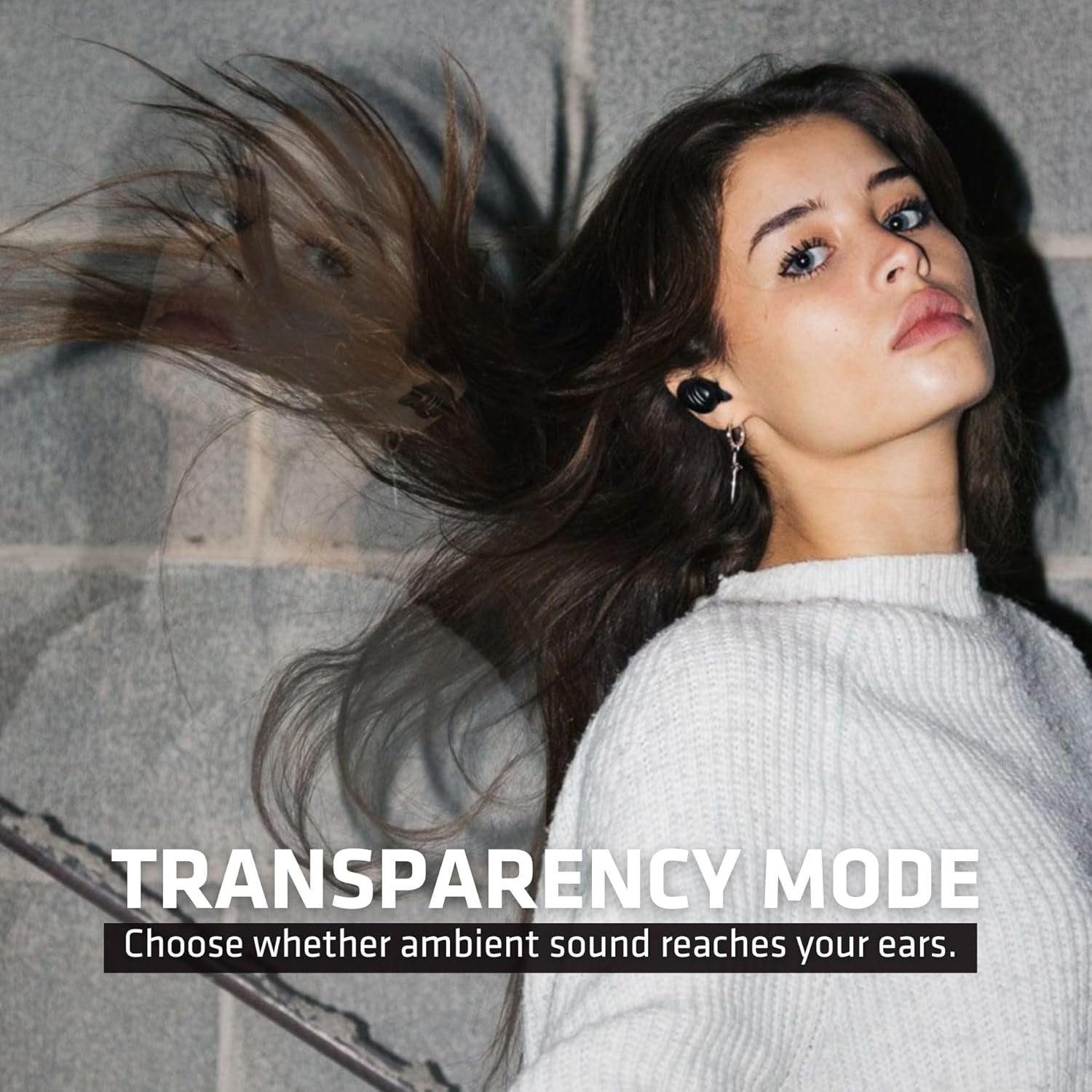
Image: A woman wearing the earbuds, with text indicating "TRANSPARENCY MODE," demonstrating the feature that allows ambient sound to be heard.
Wear Detect
The earbuds feature wear detection, which automatically pauses audio when an earbud is removed and resumes when reinserted.
Low Latency (Gaming Mode)
Activate Gaming Mode via the app for reduced audio latency, providing a more synchronized experience for gaming and video playback.
Official Product Video: Mojo 300 Key Features
Video: This official video from Wicked Audio highlights the key features of the Mojo 300 earbuds, including GPS Bud Locator, Premium Sound, Wear Detect, Low Latency, and Endless EQ modes, demonstrating their functionality.
Wicked Audio App Features
The Wicked Audio App enhances your earbud experience with a suite of powerful features:
- GPS Bud Locator: Helps you find misplaced earbuds.
- Transparency Mode Control: Easily toggle and adjust ambient sound passthrough.
- Wear Detect Settings: Customize the automatic play/pause function.
- Endless EQ Modes: Personalize your audio with a wide range of equalizer presets and custom options.
- Active Noise Cancelling (ANC) Control: Manage the level of noise cancellation.
- Controls personalitzables: Remap touch controls to your preference.
- Easy Access User Guide: Access the full manual directly within the app.
- Indicador de durada de la bateria: Monitor the battery status of each earbud and the charging case.
- Forever Future Updates: Rebre actualitzacions de firmware per a un millor rendiment i noves funcions.
- App Controlled Volume: Ajusta el volum directament des de l'aplicació.
- Dark/Light Mode Control: Choose your preferred app interface theme.

Image: The Mojo 300 earbuds and case on a textured surface, emphasizing their "FULLY CUSTOMIZABLE" audio experience through the app's EQ modes.
Manteniment
- Neteja: Regularly clean the earbuds and charging case with a soft, dry, lint-free cloth. Do not use harsh chemicals or abrasive materials. Gently remove any earwax or debris from the earbud tips and speaker grilles using a small, soft brush or cotton swab.
- Emmagatzematge: Quan no els utilitzeu, guardeu els auriculars a la seva funda de càrrega per protegir-los i mantenir-los carregats. Guardeu-los en un lloc fresc i sec, allunyat de temperatures extremes.
- Cura de la bateria: Per allargar la durada de la bateria, evita descarregar completament els auriculars i la funda amb freqüència. Carrega'ls regularment, fins i tot si no els fas servir constantment.
- Resistència a l'aigua: The earbuds are sweat and water resistant. However, they are not waterproof. Avoid submerging them in water or exposing them to heavy rain. Dry them thoroughly before placing them back in the charging case.
Resolució de problemes
| Problema | Solució |
|---|---|
| Els auriculars no s'aparellen | Ensure earbuds are charged. Place them back in the case, close the lid, then open it again to re-enter pairing mode. On your device, forget "Mojo 300" from Bluetooth settings and try pairing again. |
| Només un auricular reprodueix àudio | Place both earbuds back in the charging case. Close the lid for 5 seconds, then open it. Ensure both earbuds are properly seated and charged. Re-pair if necessary. |
| Volum baix o mala qualitat de so | Check earbud fit and try different sized ear cushions. Clean any debris from the earbud grilles. Adjust volume on both your device and through the app. Check EQ settings in the app. |
| Els auriculars no es carreguen | Ensure the charging cable is securely connected to both the case and the power source. Check for debris in the charging port. Verify the charging case itself has power. |
| Problemes de connectivitat de l'aplicació | Ensure Bluetooth is enabled and earbuds are connected to your device. Close and reopen the Wicked Audio App. Restart your device if the issue persists. |
Especificacions

Image: The Mojo 300 earbuds alongside a graphic detailing key specifications such as battery life and driver size.
| Característica | Detall |
|---|---|
| Nom del model | Molt 300 |
| Número de model | WI-TW4550 |
| Tecnologia de connectivitat | Sense fil (Bluetooth 5.0) |
| Control de soroll | Sound Isolation, Active Noise Cancellation, Transparency Mode |
| Durada de la bateria dels auriculars | Fins a 5 hores de joc |
| Total Play Time (with case) | Fins a 23 hores en total |
| Estoig de càrrega Durada de la bateria | 18 hores addicionals |
| Interfície de càrrega | USB-C |
| Mètode de control | Tàctil, aplicació |
| Resistència a l'aigua | Resistent a la suor i l'aigua |
| Dimensions | 2 x 4 x 6.5 polzades |
| Pes de l'article | 2.39 unces |
| UPC | 712949012951 |
Garantia i Suport
Wicked Audio products are designed and manufactured to the highest quality standards. For information regarding warranty coverage, product registration, and customer support, please visit the official Wicked Audio weblloc o poseu-vos en contacte amb el seu departament d'atenció al client.
For the most up-to-date support resources, including FAQs and contact information, please refer to the Easy Access User Guide within the Wicked Audio App or visit www.wickedaudio.com.
Documents relacionats - WI-TW4550
 |
Guia d'inici ràpid del Wicked Audio Mojo 300 Guia d'inici ràpid per als auriculars Wicked Audio Mojo 300, que inclou la connexió Bluetooth, els controls de reproducció, l'assistent de veu, la descàrrega d'aplicacions, les precaucions de seguretat i la informació sobre la garantia. |
 |
Wicked Audio GNAR True Wireless Earbuds Manual d'usuari Manual d'usuari oficial dels auriculars sense fil Wicked Audio GNAR, que cobreix la càrrega, l'emparellament, l'ús i la resolució de problemes. Aprèn a connectar, controlar i mantenir els teus auriculars. |
 |
Manual d'usuari de Wicked Audio TORC True Wireless Earbuds User manual for Wicked Audio TORC True Wireless Earbuds, covering charging, pairing, usage, controls, troubleshooting, and safety information. |
 |
Guia d'inici ràpid del Wicked Audio Mojo 700 Una guia d'inici ràpid per als auriculars sense fil Wicked Audio Mojo 700, que cobreix la connexió Bluetooth, els controls de reproducció i les precaucions de seguretat. |
 |
Manual d'usuari i guia dels auriculars Wicked Audio EMBR TWS Guia completa per als auriculars Wicked Audio EMBR TWS, que cobreix la configuració, les funcions, la càrrega, la resolució de problemes i la informació de seguretat. Model WI-TW505X. |
 |
Manual d'usuari i guia dels auriculars Wicked Audio AXOMA TWS Manual d'usuari complet per als auriculars sense fil Wicked Audio AXOMA TWS, que cobreix la configuració, la càrrega, les funcions, la resolució de problemes i la informació de seguretat. |