Introducció
The Calibrite Display SL (CCDISSL) is an advanced standard luminance (SL) sensor designed for precise display calibration. It is recommended for professionals and enthusiasts involved in still image and video editing who require industry-standard color accuracy. This device ensures that your LCD displays render colors consistently and accurately, which is crucial for critical visual work.

Image: The Calibrite Display SL device shown alongside its compact retail packaging.
Què hi ha a la caixa
Verify that all components are present in your Calibrite Display SL package:
- Colorimeter with adjustable weight: The primary display calibration device.
- Adaptador USB-C a USB-A: For versatile connectivity with various computer ports.
- Travel storage pouch: A protective pouch to keep your device safe from dust and damage during transport or storage.

Image: The recyclable packaging of the Calibrite Display SL, highlighting its eco-friendly design.
Configuració
Follow these steps to set up your Calibrite Display SL for the first time:
- Instal·lació de programari: Download and install the Calibrite PROFILER software from the official Calibrite website. This software is compatible with both Mac and Windows operating systems.
- Connecteu el dispositiu: Connect the Calibrite Display SL colorimeter to your computer using the provided USB-C cable. If your computer only has USB-A ports, use the included USB-C to USB-A adapter.
- Posicionar el dispositiu: For display calibration, position the device flat against your monitor screen. The adjustable weight helps keep it securely in place. Ensure the sensor lens is facing the screen.
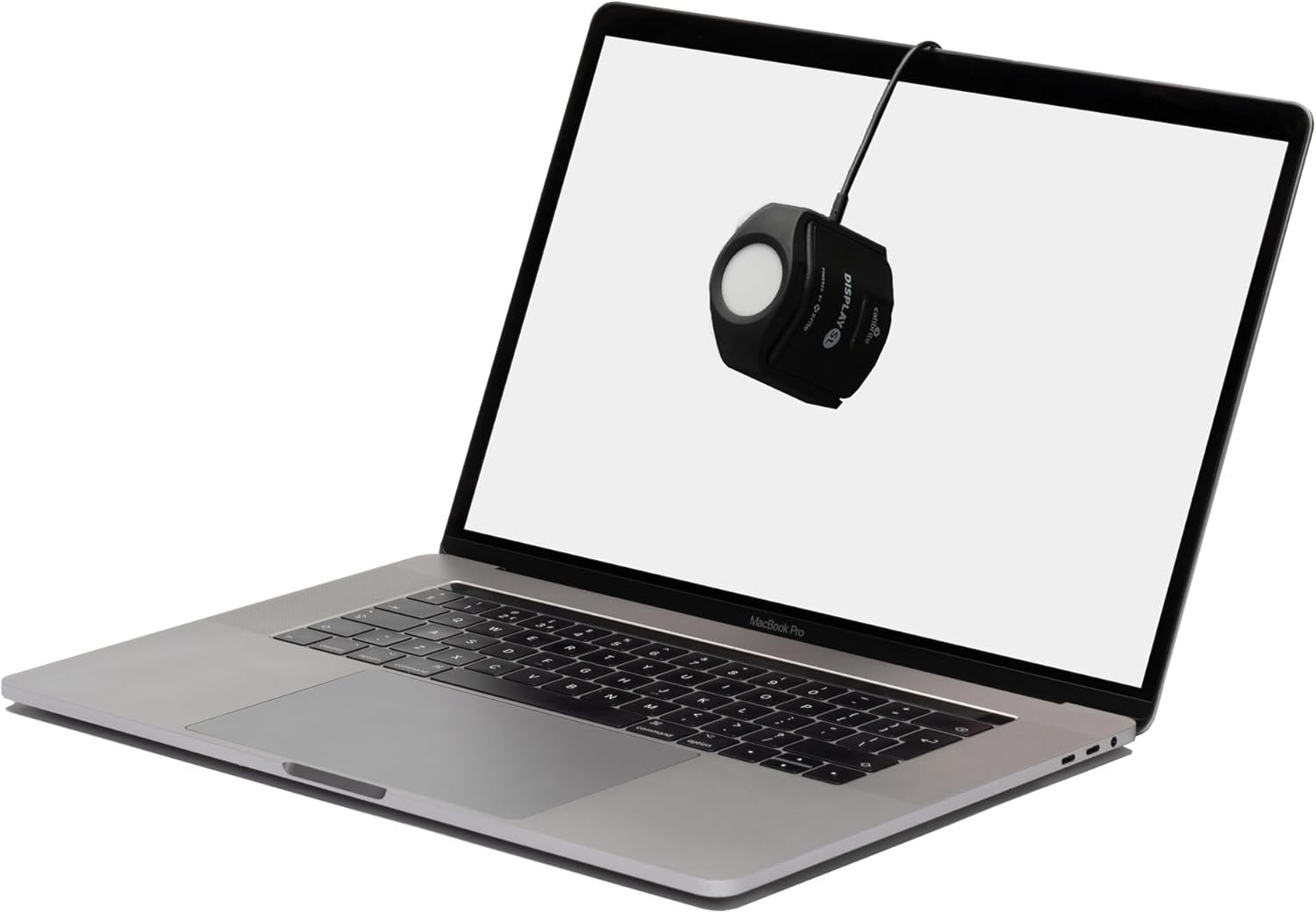
Image: The Calibrite Display SL positioned on a laptop screen, ready for calibration.

Image: The Calibrite Display SL hanging on an iMac display, demonstrating its placement during calibration.
Instruccions de funcionament
The Calibrite PROFILER software guides you through the calibration process. Here are the general steps:
- Programari de llançament: Open the Calibrite PROFILER application on your computer.
- Select Display: If you have multiple displays connected, the software will allow you to select which display you wish to calibrate. The Calibrite Display SL can calibrate multiple displays connected to the same computer.
- Segueix les instruccions que apareixen a la pantalla: The software will provide step-by-step instructions for placing the colorimeter on your screen and running the calibration sequence. This typically involves displaying a series of color patches for the device to read.
- Profile Creació: Upon completion, the software will create an ICC profile for your display, ensuring accurate color reproduction.
- Projector Calibration: The device can also be used for projector calibration. For this, the device is typically placed on a tripod and aimed at the projected image.

Image: A user interacting with the Calibrite PROFILER software while the Display SL calibrates a monitor.
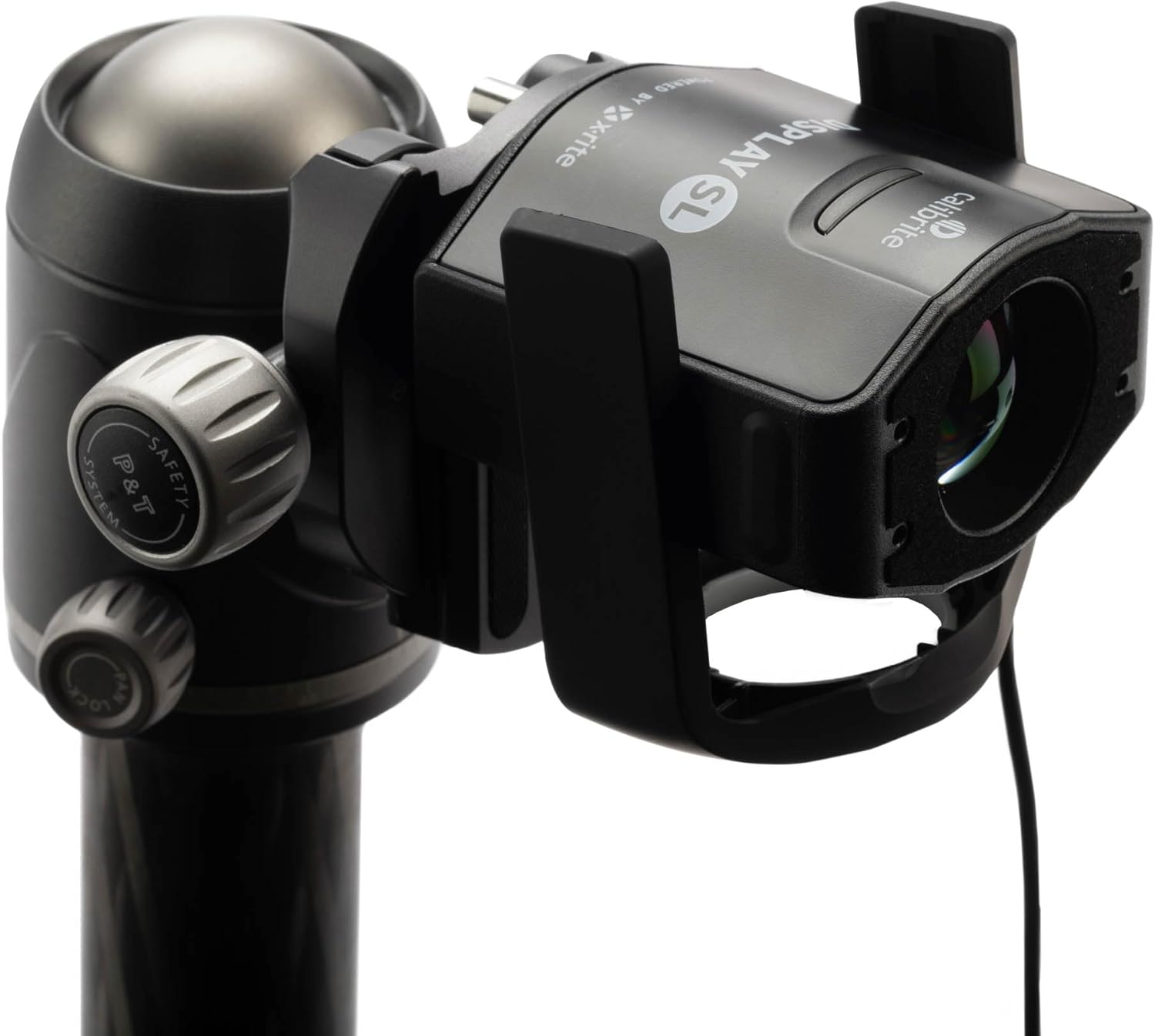
Image: The Calibrite Display SL mounted on a tripod, illustrating its use for projector calibration.
Manteniment
To ensure the longevity and accuracy of your Calibrite Display SL, follow these maintenance guidelines:
- Neteja: Gently wipe the exterior of the device with a soft, dry, lint-free cloth. Avoid using harsh chemicals or abrasive materials.
- Lent del sensor: Keep the sensor lens clean and free of dust or fingerprints. Use a lens cleaning cloth specifically designed for optics if necessary.
- Emmagatzematge: When not in use, store the device in its travel storage pouch to protect it from dust and physical damage.
- Actualitzacions de programari: Regularly check for updates to the Calibrite PROFILER software to ensure optimal performance and compatibility with new operating systems or display technologies.

Imatge: Una imatge detallada view of the Calibrite Display SL's sensor lens, emphasizing the importance of keeping it clean.
Resolució de problemes
If you encounter issues with your Calibrite Display SL, consider the following common solutions:
| Problema | Causa possible | Solució |
|---|---|---|
| Dispositiu no reconegut per l'ordinador. | Connexió USB fluixa, port USB defectuós, problema amb el controlador. | Ensure USB cable is securely connected. Try a different USB port. Restart your computer. Reinstall Calibrite PROFILER software. |
| Calibration results are inaccurate or inconsistent. | Sensor lens is dirty, ambient light interference, incorrect display settings. | Clean the sensor lens. Perform calibration in a consistent lighting environment. Ensure your display is warmed up (at least 30 minutes). Reset display to factory settings before calibration if possible. |
| Calibrite PROFILER software fails to launch or crashes. | Software corruption, operating system incompatibility, conflicting software. | Ensure your operating system meets the software requirements. Reinstall the software. Check for software updates. Disable any conflicting background applications. |
| Display color appears yellow/red after calibration. | Incorrect calibration targets, display hardware limitations. | Review your calibration target settings (e.g., white point, gamma). Ensure your display is capable of achieving the desired color space. Recalibrate. |
If these steps do not resolve your issue, please refer to the official Calibrite support resources.
Especificacions
- Número de model: CCDISSL
- Dimensions del producte: 1.5 x 2.56 x 2.6 polzades
- Pes de l'article: 4.9 unces
- Connectivitat: USB-C (with included USB-A adapter)
- Tipus de sensor: Advanced SL (Standard Luminance)
- Pantalles compatibles: Current LCD displays, suitable for still image and video editing.
- Compatibilitat del programari: Calibrite PROFILER for Mac and Windows OS.
- Fabricant: Calibrite
- Primer disponible: 14 de juny de 2023
Garantia i Suport
For detailed warranty information and technical support, please visit the official Calibrite weblloc web o poseu-vos en contacte amb el servei d'atenció al client. Conserveu el comprovant de compra per a reclamacions de garantia.
Official Calibrite Store: Calibrite Amazon Store


