1. Introduction to Your Google Pixel 7a
This manual provides essential information for setting up, operating, and maintaining your Google Pixel 7a 5G smartphone. The Pixel 7a is designed to offer a seamless and intelligent user experience, powered by the Google Tensor G2 chip and advanced camera capabilities.
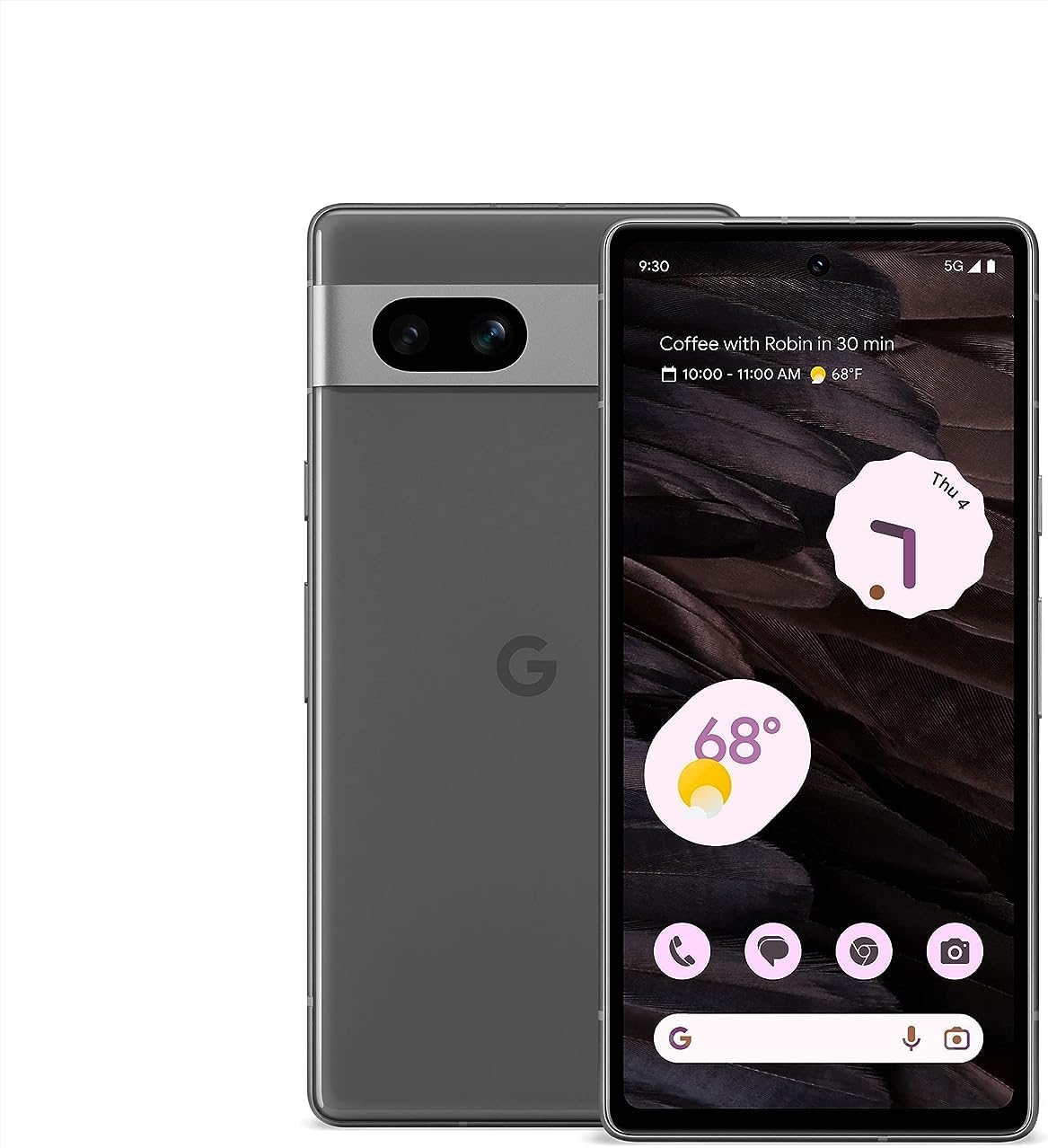
Imatge 1.1: Davant i darrere view of the Google Pixel 7a 5G smartphone. The device features a sleek design with a prominent camera bar on the rear.
Your Pixel 7a comes equipped with features like advanced image processing for clear photos, enhanced security, and intelligent call management. This guide will help you get the most out of your device.
2. Configuració inicial
Follow these steps to set up your new Google Pixel 7a.
2.1. Unboxing and Device Overview
Carefully remove all items from the packaging. The box typically contains the Pixel 7a smartphone and a USB-C to USB-C cable. Other accessories may vary.
2.2. Inserting Your SIM Card
- Locate the SIM card tray on the side of your Pixel 7a.
- Insert the SIM ejector tool (if provided, or a small paperclip) into the small hole on the SIM tray. Press firmly until the tray pops out.
- Place your nano-SIM card into the tray with the gold contacts facing down. Ensure it fits securely.
- Empenyeu suaument la safata de la SIM cap al telèfon fins que encaixi al seu lloc.
2.3. Engegada i configuració inicial
- Press and hold the Power button (located on the right side) until the Google logo appears.
- Follow the on-screen prompts to select your language, connect to a Wi-Fi network, and copy data from an old device (optional).
- Inicia la sessió amb el teu compte de Google o crea'n un de nou. Això és essencial per accedir als serveis de Google i a Play Store.
- Configura un bloqueig de pantalla (PIN, patró, contrasenya, empremta digital o desbloqueig facial) per seguretat.
3. Operating Your Pixel 7a
This section covers the primary functions and features of your smartphone.
3.1. Fer trucades i enviar missatges
- Aplicació per a telèfons: Tap the Phone icon to make calls. Use the dial pad or select a contact.
- Aplicació de missatges: Tap the Messages icon to send and receive text messages.
- Assistència de trucades: The Google Assistant can screen calls from unknown numbers, show optimal times to call businesses, and wait on hold for you. This feature enhances call management.

Image 3.1: Illustration of the Call Assist feature, highlighting its ability to screen calls, suggest optimal call times, and wait on hold.
3.2. Característiques de la càmera
The Pixel 7a camera system offers advanced capabilities for capturing high-quality photos and videos, even in challenging conditions.
- Photo Unblur: Improves the clarity of blurry images.
- Magic Eraser: Removes unwanted objects or distractions from your photos.
- Visió nocturna: Enhances photos taken in low-light environments, capturing more detail and color.

Imatge 3.2: Exemple visualamples of Photo Unblur, Magic Eraser, and Night Sight features in action, demonstrating their effects on images.
3.3. Seguretat i Privacitat
Your Pixel 7a integrates multiple layers of security to protect your data and online activity.
- Google Tensor G2 & Titan M2: The custom Google Tensor G2 chip and the dedicated Titan M2 security chip work together to provide robust hardware-level security.
- VPN by Google One: Helps secure your internet connection across various apps and browsers.
- Security & Privacy Hub: Access and manage all your security settings from one central location.

Image 3.3: Screenshot of the Pixel 7a's Security & privacy settings, showing options for app security, device lock, Google Security Checkup, and Find My Device.
3.4. Live Translate
The Live Translate feature allows for real-time language translation, facilitating communication across different languages.
- Face-to-face conversations: Translate spoken language in real-time.
- Messaging apps: Translate text within your messaging applications.
- Traducció de càmera: Use your camera to translate text from signs, menus, and documents.

Image 3.4: A person using the Google Pixel 7a to translate a conversation in real-time, demonstrating the Live Translate feature.
4. Manteniment i cura
Proper care ensures the longevity and optimal performance of your Pixel 7a.
4.1. Battery Management and Charging
- Bateria adaptativa: Your Pixel 7a's battery is designed to last over 24 hours with typical usage.
- Extreme Battery Saver: Activate this mode to extend battery life up to 72 hours by limiting app activity and features.
- Càrrega sense fils: The device supports wireless charging for convenience. Place the phone on a compatible wireless charger.
- Càrrega per cable: Use the provided USB-C cable and a compatible power adapter for wired charging.

Image 4.1: The Google Pixel 7a being charged wirelessly on a charging stand, illustrating its wireless charging capability.
4.2. Actualitzacions de programari
Google regularly releases software updates that include security patches, bug fixes, and new features. Ensure your device is updated to maintain optimal performance and security.
- To check for updates: Go to Configuració > Sistema > Actualització del sistema.
- It is recommended to perform updates over a Wi-Fi connection and with sufficient battery charge.
4.3. Neteja del dispositiu
Feu servir un drap suau i sense borrissol per netejar la pantalla i la carcassa del telèfon. Eviteu materials abrasius o productes químics agressius.
5. Resolució de problemes comuns
This section addresses common problems you might encounter with your Pixel 7a.
- El dispositiu no s'encén: Ensure the battery is charged. Connect the phone to a charger for at least 15 minutes, then try powering it on again.
- Les aplicacions es bloquegen o es bloquegen:
- Tanqueu i reinicieu l'aplicació.
- Clear the app's cache and data (Settings > Apps > See all apps > [App Name] > Storage & cache).
- Actualitza l'aplicació des de Google Play Store.
- Poca durada de la bateria:
- Comprova l'ús de la bateria a Configuració per identificar les aplicacions que consumeixen molta bateria.
- Reduir la brillantor de la pantalla i el temps d'espera de la pantalla.
- Desactiveu les funcions innecessàries com el GPS, el Bluetooth o el Wi-Fi quan no les feu servir.
- Enable Adaptive Battery or Extreme Battery Saver.
- Network connectivity issues (Wi-Fi/Cellular):
- Activa i desactiva el Wi-Fi o les dades mòbils.
- Reinicieu el telèfon.
- Reset network settings (Settings > System > Reset options > Reset Wi-Fi, mobile & Bluetooth).
- El sensor d'empremtes dactilars no funciona:
- Assegureu-vos que el vostre dit estigui net i sec.
- Re-register your fingerprints in Settings > Security & privacy > Device unlock > Fingerprint Unlock.
If issues persist, consider performing a factory reset (back up your data first) or contacting Google Support.
6. Especificacions tècniques
Key technical specifications for the Google Pixel 7a:
| Característica | Especificació |
|---|---|
| Nom del model | Pixel 7a |
| Sistema operatiu | Android |
| Model de CPU | Google Tensor G2 |
| RAM | 8 GB |
| Capacitat d'emmagatzematge de memòria | 128 GB |
| Mida de la pantalla | 6.1 polzades |
| Resolució | 1080 x 2400 píxels |
| Capacitat de la bateria | 4385 milionsamp Hores |
| Pes de l'article | 6.7 unces |
| Dimensions del producte | 5.89 x 2.87 x 0.35 polzades |
| Característiques especials | Sempre en pantalla, càrrega sense fil |
| Operador sense fil | Desbloquejat |

Image 6.1: Diagram illustrating the Google Tensor G2 chip, the core processor of the Pixel 7a, emphasizing its role in efficiency, security, and media quality.
7. Garantia i Suport
For information regarding your device's warranty, please refer to the warranty card included with your purchase or visit the official Google support website. As this is a renewed product, warranty terms may differ from new devices. Please consult your seller for specific warranty details.
For technical assistance, troubleshooting, or further inquiries, please visit the official Google Pixel Support page or contact your retailer.
- Assistència de Google: support.google.com/pixelphone
- Suport al venedor: Contact the seller from whom you purchased this renewed device for specific support related to your purchase.


