1. Introducció
This user manual provides comprehensive instructions for the installation, operation, and maintenance of the Turing TP-MFD8M28 Smart 8MP IR Dome IP Camera. This advanced surveillance camera features 8MP resolution, a 2.8mm lens, and integrates with Turing SMART Series NVR, Bridge, and Cloud for advanced AI capabilities including Face, Human, and Vehicle detection. Designed for both indoor and outdoor use, it boasts IP67 weather resistance and IK10 vandal resistance, ensuring reliable performance in various environments.
2. Producte acabatview
The Turing TP-MFD8M28 is a high-performance dome IP camera engineered for superior surveillance. Its robust design and intelligent features make it suitable for a wide range of security applications.
2.1 Característiques clau
- Face/Human/Vehicle AI: Advanced detection capabilities when integrated with Turing SMART Series NVR, Bridge, and Cloud.
- Alta resolució: Max. 8MP (3840x2160) at 20fps resolution for clear imaging.
- TwilightVision: Ensures optimal image clarity even in low-light conditions.
- Disseny durador: Classificació IP67 per a la resistència a la intempèrie i IK10 per a la resistència al vandàlic.
- Alimentació per Ethernet (PoE): Simplifica la instal·lació proporcionant energia i dades a través d'un únic cable.
- Ampli rang dinàmic (WDR): 120 dB WDR for balanced images in challenging lighting.
- Emmagatzematge a bord: Supports up to 256GB microSD card (not included) for local recording.
2.2 Components de la càmera
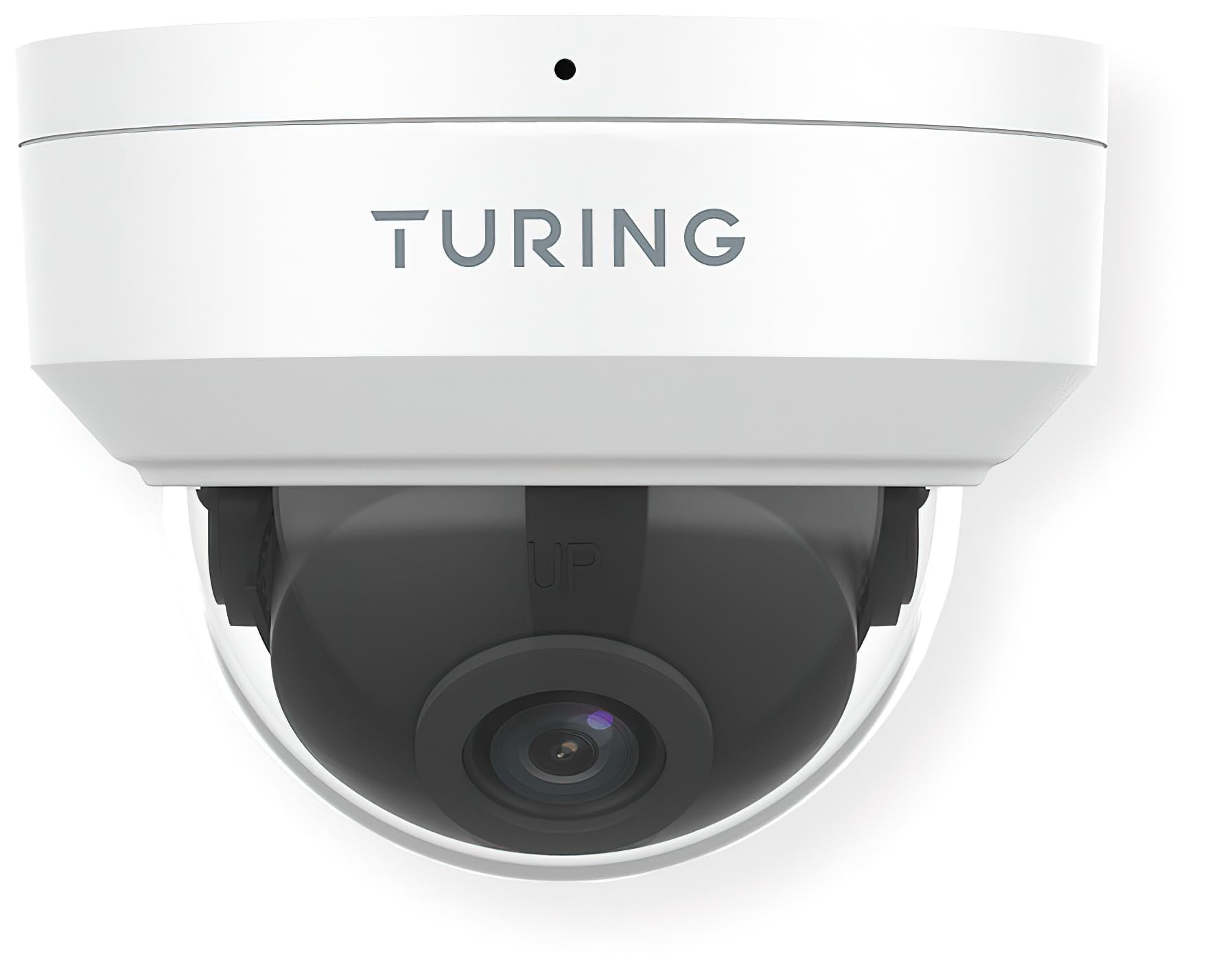
Figura 1: Davant view of the Turing TP-MFD8M28 Smart 8MP IR Dome IP Camera. The image displays the white dome camera with the Turing logo on the top housing and the dark lens assembly visible through the clear dome cover. A small black dot, likely an indicator light or microphone, is visible at the top center.
The camera consists of a main housing, a clear dome cover, and an internal camera module with the lens. The housing is designed for secure mounting, and the dome protects the sensitive camera components while allowing for a wide field of view.
3. Configuració i instal·lació
Proper installation is crucial for optimal performance and longevity of your camera.
3.1 Contingut del paquet
- Turing TP-MFD8M28 IP Camera
- Cargols de muntatge i tacs de paret
- Waterproof Connector (for Ethernet cable)
- Guia d'inici ràpid
3.2 Instruccions de muntatge
- Tria la ubicació: Seleccioneu un lloc interior o exterior adequat, assegurant-vos que hi hagi un camp lliure de llum. view and access to network cabling. Consider the camera's 2.8mm fixed lens angle of view (H: 112.4°, V: 60.1°, D: 146.1°).
- Prepara la superfície: Mark drilling points using the provided mounting template (if applicable). Drill holes for the wall plugs.
- Base segura: Attach the camera's mounting base securely to the surface using the provided screws.
- Connectar els cables: Connect the Ethernet cable to the camera's PoE port. Use the waterproof connector for outdoor installations to protect the connection.
- Ajust d'angle: Once mounted, adjust the camera's lens angle to cover the desired surveillance area.
- Secure Dome: Reattach the clear dome cover, ensuring it is properly sealed.
3.3 Connexió de xarxa
The TP-MFD8M28 supports Power over Ethernet (PoE). Connect the camera to a PoE-enabled switch or NVR using a standard Ethernet cable. The camera will power on automatically. For initial setup and configuration, refer to the Turing Vision software or your NVR's user manual.
4. Funcionament de la càmera
The camera's primary functions are managed through the Turing Vision software or a compatible Turing SMART Series NVR/Bridge.
4.1 Viu View i Enregistrament
- Access the live feed through the Turing Vision application or connected NVR.
- Configure recording schedules (continuous, motion-triggered, event-based) via the software interface.
- Reproducció gravada footage from the NVR or the camera's microSD card (if installed).
4.2 AI Features (with Turing SMART Series NVR/Bridge)
- Reconeixement facial: Set up and manage known faces for alerts or access control.
- Detecció de persones: Receive alerts when human figures are detected in specified zones.
- Detecció de vehicles: Get notifications for vehicle presence or movement.
- Configure detection zones and sensitivity settings within the Turing Vision software.
4.3 Configuració avançada
- Configuració de la imatge: Adjust brightness, contrast, saturation, and WDR settings.
- Configuració de la xarxa: Configure IP address, port forwarding, and other network parameters.
- Actualitzacions de firmware: Comproveu i apliqueu regularment actualitzacions de firmware per garantir un rendiment i una seguretat òptims.
5. Manteniment
Un manteniment regular ajuda a garantir la longevitat i el rendiment òptim de la càmera.
- Neteja de lents: Gently wipe the clear dome and lens with a soft, lint-free cloth. For stubborn dirt, use a mild lens cleaning solution. Avoid abrasive materials.
- Inspecció de l'habitatge: Periodically check the camera housing for any signs of damage, cracks, or loose components.
- Connexions de cable: Ensure all cable connections are secure and free from corrosion, especially for outdoor installations.
- Actualitzacions de programari: Keep the camera's firmware and associated Turing Vision software updated to the latest versions.
6. Solució De Problemes
Si teniu problemes amb la càmera, consulteu els problemes i solucions més comuns següents.
| Problema | Causa possible | Solució |
|---|---|---|
| No Power/Camera Offline | No PoE power; faulty Ethernet cable; network issue. | Check PoE switch/NVR status. Verify Ethernet cable connection. Ensure network is operational. |
| No Image/Video Feed | Network connectivity issue; incorrect IP settings; camera malfunction. | Verify network connection. Check camera's IP address. Restart camera/NVR. |
| Poor Image Quality | Dirty lens/dome; low light conditions; incorrect image settings. | Clean lens/dome. Ensure sufficient lighting or check TwilightVision settings. Adjust image parameters (WDR, brightness). |
| AI Features Not Working | Not connected to Turing SMART Series NVR/Bridge; incorrect AI settings; outdated firmware. | Confirm connection to compatible Turing hardware. Review AI detection zone and sensitivity settings. Update firmware. |
If the problem persists after attempting these solutions, please contact Turing technical support.
7. Especificacions
Detailed technical specifications for the Turing TP-MFD8M28 Smart 8MP IR Dome IP Camera.
| Model | TP-MFD8M28 |
| Sensor | 1/2.7-in 8MP 16:9 Progressive Scan CMOS |
| Lent | Lent fixa de 2.8 mm |
| Angle de View | H: 112.4 degrees; V: 60.1 degrees; D: 146.1 degrees |
| Màx. Resolució | 8MP (3840x2160) at 20fps |
| Il·luminació mínima | Color: 0.0025 Lux (F1.6, AGC on); 0 Lux with IR on |
| Codificació de vídeo | Ultra 265, H.265, H.264, MJPEG |
| Processament digital | 120 dB WDR; 2D/3D DNR; Defog |
| Característiques d'IA | Face Recognition, People and Car Detection (with SMART series NVR/Bridge) |
| Protecció d'entrada | IP67 (resistent a la pols i a l'aigua) |
| Resistència vàndal | IK10 |
| Poder | DC 12V, PoE (IEEE 802.3af); up to 6.0W |
| Protecció contra sobretensions | 4KV |
| Emmagatzematge a bord | microSD (up to 256 GB, not included) |
| Smart IR Range | Fins a 30 m (98.43 peus) |
| Dimensions (Diameter x H) | 4.3 x 3.2 polzades |
| Pes | 0.93 lliures (14.9 unces) |
| Protocol de connectivitat | Ethernet |
| Tipus de muntatge | Muntatge al sostre |
| Ús interior/exterior | Exterior, Interior |
8. Garantia i Suport
Turing products are designed for reliability and performance.
8.1 Informació de la garantia
This product comes with a standard manufacturer's warranty. Please refer to the warranty card included in your product packaging or visit the official Turing weblloc web per obtenir informació detallada sobre els termes i condicions de la garantia. Conserveu el comprovant de compra per a reclamacions de garantia.
8.2 Suport tècnic
For technical assistance, troubleshooting, or any product-related inquiries, please contact Turing technical support.
- Assistència en línia: Visit the official Turing website for FAQs, knowledge base articles, and support resources.
- Informació de contacte: Refer to the contact section on the Turing weblloc web per obtenir números de telèfon o adreces de correu electrònic per a assistència directa.
When contacting support, please have your product model number (TP-MFD8M28) and serial number ready.


