1. Introducció i finalview
The Buffbee Sound Machine & Alarm Clock is a versatile 2-in-1 device designed to enhance your sleep and wake-up experience. It combines a high-quality sound machine with a precise digital alarm clock, offering a range of features to create a peaceful environment and ensure timely waking.

Image 1.1: The Buffbee device highlighting its dual functionality as a sound machine and an alarm clock.
Característiques principals:
- Funcionalitat 2 en 1: Combines a sound machine and a digital alarm clock in one compact unit.
- 18 sons calmants: Includes 5 white noises, 3 fan sounds, and 10 nature sounds (ocean, lullaby, waves, rain, thunderstorm, stream, croaks, bird chirps, summer night, campfire) to aid sleep and relaxation.
- Brillantor de la pantalla ajustable: Clock face brightness can be dimmed from 0% to 100% to suit your preference.
- Control de volum precís: Offers 30 levels of volume adjustment for optimal sound output.
- Temporitzador de son: Set the sound machine to automatically turn off after 15, 30, 60, 90, or 120 minutes, or allow continuous play.
- Llum nocturna de 7 colors: Features a soothing colored light at the base with 7 color options and ON/OFF functionality.
- Altaveu d'alta qualitat: Equipped with a 5W speaker for rich, detailed sound.

Imatge 1.2: Frontal view of the Buffbee Sound Machine & Alarm Clock, displaying the time and the top control panel.
2. Configuració
2.1 Desembalatge i contingut
Carefully remove the Buffbee Sound Machine & Alarm Clock from its packaging. Verify that all components are present:
- Buffbee Sound Machine & Alarm Clock unit
- Power Adapter (USB cable and wall adapter)
- Manual d'usuari (aquest document)
2.2 Connexió d'alimentació
The device is powered by an electrical cable.
- Insert the small end of the USB power cable into the DC IN port on the back of the Buffbee unit.
- Plug the larger end of the USB cable into the provided wall adapter.
- Connecteu l'adaptador de paret a una presa de corrent estàndard.
The device will power on automatically, and the digital display will illuminate.
2.3 Configuració de l'hora
Upon initial power-on or after a power outage, you may need to set the correct time.
- Manteniu premut el botó Temps establert button (usually indicated by a clock icon) on the top panel until the hour digits begin to flash.
- Utilitza el +/- buttons (or arrow buttons) to adjust the hour.
- Premeu el botó Temps establert de nou per canviar a l'ajust de minuts.
- Utilitza el +/- botons per ajustar els minuts.
- Premeu el botó Temps establert Premeu el botó una vegada més per confirmar i sortir del mode de configuració de l'hora.
3. Instruccions de funcionament
3.1 Sound Machine Function
The Buffbee Sound Machine offers 18 soothing sounds to help you relax and sleep.

Imatge 3.1: Interna view illustrating the upward-firing speaker for enhanced sound quality.
Reproducció de sons:
- Premeu el botó Mode de so button (often a music note icon) to cycle through the available sound categories (White Noise, Fan Sounds, Nature Sounds).
- Utilitza el Next/Previous Sound buttons (arrow icons) to select a specific sound within the chosen category.
- The sound will begin playing automatically.
Ajust de volum:
The device features 30 levels of precise volume control.
- Premeu el botó Puja el volum (+) or Baixar el volum (-) buttons to increase or decrease the sound volume.

Image 3.2: Illustration of the auto-off timer and 30-level precise volume control features.
Configuració del temporitzador de repòs:
The sleep timer allows the sound machine to turn off automatically after a set duration.
- Premeu el botó Temporitzador button (often an hourglass icon) repeatedly to cycle through the available timer options: 15 minutes, 30 minutes, 60 minutes, 90 minutes, 120 minutes, or continuous play (indicated by 'ON' or no timer display).
- The selected timer duration will be displayed briefly on the screen.
3.2 Funció de despertador
The Buffbee device functions as a digital alarm clock with customizable wake-up sounds.
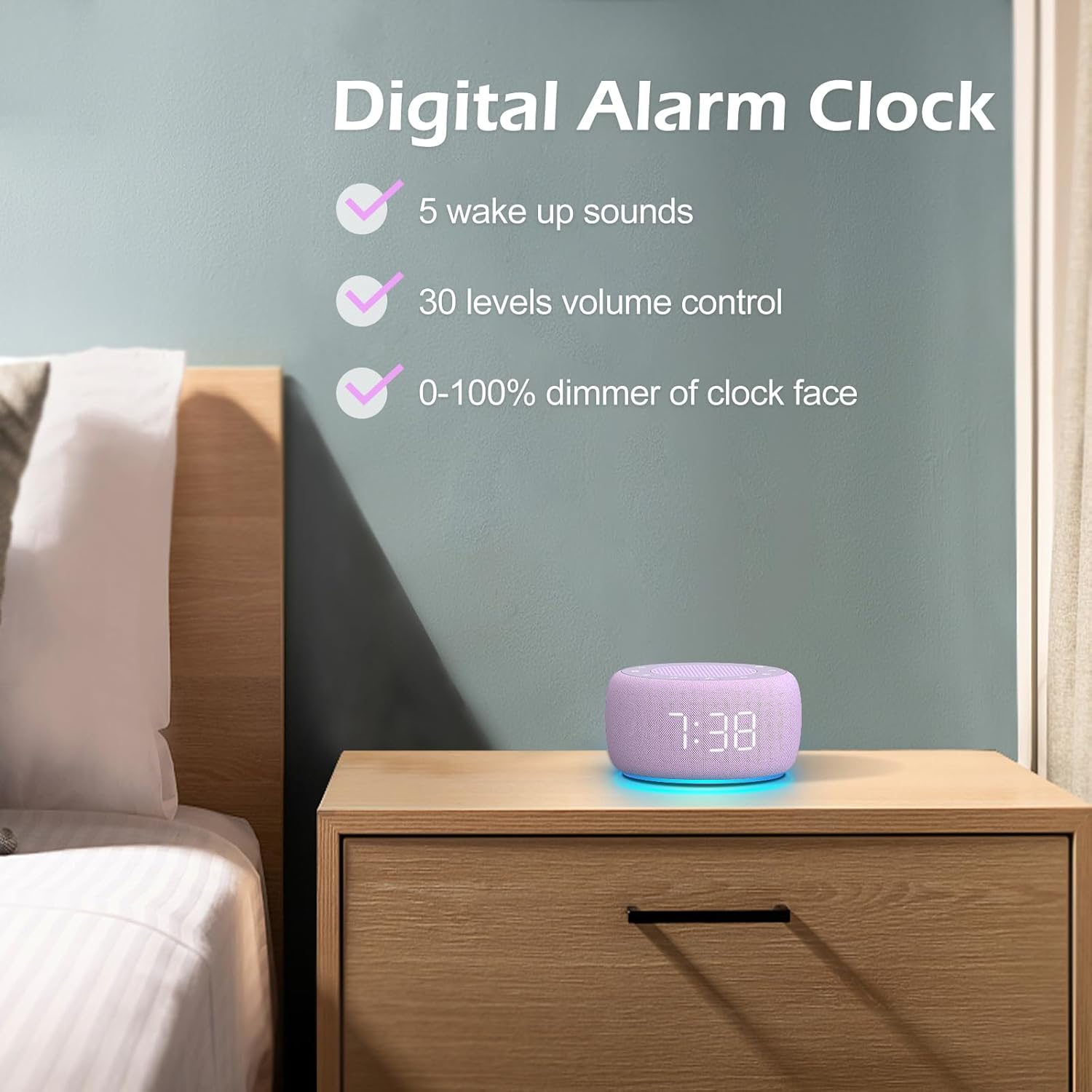
Imatge 3.3: acabatview of the digital alarm clock features, including wake-up sounds, volume control, and display dimmer.
Configuració d'una alarma:
- Manteniu premut el botó Conjunt d'alarma button (often an alarm clock icon) until the alarm hour digits begin to flash.
- Utilitza el +/- botons per ajustar l'hora de l'alarma.
- Premeu el botó Conjunt d'alarma de nou per canviar a l'ajust de minuts.
- Utilitza el +/- botons per ajustar els minuts de l'alarma.
- Premeu el botó Conjunt d'alarma button one more time to confirm the alarm time.
- After setting the time, you can select the wake-up sound by pressing the Selecció de so button (if available, or use +/- buttons while alarm sound is flashing). There are 5 wake-up sounds available.
- Premeu el botó Conjunt d'alarma button again to activate the alarm. An alarm icon will appear on the display.
Funció de posposar:
Quan soni l'alarma, premeu el botó Posposa button (usually a large button on top or a dedicated snooze icon) to temporarily silence the alarm for a few minutes (typically 9 minutes). The alarm will sound again after the snooze period.
Desactivació de l'alarma:
To turn off the alarm completely, press the Activació / desactivació de l'alarma button (often the same as the Alarm Set button, or a dedicated toggle). The alarm icon will disappear from the display.
3.3 Display & Light Functions
Ajust de la brillantor de la pantalla:
The digital display brightness can be adjusted from 0% (completely dark) to 100% (brightest).

Image 3.4: Demonstration of the 0-100% display dimmer feature, showing various brightness levels.
- Premeu el botó Dimmer button (often a sun icon) repeatedly to cycle through different brightness levels.
- Mantingueu el Dimmer button to smoothly adjust the brightness from 0% to 100% and vice versa. Release the button at your desired brightness.
Ús de la llum nocturna:
The device features a colored night light at its base with 7 color options.

Image 3.5: The Buffbee device showcasing its 7-color night light feature in a bedroom setting.
- Premeu el botó Llum button (often a light bulb icon) to turn the night light ON.
- Premeu el botó Llum button repeatedly to cycle through the 7 available colors.
- Premeu el botó Llum button one more time after cycling through all colors to turn the night light OFF.
4. Manteniment
4.1 Neteja
To maintain the appearance and functionality of your Buffbee device:
- Desendolleu sempre el dispositiu de la presa de corrent abans de netejar-lo.
- Feu servir un drap suau, sec i sense borrissol per netejar les superfícies exteriors.
- No utilitzeu netejadors abrasius, ceres ni dissolvents, ja que poden danyar l'acabat.
- Eviteu que entri humitat a cap obertura.
4.2 Emmagatzematge
Quan no l'utilitzeu durant períodes prolongats, guardeu el dispositiu en un lloc fresc i sec, allunyat de la llum solar directa i de temperatures extremes.
4.3 Advertències de seguretat
Si us plau, observeu les precaucions de seguretat següents:
- Aquest producte no és una joguina. Mantenir fora de l'abast dels nens.
- Handle with care to avoid electric shock. Do not expose the device to water or excessive moisture.
- Use within recommended noise exposure limits to prevent hearing damage.
- No intenteu desmuntar ni reparar el dispositiu vosaltres mateixos. Encarregueu tot el manteniment a personal qualificat.
5. Solució De Problemes
If you encounter issues with your Buffbee Sound Machine & Alarm Clock, please refer to the following common problems and solutions:
| Problema | Causa possible | Solució |
|---|---|---|
| El dispositiu no s'encén. | No hi ha connexió a la xarxa elèctrica o l'adaptador és defectuós. | Ensure the power cable is securely plugged into the device and the wall outlet. Try a different outlet. |
| No hi ha so de l’altaveu. | Volume is too low or muted. Incorrect sound selected. | Augmenteu el volum amb el Puja el volum (+) button. Ensure a sound is selected and not paused. |
| L'alarma no sona. | Alarm is not set or not activated. Alarm volume is too low. | Verify that the alarm time is set correctly and the alarm icon is displayed. Increase the alarm volume (if separate from main volume). |
| La pantalla és massa tènue o massa brillant. | Display dimmer setting is incorrect. | Manteniu premut el botó Dimmer button to adjust the brightness to your preference. |
| La llum nocturna no funciona. | Night light is turned off. | Premeu el botó Llum button to turn on and cycle through colors. |
6. Especificacions
Detailed technical specifications for the Buffbee Sound Machine & Alarm Clock (Model BK11):
| Característica | Especificació |
|---|---|
| Marca | BUFFBEE |
| Número de model | BK11 |
| Color | Violeta |
| Material | Plàstic |
| Font d'alimentació | Elèctric amb cable |
| Dimensions del producte | 14.3 x 11.2 x 7.7 cm (5.6 x 4.4 x 3.0 polzades) |
| Pes de l'article | 322 grams (0.71 lliures) |
| Sortida de l'altaveu | 5W |
| Opcions de so | 18 Soothing Sounds (5 White Noise, 3 Fan, 10 Nature) |
| Nivells de volum | 30 Precise Levels |
| Dimmer de la pantalla | 0-100% Adjustable Brightness |
| Colors de llum nocturna | 7 colors |
| Opcions del temporitzador de repòs | 15, 30, 60, 90, 120 minutes, or Continuous Play |
| Wake-up Sounds | 5 Alarm Sounds |
7. Garantia i Suport
7.1 Informació de la garantia
This product comes with a standard manufacturer's warranty. Please refer to the product packaging or the seller's weblloc web per conèixer els termes i condicions específics de la garantia, incloent-hi els detalls de la durada i la cobertura.
7.2 Atenció al client
For any questions, technical assistance, or warranty claims, please contact Buffbee customer support through the retailer's platform or the official Buffbee website. Have your product model number (BK11) and purchase details ready when contacting support.


