1. Introducció
Welcome to the user manual for your new Powkiddy X28 Handheld Game Console. This guide will help you understand the device's features, set it up, operate it efficiently, and maintain it for optimal performance. Please read this manual thoroughly before using your console.
2. Producte acabatview
The Powkiddy X28 is a versatile handheld gaming device running on Android 11, designed for both classic retro games and modern mobile titles. It features a powerful T618 processor, a vibrant 5.5-inch IPS display, and a comprehensive set of controls.
2.1. Disseny i controls del dispositiu

Image: Powkiddy X28 Handheld Game Console with labels for all buttons and ports.
The image above illustrates the various buttons, joysticks, and ports on your Powkiddy X28 console. Familiarize yourself with their locations and functions:
- Direction Keys (D-Pad): Located on the left, used for directional input in games and menu navigation.
- Rocker (Analog Sticks): Two analog joysticks for precise 3D movement and camera control.
- Botons A/B/X/Y: Standard action buttons on the right side.
- Botons de selecció/inici: For in-game actions and menu selections.
- Botons L1/L2/R1/R2: Shoulder and trigger buttons located on the top edge for additional in-game controls.
- Botó d'encesa: Located on the top edge, used to turn the device on/off or put it to sleep.
- Ranura per a targetes: For inserting a TF (microSD) card to expand storage.
- Port OTG: For connecting external USB devices.
- HD Charging Port: Type-C port for charging and HDMI output.
- Tecles de volum: For adjusting the audio volume.
- Presa d'auriculars (3.5 mm): Per connectar auriculars amb cable.
- Map/Menu Button: Accesses mapping or in-game menu functions.
- Botó de retorn: Navega enrere en els menús o les aplicacions.
- Botó d'inici: Torna a la pantalla d'inici principal d'Android.

Imatge: Frontal view of the Powkiddy X28 Handheld Game Console, showcasing its compact design and central screen.

Image: The Powkiddy X28 console highlighting its IPS large screen and Android operating system, suitable for classic and nostalgic games.
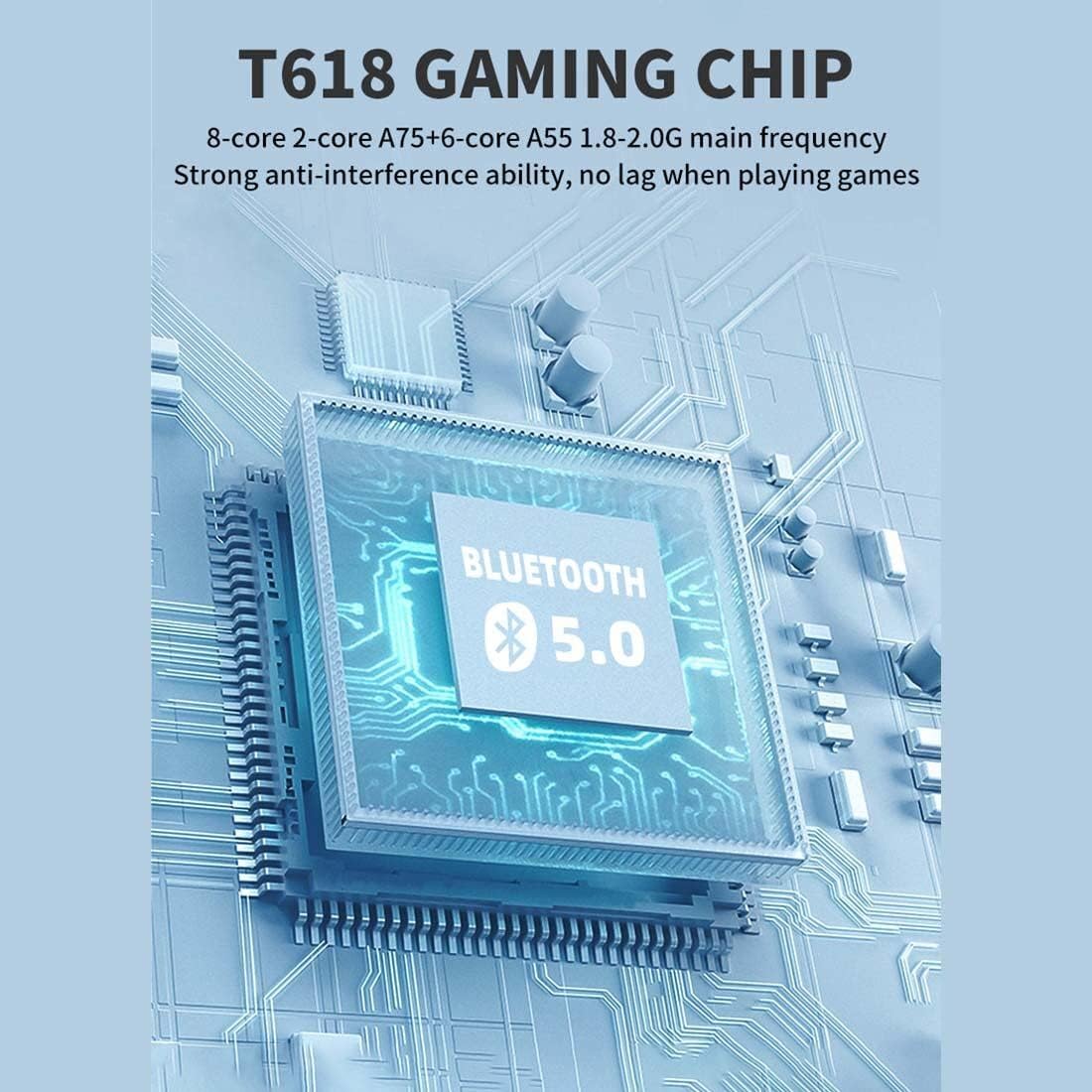
Image: A diagram illustrating the T618 Gaming Chip, emphasizing its 8-core processor (A75+A55) and Bluetooth 5.0 capabilities for smooth, lag-free gaming.

Image: The 5.5-inch IPS multi-touch screen of the Powkiddy X28, showing its 720x1280 resolution and full-fit technology for clear display and comfortable viewing, along with options for touch or button gameplay.
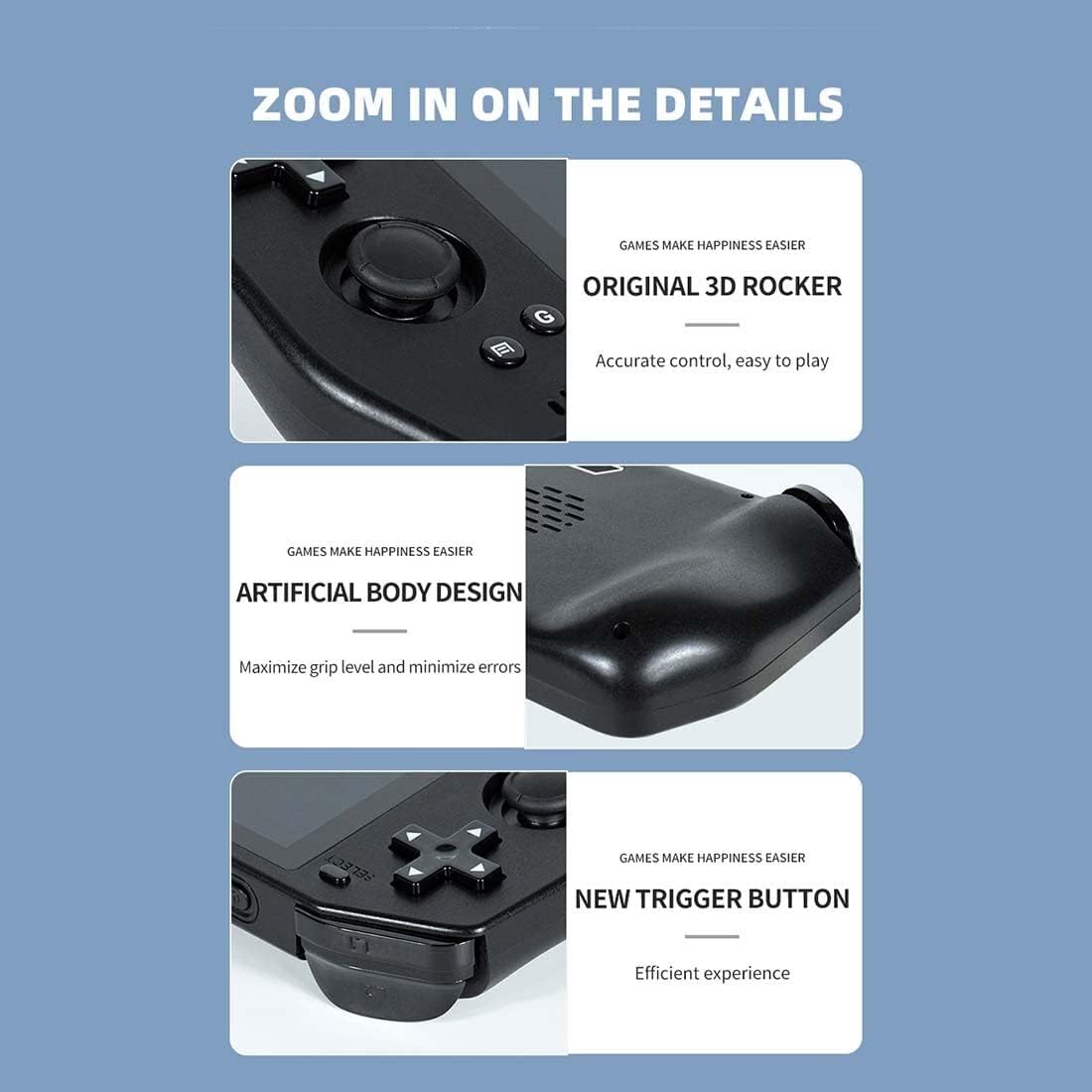
Imatge: Primer pla views of the Powkiddy X28, highlighting the original 3D rocker for accurate control, the artificial body design for maximized grip and minimized errors, and the new trigger buttons for efficient gameplay.

Image: Details of the Powkiddy X28, showcasing its intimate anti-slip design for protection and aesthetics, and its stereo sound quality with a dual speaker design.
3. Especificacions
| Característica | Descripció |
|---|---|
| Pantalla LCD | 5.5" (720 x 1280) IPS MIPI interface (fully laminated) |
| Panell tàctil | G+G COB 5-point touch |
| Capacitat de la bateria | 5000 mAh |
| Carregador | 5V/2A tipus C |
| Cable de càrrega | Tipus C 5V/2A |
| Conector d'auriculars | 3.5 mm |
| Plataforma de maquinari | UMS512/512T (T618) Octa-core (A75 + A55), 1.8-2.0 GHz |
| Memòria (RAM/ROM) | LPDDR4/4X: 4GB, EMMC: 64GB |
| Wi-Fi | IEEE 802.11 ac/b/g/n |
| Bluetooth | 5.0 |
| Interfície USB | Type-C X2 (both for charging, one supports external handle) |
| Sensors | G-sensor, Gyroscope, P/L sensor |
| Brúixola | Admet |
| Giroscopi | Admet |
| GPS | Admet |
| OTG | Admet |
| Sortida HD | Mini HDMI (Type-C interface), single display output (device screen turns black when HDMI is used) |
| FM | Compatible |
| Altaveu | Two stereo speakers with built-in box |
| Targeta TF | Admet |
| Micròfon | Admet |
| Vibració | Admet |
| Sistema de programari | Android 11 |
| Idiomes | S'admeten diversos idiomes |
| Formats d'àudio | MP3, MP2, AMR, AWB, APE, M4A, MIDI, OGG, WAV, FLAC3GP (License required: AAC, WMA) |
| Formats de vídeo | MPEG4-SP, H.264/AVC, H.263, 3GP, 3G2, MP4, MKV, AVI |
| Dimensions del producte | 8.2 × 3.2 × 1.05 polzades |
| Pes del paquet | 400 g |
4. Configuració
4.1. Càrrega del dispositiu
Before first use, fully charge your Powkiddy X28. Connect the provided Type-C charging cable to the console's HD Charging Port and the other end to a 5V/2A power adapter (not included) or a compatible USB port. The charging indicator light will show the charging status.
4.2. Encès / apagat
- Per encendre: Manteniu premut el botó d'engegada fins que la pantalla s'encengui.
- Per apagar: Premeu i manteniu premut el botó d'engegada fins que aparegui un menú d'apagada. Seleccioneu "Apagar" per apagar el dispositiu.
- Mode de repòs: Briefly press the Power button to put the device into sleep mode and turn off the screen. Press it again to wake up.
4.3. Configuració Inicial
Upon first boot, you may be prompted to set up basic Android settings, including language, Wi-Fi connection, and Google account (optional). Follow the on-screen instructions.
4.4. Expanding Storage (TF Card)
To add more games or media, insert a TF (microSD) card into the dedicated card slot. Ensure the card is inserted correctly until it clicks into place. The device supports TF cards for additional storage.
5. Instruccions de funcionament
5.1. Navegació
The Powkiddy X28 runs on Android 11, offering a familiar interface. You can navigate using the physical controls (D-Pad, analog sticks, A/B/X/Y buttons) or the 5-point multi-touch screen.
- Pantalla tàctil: Tap, swipe, and pinch to interact with apps and menus.
- D-Pad/Analog Sticks: Use for precise movement in games and menu selection.
- Botons A/B/X/Y: Typically used for confirmation (A), cancellation (B), and other in-game actions.
- Botó d'inici: Returns to the Android home screen from any application.
- Botó de retorn: Torna a la pantalla o al menú anterior.
5.2. Game Management
Games can be installed from the pre-loaded arcade system, Android app stores, or by transferring files to the device's internal storage or TF card. Ensure games are compatible with the Android 11 operating system and the device's hardware.
5.3. Connecting to a TV (HDMI Output)
The Powkiddy X28 supports Mini HDMI output for connecting to an external display. Use a compatible Mini HDMI to HDMI cable (not included) to connect the device to your TV or monitor. When HDMI output is active, the console's screen will turn black, and the display will be mirrored on the external screen.

Image: The Powkiddy X28 demonstrating its capability to support HD TV output, allowing gameplay on a larger screen. Note that the console's screen will be black when connected via HDMI.
5.4. Connectivitat Bluetooth
The device supports Bluetooth 5.0, allowing you to connect wireless headphones, gamepads, or other Bluetooth accessories. Go to Android Settings > Connected devices > Pair new device to connect.
5.5. Connectivitat Wi-Fi
Connect to a Wi-Fi network via Android Settings > Network & internet > Wi-Fi to download games, browse the internet, or access online features.
6. Manteniment
6.1. Neteja
Use a soft, dry, lint-free cloth to clean the console's screen and body. For stubborn smudges, slightly dampRenta el drap amb aigua. Evita utilitzar productes químics agressius o materials abrasius.
6.2. Cura de la bateria
- Eviteu descarregar completament la bateria amb freqüència.
- No exposeu el dispositiu a temperatures extremes.
- Use only the recommended 5V/2A Type-C charger.
6.3. Emmagatzematge
When not in use for extended periods, store the console in a cool, dry place away from direct sunlight and extreme temperatures. It is advisable to charge the battery to about 50% before long-term storage.
7. Solució De Problemes
| Problema | Possible solució |
|---|---|
| El dispositiu no s'encén | Ensure the battery is charged. Connect to charger for at least 30 minutes. If still unresponsive, perform a hard reset by holding the power button for 10-15 seconds. |
| Screen is black when connected to TV via HDMI | This is normal behavior. The console's screen turns off when HDMI output is active. Ensure your TV input is set to the correct HDMI port. |
| Games are lagging or freezing | Close background applications. Ensure sufficient storage space. For demanding games, lower in-game graphics settings if available. |
| Wi-Fi or Bluetooth not connecting | Restart the device. Ensure Wi-Fi/Bluetooth is enabled in settings. Check router/accessory for issues. |
| El dispositiu no es carrega | Check the charging cable and adapter for damage. Try a different compatible Type-C cable and 5V/2A adapter. Ensure the charging port is clean. |
| La pantalla tàctil no respon | Reinicieu el dispositiu. Assegureu-vos que la pantalla estigui neta i sense brutícia. Si el problema persisteix, poseu-vos en contacte amb l'atenció al client. |
8. Garantia i Suport
Your Powkiddy X28 Handheld Game Console comes with a standard manufacturer's warranty. Please refer to the warranty card included in your package for specific terms and conditions. For technical support, troubleshooting assistance beyond this manual, or warranty claims, please contact the retailer or manufacturer's customer service department.
Conserveu el tiquet de compra com a comprovant de compra a efectes de garantia.


