Introducció
Gràcies per la compraasing the HORLAT Mini Projector. This portable projector is designed to provide a versatile and immersive viewing experience, supporting 5G WiFi, Bluetooth 5.1, and Full HD 1080P content. This manual will guide you through the setup, operation, maintenance, and troubleshooting of your new device to ensure optimal performance and longevity.

Image: The HORLAT Mini Projector, a compact device with a lens on the front and control buttons on top, displayed against a vibrant, colorful projection.
Informació de seguretat
Please read all safety instructions before using the projector. Keep this manual for future reference.
- Do not block the ventilation openings. Ensure adequate airflow around the projector.
- No mireu directament a la lent del projector quan estigui encès.amp està encès. La llum brillant pot causar lesions oculars.
- Do not place the projector in unstable locations.
- Avoid exposing the projector to rain, moisture, or extreme temperatures.
- Feu servir només l'adaptador de corrent que s'inclou amb el projector.
- Desendolleu el projector durant tempestes o quan no l'utilitzeu durant períodes prolongats.
Contingut del paquet
Verifiqueu que tots els elements siguin presents al vostre paquet:
- HORLAT Mini Projector
- Control remot (piles AAA no incloses)
- Adaptador d'alimentació
- Cable HDMI
- Cable AV
- Manual d'usuari
Producte acabatview
Familiarize yourself with the components of your HORLAT Mini Projector.

Image: The HORLAT Mini Projector with its dimensions (7 inches length, 4.72 inches width, 2.75 inches height) and net weight (22 oz) highlighted, demonstrating its compact size and portability. It shows the projector supporting a tripod, being easily held, and fitting into a backpack.

Image: A diagram illustrating the short-focal lens capability of the projector, showing projection distances from 0.6m (21 inches) to 3.5m (180 inches). It also highlights 4P Keystone Correction, 50% Zoom, and a built-in speaker.
The projector features a compact design, making it highly portable. It includes a short-focal lens for flexible placement, a built-in speaker, and various ports for connectivity. The top panel houses intuitive controls for easy navigation.
Configuració
1. Connexió d'alimentació
Connect the supplied power adapter to the projector's DC input port and then plug it into a power outlet.
2. Col·locació i projecció
Place the projector on a stable, flat surface. Thanks to its short-focal lens, the projector can project a large image from a short distance, ranging from 1.8 feet (for a 21-inch screen) up to 5 feet or more for larger screens. For optimal viewing, a dark environment is recommended.
3. Enfocament i correcció Keystone
Adjust the focus ring on the lens until the image is clear. If the image appears trapezoidal, use the keystone correction features:
- ±15° Vertical Keystone Correction: Adjusts vertical distortion.
- 4P Keystone Correction: Allows individual adjustment of all four corners of the projected image for precise alignment.
- Correcció Keystone 4D: Provides horizontal and vertical digital keystone adjustments.
Use the remote control to access these settings. The 50% de zoom function allows you to reduce the screen size without moving the projector, adjusting from 100% down to 50%.

Image: A visual representation of the projector's zoom function (up to 50%) and various keystone correction methods, including digital 4P, digital 4D, and ±15° keystone correction, demonstrating how to customize the projected image.
En funcionament
1. Encendre/apagar
Premeu el botó d'engegada del projector o del comandament a distància per encendre o apagar la unitat.
2. Fonts d'entrada
The HORLAT Mini Projector supports multiple input sources:
- HDMI: Connect devices like TV sticks, PCs, laptops, gaming consoles (PS4, Switch), or DVD players.
- USB: Reprodueix contingut multimèdia directament des d'una unitat flash USB.
- DE: Connecteu els dispositius més antics amb el cable AV inclòs.
- Àudio (3.5 mm): Connecteu altaveus externs o auriculars.
Use the "Source" button on the remote or projector to select the desired input.

Image: An illustration showing the various connection ports on the projector (AV, 3.5mm Audio, USB, HDMI, DC) and examples of compatible devices such as computers, USB drives, PS4, DVD players, TV sticks, audio players, laptops, Nintendo Switch, and cameras.

Image: A projected screen displaying various streaming service logos (HBO, Prime Video, Hulu, YouTube, Plex, ESPN, Netflix) with the projector and a TV stick (not included) in the foreground, demonstrating compatibility with streaming devices.
3. Wireless Connectivity (WiFi & Bluetooth)
The projector features 5G+2.4G dual-band WiFi and Bluetooth 5.1 for seamless wireless connections.
- WiFi Screen Synchronization: Connect your smartphone (iOS or Android) to the projector via WiFi for screen mirroring. The built-in Eshare system ensures smooth, lag-free mirroring for movies and games. Ensure both devices are on the same WiFi network.
- Bluetooth 5.1: Connect external Bluetooth speakers or headphones for enhanced audio. Bluetooth 5.1 offers faster and more stable audio synchronization with a wider transmission range compared to older versions.
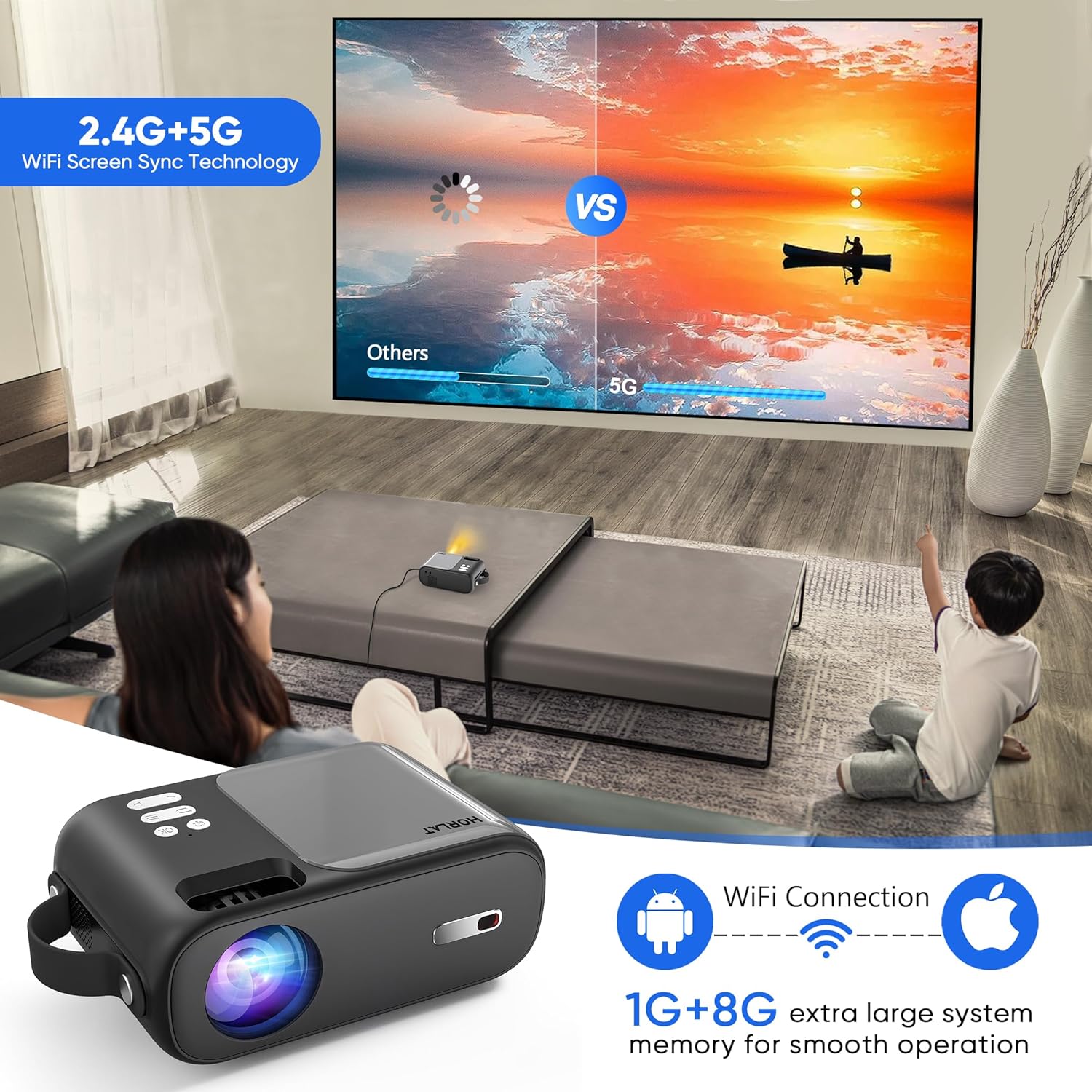
Image: A scene showing a family watching a movie projected onto a wall, with an overlay illustrating the 2.4G+5G WiFi Screen Sync Technology and 1G+8G system memory for smooth operation, emphasizing wireless connectivity for Android and Apple devices.

Image: A person playing a guitar, with the sound wirelessly connected via Bluetooth 5.1 from a smartphone to the projector, demonstrating the projector's capability to act as a Bluetooth speaker.
4. Sortida d'àudio
The projector has a built-in speaker. For a more immersive audio experience, connect external speakers or headphones via the 3.5mm audio jack or Bluetooth.
5. Control remot
The remote control provides full functionality for navigating menus, adjusting settings, changing input sources, and controlling playback. Insert two AAA batteries (not included) before first use.
Manteniment
Un manteniment adequat garanteix la longevitat i el rendiment del vostre projector.
- Neteja de lents: Feu servir un drap suau i sense borrissol dissenyat específicament per a lents òptiques per netejar suaument la lent del projector. No utilitzeu productes de neteja abrasius ni força excessiva.
- Neteja general: Netegeu l'exterior del projector amb un drap suau i sec. Eviteu utilitzar productes de neteja líquids directament sobre el dispositiu.
- Ventilació: Ensure the ventilation openings are clear of dust and obstructions to prevent overheating. The projector features a noise-reducing cooling system for efficient heat dissipation.
- Emmagatzematge: Quan no l'utilitzeu, guardeu el projector en un lloc fresc i sec, allunyat de la llum solar directa i de temperatures extremes.

Image: A composite image highlighting the projector's portability, its support for tripods, its 4-layer coated-glass lens, and its noise-reducing cooling system, illustrating key design and functional aspects.
Resolució de problemes
Si teniu problemes amb el projector, consulteu els problemes i solucions més comuns següents:
| Problema | Possible solució |
|---|---|
| No image or "No Signal" |
|
| Imatge borrosa |
|
| Sense so ni volum baix |
|
| Problemes de connexió Wi-Fi |
|
Especificacions
| Característica | Detall |
|---|---|
| Marca | HORLAT |
| Model | B0C9937J1J |
| Resolució nativa | 1280 x 720P (Supports 1080P) |
| Brillantor | 9000 lúmens |
| Relació de contrast | 9000:1 |
| Tecnologia de connectivitat | Wireless Bluetooth WIFI (5G+2.4G), HDMI, USB, AV, Audio (3.5mm) |
| Correcció de pedra clau | ±15°/4P/4D |
| Funció de zoom | 50% |
| Pes de l'article | 2.42 lliures |
| Dimensions del producte | 4.7 x 7 x 2.75 polzades |
| Color | Gris |
| Característiques especials | Built-In Wi-Fi, Portable, Wireless, Diffuse Reflection Eye Protection, Timer Shutdown |
Garantia i Suport
HORLAT provides a 3-year factory repair warranty with free replacement parts for this product. If you have any questions or require technical assistance, please do not hesitate to contact our professional support team. We are committed to providing 24/7 service to ensure your satisfaction.
For support, please refer to the contact information provided on the product packaging or the official HORLAT weblloc.


