1. Introducció
The Sameo Micro Genius 8-Bit HDMI Gaming Console offers a classic gaming experience with 800 built-in HD games. Designed for ease of use, this plug-and-play system connects directly to your TV via HDMI, providing entertainment for children and adults alike. It features wireless controllers for comfortable gameplay and supports both single-player and two-player modes.
2. Informació de seguretat
- Llegiu sempre atentament les instruccions abans d'utilitzar el producte.
- Ensure a proper balance between play and rest to avoid eye strain or fatigue.
- This product is suitable for children aged 5 years and above. Adult supervision is recommended for younger users.
- Keep the console and accessories away from water, heat sources, and direct sunlight.
- Do not attempt to open or repair the console or controllers yourself. Refer to qualified service personnel.
3. Contingut del paquet
Si us plau, verifiqueu que tots els elements que s'enumeren a continuació estiguin inclosos al vostre paquet:
- 1 x Sameo Micro Genius Game Stick (Console)
- 2 x Wireless Game Controllers (Joysticks)
- 1 x cable HDMI
- Cable d’alimentació 1 x USB
- 1 x Manual d'usuari (Aquest document)
- 1 x Targeta de garantia

Image: The Sameo Micro Genius game stick, two wireless controllers, and the HDMI dongle, illustrating the main components included in the package.
4. Instruccions de configuració
Follow these steps to set up your Sameo Micro Genius Gaming Console:
- Connect the Game Stick: Plug the Sameo Micro Genius Game Stick directly into an available HDMI input port on your television or monitor. Ensure your TV has an HDMI input interface.
- Connectar l'alimentació: Connect the USB Power Cable to the Game Stick and then plug the other end into a USB power source (e.g., a USB port on your TV or a USB wall adapter).
- Preparar els controladors: Insert 2 AAA batteries (not included) into each wireless controller. Ensure correct polarity.
- Seleccioneu l'entrada HDMI: Turn on your TV and use its remote control to select the correct HDMI input source to which the Game Stick is connected.
- Encès: The console should power on automatically once connected to power and the TV input is selected. The main game menu will appear on your screen.
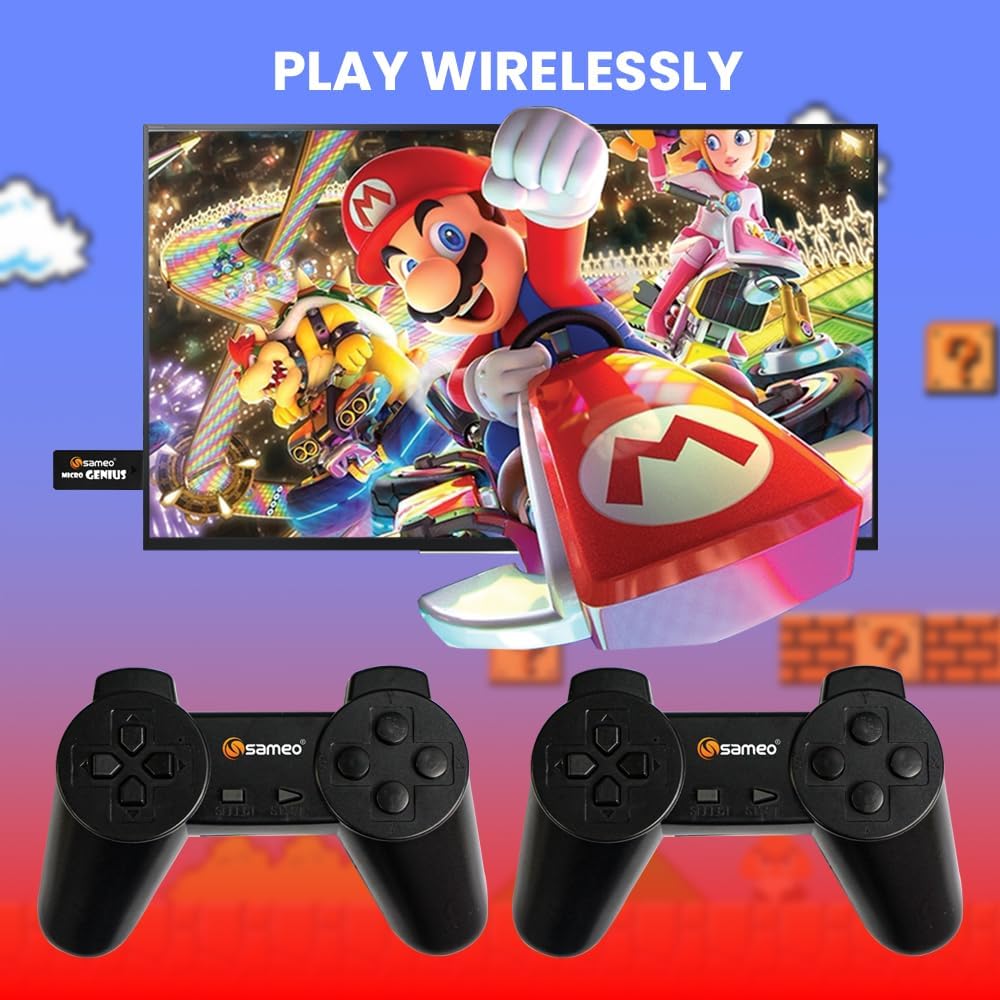
Image: A visual representation of the Sameo Micro Genius game stick plugged into a television, with two wireless controllers ready for use, demonstrating the wireless play feature.
5. Instruccions de funcionament
Once the console is set up, you can begin playing the built-in games:
- Navegació: Use the directional pad (D-pad) on the wireless controllers to navigate through the game menu.
- Selecciona un joc: Press the 'A' button (or equivalent action button) on the controller to select a game from the list.
- Comença el joc: After selecting a game, press the 'Start' button to begin playing.
- Pause/Menu: During gameplay, pressing the 'Start' button typically pauses the game or brings up an in-game menu.
- Exiting a Game: To return to the main game menu, you may need to hold down a specific button combination (e.g., 'Select' + 'Start' simultaneously) or select an 'Exit' option from the in-game menu. Refer to individual game instructions if available.
- Mode de dos jugadors: Many games support two players. Ensure both controllers are powered on and connected. The game will typically prompt for player selection.
6. Manteniment
Proper care will extend the life of your gaming console:
- Neteja: Use a soft, dry cloth to clean the console and controllers. Do not use liquid cleaners or abrasive materials.
- Emmagatzematge: When not in use, store the console and controllers in a cool, dry place, away from dust and extreme temperatures.
- Cura de la bateria: Remove batteries from the wireless controllers if they will not be used for an extended period to prevent leakage.
7. Solució De Problemes
If you encounter issues with your Sameo Micro Genius console, refer to the following common solutions:
- Sense alimentació/Sense pantalla:
- Ensure the USB power cable is securely connected to both the Game Stick and a working power source.
- Verify that your TV is turned on and set to the correct HDMI input channel.
- Try a different HDMI port on your TV or a different USB power source.
- Controllers Not Responding:
- Check if the batteries in the controllers are correctly inserted and have sufficient charge. Replace batteries if necessary.
- Ensure the controllers are within range of the Game Stick (typically within 5-7 meters).
- Restart the console by unplugging and re-plugging the USB power cable.
- Sense so:
- Check your TV's volume settings and ensure it is not muted.
- Verify that the HDMI cable is securely connected.
- Prova un altre port o cable HDMI.
- El joc es congela o falla:
- Restart the console by disconnecting and reconnecting the power.
- Ensure the console is not overheating. Provide adequate ventilation.
- Only One Game Opens:
- Ensure you are correctly navigating the menu and selecting games. Some games may require specific button presses to exit.
- If the issue persists, try restarting the console.
8. Especificacions
| Característica | Especificació |
|---|---|
| Número de model | Micro Genius |
| Interfície del maquinari | HDMI |
| Number of Built-in Games | 800 |
| Tipus de controlador | Wireless Joystick (2.4GHz) |
| Nombre de jugadors | 1 o 2 |
| Font d'alimentació | Alimentat per USB |
| Material | Plàstic |
| Product Dimensions (Console) | Aproximadament 15 x 12 x 5 cm |
| Pes de l'article | Aproximadament 400 g |
| Edat recomanada | 5 anys i més |
9. Garantia i Suport
Your Sameo Micro Genius Gaming Console comes with a warranty card. Please refer to the card for specific warranty terms and conditions. The manufacturer offers a 30-day unconditional return guarantee from the date of purchase.
For any questions, technical support, or service inquiries, please contact Sameo customer service. We are committed to providing satisfactory after-sales service.
Informació de contacte: Please refer to the contact details provided on your warranty card or product packaging for the most up-to-date support information.


