1. Introducció
This manual provides comprehensive instructions for the Olvy Wireless Android Auto Dongle W-28. This device enables wireless Android Auto connectivity in compatible vehicles, allowing you to access your smartphone's features on your car's display without a physical cable connection.
Nota important: To use this dongle, your vehicle must have a factory-integrated Android Auto system that also supports wired CarPlay. This is typically found in 98% of cars manufactured after 2017. The dongle supports Android phones running Android 10 or higher.

Image 1.1: The Olvy dongle facilitating wireless Android Auto, eliminating cable clutter.
2. Informació de seguretat
- No intenteu desmuntar o modificar el dispositiu.
- Manteniu el dispositiu allunyat de l'aigua, la humitat i les temperatures extremes.
- Ensure the device is securely connected to prevent accidental disconnection during driving.
- Operate your vehicle responsibly. Do not interact with the device or your smartphone in a way that distracts you from driving.
3. Contingut del paquet
Si us plau, comproveu el paquet per veure si hi ha els elements següents:
- Olvy Wireless Android Auto Dongle W-28
- Cable USB-C a USB-A
- Cable USB-C a USB-C
4. Producte acabatview
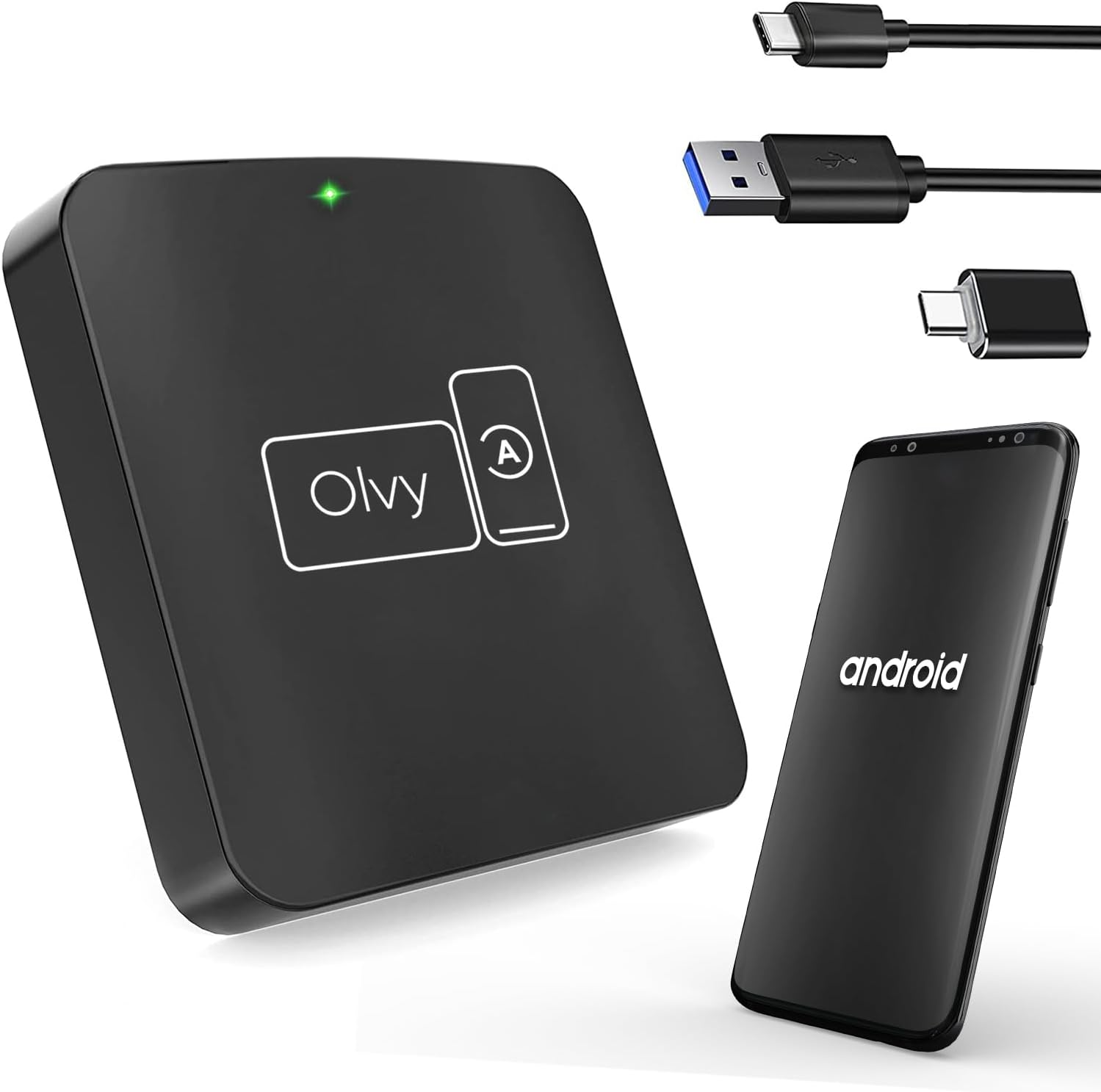
Image 4.1: Olvy Wireless Android Auto Dongle and connectivity options.
The Olvy Wireless Android Auto Dongle is a compact device designed to provide a seamless wireless connection between your Android smartphone and your car's infotainment system. It features a 5.8GHz chip for faster and more stable connections.

Image 4.2: Compact design and dimensions of the Olvy dongle (55mm x 55mm x 12mm).

Image 4.3: Key features of the Olvy dongle, including Plug & Play functionality and a 5.8GHz chip.
5. Instruccions de configuració
Follow these steps for a quick and easy setup:
- Step 1: Connect the Dongle to your Car. Use the provided USB-C to USB-A or USB-C to USB-C cable to connect the Olvy dongle to your car's USB port. Ensure the port supports data transfer for Android Auto.
- Step 2: Pair your Smartphone via Bluetooth. On your smartphone, enable Bluetooth and search for available devices. Select the device named "Smart-box..." (or similar) and pair with it.
- Step 3: Establish Wireless Connection. Once paired, the dongle will automatically connect your phone to the car's Android Auto system wirelessly. The initial setup typically takes about 15 seconds. Subsequent connections should occur within 5 seconds automatically.
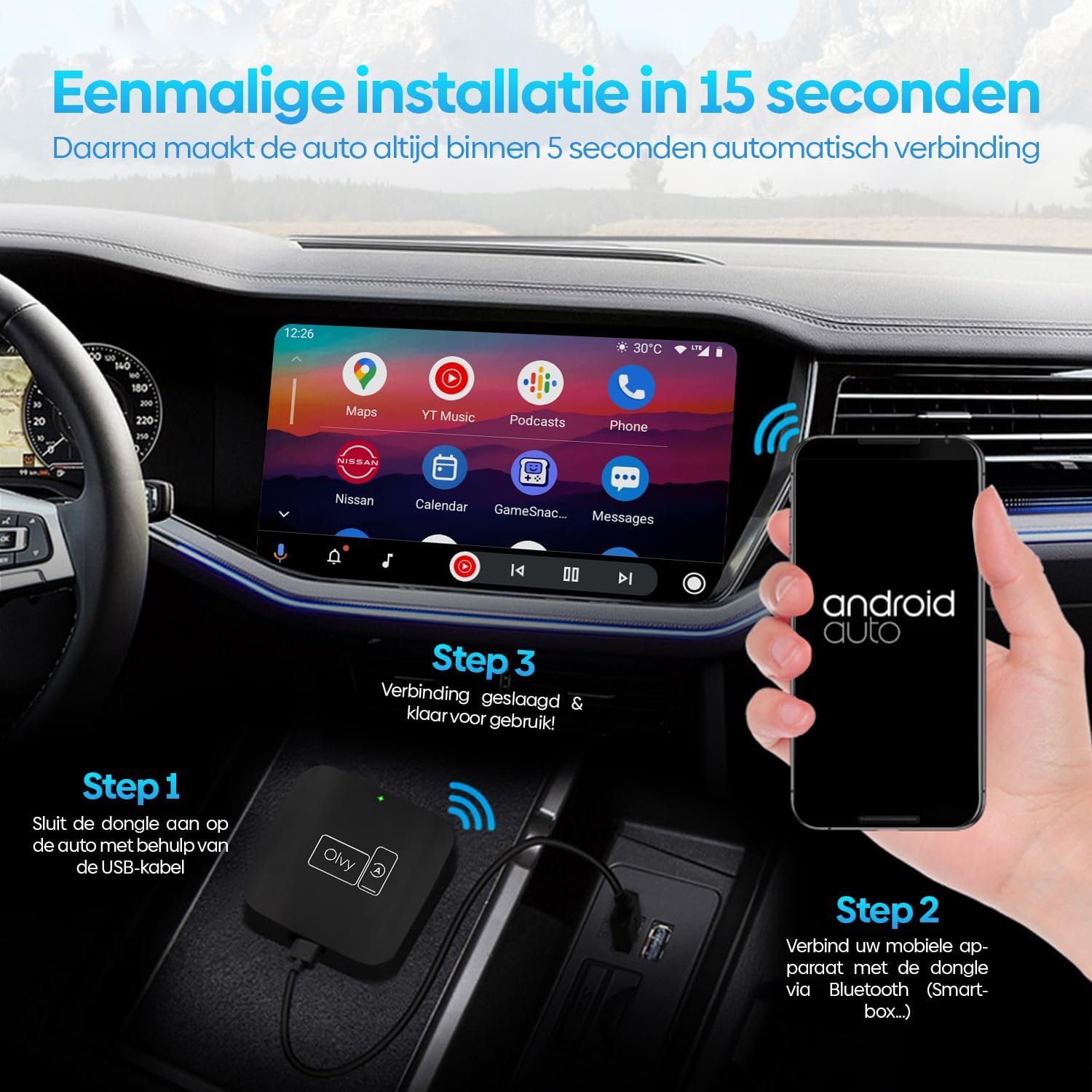
Image 5.1: Visual guide for the 3-step installation process.
6. Instruccions de funcionament
6.1. Ús d'Android Auto
Once connected, your car's display will show the Android Auto interface. You can navigate through apps, maps, music, and calls directly from your car's screen.
6.2. Mètodes de control
The Olvy dongle supports various control methods available in your vehicle:
- Controls del volant: Use your car's built-in steering wheel buttons for audio, calls, and navigation.
- Controls de botó OEM: Utilize the original equipment manufacturer (OEM) control knobs for menu navigation.
- Control de veu: Activate voice commands through your car's system or by saying "Hey Google" to control Android Auto hands-free.
- Funcionament de la pantalla tàctil: Interactua directament amb la pantalla tàctil del cotxe.

Image 6.1: Supported control methods for Android Auto.
6.3. Mode dia i nit
The dongle supports automatic switching between day and night modes to optimize screen visibility and protect driver's vision. It detects ambient light conditions or car headlight status to adjust the display accordingly.

Image 6.2: Android Auto display in day and night modes.
7. Manteniment
- Keep the dongle clean and free from dust. Use a soft, dry cloth for cleaning.
- Eviteu exposar el dispositiu a la llum solar directa durant períodes prolongats.
- Guardeu el dispositiu en un lloc fresc i sec quan no l'utilitzeu.
8. Solució De Problemes
| Problema | Causa possible | Solució |
|---|---|---|
| Device does not connect automatically. | Bluetooth not paired or connection interrupted. | Ensure Bluetooth is enabled on your phone and paired with "Smart-box...". Reconnect manually if necessary. |
| Android Auto does not launch. | Car's USB port not providing data, or car does not support wired Android Auto/CarPlay. | Try a different USB port in your car. Verify your car supports factory-wired Android Auto and CarPlay. Ensure your phone runs Android 10 or higher. |
| Connexió intermitent. | Interference or weak signal. | Ensure no other Bluetooth devices are causing interference. Try restarting both the dongle (by unplugging and replugging) and your phone. |
9. Especificacions
- Model: W-28
- Marca: Olvy
- Tecnologia de connectivitat: Bluetooth, USB, Wi-Fi
- Tipus de connector: USB-C, USB-A
- Característica especial: Android Auto sense fil
- Dispositius compatibles: Android Smartphones (Android 10+)
- Resolució: 1080p (supported by Android Auto)
- Dimensions: Aproximadament 55 mm x 55 mm x 12 mm
10. Garantia i Suport
For warranty information and technical support, please refer to the official Olvy weblloc web o contacteu amb el vostre distribuïdor. Conserveu el rebut de compra com a comprovant de compra.
Fabricant: Olvy
Data de llançament: 27 de juny de 2023


