Introducció
This manual provides comprehensive instructions for the IINE Joy-Con Silicone Cover and Thumb Grip Caps. Designed for Nintendo Switch and Switch OLED Joy-Cons, this accessory set offers enhanced grip, protection, and a unique aesthetic. Please read this manual thoroughly to ensure proper installation and optimal use of your product.
Producte acabatview
The IINE Joy-Con Silicone Cover set includes:
- 2 x Joy-Con Silicone Covers (Left/Right)
- 4 x Thumb Grip Caps

Imatge: The IINE Joy-Con Silicone Covers and Thumb Grip Caps featuring a game-themed design, shown with a Nintendo Switch console.
Configuració i instal·lació
Installing Joy-Con Silicone Covers
- Ensure your Nintendo Switch or Switch OLED Joy-Cons are clean and free of dust.
- Carefully align the silicone cover with the corresponding Joy-Con (left or right).
- Gently stretch the silicone cover over the Joy-Con, ensuring all buttons, joysticks, and ports are correctly aligned with the cutouts.
- Smooth out any wrinkles or misalignments to ensure a snug fit.

Imatge: Visual guide demonstrating the flexible nature of the silicone cover for easy installation and removal from the Joy-Con.
Installing Thumb Grip Caps
- Turn up the edge of the thumb grip cap.
- Place the cap onto the joystick.
- Adjust the cap to ensure it is centered and securely fitted over the joystick.

Imatge: Step-by-step visual instructions for installing the thumb grip caps onto the Joy-Con joysticks.
Guia de vídeo d'instal·lació
Vídeo: An official video demonstrating the installation of the IINE Zelda Protective Case and Thumb Grips on a Nintendo Switch Joy-Con. This video shows the product being unboxed and applied to the controllers, highlighting the fit and design.
Ús
The IINE Joy-Con Silicone Covers and Thumb Grip Caps are designed to enhance your gaming experience through several key features:
- Adherència millorada: The anti-slip silicone material provides a secure and comfortable hold, reducing the chance of accidental drops during intense gaming sessions.
- Protecció: The covers shield your Joy-Cons from daily wear and tear, including scratches, dust, and fingerprints.
- Comoditat: The soft-touch material offers a pleasant tactile experience, improving comfort during extended play.
- Control millorat: The thumb grip caps increase joystick height and provide a textured surface for more precise and smooth manipulation, potentially reducing hand fatigue.
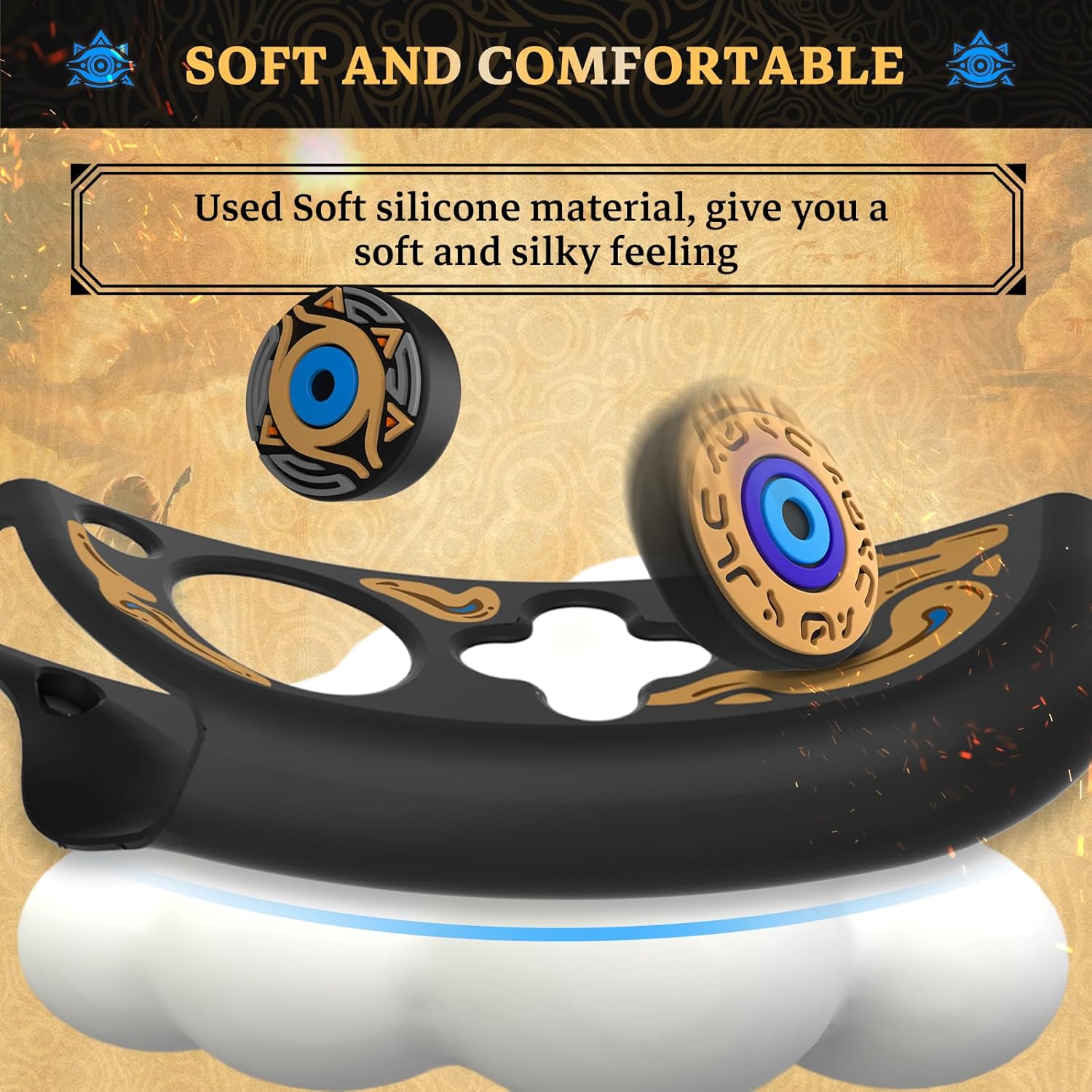
Imatge: Primer pla view highlighting the soft and comfortable silicone material of the Joy-Con covers and thumb grips.

Imatge: Diagram illustrating how the thumb grip caps increase joystick height, contributing to reduced hand fatigue and improved game control.

Imatge: An illustration depicting the Joy-Con covers providing full protection against bumps, scratches, dust, and fingerprints.
Manteniment
To keep your IINE Joy-Con Silicone Covers and Thumb Grip Caps in optimal condition:
- Neteja: Wipe the silicone covers and caps with a soft, damp cloth. For stubborn dirt, a mild soap solution can be used, followed by rinsing with water and air-drying completely.
- Eviteu productes químics durs: Do not use abrasive cleaners or solvents, as these can damage the silicone material and printed designs.
- Emmagatzematge: Store the covers and caps in a clean, dry place away from direct sunlight when not in use for extended periods.
Resolució de problemes
Problemes comuns i solucions
| Problema | Causa possible | Solució |
|---|---|---|
| La funda no s'ajusta bé. | Incorrect alignment or not fully stretched. | Remove the cover and re-install, ensuring proper alignment and stretching it evenly over the Joy-Con. |
| Thumb grip cap slips off. | Not fully seated or joystick is dirty. | Ensure the cap is pushed down completely onto the joystick. Clean the joystick surface if necessary. |
| Els botons són difícils de prémer. | Cover is misaligned over buttons. | Adjust the silicone cover to ensure all button cutouts are perfectly aligned. |
Especificacions
- Marca: IINE
- Número de model: L848
- Dispositius compatibles: Nintendo Switch, Nintendo Switch OLED Joy-Cons
- Material: High-Quality Silicone
- Color: Black (with game-themed design)
- Característiques especials: Anti-Slip, Scratch Resistant
- Pes de l'article: 1.76 unces (aproximadament 50 grams)
- Dimensions del paquet: 6.3 x 5.08 x 1.1 polzades (aprox. 16 x 12.9 x 2.8 cm)
- Tipus de closca: Estoig suau
Garantia i suport
IINE is committed to providing high-quality products and customer satisfaction. For any inquiries or assistance, the IINE team offers 24-hour after-sales service.
Si us plau, consulteu la documentació de la vostra compra o la del venedor. weblloc web per obtenir detalls específics de la garantia i informació de contacte.