Introducció
Thank you for choosing the TONEMAC W28 True Wireless Earphones. These earphones are designed to provide a superior audio experience with advanced Bluetooth 5.3 connectivity, extended battery life, and a comfortable, secure fit. This manual will guide you through the setup, operation, and maintenance of your new earphones to ensure optimal performance and longevity.
Informació de seguretat
- No desmunteu ni modifiqueu els auriculars ni l'estoig de càrrega.
- Mantingueu el dispositiu allunyat de temperatures extremes, humitat i líquids.
- Eviteu l'exposició prolongada a nivells de volum elevats per evitar danys auditius.
- Feu servir només el cable de càrrega proporcionat o un cable USB-C certificat per carregar.
- Eliminar el producte de manera responsable segons la normativa local.
Contingut del paquet
Si us plau, comproveu el paquet per veure si hi ha els elements següents:
- TONEMAC W28 True Wireless Earphones (Left and Right)
- Estoig de càrrega
- Cable de càrrega USB-C
- Manual d'usuari
Producte acabatview
Familiarize yourself with the components of your TONEMAC W28 earphones and charging case.

Image: TONEMAC W28 True Wireless Earphones in their charging case, displaying the LED power indicator.
Caixa de càrrega amb pantalla LED

Image: The digital power display on the charging case, showing separate indicators for the earbuds' battery levels and the case's battery percentage.
The charging case features an intuitive LED display that shows the battery percentage of the case and individual charging status for each earbud. This allows for easy monitoring of power levels.
Configuració
Càrrega inicial
Abans del primer ús, carregueu completament els auriculars i l'estoig de càrrega.
- Col·loqueu els dos auriculars a la caixa de càrrega.
- Connect the USB-C charging cable to the charging port on the case and plug the other end into a USB power adapter (not included) or a computer's USB port.
- Alternativament, col·loca l'estoig de càrrega sobre una base de càrrega sense fil compatible amb Qi per carregar-la sense fil.

Image: Illustration showing both USB-C cable charging and wireless charging pad options for the TONEMAC W28 charging case.
The LED display on the case will show the charging progress. A full charge takes approximately 1.5 hours for the case. The earbuds provide up to 8 hours of playtime on a single charge, with the charging case extending total playtime to 48 hours.
Vinculació amb el dispositiu
The TONEMAC W28 earphones feature one-step auto-pairing for convenience.
- Assegureu-vos que els auriculars estiguin carregats i col·locats dins de l'estoig de càrrega.
- Obre la tapa de l'estoig de càrrega. Els auriculars entraran automàticament en mode d'emparellament.
- Al dispositiu (telèfon intel·ligent, tauleta, etc.), activeu el Bluetooth i cerqueu els dispositius disponibles.
- Select "TONEMAC W28" from the list of found devices.
- Once connected, the earbuds will automatically pair with this device whenever the case lid is opened.

Image: A hand holding the open charging case next to a smartphone screen showing "TONEMAC W28" as a connected Bluetooth device, illustrating the auto-pairing process.
Instruccions de funcionament
Control tàctil intel·ligent
The TONEMAC W28 earphones feature intuitive touch controls on each earbud for managing music playback, calls, and voice assistant activation.
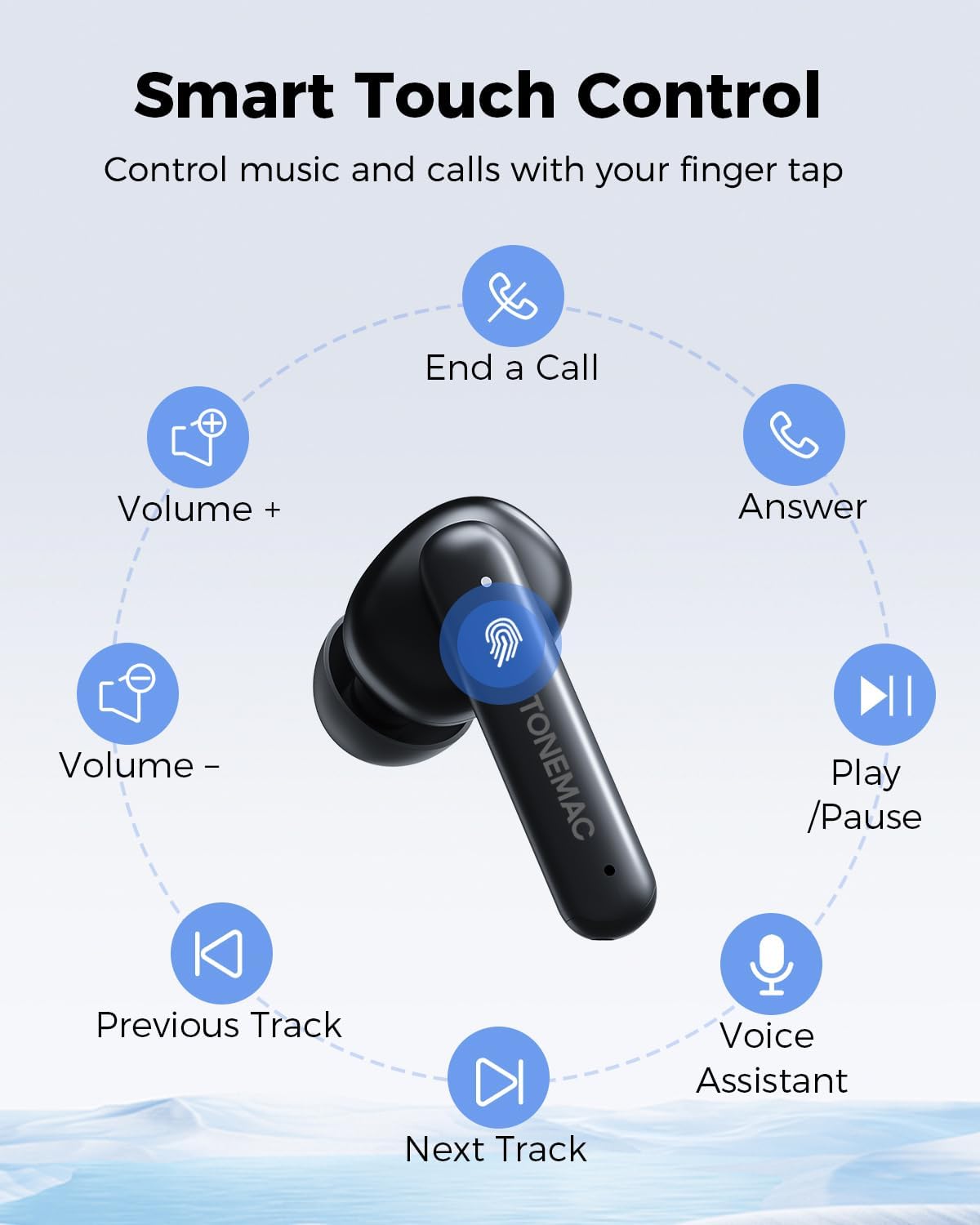
Image: A diagram illustrating the various touch control functions on the earbud, including play/pause, volume control, track skipping, call management, and voice assistant activation.
| Funció | Acció (auricular esquerre/dret) |
|---|---|
| Reproduir/Pausa | Feu clic al panell tàctil una vegada (L/R) |
| Pista següent | Feu clic al panell tàctil dues vegades (R) |
| Pista anterior | Feu clic al panell tàctil dues vegades (L) |
| Volum + | Long press the Touchpad (R) |
| Volum - | Long press the Touchpad (L) |
| Respon una trucada | Feu clic al panell tàctil una vegada (L/R) |
| Finalitzar una trucada | Feu clic al panell tàctil dues vegades (L/R) |
| Rebutja una trucada | Long press the Touchpad (L/R) |
| Assistent de veu | Feu clic tres vegades al touchpad ràpidament (L/R) |
| Game Mode (Low latency) | Feu clic tres vegades al touchpad ràpidament (L/R) |
Portant els auriculars
Per a una qualitat de so i una comoditat òptimes, assegureu-vos que els auriculars estiguin correctament col·locats a les orelles.

Image: A woman wearing the TONEMAC W28 earphones, demonstrating their ergonomic design and secure fit during physical activity. The image also highlights the compact size and IPX6 waterproof rating.
- Identifica els auriculars esquerre (E) i dret (R).
- Introduïu suaument cada auricular al canal auditiu corresponent.
- Gira lleugerament l'auricular fins que estigui segur i còmode.
Manteniment
Neteja
Una neteja regular ajuda a mantenir la qualitat del so i la higiene.
- Feu servir un drap suau, sec i sense borrissol per netejar els auriculars i l'estoig de càrrega.
- Per a la brutícia persistent, lleugerament dampal drap amb aigua o un netejador suau i no abrasiu.
- No utilitzeu productes químics o materials abrasius.
- Assegura't que els contactes de càrrega dels auriculars i de la funda estiguin nets i secs.
Emmagatzematge
Quan no els utilitzeu, guardeu els auriculars a la seva funda de càrrega per protegir-los i mantenir-los carregats.
- Guardeu el dispositiu en un lloc fresc i sec, allunyat de la llum solar directa i de temperatures extremes.
- If storing for an extended period, charge the case and earbuds at least once every three months to preserve battery health.
Resistència a l'aigua (IPX6)
The TONEMAC W28 earphones are rated IPX6 waterproof, meaning they are protected against powerful water jets. This makes them suitable for workouts and outdoor activities where they might be exposed to sweat or light rain.
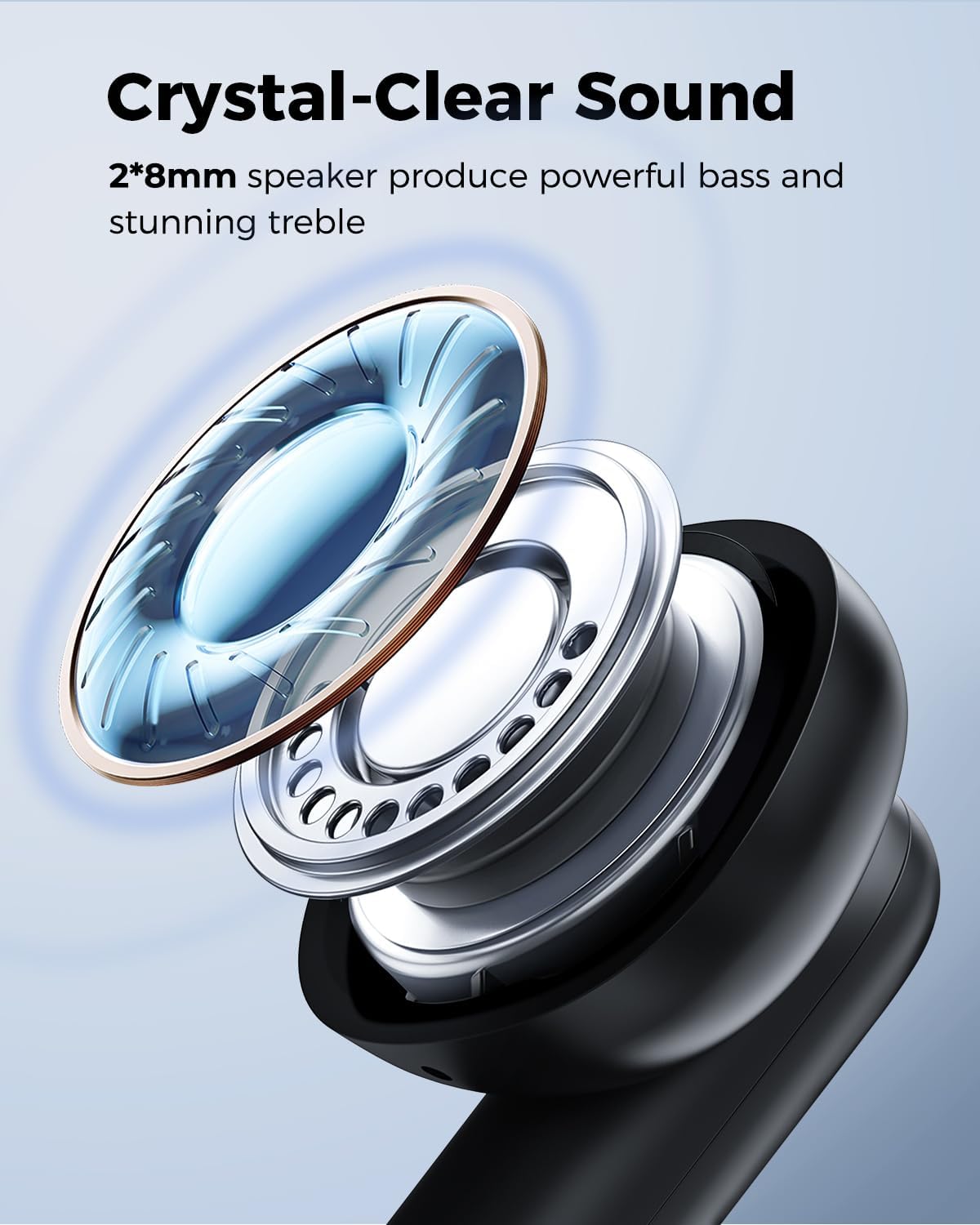
Image: A man sweating during a workout, with text indicating the IPX6 nano-coating protects the wireless earbuds from water and sweat damage.
- No submergiu els auriculars a l'aigua.
- The charging case is not waterproof. Keep it dry.
- After exposure to sweat or water, wipe the earbuds dry before placing them back in the charging case to prevent damage to the charging contacts.
Resolució de problemes
| Problema | Causa possible | Solució |
|---|---|---|
| Els auriculars no es combinen amb el dispositiu | El Bluetooth està desactivat; els auriculars no estan en mode d'emparellament; el dispositiu emparellat anteriorment interfereix. | Ensure Bluetooth is on. Place earbuds in case, close, then open lid to re-enter pairing mode. Forget "TONEMAC W28" on your device and re-pair. |
| Només funciona un auricular | One earbud is not charged; earbuds not properly connected to each other. | Ensure both earbuds are charged. Place both earbuds back in the case, close the lid for 5 seconds, then open again. This should re-sync them. |
| Volum baix o mala qualitat de so | Earbuds not properly seated; earbud grilles are dirty; device volume is low. | Adjust earbud position for a secure fit. Clean earbud grilles. Increase volume on both your device and the earbuds. |
| La funda de càrrega no es carrega | Cable issue; power source issue; wireless charging misalignment. | Try a different USB-C cable or power adapter. Ensure the case is centered on the wireless charging pad. |
| Connectivity issues (disconnections) | Interferència; distància del dispositiu; bateria baixa. | Reduce distance between earbuds and device. Avoid areas with strong Wi-Fi or other wireless signals. Ensure earbuds are sufficiently charged. |
Especificacions
| Característica | Detall |
|---|---|
| Nom del model | W28 |
| Tecnologia de connectivitat | Bluetooth 5.3 |
| Mida del controlador d'àudio | 8mm Bio-diaphragm Drivers |
| Durada de la bateria dels auriculars | Fins a 8 hores (una sola càrrega) |
| Temps de reproducció total (amb estoig) | Fins a 48 hores |
| Temps de càrrega (cas) | Aprox. 1.5 hores |
| Interfície de càrrega | USB-C, càrrega sense fil Qi |
| Classificació de resistència a l'aigua | IPX6 |
| Mètode de control | Toca |
| Material | Silicona |
| Pes de l'article | 4.9 unces (total) |
| Dimensions del producte | 1.57 x 1.97 x 1.18 polzades |
Garantia i Suport
TONEMAC products come with a standard manufacturer's warranty. For detailed warranty information, please refer to the warranty card included in your package or visit the official TONEMAC website. If you encounter any issues or have questions not covered in this manual, please contact TONEMAC customer support through the retailer's platform or the official brand weblloc d'assistència.
For further assistance, you may also refer to the official TONEMAC store on Amazon: TONEMAC Store


