Introducció
Thank you for choosing the FamBrow P802 8.1-inch WiFi Digital Photo Frame. This manual provides detailed instructions for setting up, operating, and maintaining your device. Please read it thoroughly before use to ensure optimal performance and longevity of your photo frame.
Contingut del paquet
- FamBrow P802 Digital Photo Frame
- Adaptador d'alimentació
- Manual d'usuari
- Suport extraïble
Configuració
1. Encès
- Connect the power adapter to the photo frame and then to a power outlet.
- The frame will automatically power on. Follow the on-screen prompts for initial setup.
2. Connexió Wi-Fi
- On the initial setup screen or in the settings menu, select "Wi-Fi".
- Choose your home Wi-Fi network from the list.
- Introduïu la contrasenya de la Wi-Fi i toqueu "Connecta".
- Ensure the frame is connected to a stable 2.4GHz Wi-Fi network for optimal performance.
3. Descàrrega i emparellament de l'aplicació
To share photos and videos wirelessly, download the free Linklemo application on your mobile phone (available for Android and iOS).
- Cerca "Linklemo" in your device's app store.
- Instal·leu l'aplicació.
- Follow the in-app instructions to pair your mobile device with the FamBrow P802 photo frame. This typically involves scanning a QR code displayed on the photo frame.
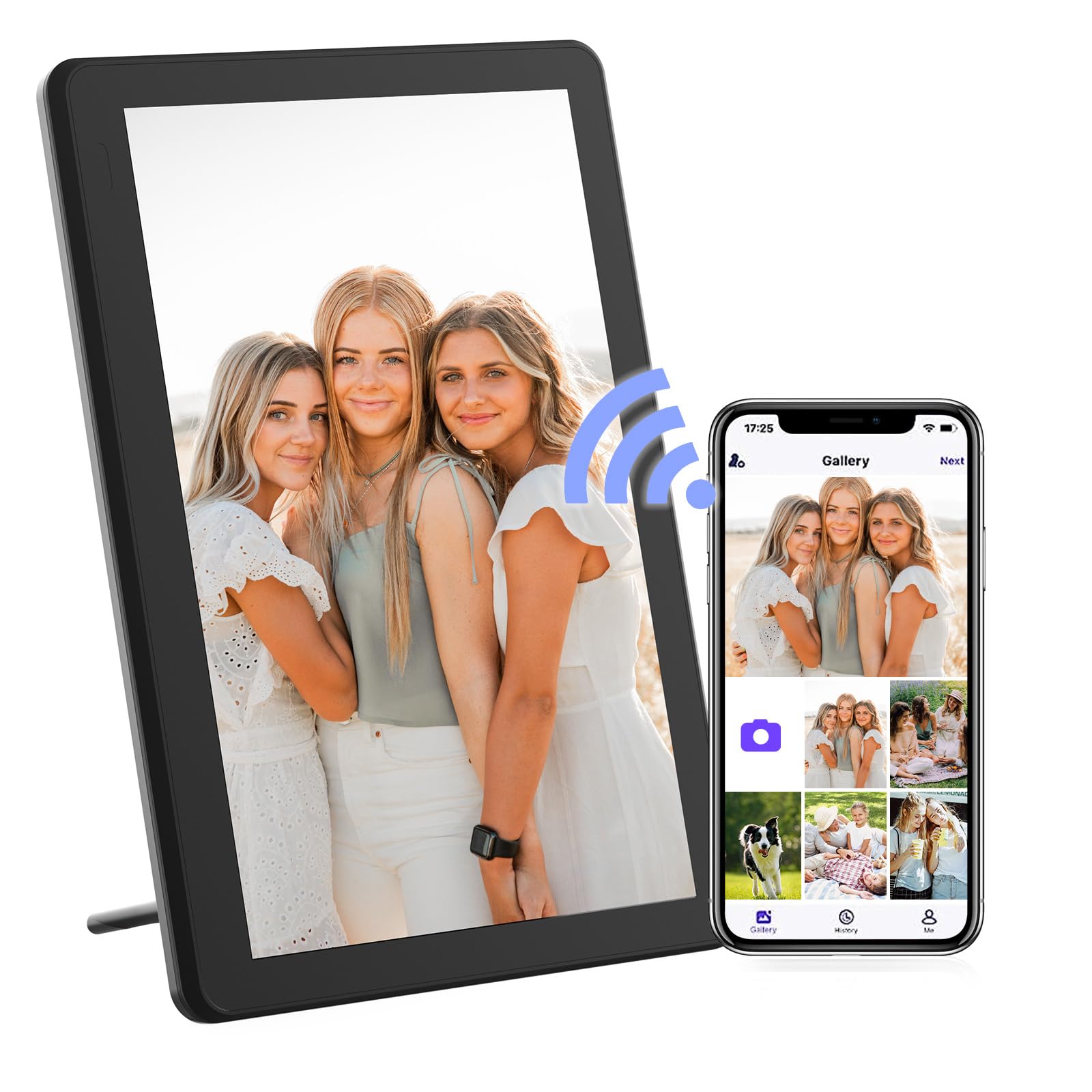
Image: The FamBrow P802 Digital Photo Frame, shown with its removable stand, displaying a vibrant image. This illustrates the device's appearance and how it can be positioned.
Instruccions de funcionament
Navegació per pantalla tàctil
The FamBrow P802 features an 8.1-inch HD IPS touchscreen with a resolution of 1920 x 1080. Navigate the interface by tapping, swiping, and pinching gestures, similar to a smartphone.
- Toca: Select items or open menus.
- Llisca: Browse through photos, navigate menus, or change slideshows.
- Pessigar: Zoom in or out on photos (if supported by the software).
Compartir fotos i vídeos
Once your frame is connected to Wi-Fi and paired with the Linklemo app, you can instantly share photos and videos (up to 15 seconds in length) from your mobile device to the frame. Open the Linklemo app, select the media you wish to share, and send it to your connected frame.
Rotació automàtica
The frame supports automatic rotation, adjusting the display orientation (landscape or portrait) based on how the frame is positioned. Ensure this feature is enabled in the settings for seamless viewing.
Configuració de la presentació de diapositives
Customize your slideshow experience through the frame's settings menu. Options include:
- Ordre de reproducció: Sequential, random.
- Escala de la imatge: Fit to screen, fill screen.
- Efectes de transició: Various visual transitions between photos.
- Interval de visualització: Duration each photo is displayed.
Emmagatzematge
The FamBrow P802 comes with 16GB of built-in memory, capable of storing approximately 40,000 photos (at 300KB per photo) or 2 hours of HD video.
Emmagatzematge ampliable
For additional storage, the frame supports:
- Targetes SD: Up to 128GB (not included). Insert the SD card into the designated slot.
- Unitats USB: Connect a USB flash drive to the USB port.
You can manage media files from internal memory, SD cards, and USB drives directly through the frame's interface.
Característiques addicionals
The FamBrow P802 includes several practical features to enhance user experience:
- Calendari: View la data i el mes actuals.
- Rellotge: Display the time in various formats.
- Alarma: Estableix alarmes per als recordatoris.
- Brillantor ajustable: Customize screen brightness to suit ambient lighting.
- Mode de repòs: Schedule the frame to automatically turn off/on at specific times to save energy.
- Pronòstic del temps: Display local weather information when connected to Wi-Fi.
Manteniment
Neteja de la pantalla
To clean the touchscreen, gently wipe it with a soft, lint-free cloth. For stubborn smudges, slightly dampNetegeu el drap amb aigua o una solució netejadora de pantalles. Eviteu utilitzar productes químics agressius o materials abrasius.
Atenció General
- Keep the frame away from direct sunlight, heat sources, and moisture.
- Do not expose the frame to extreme temperatures.
- Avoid dropping or subjecting the frame to strong impacts.
- Unplug the power adapter during electrical storms or when not in use for extended periods.
Resolució de problemes
| Problema | Solució |
|---|---|
| El marc no s'encén. | Assegureu-vos que l'adaptador de corrent estigui connectat correctament tant al marc com a una presa de corrent que funcioni. Proveu una altra presa de corrent. |
| No es pot connectar a la Wi-Fi. | Verify your Wi-Fi password. Ensure the frame is within range of your router. Restart your router and the photo frame. The frame supports 2.4GHz Wi-Fi networks only. |
| No es mostren les fotos. | Check if photos are stored in the correct format (e.g., JPEG, PNG). Ensure the storage device (internal, SD card, USB) is properly inserted and selected as the source. |
| La pantalla tàctil no respon. | Restart the photo frame. Ensure the screen is clean and free of debris. |
| Linklemo app cannot find the frame. | Ensure both your phone and the photo frame are connected to the same Wi-Fi network. Restart both devices and try pairing again. |
Especificacions
| Característica | Detall |
|---|---|
| Marca | FamBrow |
| Número de model | P802 |
| Mida de la pantalla | 8.1 polzades |
| Tipus de visualització | HD IPS Touchscreen |
| Resolució | 1920 x 1080 |
| Relació d'aspecte | 16:9 |
| Memòria interna | 16 GB |
| Emmagatzematge ampliable | Supports SD cards up to 128GB, USB drives |
| Connectivitat | Wi-Fi (2.4 GHz) |
| Entrada de la interfície humana | Pantalla tàctil |
| Dimensions del producte (L x A x A) | 19.7 x 13.5 x 2.5 cm |
| Pes del producte | 740 grams |
Garantia i Suport
Information regarding specific warranty terms and customer support contact details is not available in the provided product data. Please refer to the product packaging or the manufacturer's official website for the most current warranty information and support options.
For technical assistance or inquiries, please visit the FamBrow support page or contact their customer service as indicated in your product documentation.


