1. Introducció
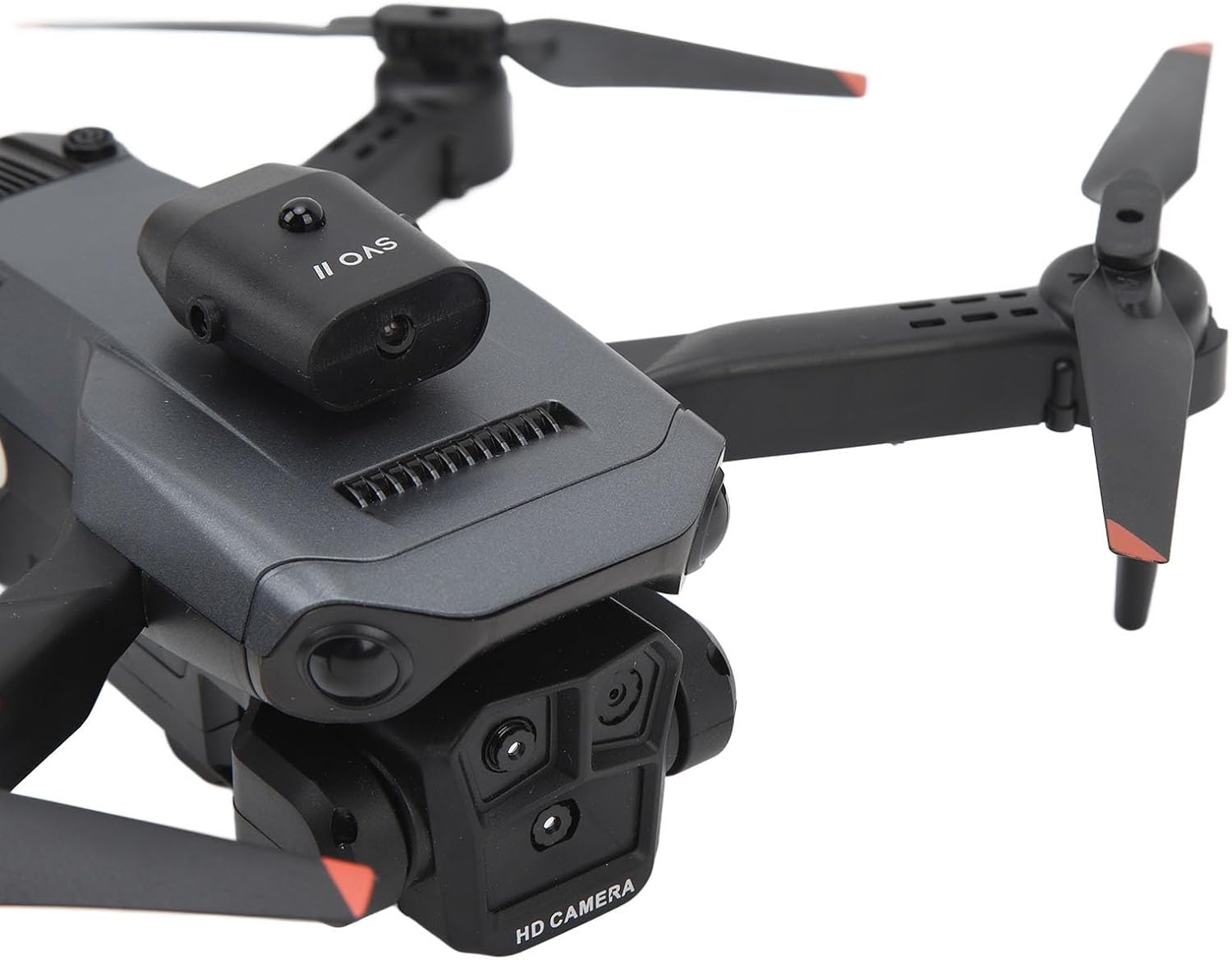
Thank you for choosing the Luqeeg K6 Drone. This advanced folding quadcopter is equipped with three HD cameras, offering a real-time viewing experience and versatile shooting angles. Designed for both beginners and experienced users, it features innovative stability with optical positioning hovering and an intelligent four-way obstacle avoidance system for safe and enjoyable flights. This manual provides essential information for setting up, operating, and maintaining your K6 Drone.
2. Què hi ha a la caixa
Upon unboxing your Luqeeg K6 Drone, please verify that all the following components are included:
- 1 x K6 Drone
- 1 x comandament a distància
- 1 x bossa d'emmagatzematge
- 1 x Body Battery
- 4 x Spare Blades
- 4 x Protective Frames
- 1 x cable de càrrega USB
- 1 x tornavís
- 2 x Instructions Manuals


3. Configuració
3.1. Desplegament del dron
- Desplegueu amb cura els braços del dron fins que encaixin al seu lloc.
- Ensure all four arms are fully extended and stable before flight.
3.2. Instal·lació i càrrega de la bateria
- Insert the fully charged body battery into the designated compartment on the drone until it clicks securely.
- To charge the battery, remove it from the drone and connect it to the USB charging cable. Connect the cable to a suitable USB power source.
3.3. Configuració del controlador
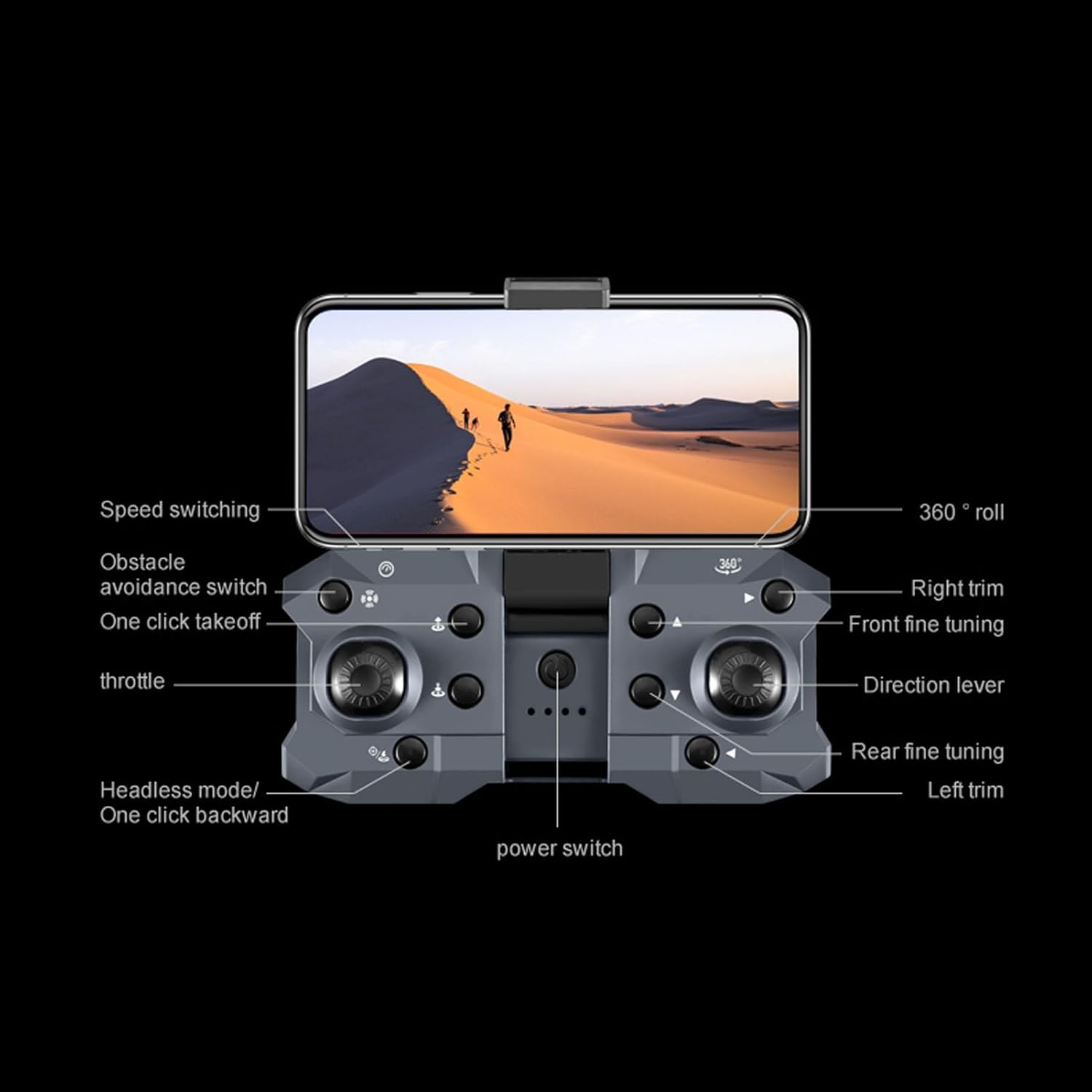
- Enceneu el comandament a distància.
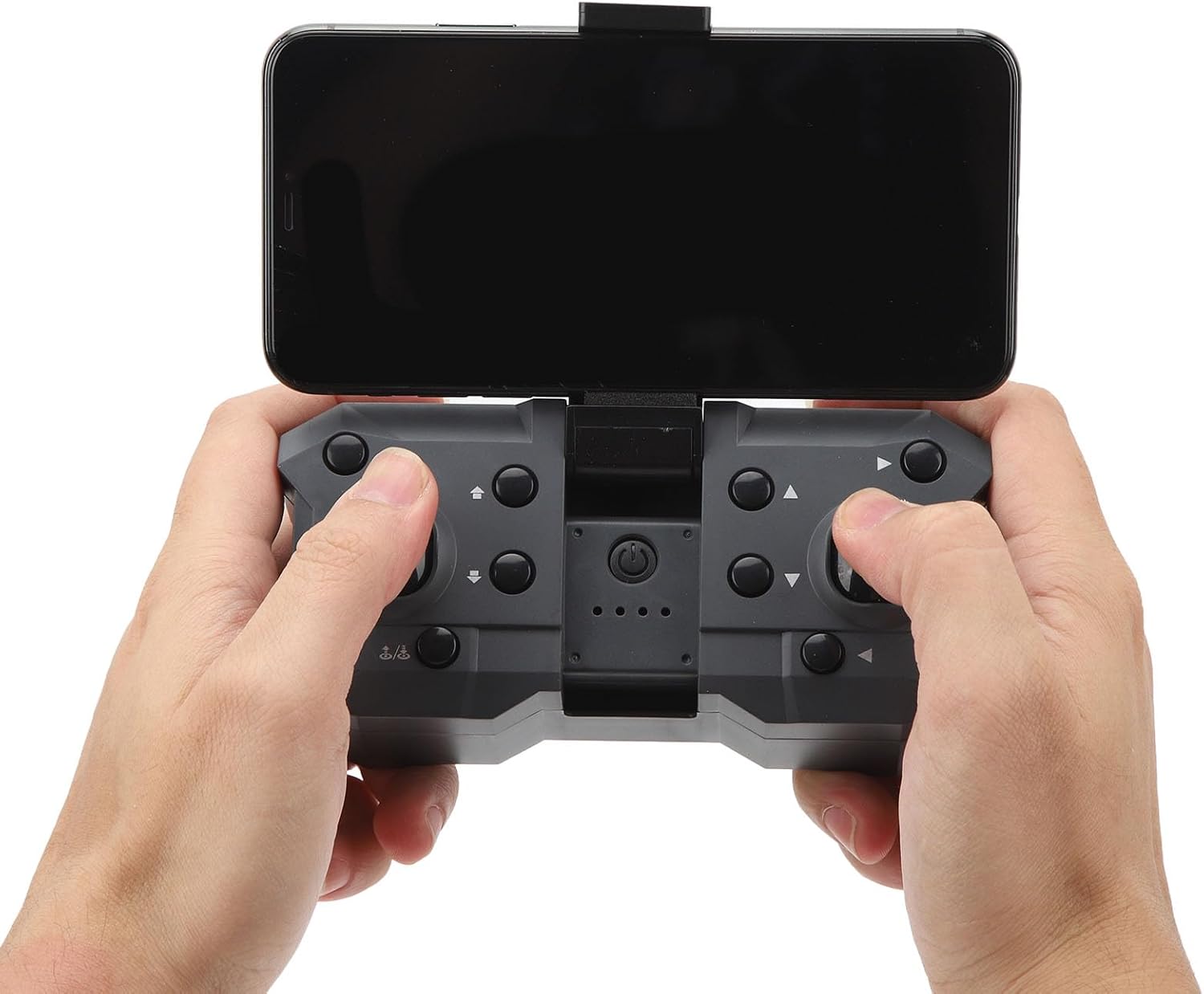
- If using a smartphone for real-time viewing, extend the phone holder on the remote and securely place your smartphone.
- Download the compatible mobile app for the K6 Drone from your device's app store.
- Connect your smartphone to the drone's Wi-Fi network (details in the app or quick start guide).
4. Funcionament del dron
4.1. Controls bàsics de vol
- Encès: Premeu i manteniu premut el botó d'engegada del dron fins que s'encenguin els llums indicadors.
- Calibració: Perform one-touch calibration as indicated in the quick guide or app to ensure stable flight.
- Enlairament/Aterratge: Use the one-touch takeoff/landing button on the remote for automated ascent and descent.
- Acceleració: The left joystick controls altitude (up/down).
- Direcció: The right joystick controls forward/backward and left/right movement.
- Retallar: Use trim buttons to correct any unintended drifting during flight.
4.2. Funcionament de la càmera
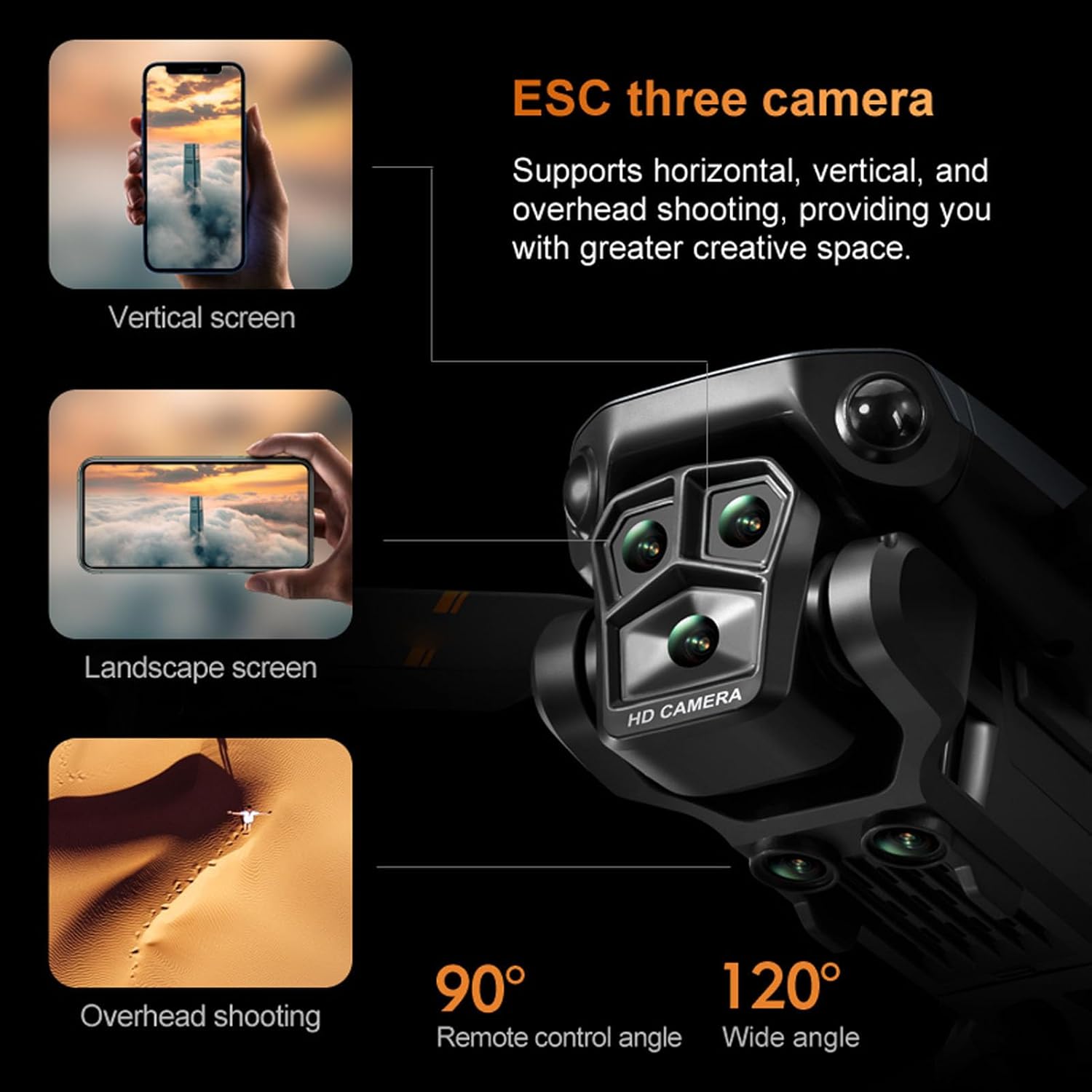
The K6 Drone features a high-quality three-camera system supporting horizontal, vertical, and overhead shooting. The camera angle can be adjusted via the remote control.
- Ajust d'angle: Use the dedicated buttons on the remote to pan the camera up and down 90 degrees.
- Foto/vídeo: Use the photo and video buttons on the remote to capture images or start/stop video recording.

4.3. Característiques especials
- Optical Positioning Hovering: The drone can maintain its flight altitude stably, making it easier to control and capture steady shots.
- Evitació intel·ligent d'obstacles: Equipped with a four-way intelligent obstacle avoidance system, the drone detects potential barriers and adjusts its course to prevent collisions.
- Modes de velocitat: Select from various flight performance modes (slow, medium, high) to match your skill level and desired flight experience.
- Volteig de 360°: Use the dedicated 360° trick button on the remote to perform aerial maneuvers (left, right, forward, or back flips).

5. Manteniment
- Cura de la bateria: Feu servir sempre el cable de càrrega USB proporcionat. No sobrecarregueu ni descarregueu completament la bateria. Guardeu les piles en un lloc fresc i sec.
- Substitució de l'hèlix: In case of damage, replace propellers using the spare blades and screwdriver provided. Ensure correct orientation of new propellers.
- Neteja: Gently wipe the drone body and camera lenses with a soft, dry cloth. Avoid using liquids or harsh chemicals.
6. Solució De Problemes
- Drone not calibrating: Ensure the drone is placed on a flat, level surface before initiating one-touch calibration. Repeat calibration if necessary.
- Camera not working with controller: Verify that the mobile app is correctly connected to the drone's Wi-Fi. Ensure the drone battery is sufficiently charged.
- Temps de vol curt: Ensure batteries are fully charged before each flight. Flight duration can vary based on flight speed, maneuvers, and wind conditions.
- Drone drifting: Use the trim buttons on the remote control to adjust and stabilize the drone's hover.
7. Especificacions
| Marca | Luqeeg |
| Nom del model | Luqeegmk86ewyruz |
| Característica especial | Four-way intelligent obstacle avoidance system |
| Interval d'edat (descripció) | 14+ years (168 months) |
| Resolució de captura de vídeo | 4K |
| Tecnologia de connectivitat | Wi-Fi |
| Nivell d'habilitat | Principiant |
| Capacitat de la bateria | 1800 milionsamp Hores |
| Interval màxim | 100 metres |
| Material | Plàstic |
| Dimensions del producte | 7.9 cm de llargada x 6.1 cm d'amplada x 2.8 cm d'alçada |
| Pes de l'article | 11.6 unces |

8. Garantia i Suport
For warranty information or technical support, please refer to the contact details provided in the included instruction manuals or visit the official Luqeeg weblloc. Conserveu el rebut de compra per a reclamacions de garantia.


