1. Introducció
Thank you for choosing the LIGE 1.32 Inch HD Smart Watch. This manual provides detailed instructions on how to set up, operate, and maintain your smartwatch to ensure optimal performance and a seamless user experience. Please read this manual thoroughly before using the device.

Figure 1.1: LIGE 1.32 Inch HD Smart Watch
2. Què hi ha a la caixa
Upon opening your LIGE Smart Watch package, please verify that all the following items are included:
- LIGE 1.32 Inch HD Smart Watch (with metal strap attached)
- Silicone Strap (additional)
- Cable de càrrega
- Manual d'usuari (aquest document)

Figure 2.1: Smart Watch and Included Straps
3. Guia de configuració
3.1 Càrrega del rellotge intel·ligent
Before first use, fully charge your smartwatch. Connect the magnetic charging cable to the charging contacts on the back of the watch and plug the USB end into a standard USB power adapter (5V/1A recommended) or a computer USB port. The watch display will indicate charging status.
3.2 Instal·lació de l'aplicació complementària
To unlock the full functionality of your LIGE Smart Watch, you need to install the dedicated companion application on your smartphone. The app is compatible with iOS 9.0 or above and Android 4.4 or above.
- Scan the QR code provided in the watch packaging or search for the app name (e.g., 'GloryFit' or similar, refer to packaging for exact name) in the Apple App Store (for iOS) or Google Play Store (for Android).
- Baixeu i instal·leu l'aplicació.
- Obriu l'aplicació i seguiu les instruccions a la pantalla per crear un compte o iniciar sessió.

Figure 3.1: App Download QR Codes on Packaging
3.3 Emparellament amb el telèfon intel·ligent
Ensure your smartphone's Bluetooth is enabled before proceeding.
- Obriu l'aplicació complementària al vostre telèfon intel·ligent.
- Navigate to the 'Device' or 'My Device' section within the app.
- Toca "Afegeix dispositiu" o "Escaneja per a dispositius".
- Select your LIGE Smart Watch from the list of discovered devices. The watch name might appear as 'LIGE Smart Watch' or a similar identifier.
- Confirma la sol·licitud d'emparellament tant al teu telèfon intel·ligent com al rellotge intel·ligent si se't demana.
- Un cop emparellat, el rellotge sincronitzarà l'hora i les dades amb el telèfon.
4. Funcionament del rellotge intel·ligent
4.1 Navegació bàsica
- Pantalla tàctil: Llisca cap a l'esquerra/dreta per navegar entre les funcions principals, llisca cap amunt/baix per a configuracions ràpides o notificacions. Toca per seleccionar.
- Botó lateral: Press to wake/sleep the screen, return to the main dial, or access the app menu. Long press for power options.
4.2 Fer i rebre trucades
With Bluetooth 5.0 connectivity, your smartwatch allows you to make and receive calls directly from your wrist when connected to your smartphone.
- Fer trucades: Access the 'Call' function on the watch, dial a number, or select from your synchronized contacts.
- Recepció de trucades: Quan rebi una trucada, el rellotge mostrarà l'identificador de la persona que truca. Toqueu la icona verda per respondre o la icona vermella per rebutjar-la.
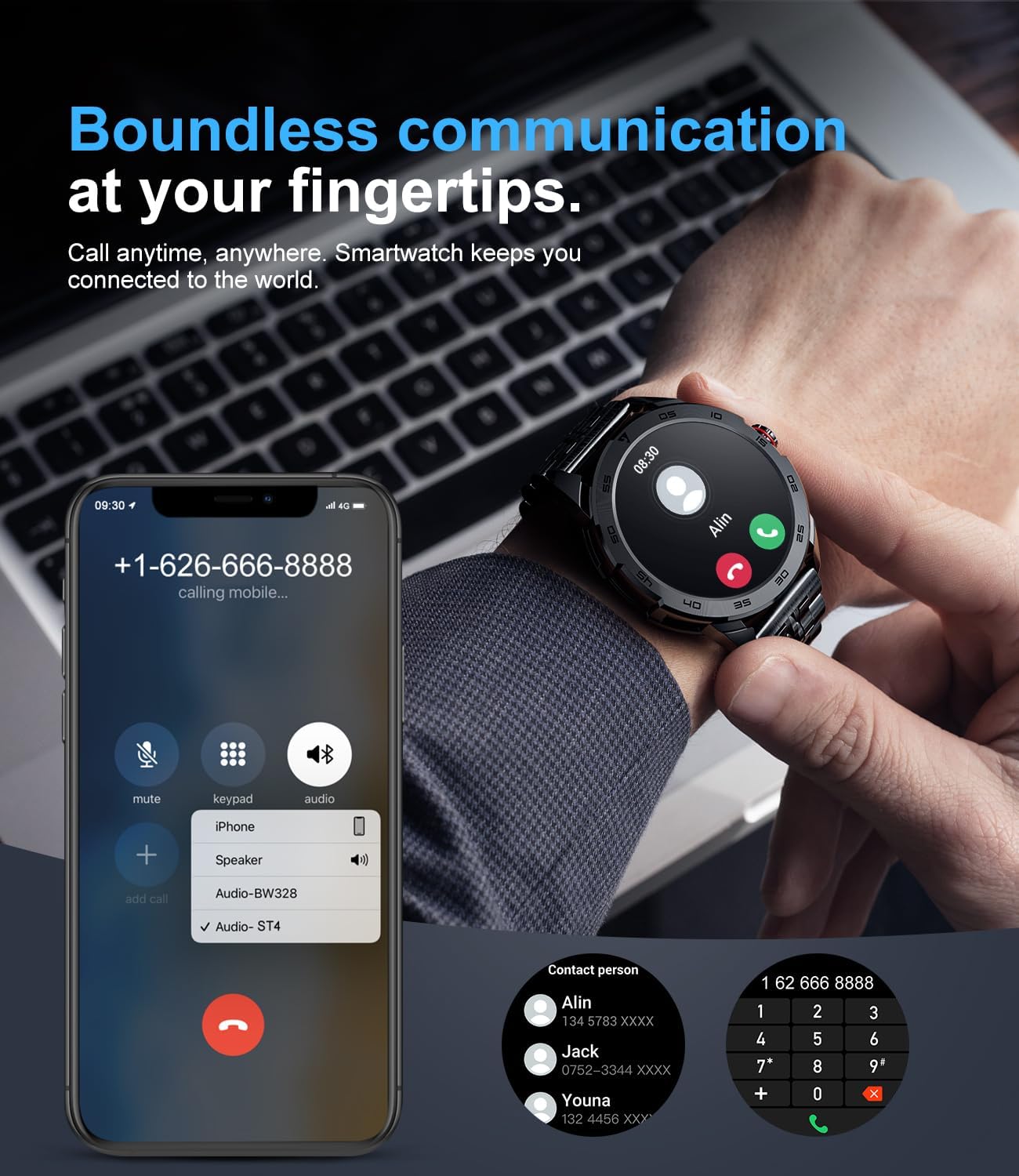
Figura 4.1: Funcionalitat de trucades Bluetooth
4.3 Notificacions
The smartwatch can synchronize messages and notifications from your smartphone, including WhatsApp, Twitter, Facebook, and more. Ensure notification permissions are enabled in both your phone's settings and the companion app.

Figure 4.2: Smartwatch Message Alerts
4.4 Vigilància de la salut
The LIGE Smart Watch provides real-time health tracking features. Note: Data is for reference only and should not be used for medical purposes.
- Monitorització de la freqüència cardíaca: Registra contínuament la teva freqüència cardíaca durant tot el dia.
- Monitorització d'oxigen en sang (SpO2): Mesura els nivells de saturació d'oxigen a la sang.
- Monitorització de la pressió arterial: Proporciona lectures estimades de la pressió arterial.
- Monitorització del son: Analyzes your sleep patterns (deep sleep, light sleep, wakefulness) to provide a comprehensive sleep quality report in the app.

Figura 4.3: Funcions de monitorització de l'estat
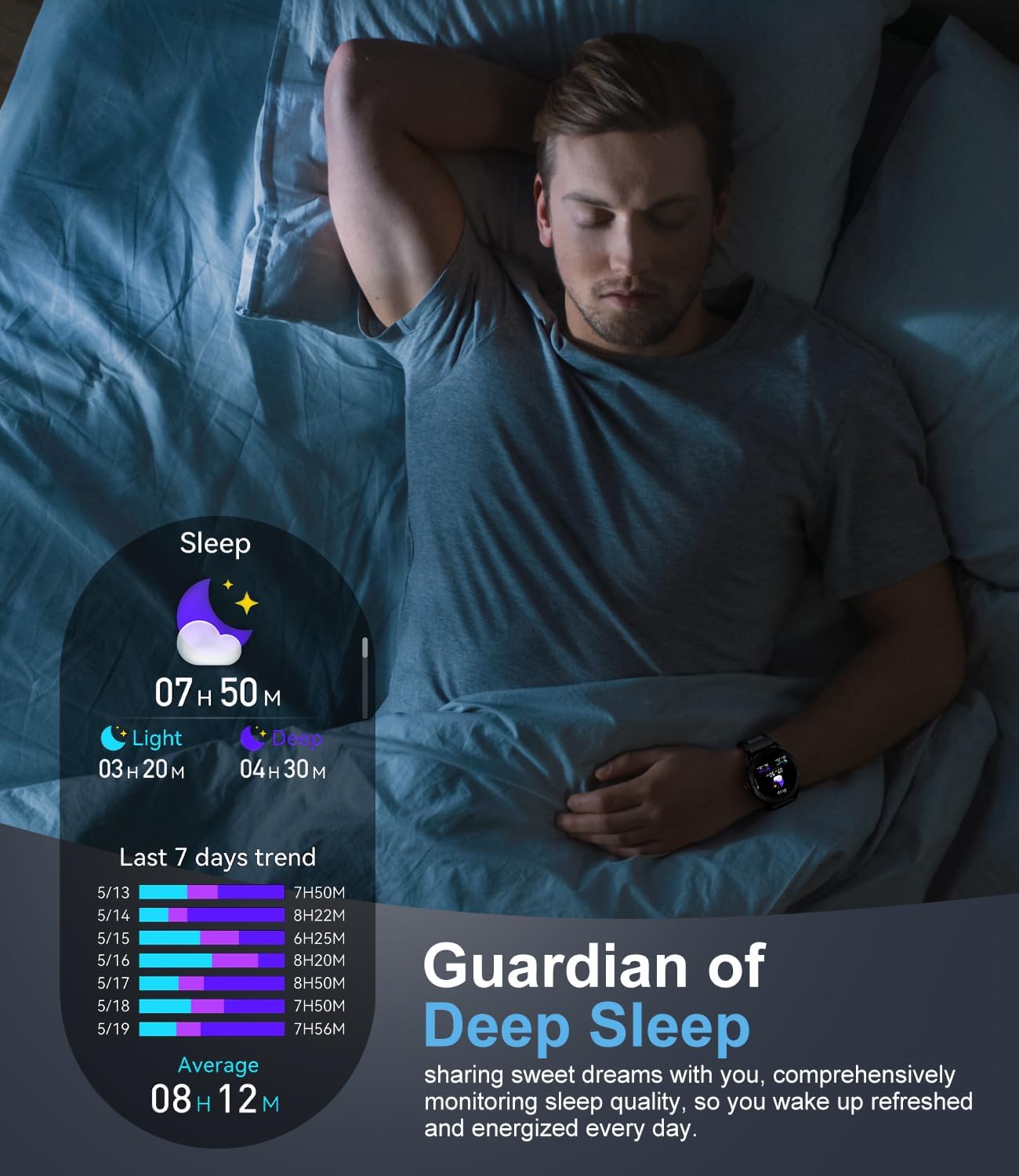
Figura 4.4: Monitorització del son
4.5 modes esportius
The smartwatch supports over 100 sports modes, including walking, running, cycling, basketball, badminton, and more. It tracks activity data such as steps, distance, time, and calories burned. Detailed workout data can be vieweditat a l'aplicació complementària.
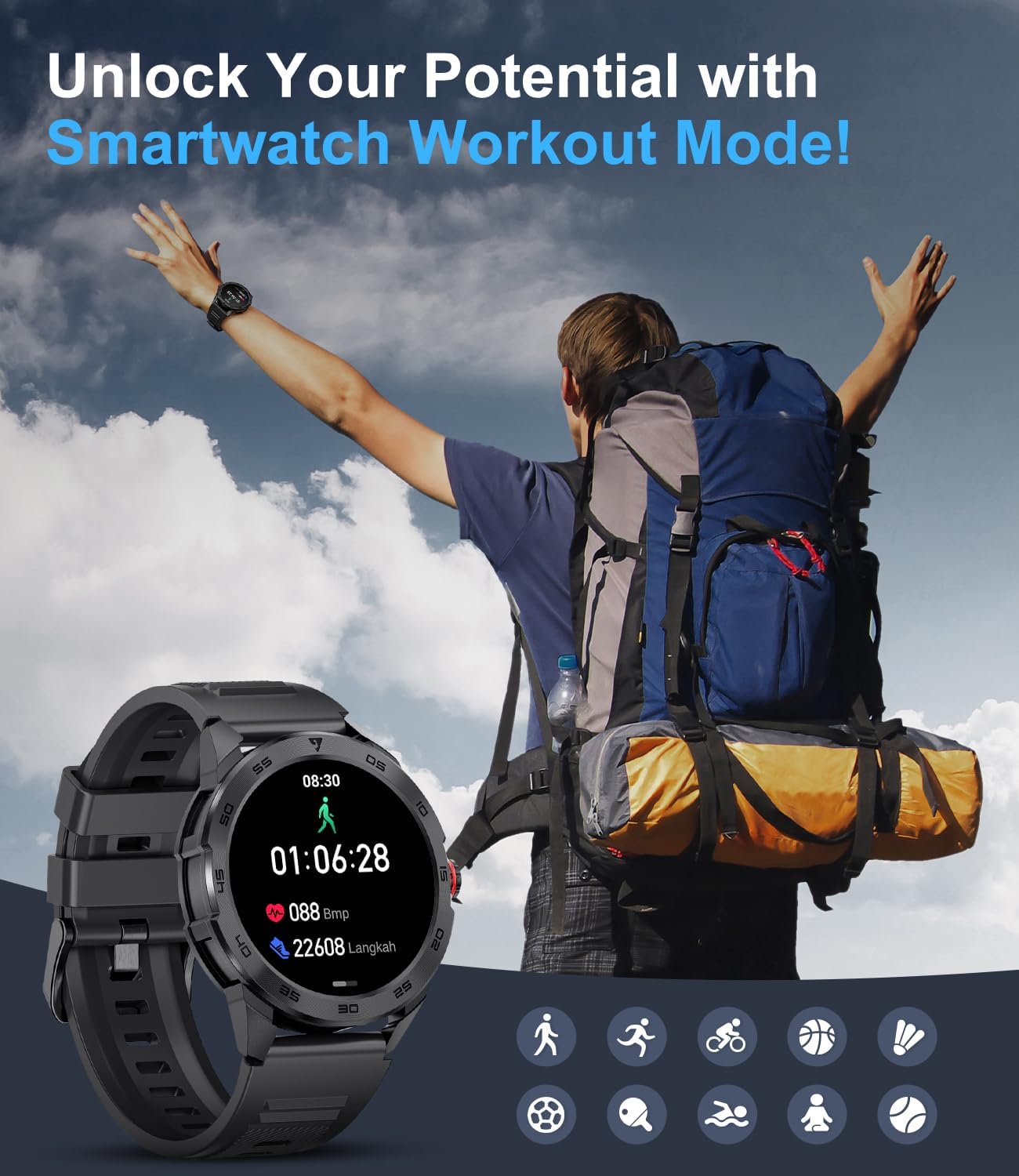
Figure 4.5: Smartwatch Workout Mode
4.6 Personalització de les esferes del rellotge
Personalize your smartwatch by choosing from a variety of watch faces available through the companion app. You can also upload your own photos to create custom dials.
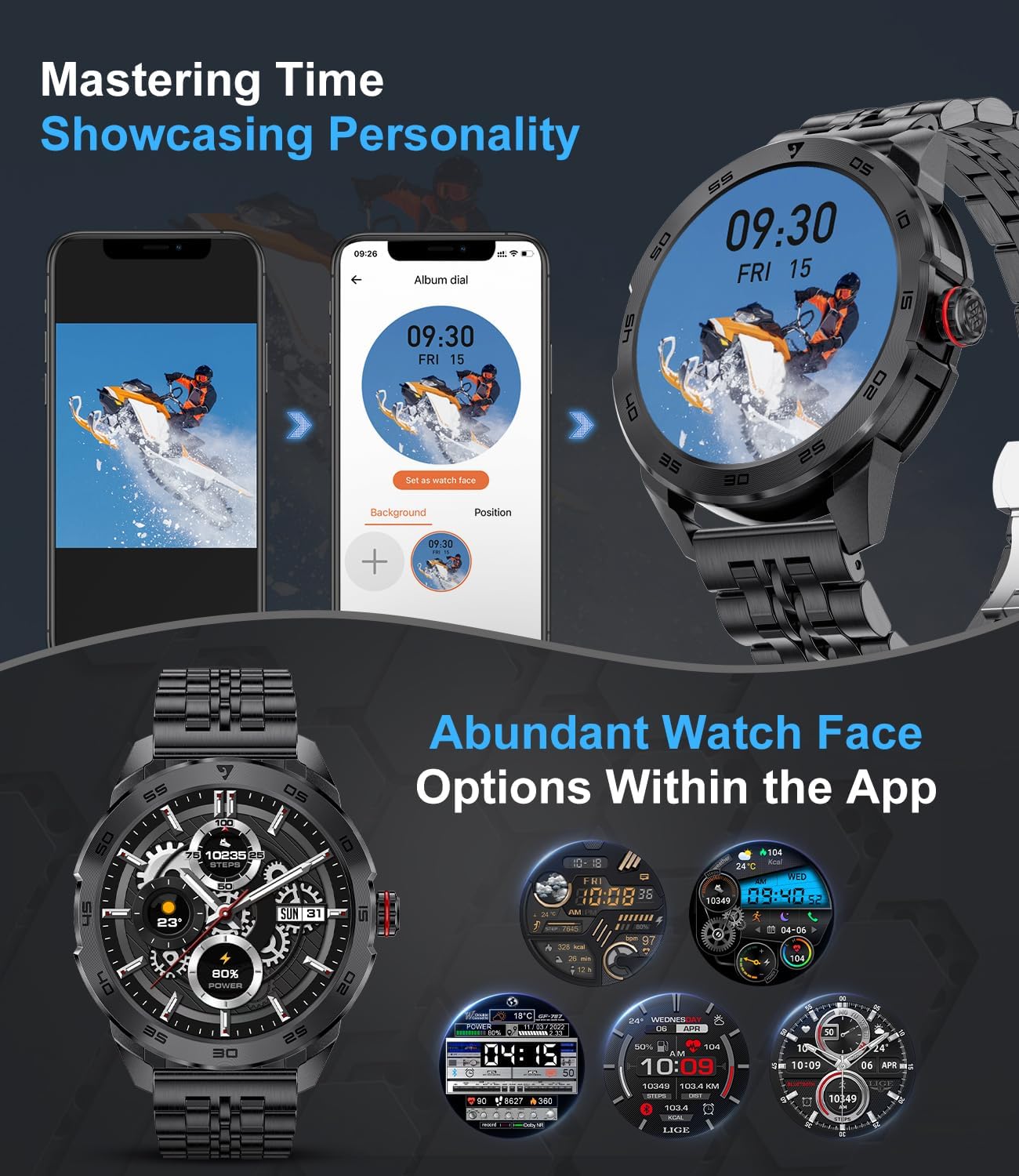
Figure 4.6: Abundant Watch Face Options
4.7 Other Useful Functions
The smartwatch includes several other features to assist with your daily needs:
- Control de música: Controla la reproducció de música al teu telèfon intel·ligent (reproduir, pausar, saltar pistes).
- Calculadora: A basic calculator for quick computations.
- Recordatori sedentari: Alerts you when you've been inactive for too long.
- Despertador: Configura alarmes directament des del teu canell.
- Cronòmetre: Per a activitats de cronometratge.
- Mode No Molestis: Mutes notifications during specified times.
5. Manteniment
5.1 Neteja del rellotge intel·ligent
Regularly clean your smartwatch and strap to prevent skin irritation and maintain device longevity.
- Netegeu la carcassa i la corretja del rellotge amb un drap suau i sense borrissol.
- Per a la brutícia persistent, lleugerament dampRenta el drap amb aigua. No utilitzeu productes químics agressius ni materials abrasius.
- Assegureu-vos que el rellotge estigui completament sec abans de carregar-lo o portar-lo.
5.2 Resistència a l'aigua
The LIGE Smart Watch is designed to be resistant to splashes and sweat, making it suitable for daily use and light exercise. However, it is not recommended for swimming, showering, or diving. Avoid prolonged exposure to water.
5.3 Cura de la bateria
- Eviteu descarregar completament la bateria amb freqüència.
- Charge the watch using the provided charging cable and a compatible power source.
- Guardeu el rellotge en un lloc fresc i sec quan no l'utilitzeu durant períodes prolongats.
6. Solució De Problemes
If you encounter issues with your LIGE Smart Watch, refer to the following common problems and solutions:
| Problema | Possible solució |
|---|
| El rellotge no s'encén | Assegura't que el rellotge estigui completament carregat. Connecta'l al carregador durant almenys 30 minuts. |
| No es pot emparellar amb el telèfon intel·ligent | Ensure Bluetooth is enabled on your phone. Restart both the watch and phone. Check app permissions. Make sure the watch is not paired with another device. |
| No s'han rebut notificacions | Check notification permissions in your phone's settings and within the companion app. Ensure the watch is connected via Bluetooth. Disable 'Do Not Disturb' mode on the watch. |
| Dades de salut inexactes | Ensure the watch is worn snugly on your wrist, not too tight or too loose. Clean the sensor on the back of the watch. Note that data is for reference only. |
| Durada de la bateria curta | Reduce screen brightness. Turn off continuous heart rate monitoring if not needed. Limit frequent use of power-intensive features like calls. |
Si el problema continua, poseu-vos en contacte amb el servei d'atenció al client per obtenir ajuda.
7. Especificacions
| Característica | Detall |
|---|
| Número de model | 21dae076-0a49-4dbf-9dbb-f849fc896acd |
| Mida de la pantalla | 1.32 polzades |
| Connectivitat | Bluetooth 5.0 |
| Compatibilitat | Android 4.4+/iOS 9.0+ |
| Tipus de bateria | 1 polímer de liti (inclòs) |
| Dimensions del producte | 15.24 x 5.08 x 7.62 cm |
| Pes | 270 g |
| Característiques especials | Time Display, Heart Rate Monitoring, Blood Oxygen, Blood Pressure, Sleep Tracking, 100+ Sports Modes, Call Function, Notifications, Music Control, Sedentary Reminder, Alarm, Stopwatch, Calculator |
8. Garantia i Suport
LIGE proporciona una 24-month product warranty service for your smartwatch, covering replacement, return, or repair services. This warranty period begins from the date of purchase.
If you experience any issues with your product or require technical assistance, please do not hesitate to contact our customer support team. We are committed to providing a satisfactory solution within 24 hours.
Informació de contacte: Please refer to your product packaging or purchase documentation for specific customer service contact details.


