1. Introducció
Thank you for choosing the THOMSON WS602DUO Bluetooth Bookshelf Speakers. This system combines elegant design with acoustic performance and versatile connectivity options. Whether used wirelessly via Bluetooth or connected to a turntable, micro-chain system, or PC, these speakers are designed to integrate seamlessly into any interior while delivering high-quality stereo sound.
This manual provides essential information for the proper setup, operation, and maintenance of your speakers. Please read it thoroughly before use and retain it for future reference.

Image 1.1: The THOMSON WS602DUO speakers, remote control, and a smartphone demonstrating wireless connectivity.
Contingut del paquet:
- 2 x THOMSON WS602DUO Bookshelf Speakers
- 1 x comandament a distància
- 1 x cable òptic
- 1 x cable d'alimentació
- Manual d'usuari
2. Configuració
2.1 Col·locació dels altaveus
For optimal sound quality, place the two speakers on a stable, flat surface, such as a bookshelf or table, ensuring they are equidistant from your listening position. Avoid placing them in enclosed spaces that might obstruct sound projection.

Imatge 2.1: Ex.ample placement of a single speaker next to a television.
2.2 Connexió d'alimentació
- Connect the provided power cable to the main speaker's power input.
- Connecteu el cable d'alimentació a una presa de corrent estàndard.
- Ensure the power switch on the main speaker is in the 'ON' position.
2.3 Connexions de fonts d'àudio
The WS602DUO speakers offer multiple connectivity options:
- Bluetooth 5.0: For wireless audio streaming from compatible devices like smartphones, tablets, or laptops.
- RCA Inputs (x2): For connecting devices such as turntables, CD players, or micro-chain systems.
- Entrada òptica: For connecting digital audio sources like televisions or game consoles using the supplied optical cable.
Connecting via RCA:
- Identify the RCA input ports on the rear of the main speaker.
- Connect your audio source (e.g., turntable, micro-chain) to the RCA inputs using appropriate RCA cables (not always included).
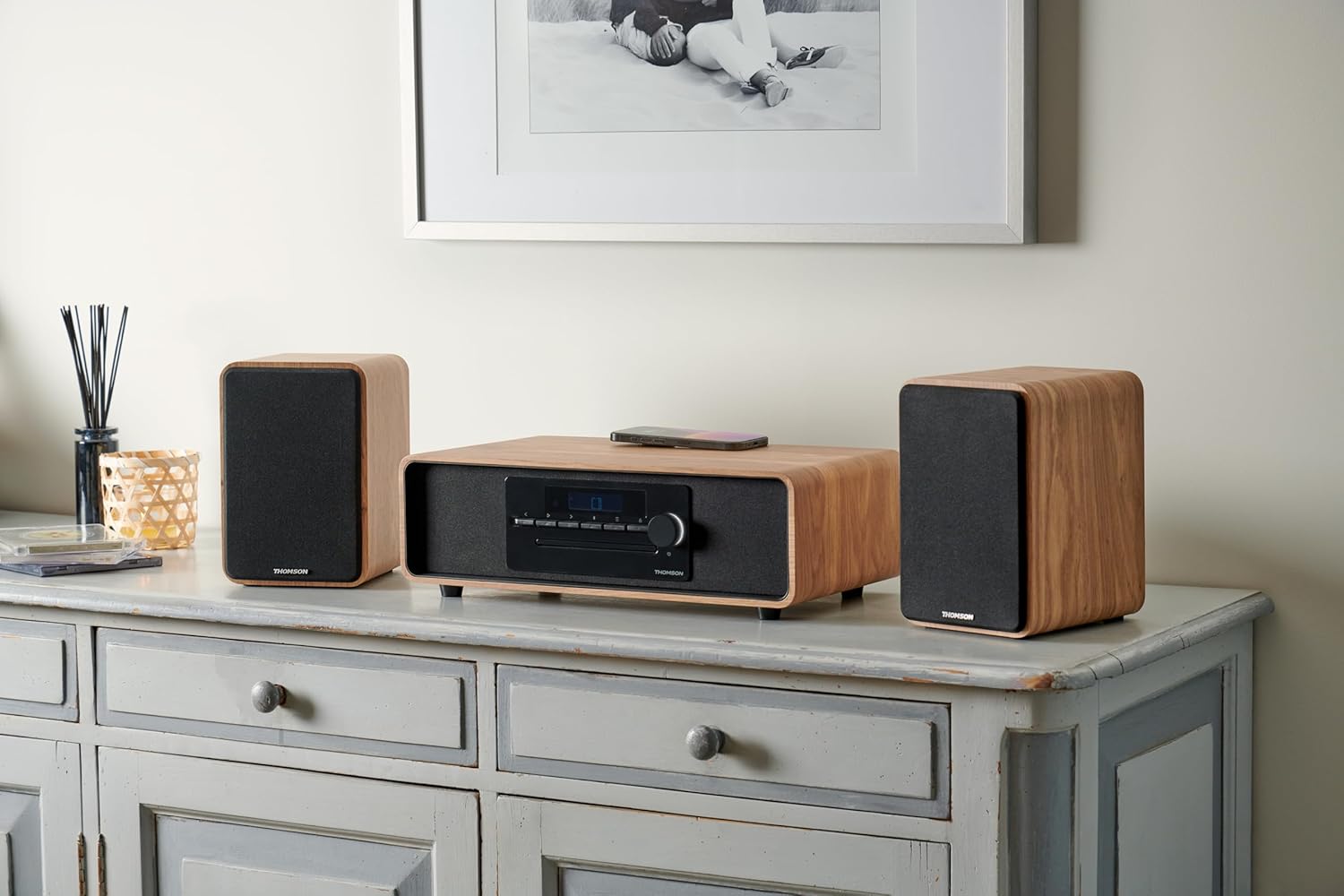
Image 2.2: Speakers connected to a micro-chain system via RCA.
Connexió mitjançant òptica:
- Connect one end of the supplied optical cable to the optical output of your device (e.g., TV).
- Connect the other end to the optical input port on the rear of the main speaker.
Vinculació mitjançant Bluetooth:
- Assegureu-vos que els altaveus estiguin encesos.
- Select Bluetooth as the input source on the speakers (refer to Section 3.2). The Bluetooth indicator will flash, indicating pairing mode.
- On your Bluetooth-enabled device, go to Bluetooth settings and search for available devices.
- Select "THOMSON WS602DUO" from the list.
- Once connected, the Bluetooth indicator on the speakers will glow steadily.

Image 2.3: Speakers ready for Bluetooth audio streaming with a smartphone.
3. Instruccions de funcionament
3.1 Encès/Apagat
Use the power switch located on the rear of the main speaker to turn the system on or off. Alternatively, the remote control can be used to put the speakers into standby mode.
3.2 Selecció de la font d'entrada
Press the 'Source' button on the remote control or the control panel on the main speaker to cycle through the available input modes: Bluetooth, RCA 1, RCA 2, and Optical.
3.3 Control de volum
Adjust the volume using the '+' and '-' buttons on the remote control or the rotary knob on the main speaker. Ensure the volume on your connected audio source is also set to an appropriate level.
3.4 Funcions de control remot
The included remote control allows for convenient operation of your speakers:
- Potència: Turns the speakers on/off (standby).
- Font: Cycles through input modes (Bluetooth, RCA, Optical).
- Volum +/-: Ajusta el volum mestre.
- Silenciar: Silencia o activa la sortida d'àudio.
- Play/Pause, Next/Previous Track: (Bluetooth mode only) Controls media playback on the connected Bluetooth device.
4. Manteniment
4.1 Neteja
To clean the speaker cabinets, use a soft, dry cloth. Do not use liquid cleaners, aerosols, or abrasive materials, as these may damage the finish. For the speaker grilles, a soft brush or vacuum cleaner with a brush attachment can be used to gently remove dust.
4.2 Emmagatzematge
When not in use for extended periods, store the speakers in a cool, dry place, away from direct sunlight and extreme temperatures. It is recommended to disconnect them from the power supply.
5. Solució De Problemes
If you encounter any issues with your THOMSON WS602DUO speakers, please refer to the following common problems and solutions:
- Sense so:
- Ensure the speakers are powered on and the volume is not muted or set too low.
- Verify that the correct input source (Bluetooth, RCA, Optical) is selected.
- Check all cable connections (power, RCA, optical) are secure.
- Ensure the volume on your audio source device is also turned up.
- Problemes de vinculació de Bluetooth:
- Make sure the speakers are in Bluetooth pairing mode (indicator flashing).
- Ensure your device's Bluetooth is enabled and within range (typically up to 10 meters).
- Prova de desvincular i tornar a vincular els altaveus des de la configuració de Bluetooth del dispositiu.
- Restart both the speakers and your Bluetooth device.
- Qualitat del so distorsionada o deficient:
- Check if the audio source volume is too high, causing distortion. Reduce the source volume.
- Assegureu-vos que tots els cables estiguin connectats correctament i no estiguin danyats.
- If using Bluetooth, move closer to the speakers to avoid interference.
- Test with a different audio source or cable to isolate the problem.
6. Especificacions
| Característica | Especificació |
|---|---|
| Nom del model | WS602DUO |
| Marca | Thomson |
| Tipus d'altaveu | prestatgeria |
| Tecnologia de connectivitat | Bluetooth |
| Tecnologia de comunicació sense fils | Bluetooth |
| Potència màxima de sortida de l'altaveu | 100 watts |
| Resposta de freqüència | 80 Hz |
| Mode de sortida d'àudio | estèreo |
| Configuració del canal de so envoltant | 2.1 |
| Dispositius compatibles | Home Cinema, Game Console, MP3 Player, Laptop, Smartphone, Tablet, Television |
| Característiques especials | Bluetooth, Remote Control |
| Components inclosos | Control remot |
| Dimensions del producte | 47 D x 24.5 W x 28 H centímetres |
| Pes de l'article | 4 quilos |
| Color | Nature (Light Wood) |
| Material | Fusta |
| Mètode de control | Tactile (Touch) |
| Font d'alimentació | Cable elèctric |
| Entrada Voltage | 230 Volts |
| Tipus de muntatge | Muntatge de taula |
| És impermeable | Fals |
| Nombre d'articles | 2 |
7. Garantia i Suport
7.1 Informació de la garantia
The THOMSON WS602DUO speakers come with a limited warranty. Please refer to the warranty card included in your package or contact your retailer for specific terms and conditions regarding the warranty period and coverage.
7.2 Atenció al client
For technical assistance, troubleshooting beyond the scope of this manual, or warranty claims, please contact THOMSON customer support or your authorized dealer. Contact information can typically be found on the manufacturer's official weblloc web o al rebut de compra.


