Introducció
This manual provides instructions for the proper use and maintenance of your Casio DS-2B-GD-W-DP 12-Digit Practical Calculator. Please read this manual thoroughly before using the calculator to ensure optimal performance and longevity.

Figura 1: Frontal view of the Casio DS-2B-GD-W-DP calculator, showing the display and key layout.
Configuració
Font d'alimentació
The Casio DS-2B-GD-W-DP calculator operates using a dual power system: solar power and battery power. It automatically switches between these sources based on ambient light conditions.
- Energia solar: The calculator is powered by solar cells when sufficient light is available. Ensure the solar panel, located above the display, is exposed to light for operation.
- Potència de la bateria: When light is insufficient, the calculator automatically switches to battery power. No user intervention is required for this transition.
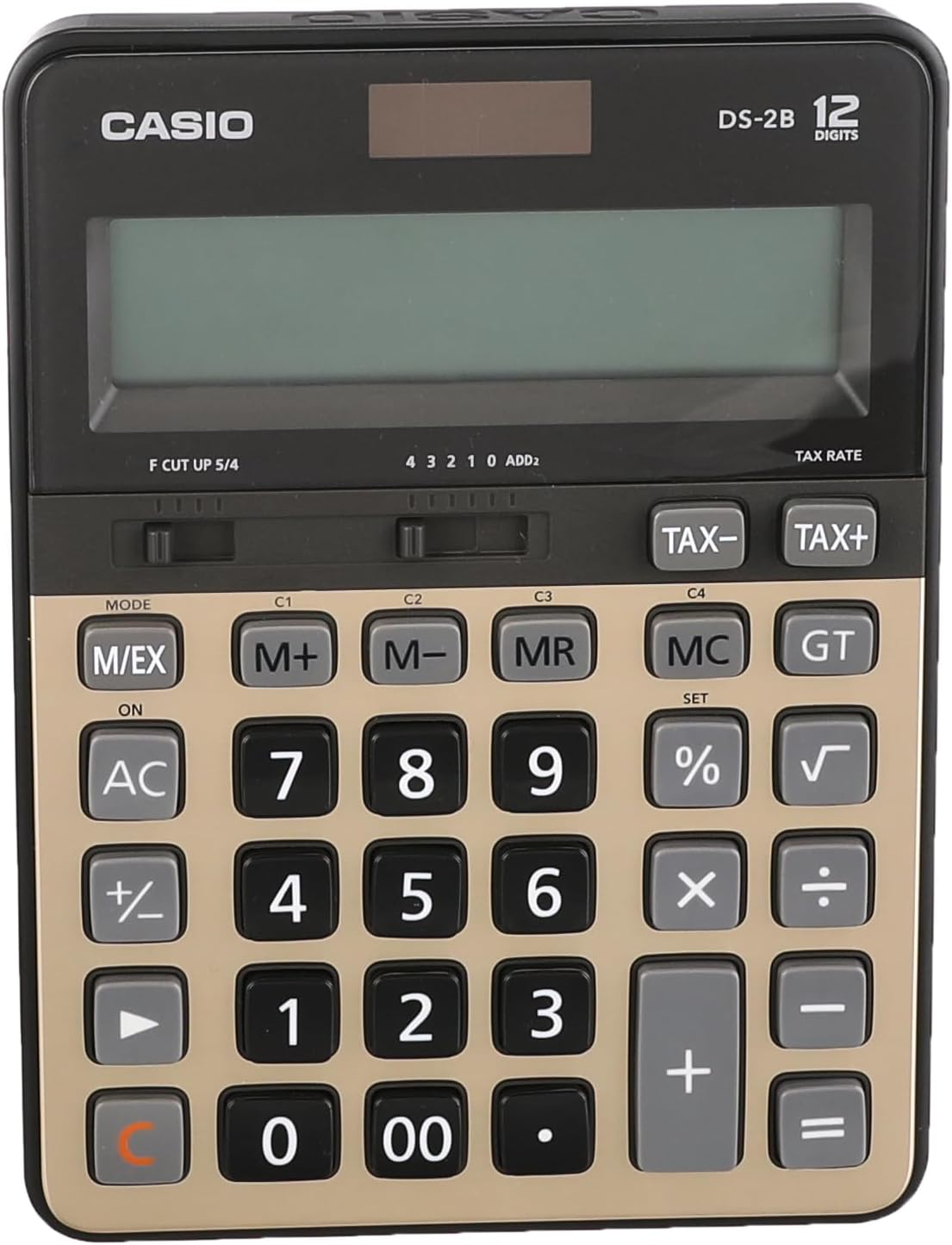
Figura 2: superior view of the calculator, highlighting the solar panel and large display area.
Ús inicial
- Col·loca la calculadora en un lloc ben il·luminat.
- Premeu el botó ON/AC button to turn on the calculator and clear any previous calculations.
- The display should show "0". If the display is blank, ensure adequate light is available or that the battery is functional.
Instruccions de funcionament
Càlculs bàsics
- Addició: Introduïu el primer número, premeu +, introdueix el segon número, prem =.
- Resta: Introduïu el primer número, premeu -, introdueix el segon número, prem =.
- Multiplicació: Introduïu el primer número, premeu ×, introdueix el segon número, prem =.
- Divisió: Introduïu el primer número, premeu ÷, introdueix el segon número, prem =.
- Esborrar entrada: Premeu CE (often combined with AC) to clear the last entered number.
- All Clear: Premeu AC to clear all calculations and reset the display to zero.
Funcions de memòria
The calculator includes independent memory functions for storing and recalling values.
- M+: Afegeix el valor mostrat a la memòria.
- M-: Resta el valor mostrat de la memòria.
- MR: Recalls the value stored in memory to the display.
- MC: Clears the memory.
Càlcul d'impostos
The calculator features dedicated keys for tax calculations.
- TAX+: Afegeix impostos al valor mostrat.
- TAX-: Resta l'impost del valor mostrat.
Note: The tax rate must be set prior to using these functions. Refer to the full Casio manual for detailed instructions on setting the tax rate.

Figure 3: Close-up of the calculator's key layout, showing function keys like M+, M-, MR, MC, TAX+, and TAX-.
Manteniment
Neteja
- Wipe the calculator with a soft, dry cloth.
- Per a la brutícia tossuda, lleugerament dampNetegeu el drap amb aigua i un detergent suau i, a continuació, eixugueu-lo immediatament.
- Do not use strong solvents, abrasive cleaners, or spray cleaners directly onto the calculator.
Emmagatzematge
- Guardeu la calculadora en un lloc fresc i sec, allunyat de la llum solar directa i de temperatures extremes.
- Avoid exposing the calculator to excessive moisture or dust.
Canvi de bateria
The calculator uses a button-cell battery as a backup power source. If the display becomes dim or unresponsive in sufficient light, the battery may need replacement. Battery replacement should ideally be performed by a qualified technician or according to the detailed instructions in the comprehensive Casio manual to avoid damaging the device.
Resolució de problemes
| Problema | Causa possible | Solució |
|---|---|---|
| La pantalla està en blanc o tènue. | Insufficient light for solar power. / Battery is low or depleted. | Move the calculator to a brighter area. / Replace the battery (refer to Maintenance section). |
| La calculadora no respon a les tecles premudes. | Calculator is off. / Temporary malfunction. | Premeu ON/AC. / Remove the calculator from light for a few minutes, then re-expose to light and press ON/AC. |
| Resultats de càlcul incorrectes. | Incorrect input. / Incorrect mode setting. | Verify input numbers and operations. / Press AC to clear and restart. Check mode settings if applicable (e.g., decimal point selector). |
Especificacions
- Model: Casio DS-2B-GD-W-DP
- Dígits: 12
- Font d'alimentació: Solar & Battery (Dual Power)
- Tipus de visualització: Extra Large LCD
- Tipus de clau: Durable anti-fade plastic keys
- Dimensions (L x A x A): Aproximadament 18.95 x 14 x 0.25 cm
- Pes: Aproximadament 305 g
- Material: Plàstic
- Funcions: Basic arithmetic, Memory (M+, M-, MR, MC), Tax calculation (TAX+, TAX-), Percentage (%), Square Root (√), Grand Total (GT), Mark-up (MU), Decimal Selector (F, CUT, UP, 5/4), Rounding Selector (4, 3, 2, 1, 0, ADD2).
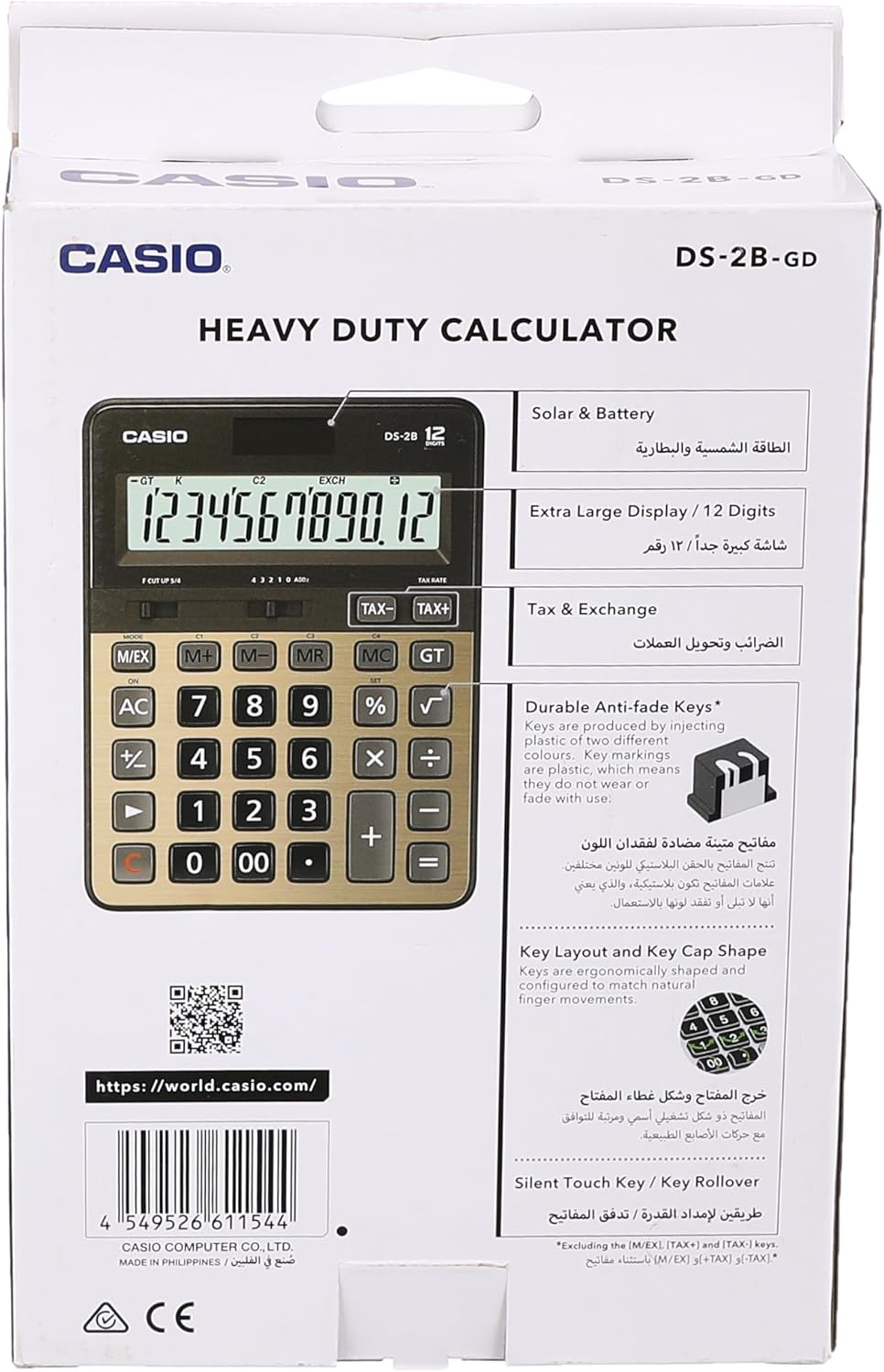
Figure 4: Product packaging highlighting key features such as solar & battery power, extra large display, and durable keys.
Garantia i Suport
For detailed warranty information and customer support, please refer to the documentation included with your purchase or visit the official Casio weblloc.
- Casio oficial Weblloc: https://world.casio.com
- Fabricant: Casio Computer Co., Ltd.
- Número de model: DS-2B-GD-W-DP
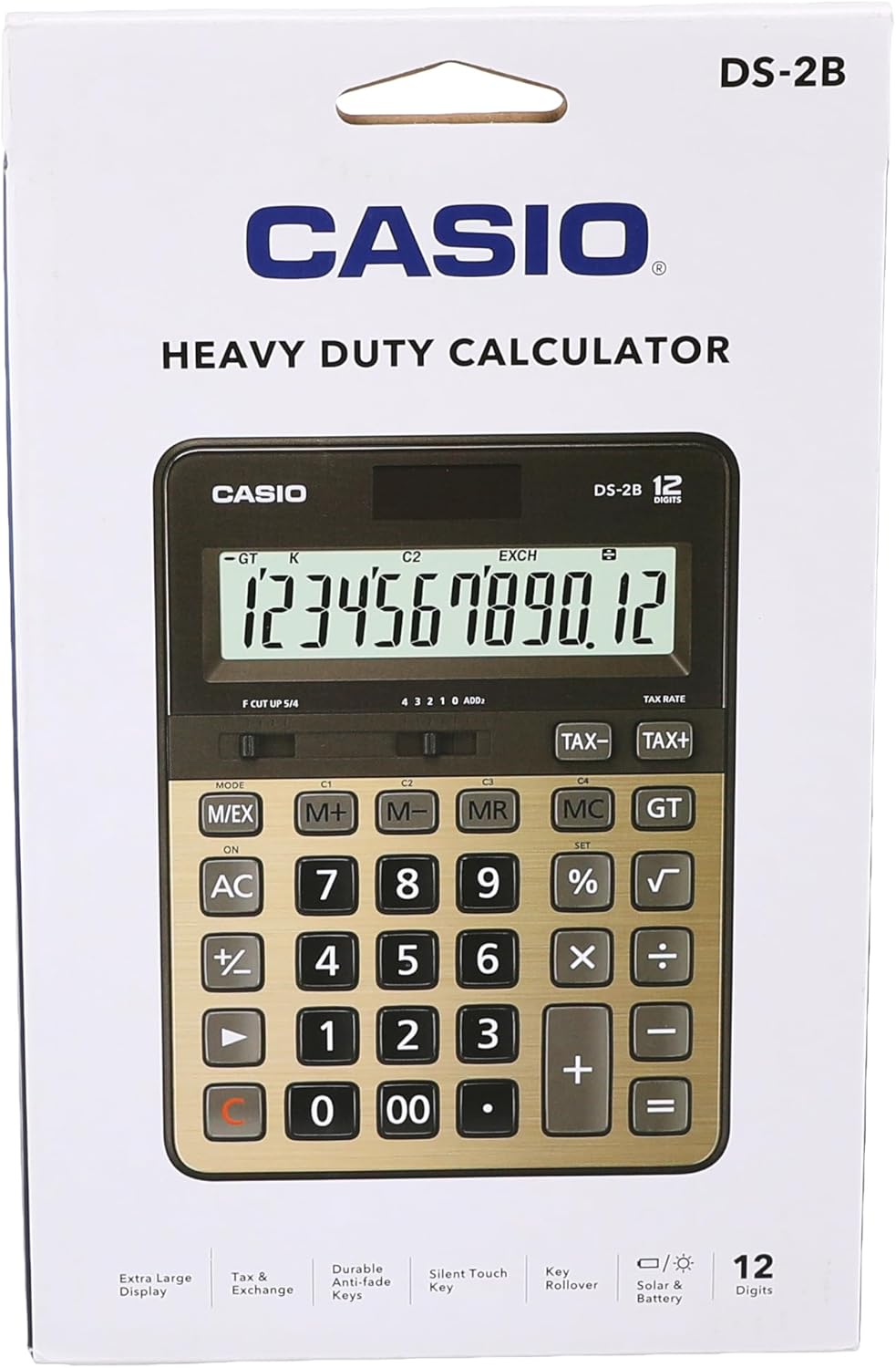
Figura 5: posterior view of the product packaging, displaying the barcode and official weblloc per obtenir més informació.


