1. Introducció
Thank you for choosing the Dragon Touch Notepad-102 Android 12 Tablet. This manual provides essential information for setting up, operating, maintaining, and troubleshooting your device. Please read it thoroughly to ensure optimal performance and longevity of your tablet.
2. Producte acabatview
The Dragon Touch Notepad-102 is a 10.1-inch Android 12 tablet designed for versatile use, from entertainment to productivity. It features an 8-core CPU, 8GB RAM, 128GB internal storage, and a vibrant IPS display.

Imatge 2.1: Davant i darrere view of the Dragon Touch Notepad-102 tablet. The front displays 'Android 12' and '8GB+128GB', while the back shows a silver finish and the rear camera module.
2.1. Components i ports
Familiaritzeu-vos amb les característiques físiques de la tauleta:
- Visualització: 10.1-inch IPS screen.
- Càmera frontal: 8MP, typically located at the top center when held vertically.
- Càmera posterior: 13MP, located on the back panel.
- Botó d'encesa: S'utilitza per encendre/apagar la tauleta o posar-la en repòs.
- Botons de volum: Ajusta els nivells d'àudio.
- Port USB tipus C: Per a càrrega i transferència de dades.
- Presa d'auriculars de 3.5 mm: Per a la sortida d'àudio.
- Ranura per a targeta MicroSD: For storage expansion (up to 128GB).
- Ponents: Dual stereo speakers for audio output.

Imatge 2.2: lateral view of the tablet highlighting the various ports and buttons, including the USB Type-C port and volume controls.
3. Configuració
3.1. Engegada inicial
- Manteniu premut el botó Botó d'engegada fins que la pantalla s'il·lumini.
- Segueix les instruccions que apareixen a la pantalla per seleccionar l'idioma i la regió i acceptar els termes i condicions.
3.2. Connexió Wi-Fi
- During initial setup or later, navigate to Configuració > Xarxa i Internet > Wi-Fi.
- Activa/desactiva el Wi-Fi On.
- Seleccioneu la xarxa Wi-Fi que vulgueu de la llista.
- Introduïu la contrasenya de xarxa si us demana i, a continuació, toqueu Connecta't.
3.3. Configuració del compte de Google
Sign in with your Google account to access the Google Play Store, Gmail, and other Google services. If you don't have an account, you can create one during this step.
4. Funcionament bàsic
4.1. Navegació per Android 12
The tablet runs on Android 12, offering an intuitive user interface. Common gestures include:
- Toca: Selecciona un element o obre una aplicació.
- Llisca: Scroll through pages or menus.
- Pessiga per fer zoom: Enlarge or shrink content on the screen.
- Premsa llarga: Accedir a menús contextuals o moure icones.
4.2. Instal·lació de l'aplicació
Download and install applications from the Google Play Store. Ensure you have a stable internet connection.

Imatge 4.1: The tablet screen showing a collection of application icons and photo thumbnails, demonstrating its multimedia capabilities and storage capacity.
5. Funcions avançades
5.1. Càmeres
The tablet is equipped with an 8MP front camera and a 13MP rear camera. Open the Camera app to capture photos and videos. The front camera is ideal for video calls and selfies.

Imatge 5.1: The tablet displaying a video call, showcasing the clarity of the front-facing camera for communication.
5.2. Projecció sense fil
The tablet supports wireless projection, allowing you to mirror its screen to a compatible large display, such as a TV. This feature is useful for presentations or sharing media.
5.3. Docking Keyboard Support
Enhance your productivity by connecting a compatible docking keyboard (sold separately). This transforms your tablet into a laptop-like device, suitable for typing and work tasks.
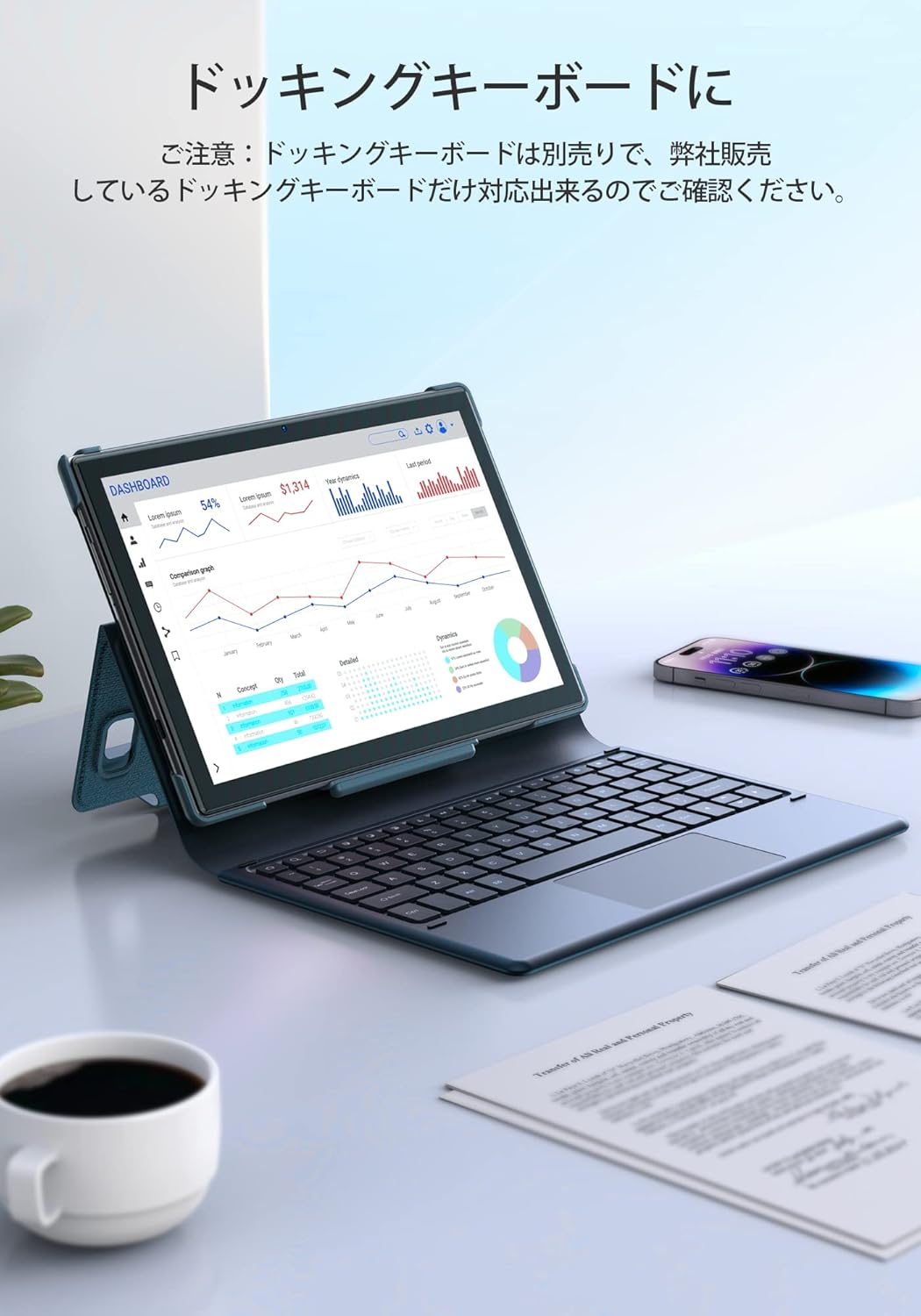
Imatge 5.2: The tablet docked with a keyboard accessory, displaying a dashboard with charts, illustrating its use for productivity.
6. Connectivitat
6.1. WiFi
The tablet supports dual-band Wi-Fi (2.4GHz and 5GHz) with 802.11ac technology for stable and high-speed internet access. To manage Wi-Fi settings, go to Configuració > Xarxa i Internet > Wi-Fi.
6.2. Bluetooth
Connect wireless headphones, speakers, or other Bluetooth-enabled devices. Access Bluetooth settings via Configuració > Dispositius connectats > Bluetooth.
7. Gestió de la bateria
The Notepad-102 is equipped with a 6000mAh battery. To charge, connect the included Type-C cable to the tablet's Type-C port and a compatible 5V/2A power adapter.
7.1. Consells sobre la durada de la bateria
- Redueix la brillantor de la pantalla.
- Desactiva el Wi-Fi i el Bluetooth quan no els utilitzis.
- Tanca les aplicacions en segon pla.
- Enable battery saver mode.
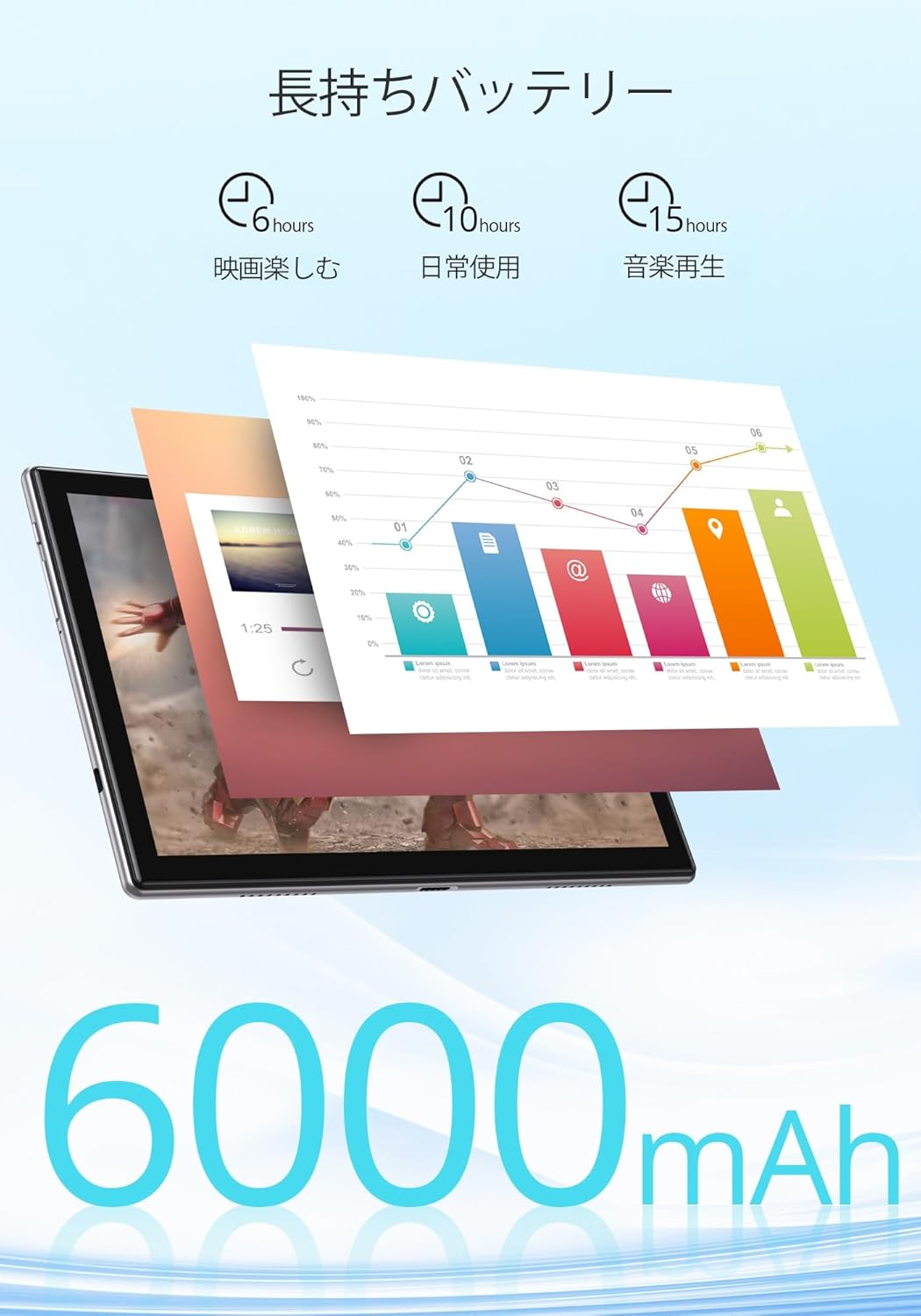
Imatge 7.1: An infographic showing estimated battery life for various activities: 6 hours for movies, 10 hours for daily use, and 15 hours for music playback, powered by the 6000mAh battery.
8. Manteniment i cura
- Keep the tablet away from extreme temperatures and direct sunlight.
- Avoid dropping the tablet or subjecting it to strong impacts.
- Clean the screen with a soft, lint-free cloth. Do not use harsh chemicals.
- Assegureu-vos que el port de càrrega estigui lliure de pols i deixalles.
9. Solució De Problemes
9.1. La tauleta no s'encén
- Assegureu-vos que la tauleta estigui prou carregada. Connecteu-la a una font d'alimentació durant almenys 30 minuts.
- Mantingueu premut el botó d'engegada durant 10-15 segons per realitzar un reinici forçat.
9.2. Problemes de connectivitat Wi-Fi
- Reinicieu el router Wi-Fi i la tauleta.
- Assegureu-vos que esteu dins de l'abast del senyal Wi-Fi.
- Oblida't de la xarxa a la configuració del Wi-Fi i torna a connectar-te.
- Comproveu si altres dispositius es poden connectar a la mateixa xarxa Wi-Fi.
9.3. Les aplicacions es bloquegen o es bloquegen
- Tanca i torna a obrir l'aplicació.
- Esborra la memòria cau i les dades de l'aplicació Configuració > Aplicacions > [Nom de l'aplicació] > Emmagatzematge i memòria cau.
- Assegureu-vos que l'aplicació estigui actualitzada a la seva darrera versió.
10. Especificacions
| Característica | Especificació |
|---|---|
| Marca | Toc de Drac |
| Model | Notepad-102 |
| Sistema operatiu | Android 12 (certificat GMS) |
| Mida de la pantalla | 10.1 polzades |
| Resolució de visualització | 1280 x 800 píxels (IPS) |
| Processador | 8-core CPU (2.0GHz) |
| RAM | 8 GB |
| Emmagatzematge intern | 128 GB |
| Emmagatzematge ampliable | MicroSD fins a 128 GB |
| Wi-Fi | 2.4Ghz/5Ghz Dual-band (802.11ac) |
| Bluetooth | Sí |
| Càmera frontal | 8MP |
| Càmera posterior | 13MP |
| Capacitat de la bateria | 6000 mAh |
| Port de càrrega | Tipus-C |
| Dimensions | 27.1 x 20 x 4.9 cm |
| Pes | 940 g |
11. Garantia i Suport
The Dragon Touch Notepad-102 tablet comes with a one-year warranty. For any inquiries or support needs, please contact customer service through your Amazon purchase history, providing your order number. Our support team is dedicated to assisting you.
Nota: Please use the provided charging cable and a 5V/2A power adapter for optimal charging.