Introducció
Gràcies per la compraasing the AZATOM Spitalfields 2 Portable DAB/DAB+ Digital FM Radio. This manual provides essential information for setting up, operating, and maintaining your new radio. Please read this manual thoroughly before use to ensure proper functionality and to maximize your listening experience.
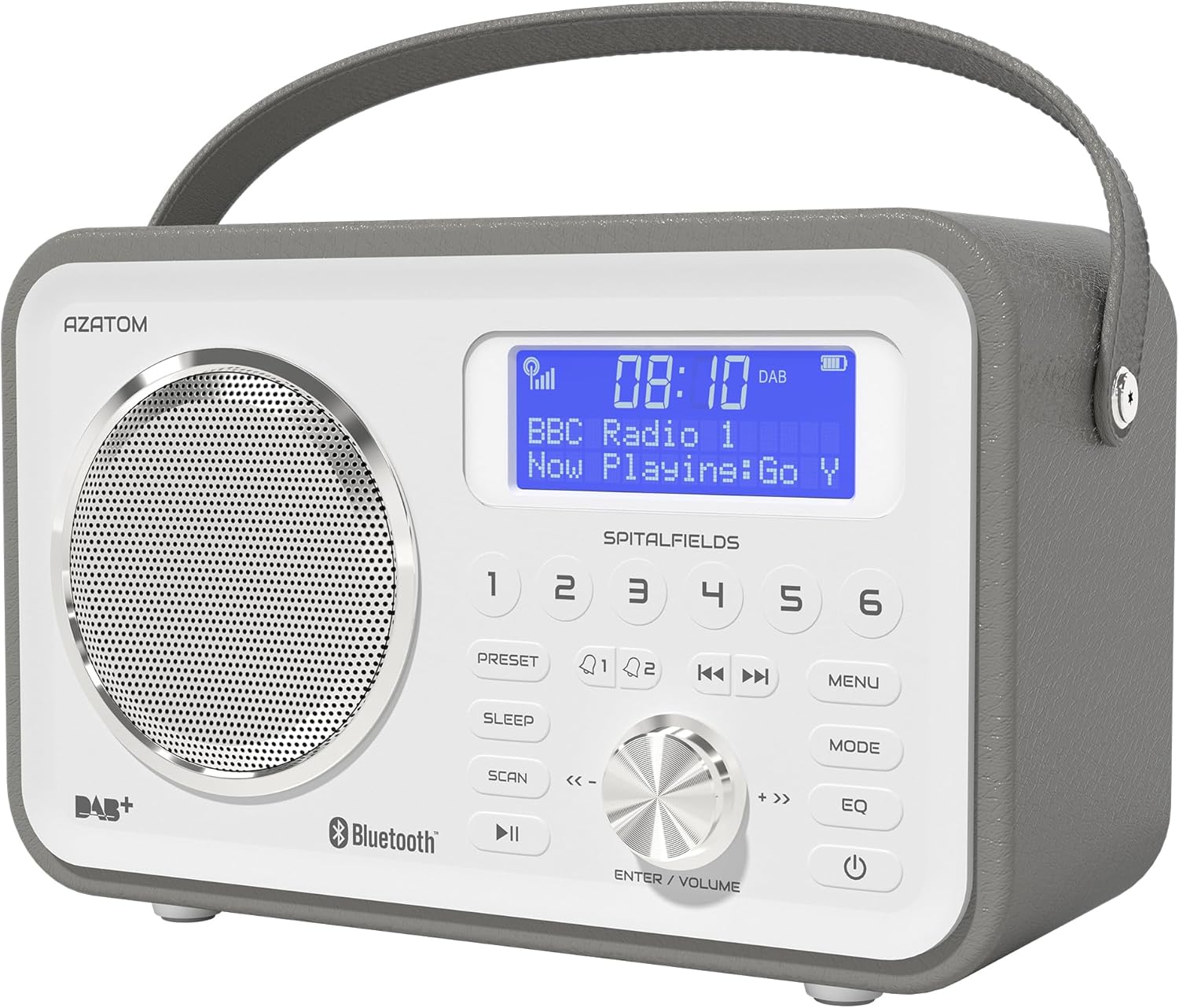
The AZATOM Spitalfields 2 radio features a classic retro design with a modern digital display and intuitive controls.
Instruccions importants de seguretat
Always follow these basic safety precautions when using your radio:
- No exposeu la unitat a la pluja, la humitat o les temperatures extremes.
- No desmunteu ni modifiqueu la unitat. Encarregueu tot el manteniment a personal qualificat.
- Assegureu-vos una ventilació adequada al voltant de la unitat per evitar el sobreescalfament.
- Utilitzeu només l'adaptador d'alimentació subministrat amb la unitat.
- Mantingueu la unitat allunyada de camps magnètics forts.
- Eviteu escoltar a volums excessivament alts durant períodes prolongats per evitar danys auditius.
Característiques clau
- DAB/DAB+ i ràdio FM: Enjoy a wide range of digital and analog radio stations.
- Connectivitat Bluetooth 5.0: Wirelessly stream audio from your compatible devices.
- Funció de despertador: Set multiple alarms with snooze and sleep timer features.
- Bateria recarregable: Bateria integrada per a ús portàtil.
- Estacions preseleccionades: Emmagatzema les teves emissores DAB i FM preferides per accedir-hi ràpidament.
- Comandament a distància: Conveniently operate the radio from a distance.
- Quality Stereo Sound: Enhanced audio experience with a built-in subwoofer.
DAB/DAB+/FM Radio

Experience crystal-clear digital radio with DAB/DAB+ or tune into traditional FM broadcasts.
Connectivitat Bluetooth 5.0

Effortlessly stream music from your smartphone, tablet, or other Bluetooth-enabled devices.
Alarm Clock & Sleep Timer

Wake up to your favorite station or a buzzer with the integrated alarm clock, and drift off to sleep with the adjustable sleep timer.
Pre-set Stations

Quickly access your preferred radio stations by saving them to the dedicated preset buttons.
Bateria recarregable

The built-in rechargeable battery allows for convenient portable use, perfect for any room or on the go.
Premier Control with Remote
Control all functions of your radio from the comfort of your couch using the included remote control.
Contingut del paquet
Si us plau, comproveu que hi hagi tots els elements:
- AZATOM Spitalfields 2 DAB/DAB+ Digital FM Radio
- Adaptador d'alimentació
- Control remot
- Manual d'usuari (aquest document)
Producte acabatview
Familiarize yourself with the controls and display of your Spitalfields 2 radio.
The front panel features a clear display, speaker, and various control buttons.
Controls del panell frontal
- Pantalla de visualització: Shows time, station information, and menu options.
- Botons predefinits (1-6): Store and recall your favorite stations.
- Botó PRESET: Access preset memory.
- Botó SLEEP: Estableix el temporitzador de son.
- Botó SCAN: Automatically scan for stations.
- Botó REPRODUCIR/PAUSA: Reprodueix/pausa en mode Bluetooth.
- Botó MENÚ: Accedir a la configuració del sistema.
- Botó MODE: Canvia entre els modes DAB, FM i Bluetooth.
- Botó EQ: Ajusta la configuració de l'equalitzador.
- Botó d'encendre: Enceneu / apagueu la unitat.
- ENTER/VOLUME Knob: Rotate to adjust volume or navigate menus; press to confirm selection.
- SKIP Buttons (<<, >>): Navigate tracks in Bluetooth mode or stations in radio mode.
Configuració
Encès
- Esteneu completament l'antena telescòpica per a una recepció òptima.
- Connect the supplied power adapter to the DC IN port on the back of the radio and plug it into a wall outlet. The internal battery will begin charging.
- Premeu el botó PODER botó per encendre la ràdio.
Initial Scan (DAB/FM)
Upon first power-on, the radio will automatically perform a full scan for DAB stations. This may take a few minutes. Once complete, the radio will tune to the first available station.
- To manually initiate a scan in DAB mode, press the ESCANEAR botó.
- En mode FM, manteniu premut el botó ESCANEAR button to auto-scan for the next available station.
Configuració de l'hora i la data
The time and date are usually automatically set via DAB signal. If not, or if you wish to adjust manually:
- Premeu el botó MENÚ botó.
- Gira el ENTER/VOLUME knob to navigate to 'System Settings' and press the knob to confirm.
- Navigate to 'Time/Date' and press to confirm.
- Select 'Set Time/Date' or 'Auto Update' as desired and follow the on-screen prompts.
Instruccions de funcionament
Radio Modes (DAB, FM)
Premeu el botó MODE button to switch between DAB and FM radio modes.
Mode DAB
- Gira el ENTER/VOLUME knob to browse available DAB stations. Press the knob to select a station.
- Premeu ESCANEAR to perform a full scan for new stations.
Mode FM
- Gira el ENTER/VOLUME knob to fine-tune the frequency.
- Manteniu premut el botó ESCANEAR button to automatically tune to the next strong station.
Funcionament Bluetooth
- Premeu el botó MODE button until 'Bluetooth' is displayed. The radio will enter pairing mode.
- On your Bluetooth-enabled device (e.g., smartphone), search for 'Spitalfields 2' in the Bluetooth settings and select it to pair.
- Once paired, you can stream audio from your device to the radio. Use the REPRODUCCIÓ/PAUSA i SALTAR buttons on the radio or remote to control playback.
Funció de despertador
- Premeu el botó MENÚ button and navigate to 'Alarms'.
- Select 'Alarm 1' or 'Alarm 2' to configure.
- Set the alarm time, duration, source (Buzzer, DAB, FM), and frequency (Daily, Once, Weekdays, Weekends).
- Ensure the alarm is set to 'On'.
- Quan soni una alarma, premeu el botó PODER button to snooze, or press any other button to turn off the alarm.
Temporitzador de dormir
El temporitzador de son permet que la ràdio s'apagui automàticament després d'un període de temps definit.
- Premeu el botó DORMIR button repeatedly to cycle through sleep timer options (e.g., 15, 30, 45, 60, 90, 120 minutes, Off).
- The selected time will be displayed briefly.
Presets
Emmagatzematge d'un preajust
- Sintonitza l'emissora DAB o FM desitjada.
- Press and hold one of the numbered PRESET buttons (1-6) until 'Preset Stored' appears on the display.
Recordant un preajust
- Briefly press the corresponding numbered PRESET button (1-6) to recall a stored station.
Audio Settings (EQ)
Ajusta el professional del sofile a la teva preferència.
- Premeu el botó EQ button repeatedly to cycle through equalizer presets (e.g., Normal, Flat, Jazz, Rock, Classical, Pop, News, My EQ).
- If 'My EQ' is selected, you can customize bass and treble settings via the menu.
Ús del comandament a distància
The remote control provides full functionality of the radio from a distance. Ensure the remote has working batteries and is pointed towards the front of the radio.
- All buttons on the remote correspond to functions available on the radio's front panel.
- Use the numeric buttons (0-9) to directly enter preset numbers or navigate menus.
Manteniment i cura
- Neteja: Netegeu la ràdio amb un drap suau i sec. No utilitzeu productes de neteja abrasius ni dissolvents.
- Cura de la bateria: For optimal battery life, avoid fully discharging the battery frequently. If storing the radio for an extended period, charge it fully every few months.
- Antena: Manipuleu l'antena telescòpica amb cura per evitar danys.
- Emmagatzematge: Guardeu la ràdio en un lloc fresc i sec, allunyat de la llum solar directa i de temperatures extremes.
Resolució de problemes
| Problema | Causa possible | Solució |
|---|---|---|
| Sense poder | L'adaptador de corrent no està connectat; la bateria està esgotada. | Ensure power adapter is securely connected and plugged in. Charge the battery. |
| Sense so / Mala qualitat de so | Volume too low; poor signal; incorrect mode. | Increase volume. Extend antenna fully. Re-scan for stations. Ensure correct mode (DAB/FM/Bluetooth). |
| No s'han trobat emissores DAB | Weak DAB signal; no full scan performed. | Ensure antenna is fully extended. Perform a full DAB scan. Try repositioning the radio. |
| Bluetooth no emparellat | Radio not in Bluetooth mode; device too far; previously paired. | Switch radio to Bluetooth mode. Ensure device is within range. Forget 'Spitalfields 2' on your device and try pairing again. |
| El comandament a distància no funciona | Batteries depleted; obstruction; not pointed correctly. | Replace remote control batteries. Ensure no obstruction between remote and radio. Point remote directly at the radio's front panel. |
Especificacions
| Característica | Detall |
|---|---|
| Marca | AZATOM |
| Número de model | AZSPTLSBK1 |
| Pes | 750 grams |
| Interfície del maquinari | 3.5 mm Audio, Bluetooth, Headphones |
| Potència màxima de sortida de l'altaveu | 30 watts |
| UPC | 718157745964 |
Informació de la garantia
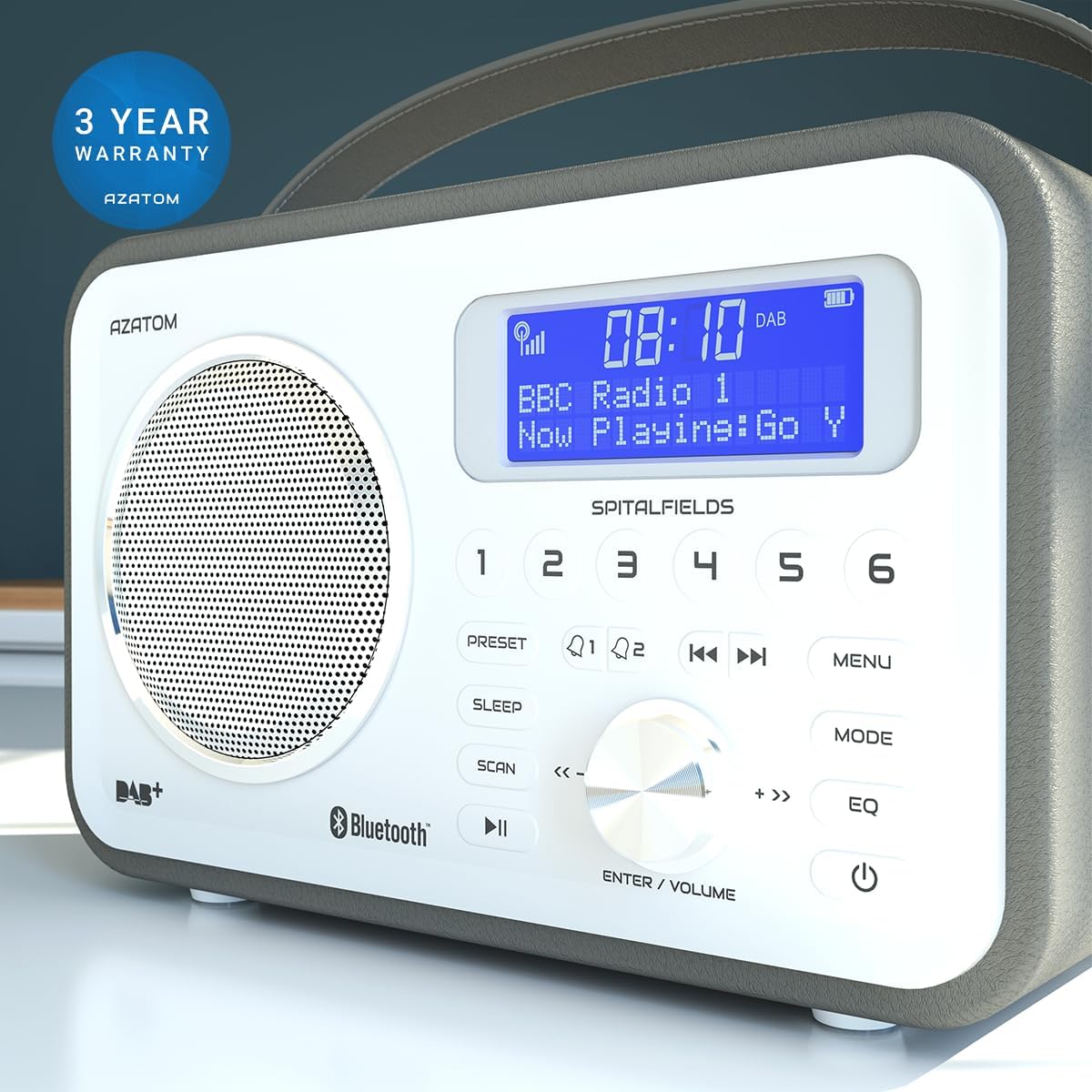
The AZATOM Spitalfields 2 radio comes with a 3 anys de garantia from the date of purchase. This warranty covers manufacturing defects and faulty workmanship under normal use. Please retain your proof of purchase for warranty claims.
The product is backed by a 3-year warranty, ensuring peace of mind.
The warranty does not cover damage caused by misuse, accident, unauthorized modification, or normal wear and tear. For full terms and conditions, please refer to the AZATOM official weblloc o contacteu amb el servei d'atenció al client.
Atenció al client
If you encounter any issues not covered in this manual or require further assistance, please visit the official AZATOM weblloc web amb recursos de suport, preguntes freqüents i informació de contacte.
Weblloc: www.azatom.com
Please have your model number (AZSPTLSBK1) and purchase details ready when contacting support.


