1. Introducció
The TCL S642W is a 2.1 channel soundbar system designed to significantly enhance your home audio experience. This system includes a main soundbar unit and a wireless subwoofer, delivering powerful sound with deep, resonant bass. With advanced connectivity options like Bluetooth 5.3 and HDMI ARC, and support for Dolby Audio, the S642W provides an immersive and high-quality audio environment for movies, music, and games.
2. Contingut del paquet
Si us plau, comproveu el paquet per veure si hi ha els elements següents:
- TCL S642W Soundbar Unit
- Subwoofer sense fil
- Comandament a distància amb piles
- Cable d'alimentació per a barra de so
- Cable d'alimentació per a subwoofer
- Cable HDMI
- Kit de muntatge a la paret
- Manual d'usuari (aquest document)
3. Configuració
3.1 Col·locació
Proper placement of the soundbar and subwoofer is crucial for optimal sound performance and an immersive audio experience.
- Barra de so: Position the soundbar centrally below your television. Ensure there are no obstructions in front of the soundbar that could block the sound.
- Subwoofer sense fil: The wireless subwoofer can be placed anywhere in the room, ideally near the soundbar, for enhanced bass. Avoid placing it in enclosed spaces that might muffle the sound.

Figure 1: Recommended placement of the soundbar and subwoofer in a living room environment.

Figure 2: Dimensions of the TCL S642W Soundbar (560mm x 62mm x 96.7mm) and Wireless Subwoofer (195mm x 320.4mm x 195mm).
3.2 Connexions
Segueix aquests passos per connectar el sistema de barra de so:
- Connexió d'alimentació: Connect the power cables to the soundbar and the wireless subwoofer, then plug them into a wall outlet. The subwoofer will automatically pair with the soundbar when both are powered on.
- Connexió HDMI ARC (recomanada): For the best audio quality and control, connect one end of the provided HDMI cable to the HDMI ARC port on your soundbar and the other end to the HDMI ARC/eARC port on your television. This allows your TV remote to control the soundbar's volume.
- Connexió Bluetooth: To stream audio wirelessly from your smart device, ensure the soundbar is powered on. Press the Bluetooth button on the remote control or the soundbar unit. The Bluetooth indicator light will flash. On your smart device, search for Bluetooth devices and select 'TCL S642W' to pair.
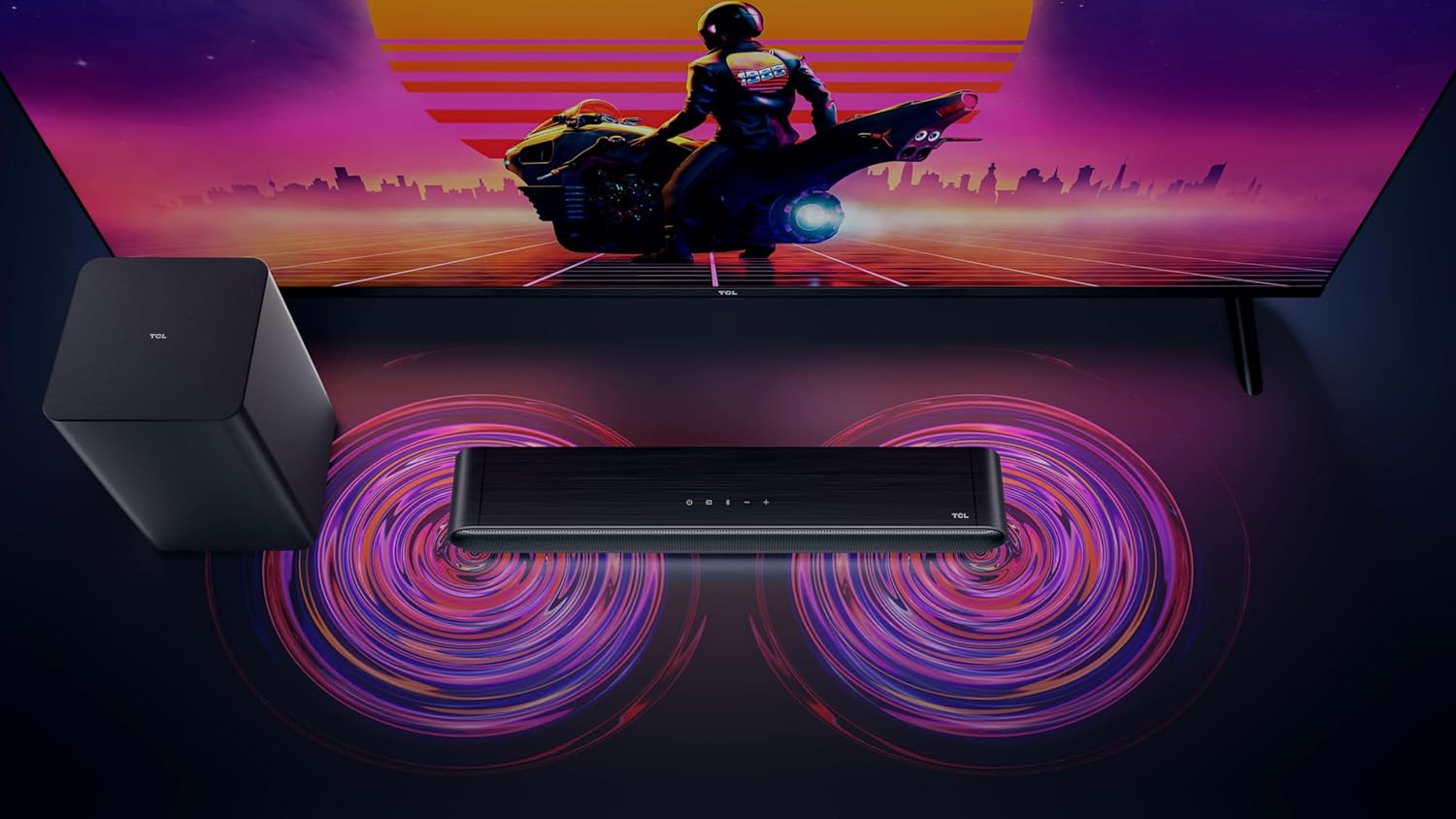
Figure 3: Connectivity options for the TCL S642W Soundbar, including Bluetooth 5.3 and HDMI.
4. Instruccions de funcionament
4.1 Encès/Apagat
Premeu el botó Poder button on the remote control or the soundbar unit to turn the system on or off.
4.2 Selecció d'entrada
Premeu el botó Font or Entrada button on the remote control to cycle through available input sources: HDMI ARC, Bluetooth.
4.3 Control de volum
Utilitza el Puja el volum (+) i Baixar el volum (-) buttons on the remote control or the soundbar unit to adjust the volume. If connected via HDMI ARC, your TV remote may also control the soundbar volume.
4.4 Vinculació Bluetooth
Per vincular un dispositiu Bluetooth nou:
- Ensure the soundbar is in Bluetooth mode (press the Bluetooth button).
- On your smart device, enable Bluetooth and search for available devices.
- Select 'TCL S642W' from the list to connect. The Bluetooth indicator on the soundbar will stop flashing and remain solid once connected.
Figure 4: The included remote control for convenient operation of the soundbar.
5. Manteniment
To ensure the longevity and optimal performance of your TCL S642W Soundbar system, follow these maintenance guidelines:
- Neteja: Use a soft, dry, lint-free cloth to clean the surfaces of the soundbar and subwoofer. Do not use liquid cleaners, sprays, or abrasive materials, as these can damage the finish or internal components.
- Ventilació: Ensure that the soundbar and subwoofer have adequate ventilation. Do not block any ventilation openings. Avoid placing the units in enclosed cabinets without proper airflow.
- Medi ambient: Mantingueu el sistema allunyat de la llum solar directa, fonts de calor, pols excessiva, humitat i camps magnètics forts.
- Potència: Unplug the power cables from the wall outlet if the system will not be used for an extended period.
6. Solució De Problemes
If you encounter issues with your soundbar, refer to the following troubleshooting guide:
| Problema | Causa possible | Solució |
|---|---|---|
| No hi ha so de la barra de so |
|
|
| El subwoofer no produeix greus |
|
|
| Problemes de connexió Bluetooth |
|
|
7. Especificacions
Key technical specifications for the TCL S642W Soundbar system:
- Marca: TCL
- Nom del model: S642W (2.1 Channel Soundbar with Wireless Subwoofer and HDMI ARC with Bluetooth 5.3 – Wall Mountable)
- Tipus d'altaveu: Barra de so
- Potència màxima de sortida de l'altaveu: 200 watts
- Resposta de freqüència: 10 kHz
- Tecnologia de connectivitat: HDMI, Bluetooth 5.3
- Mode de sortida d'àudio: Dolby Audio, DTS Virtual X
- Tipus de muntatge: Muntatge a la paret
- Material: Plàstic
- Característiques especials: Bluetooth, USB Port, Portable
8. Informació de seguretat
Please read and follow these safety precautions to prevent damage and ensure safe operation:
- No exposeu la unitat a la pluja, la humitat, les goteges o les esquitxades.
- No col·loqueu objectes plens de líquids, com ara gerros, a l'aparell.
- No bloquegeu cap obertura de ventilació. Instal·leu-ho d'acord amb les instruccions del fabricant.
- No instal·leu a prop de cap font de calor com ara radiadors, registres de calor, estufes o altres aparells (inclosos amplificadors) que produeixen calor.
- Eviteu que el cable d'alimentació sigui trepitjat o pessigat, especialment als endolls, els endolls i el punt on surten de l'aparell.
- Utilitzeu només accessoris/accessoris especificats pel fabricant.
- Desendolleu aquest aparell durant les tempestes amb llamps o quan no l'utilitzeu durant llargs períodes de temps.
9. Garantia i Suport
For detailed warranty information, terms, and conditions, please refer to the warranty card included with your product package. For technical support, product registration, or to find answers to frequently asked questions, please visit the official TCL support website or contact your local TCL customer service representative.
You can often find additional resources and contact information on the official TCL weblloc: www.tcl.com