Benvingut
This manual provides essential information for the safe operation, setup, and maintenance of your ciciglow K6 FPV RC Drone. Please read it thoroughly before first use to ensure a safe and enjoyable flying experience.

Image: The ciciglow K6 FPV RC Drone, a foldable quadcopter with dual cameras and obstacle avoidance capabilities.
Contingut del paquet
Si us plau, comproveu atentament el contingut del paquet en desembalar-lo:
- 1 x Drone
- 1 x comandament a distància
- 1 x tornavís
- 1 x cable de càrrega USB
- 4 x Fan Blade Protection Rings
- 1 x cargol
- 2 x Printed Instruction Manuals
- 1 x bossa d'emmagatzematge
Note: Remote control batteries (3 x AA) are not included and must be purchased separately.
Pautes de seguretat
Adhering to these safety guidelines is crucial for preventing accidents and ensuring safe operation:
- Feu servir sempre el dron en zones obertes i clares, allunyat de persones, animals i obstacles.
- No voli a prop d'aeroports, espai aeri restringit o instal·lacions sensibles.
- Assegureu-vos que la bateria del dron estigui completament carregada abans de cada vol.
- No opereu amb vents forts ni condicions meteorològiques adverses.
- Mantingueu els dits i els cabells allunyats de les hèlixs giratòries.
- Adult supervision is recommended for users under 14 years old.
- No modifiqueu el dron ni els seus components.
- Follow all local laws and regulations regarding drone operation.
Configuració
Preparació de drons
1. Carefully unfold the drone arms until they lock into position.
2. Attach the fan blade protection rings to the drone arms. Use the provided screwdriver and screws to secure them firmly.
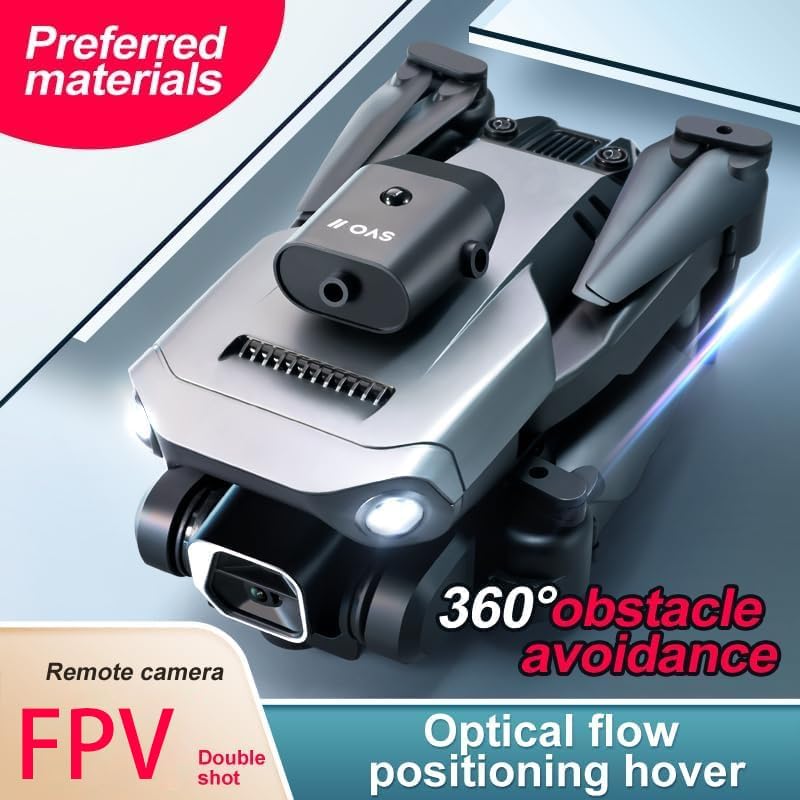
Image: The ciciglow K6 drone with its arms unfolded and propeller protection rings attached, ready for flight. This image highlights the drone's design and obstacle avoidance features.
Preparació del control remot
1. Obriu el compartiment de la bateria a la part posterior del comandament a distància.
2. Insert 3 AA batteries, ensuring correct polarity (+/-).
3. Tanqueu el compartiment de la bateria de manera segura.
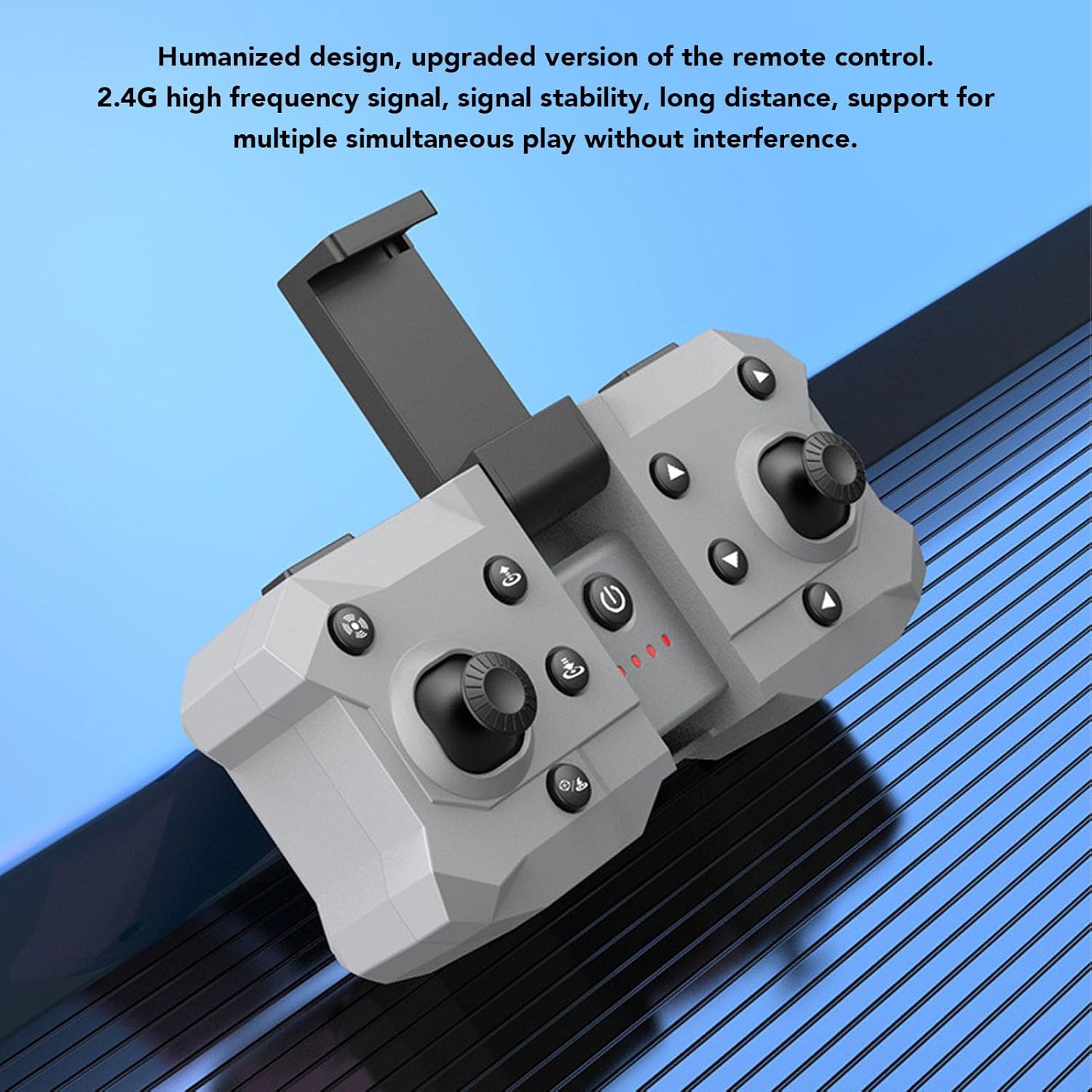
Image: The ciciglow K6 drone remote control, featuring a foldable design and 2.4G high-frequency signal for stable communication.
Carregant la bateria del dron
1. Connect the USB charging cable to the drone's charging port.
2. Connect the other end of the USB cable to a suitable USB power adapter (not included).
3. The charging indicator light on the drone will show the charging status. A full charge takes approximately 90 minutes.
4. Do not leave the drone unattended while charging.
Instruccions de funcionament
Encès i emparellament
- Col·loqueu el drone sobre una superfície plana i plana.
- Power on the drone. The indicator lights will flash, indicating it is in pairing mode.
- Enceneu el comandament a distància.
- Move the remote control's throttle stick (left stick) fully up, then fully down. You will hear a "drop" sound, and the drone's indicator lights will stop flashing, indicating successful pairing.
- The drone is now ready for flight.
Controls bàsics de vol
Refer to the remote control diagram in the printed manual for specific button functions.
- Palanca d'acceleració (palanca esquerra): Move up to ascend, down to descend. Move left/right to yaw (rotate left/right).
- Directional Stick (Right Stick): Move up/down for forward/backward flight. Move left/right for sideward flight.
- Enlairament/aterratge amb una sola tecla: Press the designated button for automatic takeoff or landing.
- Parada d'emergència: Press the emergency stop button to immediately cut power to the motors in an emergency.
Funcions avançades
Omni-Directional Obstacle Avoidance
The K6 drone is equipped with infrared sensors that detect obstacles from multiple directions. When an obstacle is detected, the drone will automatically stop to prevent collisions, enhancing flight safety and making control easier.
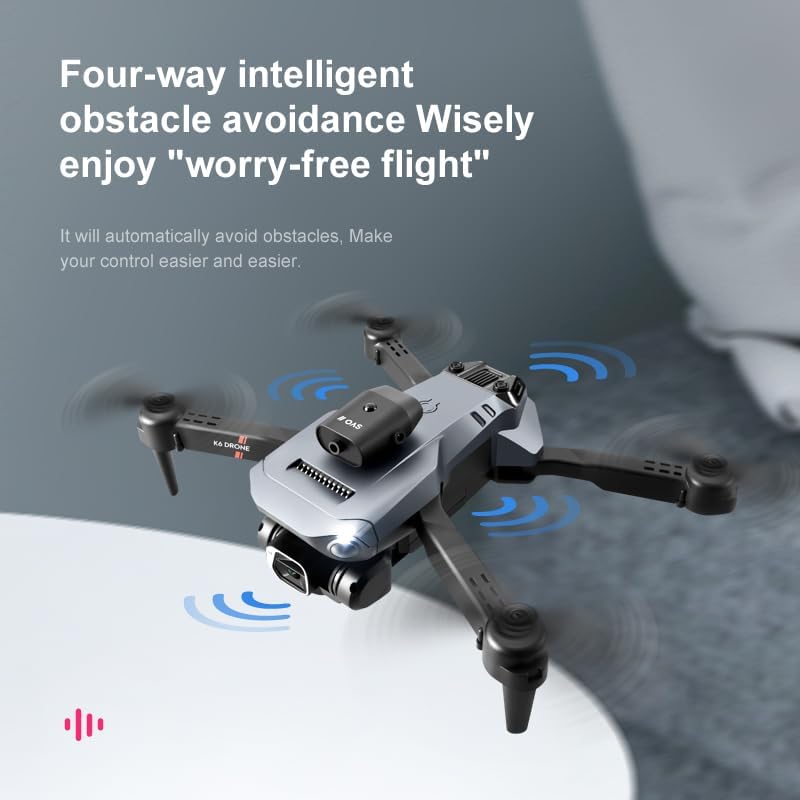
Image: The ciciglow K6 drone in flight, illustrating its four-way intelligent obstacle avoidance system with blue wave indicators.
Intelligent Hover Height
The drone features air pressure fixed altitude hold, allowing it to maintain a stable hover at a set height. This makes flying easier for beginners and provides stable footage for photography, whether indoors or outdoors.

Image: The ciciglow K6 drone demonstrating intelligent hover height, maintaining a fixed altitude for stable flight and photography.
Dual 4K HD Camera System
The K6 drone is equipped with dual 4K HD cameras, allowing you to switch between front and bottom perspectives for varied shooting angles. The camera system supports 1 to 50x zoom via the companion app, offering more creative freedom.

Imatge: Una imatge detallada view of the ciciglow K6 drone's front and bottom cameras, highlighting its dual 4K HD camera system for versatile shooting.
Beauty Plus Filter Function
Utilize the Beauty Plus filter function within the drone's app for enhanced photo and video post-production directly after capture, providing a more excellent photographic experience.

Imatge: Examples demonstrating the application of Beauty Plus filters for enhanced photographic results.
Manteniment
Proper maintenance will extend the lifespan of your drone:
- Neteja: Use a soft, dry cloth to clean the drone body and camera lenses. Do not use harsh chemicals or solvents.
- Inspecció de l'hèlix: Regularly check propellers for any signs of damage (cracks, bends, chips). Replace damaged propellers immediately using the provided screwdriver to ensure stable flight.
- Cura de la bateria: Store the drone battery in a cool, dry place. Do not overcharge or completely discharge the battery. If storing for extended periods, charge the battery to approximately 50-60% to maintain its health.
- Emmagatzematge: When not in use, fold the drone arms and store it in the provided storage bag to protect it from dust, moisture, and physical damage.
Resolució de problemes
If you encounter issues with your drone, refer to the table below for common problems and solutions:
| Problema | Causa possible | Solució |
|---|---|---|
| El dron no s'encén. | Battery is not charged or not connected properly. | Ensure the drone battery is fully charged and securely connected. |
| El dron no s'aparella amb el comandament a distància. | Incorrect pairing procedure; remote control batteries low or incorrectly inserted. | Repeat pairing steps carefully as described in the 'Power On and Pairing' section. Replace remote control batteries if necessary, ensuring correct polarity. |
| Vol inestable o a la deriva. | Drone not calibrated; flying in windy conditions; damaged propellers. | Perform drone calibration (refer to the printed manual for specific steps). Fly in calm conditions. Check and replace any damaged propellers. |
| Camera not working or poor image quality. | Camera lens dirty; app connection issue; insufficient light; SD card issues (if applicable). | Clean the camera lens gently. Ensure proper connection to the companion app. Fly in well-lit conditions. Check if an SD card is required and properly inserted/formatted. |
Especificacions tècniques
| Característica | Especificació |
|---|---|
| Model de producte | K6 |
| Material | ABS |
| Pes | Aprox. 410 g (14.5 oz) |
| Freqüència | 2.4G |
| Color | Negre |
| Mètode de càrrega | Interfície USB |
| Mode de càmera | FPV (Primera Persona) View) |
| Bateria de dron | 3.7V 1800mAH Lithium Battery (built-in) |
| Temps de vol | Aprox. 15 minuts |
| Temps de càrrega | Aprox. 90 minuts |
| Bateries de comandament a distància | 3 piles AA (no incloses) |
| Distància de control remot | 150 m (492.1 peus) |
| Resolució de vídeo | 2048 x 1080 |
| Resolució d'imatge | 4096 x 2160 |
| Velocitat màxima de moviment | 10 km/h |
| Màxima velocitat d'ascens | 3 km/h |
| Edat adequada | 14+ anys |
Garantia i Suport
Specific warranty information for the ciciglow K6 FPV RC Drone is not provided in this document. Please refer to the product packaging or contact the retailer/manufacturer directly for warranty details and customer support.
For further assistance or to explore other products, please visit the ciciglow brand store: ciciglow Store.


