Introducció
Welcome to the instruction manual for your Logitech MK540 Advanced Wireless Keyboard and Mouse Combo. This combo is designed to provide a comfortable, precise, and reliable wireless experience for your computing needs. It features a full-size keyboard with optimized keys for accuracy and reduced noise, a comfortable palm rest, and adjustable tilt legs. The contoured wireless mouse offers enhanced tracking and precise cursor control. Both devices connect wirelessly via a single Logitech Unifying USB receiver, offering plug-and-play convenience.
Guia de configuració
Follow these steps to set up your Logitech MK540 Advanced Wireless Keyboard and Mouse Combo:
- Desempaqueta el combo: Carefully remove the keyboard, mouse, and the Logitech Unifying USB receiver from the packaging.
- Instal·leu les bateries:
- Teclat: The keyboard requires two AAA alkaline batteries. Open the battery compartment on the underside of the keyboard and insert the batteries, ensuring correct polarity.
- Ratolí: The mouse requires one AA alkaline battery. Open the battery compartment on the underside of the mouse and insert the battery, ensuring correct polarity.
- Connecteu el receptor USB: Locate an available USB port on your computer (PC or laptop). Insert the tiny Logitech Unifying USB receiver into the USB port.
- Encès: Turn on the keyboard and mouse using their respective On/Off power switches. The devices should automatically connect to your computer.

Image: The Logitech MK540 Advanced Wireless Keyboard and Mouse Combo, including the keyboard, mouse, and the small USB receiver.

Image: A hand inserting the Logitech Unifying USB receiver into a laptop's USB port, demonstrating the simple plug-and-play setup.

Image: The underside of the Logitech mouse, showing the battery compartment and the On/Off switch.
Instruccions de funcionament
Your Logitech MK540 Advanced combo is designed for intuitive use. Here are some key features and how to use them:
- Precision Typing: The full-size keyboard offers a familiar typing experience with reduced noise. The deep-profile keys are optimized for improved accuracy.
- Característiques de comoditat: The keyboard includes a comfortable palm rest and adjustable tilt legs, allowing you to choose between 0, 4, or 8-degree angles for optimal ergonomic comfort during long typing sessions.
- Tecles d'accés directe multimèdia: Convenient hotkeys provide direct access to media controls (play/pause, volume up/down, mute), calculator, battery check, and other functions.
- Programmable Fn Keys: The preset Fn keys can be personalized using Logitech Options software for enhanced productivity.
- Contoured Mouse: The wireless mouse is designed to fit comfortably in either your right or left hand, featuring soft rubber side grips. It provides enhanced tracking and precise cursor control.
- Disseny resistent a vessaments: The keyboard is designed to be spill-resistant (tested under limited conditions with a maximum of 60 ml liquid spillage). No submergiu el teclat en líquids.
- Àmplia compatibilitat: The combo is compatible with Windows 7, 8, 10, or later, and Chrome OS. It is fully compatible with Windows 11.

Image: A person's hands positioned comfortably on the Logitech MK540 keyboard, illustrating the natural typing experience.
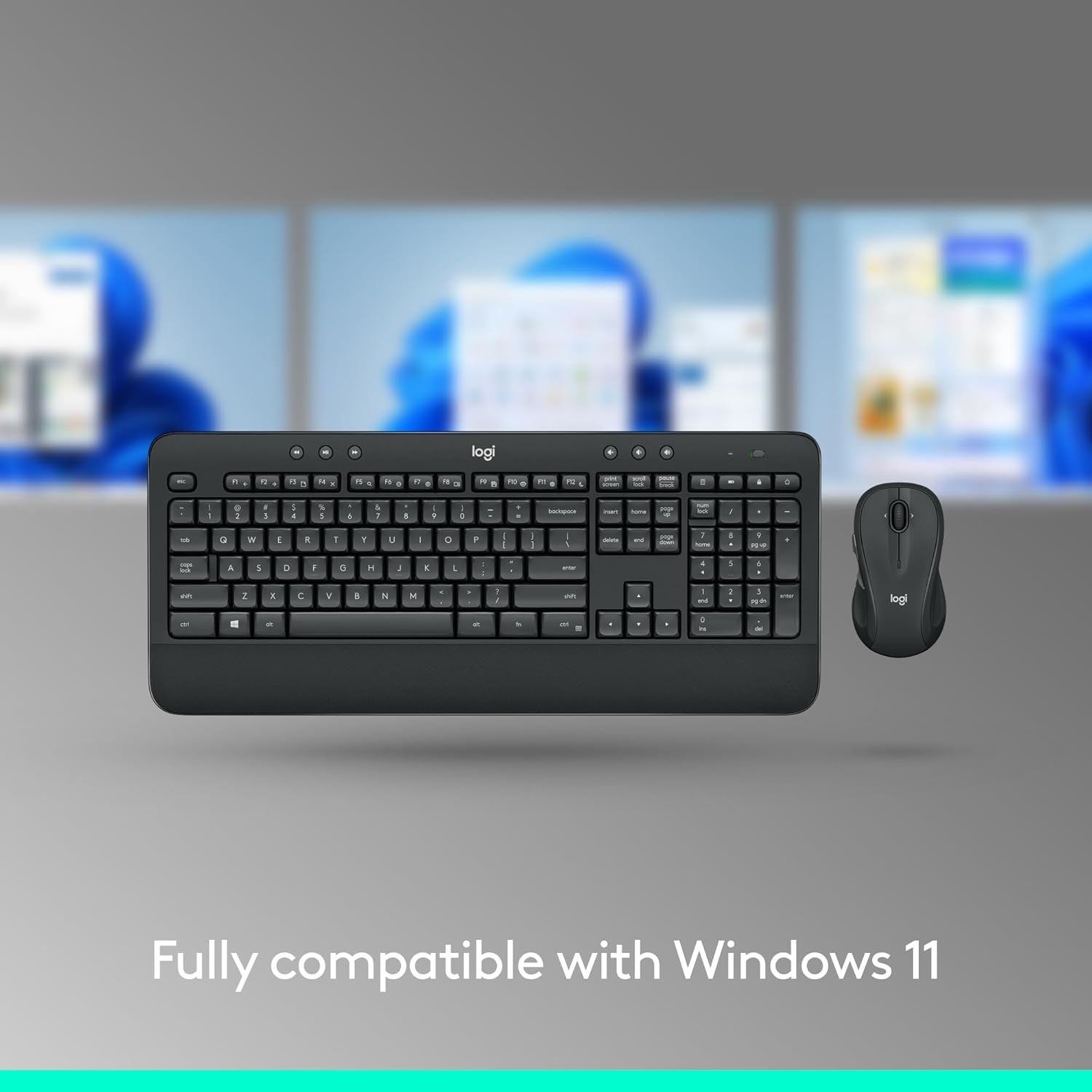
Image: A hand comfortably gripping the contoured Logitech mouse, highlighting its ergonomic design.

Image: The keyboard and mouse surrounded by water droplets, visually representing the spill-resistant design of the keyboard.

Image: The keyboard and mouse displayed alongside the Windows 11 logo, indicating full compatibility with the operating system.

Image: A diagram illustrating the three adjustable tilt positions (natural, 4-degree, and 8-degree) of the keyboard's legs for customized comfort.

Imatge: Una imatge superior view of the keyboard with callouts pointing to features such as control music & videos, easy read keys, spill-resistant design, built for comfort, adjustable tilt legs, and palm rest comfort.

Image: A diagram of the mouse highlighting its ambidextrous design, 2.4 GHz wireless connectivity, full-size contoured design, soft rubber side grips, 18-month battery life, and the Plug-and-Forget mini receiver.
Manteniment
To ensure the longevity and optimal performance of your Logitech MK540 Advanced combo, consider the following maintenance tips:
- Substitució de la bateria: Replace batteries when the low battery indicator light appears. The keyboard has a battery life of up to 36 months, and the mouse up to 18 months. Battery life may vary based on user and computing conditions.
- Neteja: Per a la neteja general, utilitzeu un drap suau i d...amp cloth. As the keyboard is spill-resistant, minor spills can be wiped away. However, avoid immersing the keyboard in liquid.
- Emmagatzematge: When not in use for extended periods, turn off both the keyboard and mouse to conserve battery life. Store them in a dry, cool place.
Resolució de problemes
If you encounter issues with your Logitech MK540 Advanced combo, try the following solutions:
- Sense connexió/Retard:
- Assegureu-vos que el receptor USB estigui connectat correctament a un port USB que funcioni de l'ordinador.
- Comproveu si el teclat i el ratolí estan encesos.
- Replace the batteries in both devices.
- Move the keyboard and mouse closer to the USB receiver. The wireless range is up to 33 ft, but environmental conditions can affect it.
- Proveu de connectar el receptor USB a un port USB diferent.
- Les tecles no responen:
- Assegureu-vos que el teclat estigui encès i connectat.
- Check for any debris under the keys that might be preventing them from registering.
- Mouse Cursor Jumps/Erratic:
- Assegureu-vos que el ratolí estigui encès i connectat.
- Netegeu el sensor òptic de la part inferior del ratolí.
- Feu servir el ratolí sobre una superfície neta i no reflectant.
- Customization Issues: If you are having trouble customizing Fn keys or other settings, ensure you have the latest version of Logitech Options software installed on your computer.
Especificacions
Detailed specifications for the Logitech MK540 Advanced Wireless Keyboard and Mouse Combo:
| Característica | Teclat | Ratolí |
|---|---|---|
| Número de model | MK540 (920-012585) | M310 (part of combo) |
| Dimensions (L x A x A) | 17.5 x 6.5 x 0.94 polzades (457 x 178 x 24 mm) | 4.41 x 2.40 x 1.50 polzades (112 x 61 x 38 mm) |
| Pes | 28.4 oz (805 g) | 2.59 oz (73.5 g) |
| Tipus de bateria | 2 x AAA alcalí | 1 x AA alcalí |
| Durada de la bateria | Fins a 36 mesos | Fins a 18 mesos |
| abast sense fils | Fins a 33 peus (10 metres) | |
| Connectivitat | 2.4 GHz Unifying USB-Receiver | |
| Compatibilitat | Windows 7, 8, 10 or later, Chrome OS (Fully compatible with Windows 11) | |
| Tipus de tecla del teclat | Pro profundfile / Membrane | N/A |
| Tecnologia de sensors de ratolí | N/A | Smooth Optical tracking |

Image: The contents of the box, including the keyboard, mouse, USB receiver, and batteries, along with Windows and Chrome OS logos indicating compatibility.
Garantia i Suport
Logitech stands behind the quality of its products. For specific warranty details and support, please refer to the official Logitech website or the warranty card included with your product. General support resources are available online for troubleshooting and software downloads (e.g., Logitech Options for customization).
For further assistance, visit the official Logitech support page or contact their customer service.


