
LC-Power LC-M32-FHD-165-CA
Manual d'usuari del monitor de jocs corbat LC-Power FHD de 32 polzades i 165 Hz
Model: LC-M32-FHD-165-CA | Marca: LC-Power
1. Introducció
Aquest manual proporciona informació essencial per a la instal·lació, el funcionament i el manteniment adequats del vostre monitor de jocs corbat LC-Power FHD de 32 polzades i 165 Hz (Model: LC-M32-FHD-165-CA). Llegiu atentament aquest manual abans d'utilitzar el producte per garantir un rendiment i una seguretat òptims.

Figura 1.1: Frontal view del monitor de jocs corbat LC-Power de 32 polzades.
2. Informació de seguretat
Observeu les següents precaucions de seguretat per evitar danys al monitor i garantir la seguretat de l'usuari:
- No exposeu el monitor a la pluja, la humitat ni a temperatures extremes.
- Assegureu-vos que hi hagi una ventilació adequada al voltant del monitor. No bloquegeu les obertures de ventilació.
- Feu servir només l'adaptador de corrent que s'inclou amb el monitor.
- Eviteu col·locar objectes pesats al cable d'alimentació.
- Desconnecteu el cable d'alimentació de la presa de corrent durant tempestes amb llamps o quan no el feu servir durant períodes prolongats.
- No intenteu reparar el monitor vosaltres mateixos. Encarregueu totes les tasques de manteniment a personal qualificat.
3. Contingut del paquet
Verifiqueu que tots els elements siguin presents al paquet:
- Monitor de jocs corbat LC-Power de 32 polzades
- Suport de monitor (base i coll)
- Adaptador d'alimentació i cable d'alimentació
- Cable HDMI
- Manual d'usuari
- Cargols per al muntatge del suport
4. Configuració
4.1 Muntatge del suport
- Traieu amb cura el monitor del seu embalatge, mantenint-lo protegit sobre una superfície tova.
- Fixeu el coll del suport al panell del monitor amb els cargols proporcionats.
- Connecteu la base del suport al coll del suport i fixeu-lo amb els cargols restants.
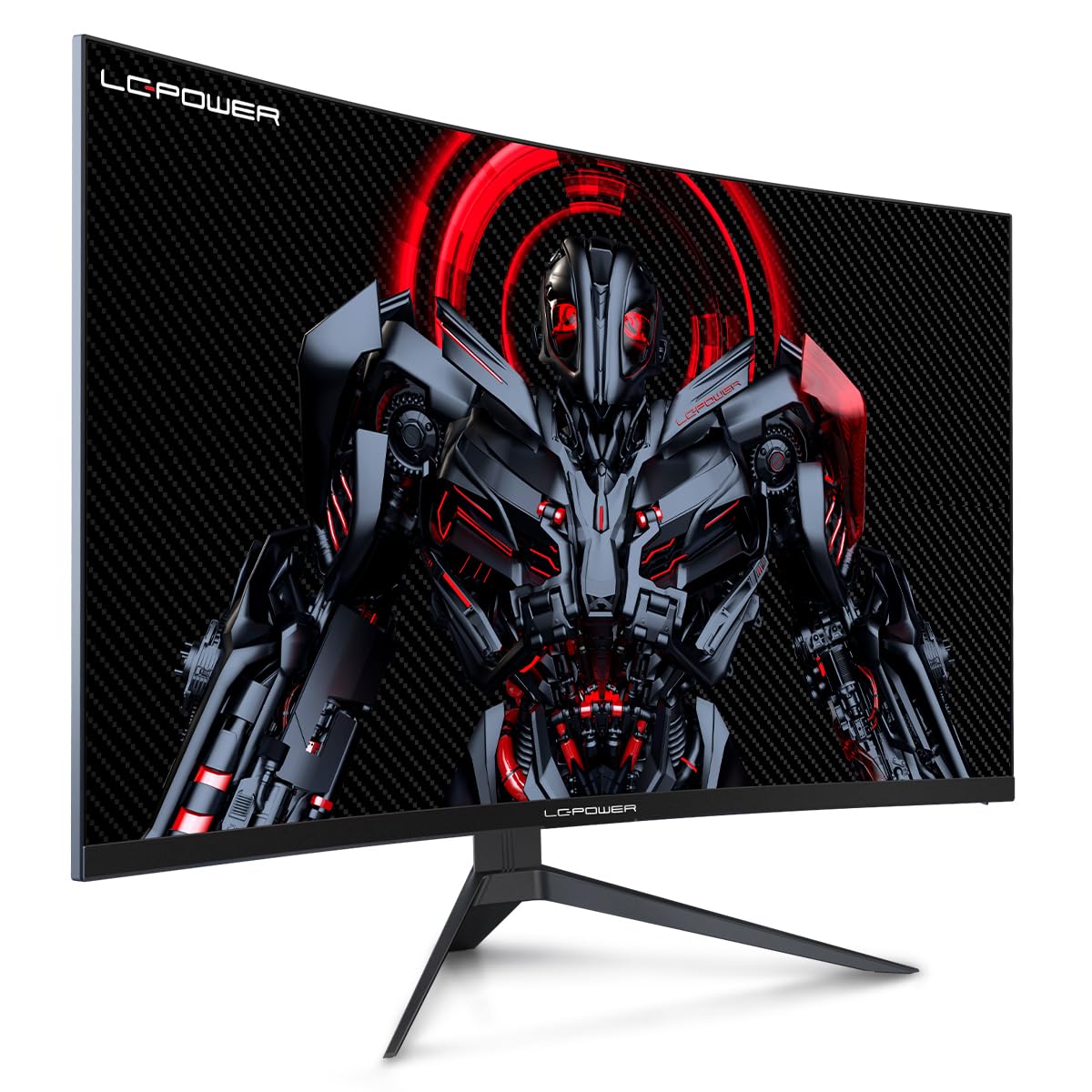
Figura 4.1: Monitor LC-Power amb el suport muntat.
4.2 Cables de connexió
Connecteu els cables necessaris als ports posteriors del monitor:
- Potència: Connecteu l'adaptador de corrent a l'entrada de CC del monitor i després a una presa de corrent.
- Entrada de vídeo: Connecteu un cable HDMI o DisplayPort de la targeta gràfica de l'ordinador al port corresponent del monitor.

Figura 4.2: posterior view del monitor amb ports d'entrada.
4.3 Muntatge VESA (opcional)
El monitor admet el muntatge VESA de 100 x 100 mm. Per utilitzar un muntatge VESA, traieu el suport i fixeu el monitor a un suport VESA compatible amb els cargols adequats (no inclosos).
5. Instruccions de funcionament
5.1 Encès/Apagat
Premeu el botó d'engegada, que normalment es troba a la part posterior o inferior del monitor, per engegar o apagar el monitor. L'indicador lluminós d'engegada s'il·luminarà quan el monitor estigui encès.
5.2 Menú de visualització en pantalla (OSD)
El menú OSD us permet ajustar diversos paràmetres del monitor. Feu servir els botons de control (joystick o botons individuals) del monitor per navegar pel menú.
Configuració comuna de l'OSD:
- Configuració de la imatge: Ajusta la brillantor, el contrast, la nitidesa i la temperatura del color.
- Selecció d'entrada: Canvia manualment entre les entrades HDMI i DisplayPort.
- Àudio: Ajusteu el volum si hi ha altaveus externs connectats a través de la sortida d'àudio del monitor.
- Configuració del joc: Accedeix a funcions com Overdrive, GamePlus (superposicions de punt de mira), modes FPS/RTS i Adaptive Sync.
- Configuració de la pantalla: Ajusta la relació d'aspecte, la resolució i la freqüència d'actualització. Assegura't que la targeta gràfica estigui configurada per obtenir una resolució de 1920 x 1080 a 165 Hz per obtenir un rendiment òptim.
- Llum blava baixa i sense parpelleig: Aquestes funcions estan dissenyades per reduir la fatiga ocular durant un ús prolongat. Es poden activar o desactivar al menú OSD.
6. Manteniment
6.1 Neteja del monitor
- Desconnecteu sempre el monitor abans de netejar-lo.
- Utilitzeu un drap suau i sense pelusa lleugerament dampesbandida amb aigua o un netejador de pantalles suau i no abrasiu.
- No ruixeu el netejador directament sobre la pantalla.
- Eviteu utilitzar benzè, diluent o productes de neteja a base d'amoníac.
6.2 Emmagatzematge
Si guardeu el monitor durant un període prolongat, desconnecteu tots els cables, emboliqueu-lo al seu embalatge original i guardeu-lo en un lloc fresc i sec, allunyat de la llum solar directa.
7. Solució De Problemes
Consulteu la taula següent per veure els problemes habituals i les seves solucions:
| Problema | Causa possible | Solució |
|---|---|---|
| No hi ha imatge a la pantalla | Cable d'alimentació desconnectat; Cable de vídeo desconnectat; Entrada incorrecta seleccionada | Comproveu les connexions del cable d'alimentació i de vídeo; seleccioneu l'entrada correcta mitjançant el menú OSD |
| Imatge parpellejant | Cable de vídeo defectuós; Problema amb el controlador de la targeta gràfica; Discrepància de freqüència d'actualització | Substitueix el cable de vídeo; actualitza els controladors gràfics; estableix la freqüència d'actualització a 165 Hz a la configuració de la pantalla del sistema operatiu |
| Els colors apareixen incorrectes | Configuració del color a l'OSD; Configuració de la targeta gràfica | Ajusta la configuració del color a l'OSD; Calibra els colors mitjançant el tauler de control de la targeta gràfica |
| El monitor no s'encén | Cable d'alimentació no connectat; adaptador de corrent defectuós | Assegureu-vos que el cable d'alimentació estigui ben connectat; proveu la presa de corrent; contacteu amb el servei d'assistència si sospiteu que l'adaptador està malament |
8. Especificacions
Especificacions tècniques detallades del monitor LC-Power LC-M32-FHD-165-CA:
| Característica | Especificació |
|---|---|
| Marca | LC-Power |
| Model | LC-M32-FHD-165-CA |
| Mida de la pantalla | 32 polzades |
| Resolució de pantalla | 1920 x 1080 (FHD 1080p) |
| Freqüència d'actualització | 165 Hz |
| Temps de resposta | 1 mil·lisegon |
| Curvatura | 1500R |
| Relació d'aspecte | 16:9 |
| Tecnologia de visualització | LCD |
| Viewangle ing | 178 graus |
| Interfície del maquinari | HDMI, DisplayPort |
| Característiques especials | Corbat, sense parpelleig, poca llum blava, GamePlus, Overdrive, FPS/RTS |
| Compatibilitat VESA | 100x100mm |
| Dimensions del producte | 14.3 x 53.8 x 40.6 cm (L x A x A) |
| Pes de l'article | 8.24 kg |
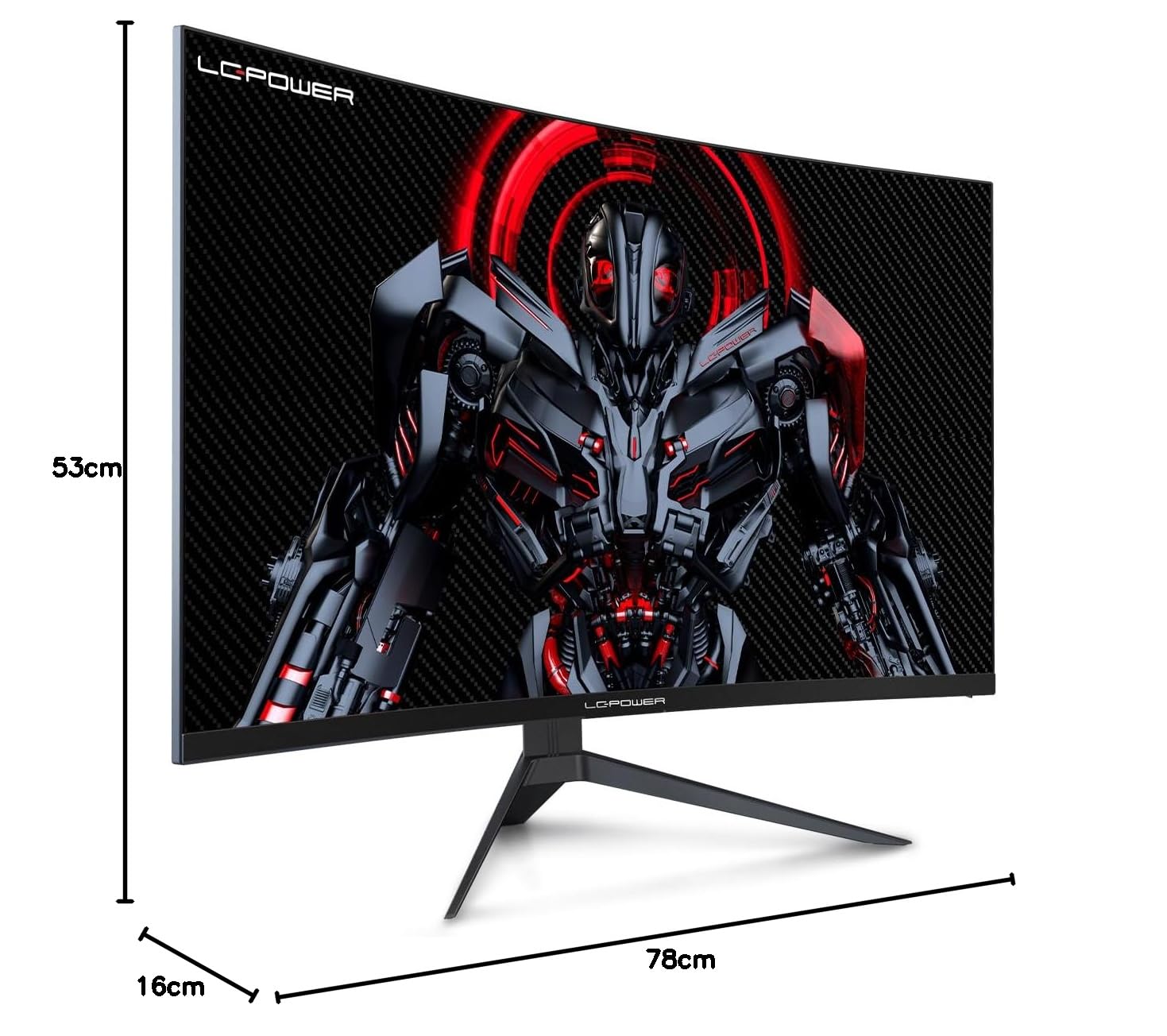
Figura 8.1: Dimensions del monitor per planificar l'espai d'instal·lació.
9. Garantia i Suport
LC-Power ofereix una garantia de tres anys per a aquest producte. A més, hi ha disponible un servei de substitució de dotze mesos. Per a assistència tècnica o consultes sobre danys, defectes o peces que falten, poseu-vos en contacte amb el servei d'atenció al client de LC-Power. També hi ha disponible assistència tècnica telefònica.
Ask a question about this manual
Ask about setup, troubleshooting, compatibility, parts, safety, or missing instructions. Manuals+ will review the question and use this page’s manual context to help answer it.