1. Informació important de seguretat
Please read all safety instructions carefully before operating the remote control excavator. Failure to follow these instructions may result in injury or damage to the product.
- Seguretat de la bateria: Batteries should not touch water. Ensure batteries are inserted with correct polarity. Do not mix old and new batteries, or different types of batteries.
- Supervisió d'adults: This product is recommended for ages 8 years and up. Adult supervision is advised, especially during initial setup and operation.
- Entorn de funcionament: Operate the excavator in open, clear areas away from obstacles, people, and pets. Avoid operating near water bodies or in extreme weather conditions.
- Càrrega: Use only the provided USB charging cable. Do not overcharge batteries. Disconnect the charger once charging is complete.
- Manteniment: Keep the excavator clean and free from dirt and debris. Do not attempt to modify or disassemble the product.
2. Producte acabatview
The HUI NA 1:18 scale remote control excavator is a highly simulated construction vehicle designed for realistic digging experiences. It features an 11-channel remote control system, allowing for precise and versatile movements.

Figure 2.1: The HUI NA 1:18 scale remote control excavator with its remote control and included batteries.
Característiques principals:
- High Simulation Design: Constructed with ABS material, alloy body, metal shovel, and thickened double tracks for durability and realistic appearance.
- 2.4Ghz Remote Control: Offers long-distance control (approx. 25M) with anti-interference capabilities, allowing multiple units to operate simultaneously.
- 11-Channel Multi-Function: Independent control of the large arm, small arm, digging bucket, 360° rotating table, and double tracks.
- Realistic Lighting & Sound: Features working lights and authentic sound effects for an immersive experience.
- Auto Demo Function: Initiates a pre-programmed demonstration sequence.
- Bateria recarregable: Equipped with a 3.7V 500mAh Li-ion battery and USB charging cable for convenient recharging.
3. Què hi ha a la caixa
En desembalar, assegureu-vos que hi hagi tots els components següents:
- 1 x HUI NA RC Excavator
- 1 x 2.4G Frequency Remote Control
- 1 x cable de càrrega USB
- 3 x LiPo Batteries (3.7V 500mAh SM3P)
- 1 x tornavís
4. Configuració
4.1 Instal·lació de la bateria
For the Excavator:
- Locate the battery compartment on the underside of the excavator.
- Feu servir el tornavís proporcionat per obrir la tapa del compartiment de la bateria.
- Connect one of the 3.7V 500mAh Li-ion batteries to the excavator's power connector, ensuring correct polarity.
- Carefully place the battery inside the compartment and close the cover, securing it with the screw.

Figure 4.1: The excavator uses a rechargeable Li-ion battery. Ensure proper connection and secure the battery compartment.
Per al comandament a distància:
- Localitzeu el compartiment de la bateria a la part posterior del comandament a distància.
- Obriu la tapa del compartiment de la bateria.
- Insert 2 x AA batteries (not included) into the compartment, observing the correct polarity (+/-).
- Tanqueu la tapa del compartiment de la bateria.
4.2 Charging the Excavator Battery
The included 3.7V 500mAh Li-ion battery requires approximately 50 minutes for a full charge.
- Connect the Li-ion battery to the USB charging cable.
- Plug the USB charging cable into a standard USB power adapter (e.g., computer USB port, wall charger).
- The indicator light on the USB cable will show the charging status (refer to cable instructions for specific light behavior).
- Once fully charged, disconnect the battery from the charging cable and store it safely.
4.3 Emparellament del control remot
The excavator and remote control are pre-paired from the factory. If re-pairing is needed:
- Ensure both the excavator and remote control have fresh batteries.
- Engegueu l'interruptor d'alimentació de l'excavadora.
- Engegueu l'interruptor d'alimentació del comandament a distància.
- The remote control and excavator should automatically connect. If not, turn both off and repeat the process.
5. Instruccions de funcionament
Familiarize yourself with the remote control layout and functions before operating the excavator.

Figure 5.1: Operating the excavator with the 2.4GHz remote control.
5.1 Controls bàsics
- Endavant/Enrere: Use the left joystick to move the excavator forward or backward.
- Gireu a l'esquerra/dreta: Use the left joystick to steer the excavator left or right while moving.
- In-situ Rotation: Use both joysticks in opposite directions to rotate the excavator in place (double tracks).
5.2 11-Channel Functions
The 11 channels allow for comprehensive control over the excavator's movements:

Figure 5.2: The 11-channel system provides extensive control over the excavator's functions.
- Large Arm Control: Use specific buttons/joystick movements on the remote to raise and lower the main arm.
- Small Arm Control: Use specific buttons/joystick movements to extend and retract the secondary arm.
- Digging Bucket Control: Use specific buttons/joystick movements to open and close the digging bucket.
- 360° Rotating Table: Use dedicated buttons or a joystick to rotate the excavator's cabin and arm assembly 360 degrees left or right without limitation.

Figure 5.3: The excavator's cabin can rotate 360 degrees, allowing for versatile digging and maneuvering.
5.3 Lights and Sounds
The excavator features realistic lights and sounds to enhance the play experience.
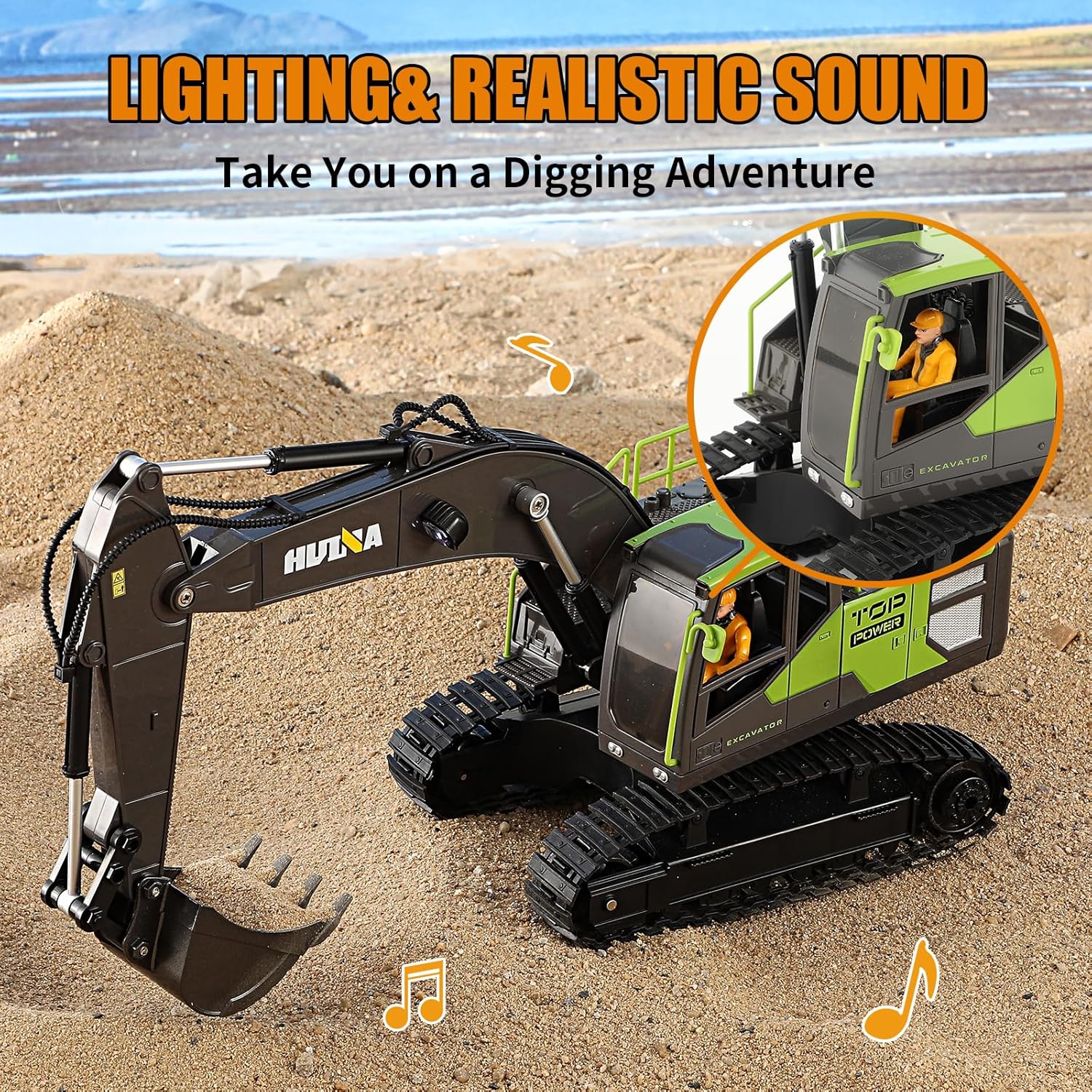
Figure 5.4: The excavator includes functional lights and realistic sound effects.
- Llums: The excavator's headlights and other operational lights will illuminate when the vehicle is powered on or specific functions are activated.
- Sons: Engine sounds, digging sounds, and other operational noises will play during use. Refer to the remote control for dedicated sound buttons if available.
5.4 Auto Demo Function
Press the 'Auto Demo' button on the remote control to initiate a pre-programmed demonstration sequence. The excavator will perform a series of movements and functions automatically.
6. Manteniment
Proper maintenance will extend the lifespan of your HUI NA excavator.
- Neteja: After use, especially in sandy or muddy conditions, gently wipe down the excavator with a dry or slightly damp tela. No utilitzeu productes químics aggressivs ni submergiu el producte en aigua.
- Emmagatzematge: Store the excavator and remote control in a cool, dry place away from direct sunlight and extreme temperatures. Remove batteries from both the excavator and remote control if storing for extended periods to prevent leakage.
- Inspecció de la via: Periodically check the tracks for any trapped debris or damage. Clean as necessary.
7. Solució De Problemes
If you encounter any issues with your HUI NA excavator, please refer to the following table for common problems and solutions.
| Problema | Causa possible | Solució |
|---|---|---|
| Excavator does not respond to remote control. | Low batteries in excavator or remote; Not paired; Interference. | Charge/replace batteries. Turn both off and on again to re-pair. Move to an area with less interference. |
| Excavator moves slowly or functions are weak. | Low battery in excavator. | Recharge the excavator battery fully. |
| Els llums o els sons no funcionen. | Low battery; Feature not activated. | Charge excavator battery. Ensure the excavator is powered on and check remote buttons for light/sound activation. |
| Tracks are stuck or not moving smoothly. | Debris caught in tracks; Operating on unsuitable surface. | Inspect and remove any debris from the tracks. Operate on flat, less abrasive surfaces. |
8. Especificacions
| Característica | Detall |
|---|---|
| Número de model | HUI NA-1661 |
| Escala | Escala 1: 18 |
| Dimensions (LxWxH) | 46 x 12.5 x 30 cm |
| Pes de l'article | 1.22 kg |
| Tipus de material | Acer d'aliatge, plàstic, alumini |
| Color | groc |
| Battery (Excavator) | 3.7V 500mAh SM3P Li-ion (3 included) |
| Temps de càrrega | Aprox. 50 minuts |
| Freqüència de control remot | 2.4 GHz |
| Edat recomanada | 8 anys i més |
| Fabricant | HUI NA |
9. Garantia i Suport
This product comes with a standard manufacturer's warranty. For specific warranty details, please refer to the documentation included with your purchase or contact the retailer.
If you have any questions, require technical assistance, or need to report an issue with your HUI NA Remote Control Excavator, please contact the manufacturer or your point of purchase. Provide your model number (HUI NA-1661) and a detailed description of the issue for faster support.


