Introducció
Gràcies per la compraasing the FOL Portable Bluetooth Speaker. This device is designed to provide high-quality audio playback with versatile connectivity options, including Bluetooth, USB, SD card, and a microphone input for karaoke or public speaking. Its portable design makes it ideal for various indoor and outdoor activities. Please read this manual carefully to ensure proper use and maintenance of your speaker.
Instruccions de seguretat
- No exposeu l'altaveu a l'aigua, la humitat ni a temperatures extremes.
- Eviteu deixar caure o sotmetre l'altaveu a forts impactes.
- No intenteu desmuntar ni reparar l'altaveu vosaltres mateixos. Encarregueu tot el manteniment a personal qualificat.
- Mantingueu l'altaveu allunyat de fonts de calor com ara radiadors, registres de calor, estufes o altres aparells (inclosos amplificadors) que produeixen calor.
- Utilitzeu només accessoris/accessoris especificats pel fabricant.
- Netegeu només amb un drap sec.
Contingut del paquet
Si us plau, comproveu el paquet per veure si hi ha els elements següents:
- FOL Portable Bluetooth Speaker
- Control remot
- Micròfon
- Cable de càrrega

Image: The FOL Portable Bluetooth Speaker shown alongside its included remote control and microphone, illustrating the complete package contents.
Característiques i controls del producte
Familiaritzeu-vos amb les diverses parts i controls del vostre altaveu.

Image: The FOL Portable Bluetooth Speaker, remote, and microphone, highlighting its Bluetooth and karaoke capabilities.

Image: A diagram showing the physical dimensions of the speaker: 36cm height, 23cm width, and 19cm depth, along with its 8-inch speaker size and 10 Watts power output.
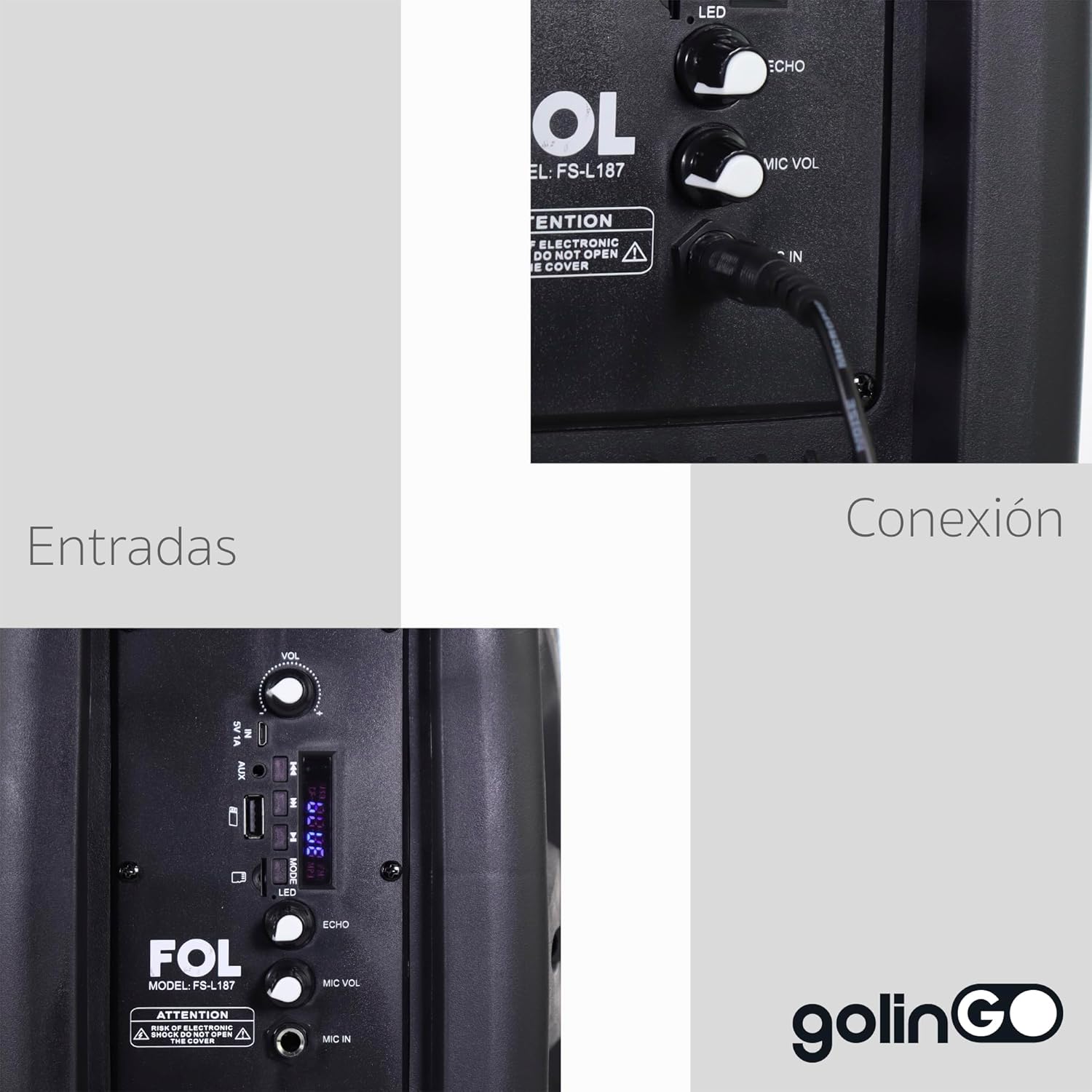
Imatge: Una imatge detallada view of the speaker's control panel, indicating various input ports and connection points, including microphone input and volume controls.
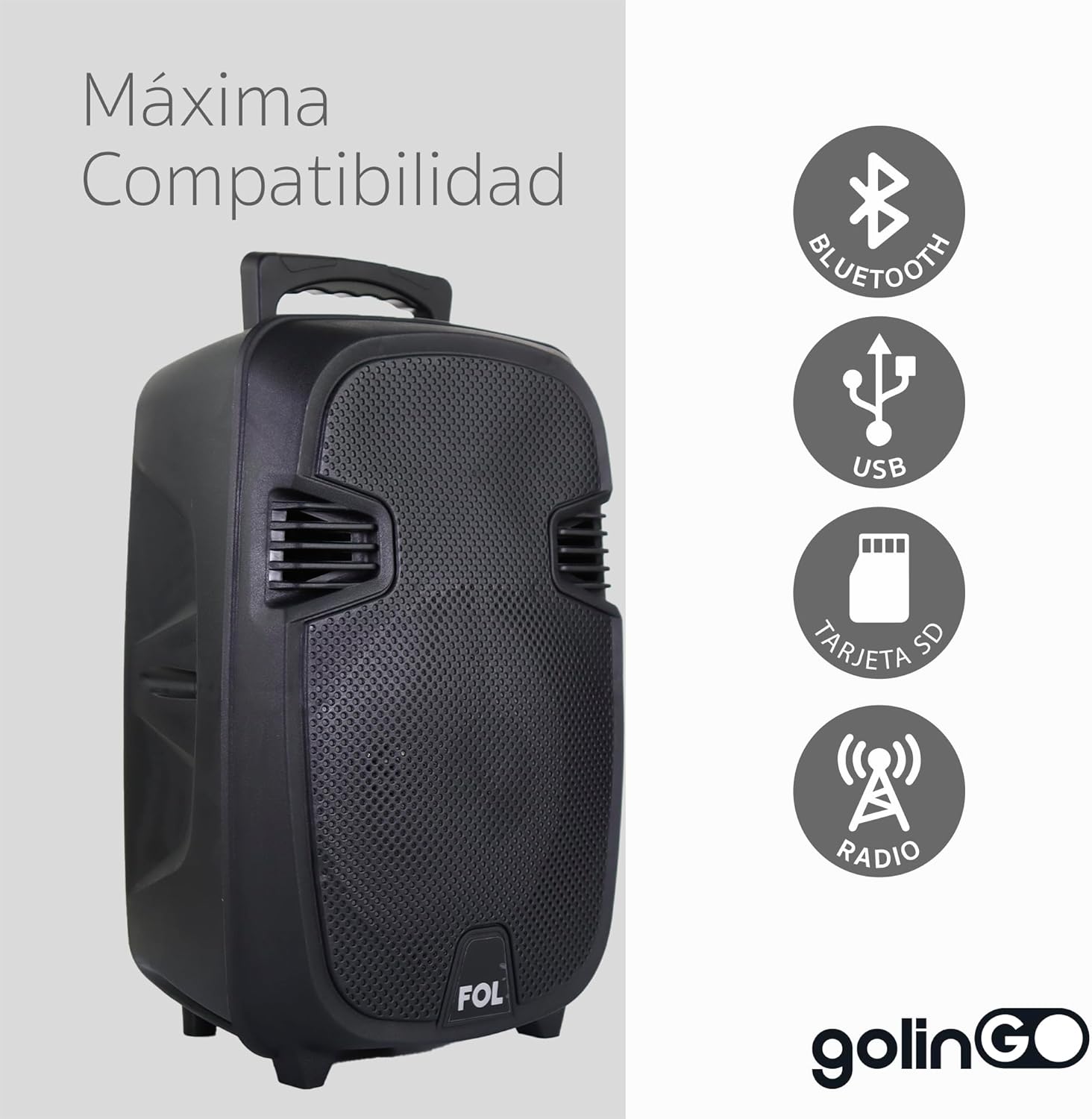
Image: Icons illustrating the speaker's broad compatibility, including Bluetooth, USB, SD card, and FM radio functionality.
Tauler de control acabatview:
- Botó MODE: Switches between Bluetooth, USB, SD, AUX, and FM Radio modes.
- Mando VOL: Adjusts the main volume of the speaker.
- Mando VOL MIC: Ajusta el volum del micròfon connectat.
- Botó ECO: Ajusta l'efecte d'eco del micròfon.
- Port USB: Per a unitats flaix USB.
- Ranura per a targeta SD: Per a targetes de memòria SD.
- Port MIC IN: Connecta el micròfon amb cable.
- Port d'entrada auxiliar: Per connectar dispositius d'àudio externs mitjançant un cable de 3.5 mm.
- Interruptor LED: Turns the speaker's LED lights on/off.
- Interruptor d'alimentació: Encén/apaga l'altaveu.
Configuració
Càrrega de l'altaveu:
- Connecteu el cable de càrrega al port de càrrega de l'altaveu.
- Plug the other end of the cable into a suitable power adapter (not included) or USB port.
- The charging indicator light will illuminate. It will typically change color or turn off when fully charged.
- Per a una durada òptima de la bateria, carregueu completament l'altaveu abans del primer ús.
Encesa inicial:
- Assegureu-vos que l'altaveu estigui carregat.
- Locate the Power Switch on the speaker and slide it to the "ON" position.
- The speaker will power on and typically enter Bluetooth pairing mode automatically.
Instruccions de funcionament
Mode Bluetooth:
- Turn on the speaker. It should automatically enter Bluetooth pairing mode, indicated by a flashing LED or an audible prompt. If not, press the "MODE" button until "Bluetooth" mode is selected.
- Activeu el Bluetooth al vostre telèfon intel·ligent, tauleta o altre dispositiu compatible amb Bluetooth.
- Cerca available Bluetooth devices. You should see "FOL Speaker" or a similar name appear in the list.
- Select the speaker from the list to pair. Once successfully paired, you will hear a confirmation sound, and the LED indicator will stop flashing.
- Ara pots reproduir àudio des del teu dispositiu a través de l'altaveu.
Reproducció de targetes USB/SD:
- Insert a USB flash drive or SD card (pre-loaded with MP3 audio files) into the respective port/slot on the speaker.
- The speaker should automatically switch to USB or SD card mode and begin playing the first track.
- If it does not switch automatically, press the "MODE" button until the correct mode is selected.
- Feu servir els controls de reproducció (Reproduir/Pausa, Pista següent/anterior) de l'altaveu o del comandament a distància per gestionar la vostra música.
Microphone Use (Karaoke/Public Speaking):
- Connect the included microphone to the "MIC IN" port on the speaker.
- Adjust the "MIC VOL" knob to control the microphone's volume.
- Adjust the "ECHO" knob to add or remove echo effect to your voice.
- Ensure the main "VOL" knob is set to a comfortable listening level.
Mode de ràdio FM:
- Press the "MODE" button repeatedly until "FM Radio" mode is selected.
- L'altaveu escanejarà i desarà automàticament les emissores de ràdio disponibles.
- Use the Next/Previous Track buttons to navigate between saved stations.
- For better reception, extend any built-in antenna if available, or reposition the speaker.
Manteniment
- Neteja: Use a soft, dry cloth to clean the exterior of the speaker. Do not use liquid cleaners or aerosols.
- Emmagatzematge: Quan no l'utilitzeu durant períodes prolongats, guardeu l'altaveu en un lloc fresc i sec, allunyat de la llum solar directa i de temperatures extremes.
- Cura de la bateria: Per allargar la durada de la bateria, eviteu descarregar-la completament amb freqüència. Carregueu-la regularment, fins i tot si no l'esteu fent servir.
Resolució de problemes
| Problema | Causa possible | Solució |
|---|---|---|
| L'altaveu no s'encén. | La bateria està baixa o morta. | Carregueu l'altaveu completament. |
| No hi ha so de l'altaveu. | El volum és massa baix; s'ha seleccionat un mode incorrecte; el dispositiu no està connectat. | Increase speaker volume; ensure correct mode (Bluetooth, USB, SD, AUX) is selected; re-pair Bluetooth device or check cable connection. |
| El dispositiu Bluetooth no es pot emparellar. | L'altaveu no està en mode d'emparellament; el dispositiu és massa lluny; interferències. | Ensure speaker is in Bluetooth pairing mode; move device closer to speaker (within 10 meters); turn off other Bluetooth devices nearby. |
| El micròfon no funciona. | Microphone not properly connected; MIC VOL too low. | Ensure microphone is fully plugged into "MIC IN" port; increase "MIC VOL" knob. |
Especificacions
- Marca: FOL
- Model: Portable Bluetooth Speaker (8-inch)
- Tecnologia de connectivitat: Bluetooth, USB
- Característiques especials: Portable, Bluetooth, MP3, SD, USB, Microphone Input, FM Radio
- Dispositius compatibles: Portàtil, tauleta, telèfon intel·ligent
- Font d'alimentació: Bateria
- Mode de sortida d'àudio: Mono
- Tipus d'altaveu: A l'aire lliure
- Tipus de muntatge: Table Mount, Floor
- Color: Negre
- Pes del producte: 4 kg
- Components inclosos: Speaker, Remote Control, Microphone
Garantia i Suport
For warranty information and technical support, please refer to the documentation provided with your purchase or contact the retailer where the product was acquired. Keep your purchase receipt as proof of purchase for any warranty claims.
For further assistance, you may also visit the official FOL website (if available) or contact their customer service department.


