1. Introducció
Thank you for choosing the Douk Audio C100 PRO. This device is a versatile mini Hi-Res Bluetooth music streamer, digital audio player, preamp, and DAC, designed to deliver exceptional audio quality and a user-friendly experience. Featuring an ESS9038 decoding chip, advanced Bluetooth connectivity with APTX-HD/LDAC support, and multiple input/output options, the C100 PRO is engineered for audiophiles seeking high-fidelity sound. This manual provides detailed instructions for setup, operation, maintenance, and troubleshooting to ensure optimal performance and longevity of your device.
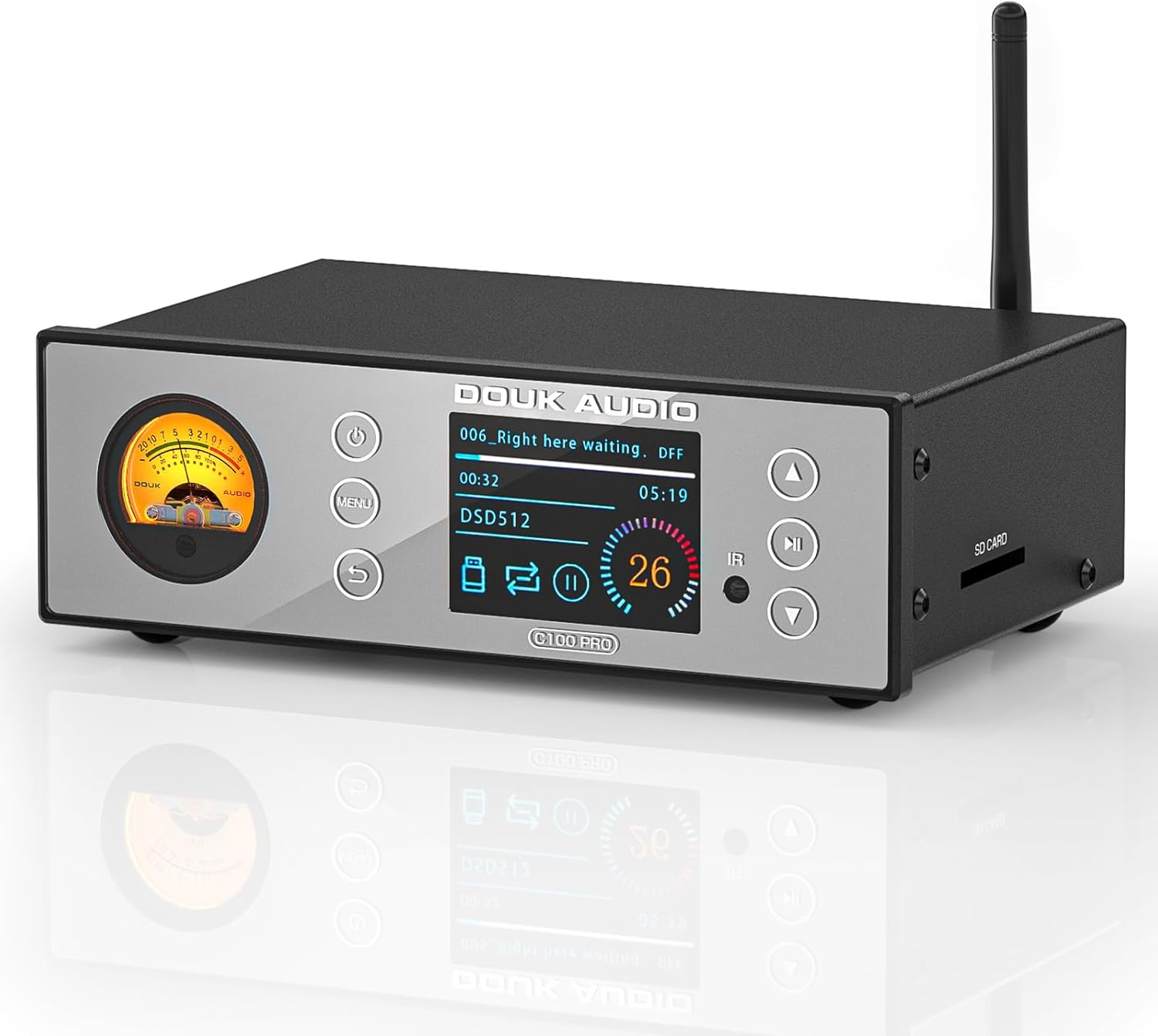
Davant view of the Douk Audio C100 PRO unit.
2. Què hi ha a la caixa
Desembaleu amb cura el contingut i assegureu-vos que hi hagi tots els elements:
- 1 × C100 PRO Digital Player
- 1 × DC 12V Power Adapter
- 1 × 32G SD Card
- 1 × Optical Cable
- 1 × Remote Control (Note: AAA batteries not included)

Contents included in the Douk Audio C100 PRO package.
3. Producte acabatview
3.1 Tauler frontal

Detallada view of the C100 PRO front panel controls and display.
- VU Meter: Displays audio signal levels with a retro warm light.
- Botó d'encesa: Premeu breument per encendre/apagar.
- Botó de menú: Access system settings and options.
- Botó de retorn: Torneu al menú o pantalla anterior.
- Pantalla OLED: 2.4-inch screen showing working status, track information, and settings.
- Infrared (IR) Receiver: Per a senyals de comandament a distància.
- Botons de navegació (amunt/avall): Short press for previous/next song; long press for fast backward/forward.
- Botó Reproduir/Pausa: Controla la reproducció.
- Ranura per a targeta SD: Insert SD card for local music playback.
3.2 Panell posterior

Detallada view of the C100 PRO rear panel connections.
- Connector d'antena de RF: For Bluetooth antenna.
- Entrada USB: Connect USB flash drives or external hard drives for music playback.
- Optical Input (OPT IN): Connect optical audio sources.
- Coaxial Input (COA IN): Connect coaxial audio sources.
- XLR Outputs (LEFT/RIGHT): Balanced audio outputs for professional connections.
- Sortides RCA (E/D): Unbalanced stereo audio outputs.
- Entrada DC 12V: Power input connector.
4. Configuració
Follow these steps to set up your Douk Audio C100 PRO:
- Col·locació: Place the C100 PRO on a stable, flat surface away from direct sunlight, heat sources, and excessive moisture. Ensure adequate ventilation around the unit.
- Connectar l'antena: Screw the provided Bluetooth antenna into the RF connector on the rear panel.
- Connect Audio Outputs:
- For balanced connections, connect XLR cables from the C100 PRO's XLR outputs to your amplifier o altaveus actius.
- For unbalanced connections, connect RCA cables from the C100 PRO's RCA outputs to your amplifier o altaveus actius.
- Connect Audio Inputs (Optional):
- To play music from an SD card, insert the card into the SD card slot on the front panel.
- To play music from a USB drive, insert the drive into the USB port on the rear panel.
- To connect an external digital audio source, use an optical or coaxial cable to connect to the respective input ports.
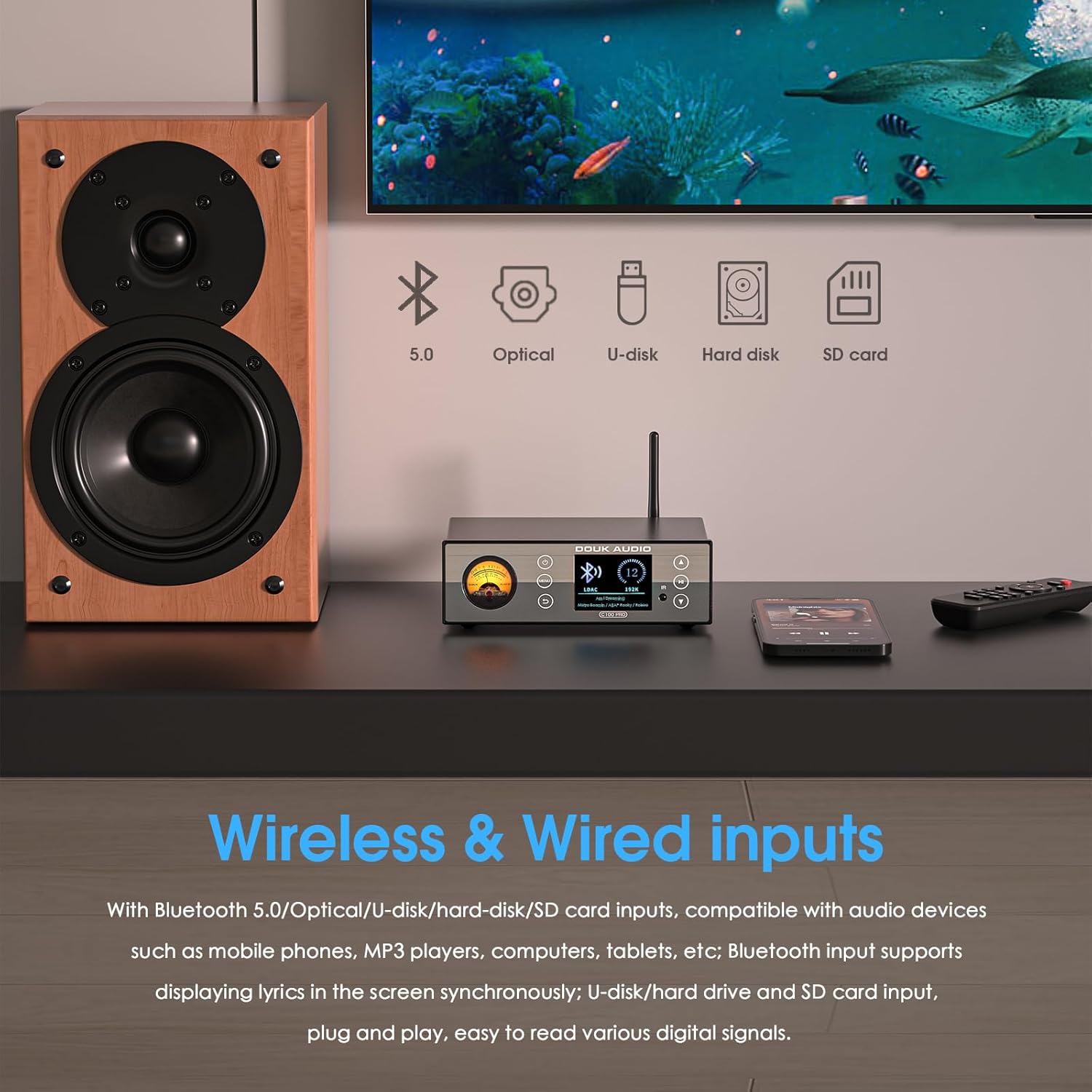
The C100 PRO supports various wireless and wired input sources.
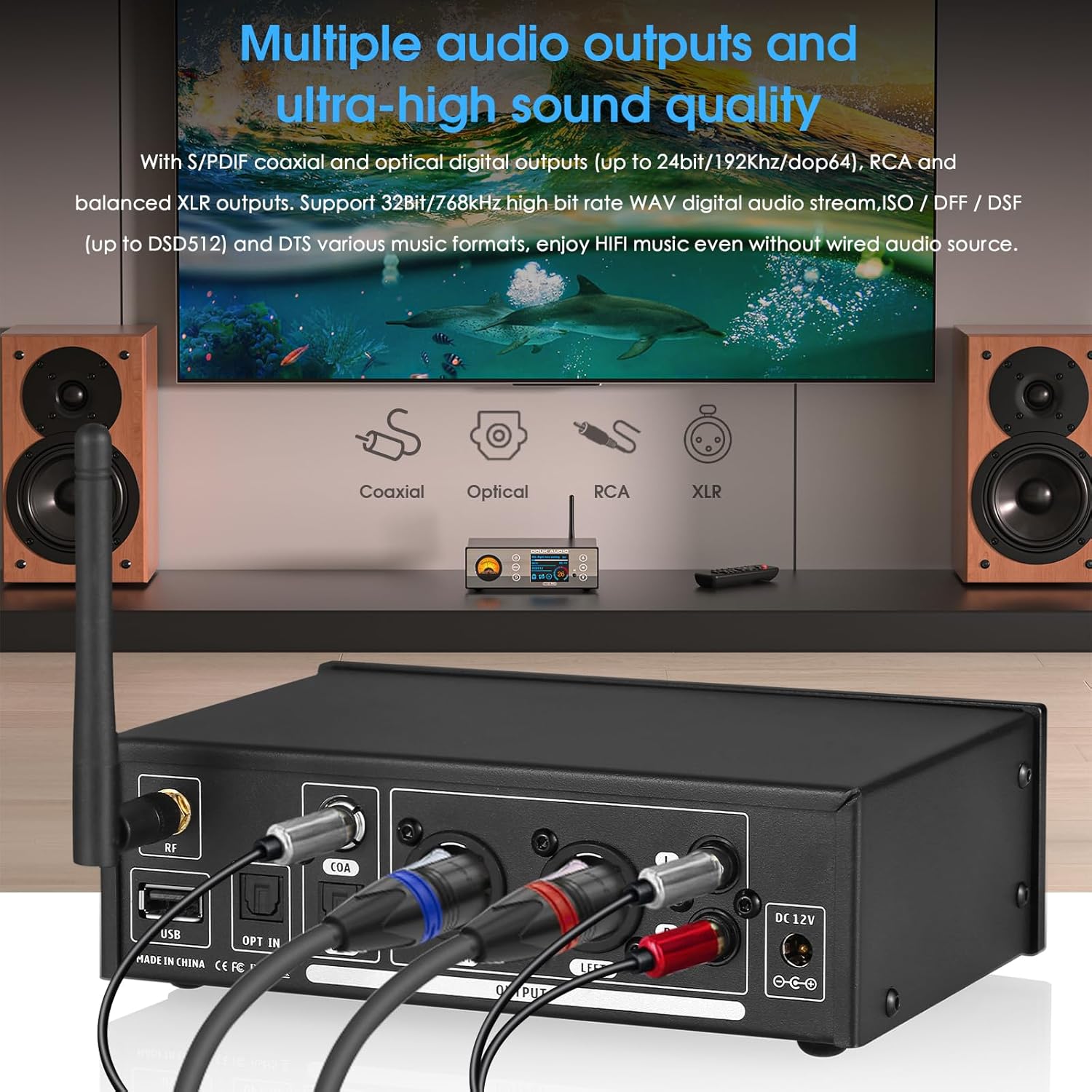
The C100 PRO offers multiple audio output options for high-quality sound.
- Connectar l'alimentació: Connect the DC 12V power adapter to the DC 12V IN port on the rear panel, then plug the adapter into a wall outlet.
- Encès: Press the Power button on the front panel or the remote control to turn on the unit. The OLED screen will illuminate.
5. Instruccions de funcionament
5.1 Selecció de la font
Use the Menu button on the front panel or the remote control to navigate through input sources (Bluetooth, USB, SD Card, Optical, Coaxial). Select the desired input source for playback.
5.2 Reproducció Bluetooth
- Select 'Bluetooth' as the input source on the C100 PRO.
- Al dispositiu mòbil (telèfon intel·ligent, tauleta, etc.), activeu el Bluetooth i cerqueu els dispositius disponibles.
- Select 'Douk Audio C100 PRO' from the list to pair.
- Once paired, audio from your device will stream wirelessly to the C100 PRO.
5.3 Reproducció des de targeta USB/SD
- Ensure your USB drive or SD card is formatted to FAT32 or exFAT.
- Insert the USB drive into the USB port or the SD card into the SD card slot.
- Select 'USB' or 'SD Card' as the input source. The device will scan the media.
- Use the navigation buttons to browse and select music files. Press Play/Pause to start or stop playback.
- The C100 PRO supports various music formats including ISO, DFF, DSF (up to DSD512), WAV (up to 32Bit/768kHz), and DTS.
5.4 Display Modes and Language
The 2.4-inch OLED screen provides clear information. The retro VU meter dynamically displays audio levels. The device supports 8 languages: Chinese, English, French, German, Japanese, Vietnamese, Spanish, and Russian. Navigate through the menu to change language settings or display modes.

The C100 PRO offers multi-language support and a unique VU meter display.
6. Manteniment
To ensure the longevity and optimal performance of your Douk Audio C100 PRO, follow these maintenance guidelines:
- Neteja: Use a soft, dry cloth to wipe the exterior of the unit. Do not use liquid cleaners, aerosols, or abrasive chemicals, as they may damage the finish or internal components.
- Ventilació: Ensure the unit has adequate airflow around it. Do not block ventilation openings.
- Medi ambient: Keep the device away from extreme temperatures, humidity, dust, and direct sunlight.
- Potència: Desconnecteu l'adaptador de corrent de la presa de corrent si no heu d'utilitzar la unitat durant un període prolongat.
7. Solució De Problemes
If you encounter issues with your C100 PRO, refer to the following common problems and solutions:
| Problema | Causa possible | Solució |
|---|---|---|
| Sense poder | L'adaptador de corrent no està connectat o la presa de corrent està defectuosa. | Ensure power adapter is securely connected to the unit and a working power outlet. Try a different outlet. |
| Sense sortida de so | Incorrect input/output selection; cables loose or faulty; ampamplificador/altaveus apagats o silenciats. | Verify correct input source is selected on C100 PRO. Check all audio cable connections. Ensure ampEls amplificadors/altaveus estan encesos i no estan silenciats. |
| Bluetooth no connectat | C100 PRO not in Bluetooth mode; device not discoverable; interference. | Select Bluetooth input on C100 PRO. Ensure Bluetooth is enabled on your source device and it's in pairing mode. Move closer to the unit. |
| USB/SD card not reading | Incorrecte file format; unsupported file system; corrupted media. | Ensure media is formatted to FAT32 or exFAT. Verify music files are supported formats (WAV, FLAC, DSD, etc.). Try a different USB drive/SD card. Avoid subfolders for simpler navigation. |
| El comandament a distància no funciona | Batteries low or inserted incorrectly; IR receiver blocked. | Replace batteries (AAA). Ensure line of sight between remote and IR receiver on the unit. |
8. Especificacions
The Douk Audio C100 PRO boasts impressive technical specifications:
- Decoding Chip: ESS9038
- Xip Bluetooth: CSR8675 (Supports APTX-HD/LDAC)
- Versió Bluetooth: 5.0
- Formats d'àudio compatibles: ISO, DFF, DSF (up to DSD512), WAV (up to 32Bit/768kHz), DTS, and various other music formats.
- Distorsió: 0.0005%
- Relació senyal/soroll (SNR): 119 dB
- Entrades: Bluetooth 5.0, Optical, USB, SD Card
- Sortides: S/PDIF Coaxial, Optical Digital (up to 24bit/192Khz/dop64), RCA, Balanced XLR
- Visualització: 2.4-inch OLED screen with VU Meter
- Dimensions (P x A x A): 4.17 x 6.61 x 2.09 polzades (106 x 168 x 53 mm)
- Pes de l'article: 1.98 lliures (0.9 kg)
- Font d'alimentació: DC 12V
- Idiomes admesos: Chinese, English, French, German, Japanese, Vietnamese, Spanish, Russian
8.1 C100 vs C100 PRO Comparison
Key differences between the C100 and C100 PRO models.
9. Garantia i Suport
Douk Audio products are designed for reliability and performance. For warranty information and technical support, please refer to the warranty card included with your product or visit the official Douk Audio website. If you encounter any issues not covered in this manual, please contact Douk Audio customer service for assistance.
Douk Audio Official Store: Visit Douk Audio Store on Amazon


