Introducció
The PXN V12 lite Direct Drive Steering Wheel is a high-performance sim racing peripheral designed to deliver an exceptionally responsive and realistic force feedback experience. Compatible with PC, Xbox One, Xbox Series X/S, and PS4, this system features a 6 Nm direct drive servo motor, a detachable racing wheel, and a 3-pedal set with Hall magnetic induction technology. This manual provides detailed instructions for setup, operation, maintenance, and troubleshooting to ensure optimal performance and longevity of your device.

Figure 1: PXN V12 lite Direct Drive Steering Wheel, 3-Pedal Set, and Desk Clamps.
Contingut del paquet
Carefully unpack all components and verify that all items listed below are present and in good condition. If any items are missing or damaged, please contact customer support.
- WDS Steering Wheel Plate x1
- V12DDL Steering Wheel Base x1
- PD HM Foot Pedal x1
- Z9 Desktop Stand x1
- Adaptador d'alimentació
- Cable USB
- Pedal Connection Cables
- Mounting Screws and Bolts
- Dongle
- Manuals d'usuari

Figure 2: All components included in the PXN V12 lite package.
Video 1: PXN V12 lite Unboxing and initial component overview.
Configuració
1. Wheel Base and Desk Mount Assembly
The PXN V12 lite can be securely mounted to a desk or a dedicated racing cockpit. For desk mounting, use the provided Z9 Desktop Stand and clamps.
- Place the main desk mount piece on your desk, ensuring it is aligned with the edge.
- Enganxeu els dos clamps to the desk mount, securing it firmly to your desk.
- Rotate the wheel base to expose the mounting points. Install the tray onto the wheel base using the provided screws.
- Carefully place the assembled wheel base onto the desk mount and tighten the bolts to secure it.

Figure 3: Desk bracket securely attached to a gaming desk.
2. Attaching the Steering Wheel
The steering wheel features a quick-release mechanism for easy attachment and detachment from the wheel base.
- Ensure the quick-release mechanism on the wheel base is clear.
- Align the steering wheel with the wheel base's quick-release hub.
- Push the steering wheel firmly onto the hub until it clicks into place, indicating a secure connection.

Figure 4: The quick-release system allows for rapid wheel changes.
3. Pedal Assembly and Connection
The 3-pedal set requires minor assembly and connection to the wheel base.
- Arrange the individual pedal units (clutch, brake, accelerator) onto the pedal base in your desired configuration.
- Connect the individual pedal units to the main pedal base using the provided cables. Ensure cables are routed away from moving parts.
- Secure the pedal units to the base by tightening all 12 bolts.
- Optionally, install the included brake stiffener for a more realistic brake feel.

Figure 5: The 3-pedal set features Hall magnetic induction for high precision.
4. Connectivitat del sistema
Connect all components and power the system.
- Plug the pedal connection cable into the 'PEDAL' port on the wheel base.
- If you have an external shifter, connect it to the 'SHIFTER' port.
- Connect the USB cable from the wheel base to your PC or console.
- Connect the power adapter to the 'POWER' port on the wheel base and then to a wall outlet.
- Press the power button on the wheel base to turn on the system.
Instruccions de funcionament
1. Compatibilitat multiplataforma
The PXN V12 lite is compatible with PC, Xbox One, Xbox Series X/S, and PS4. Ensure your console or PC drivers are up to date for optimal performance.
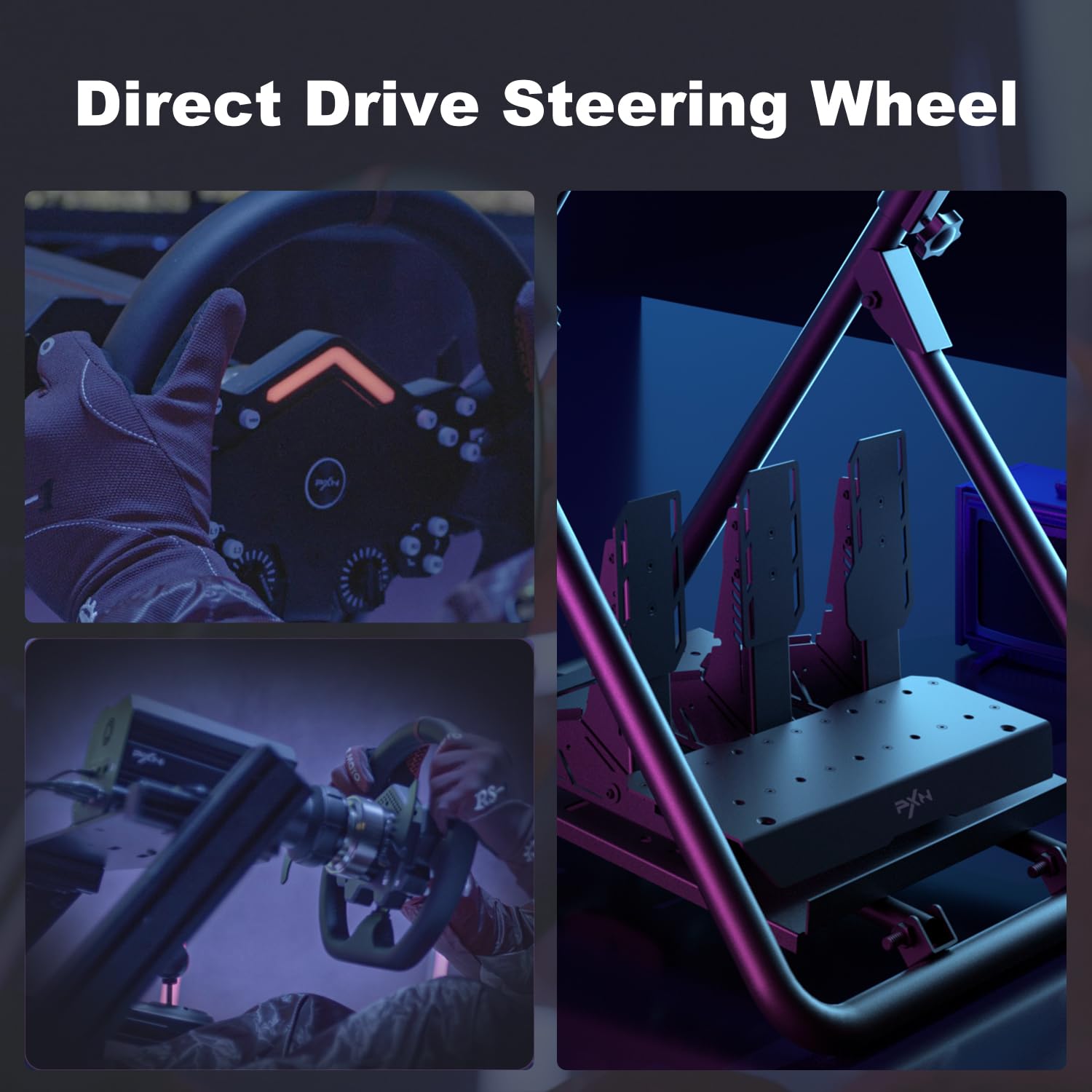
Figure 6: The PXN V12 lite offers broad compatibility across major gaming platforms.
2. PXN Wheel APP Adjustment
For enhanced customization and control, download the "PXN Wheel" app from the Apple App Store or Google Play. The app allows you to program and map buttons, customize light colors, and fine-tune force feedback settings in real-time.
Video 2: Demonstrates real-time adjustments via the PXN Wheel app.
3. Direct Drive Force Feedback
The 6 Nm direct drive servo motor provides ultra-high power density for exceptionally responsive force feedback. This technology ensures zero-delay connectivity and high-fidelity 16-bit resolution, delivering a realistic driving experience. Adjust force feedback intensity and other parameters via the PXN Wheel app to suit your preferences and game requirements.

Figure 7: The direct drive base provides powerful and precise force feedback.

Figura 8: Intern view of the direct-drive servo motor.
4. Wheel Features
- Microfiber Leather Rim: Provides a comfortable and durable grip.
- Làmines de canvi magnètiques: Left and right upper paddles use a magnetic structure switch for crisp gear shifts.
- Photoelectric Induction Paddles: Left and right lower paddles use photoelectric induction for enhanced control.
- Programmable Buttons & Knobs: Customize controls for various in-game functions.
- Multi-Color RGB Lighting Effects: Personalize the wheel's appearance via the app.


Figura 9: Detallada views of the steering wheel's RGB lighting, optical sensing paddles, and programmable buttons/knobs.
Manteniment
- Neteja: Use a soft, dry cloth to clean the steering wheel, pedals, and base. Avoid abrasive cleaners or solvents.
- Gestió de cables: Assegureu-vos que tots els cables estiguin ben organitzats i no estiguin sota tensió per evitar danys.
- Control de temperatura: The wheel base has a built-in temperature control sensor and low-noise fan. Ensure proper ventilation around the unit to maintain optimal operating temperature.
- Emmagatzematge: When not in use, store the unit in a clean, dry place away from direct sunlight and extreme temperatures.
Resolució de problemes
| Problema | Causa possible | Solució |
|---|---|---|
| No power/device not recognized | Loose connections, power issue, driver issue | Check all cable connections (USB, power). Ensure power outlet is functional. Reinstall or update drivers for your PC/console. |
| No Force Feedback or weak FFB | FFB settings, game compatibility | Adjust FFB settings in the PXN Wheel app and in-game. Ensure the game supports force feedback. |
| Pedals not responding or incorrect input | Loose pedal cables, calibration issue | Check pedal cable connections. Recalibrate pedals through the PXN Wheel app or game settings. |
| Els botons no responen | Mapping issue, software glitch | Verify button mapping in the PXN Wheel app. Restart the game/console. |
| Excessive noise from wheel base | Normal operation, ventilation issue | Some fan noise is normal during intense use. Ensure adequate airflow around the base. If noise is unusual, contact support. |
Especificacions
- Marca: PXN
- Model: V12 lite
- Parell: Transmissió directa de 6 Nm
- Force Feedback Resolution: 16 bits
- Compatibilitat: PC, Xbox One, Xbox Series X/S, PS4
- Wheel Rim Material: Pell de microfibra
- Base Housing & Quick Release: 6 series aircraft aluminum alloy
- Paletes de canvi: Magnetic (upper), Photoelectric Induction (lower)
- Pedal Technology: Hall Magnetic Induction
- Pedal Material: Acer al carboni
- Control de temperatura: Built-in sensor with low-noise fan
- Desk Bracket: 5 series aluminum alloy, multi-hole design, fits tabletops up to 7cm thick
- Pes de l'article: 38.8 lliures
- Dimensions del paquet: 21.6 x 19.9 x 16.1 polzades
Garantia i Suport
PXN V12 Lite racing wheels undergo a strict quality test process before shipment. From the date of purchase, PXN offers a 12 mesos de garantia to our customers. If you encounter any product problems or require assistance, please contact our customer service staff. We are committed to providing a satisfactory resolution.
For support, please visit the official PXN weblloc web o consulteu la informació de contacte que es proporciona a l'embalatge del producte.


