1. Introducció
This manual provides detailed instructions for the setup, operation, maintenance, and troubleshooting of your Machenike K500-B94 Mechanical Keyboard. Please read this manual thoroughly before using the product to ensure proper functionality and longevity.
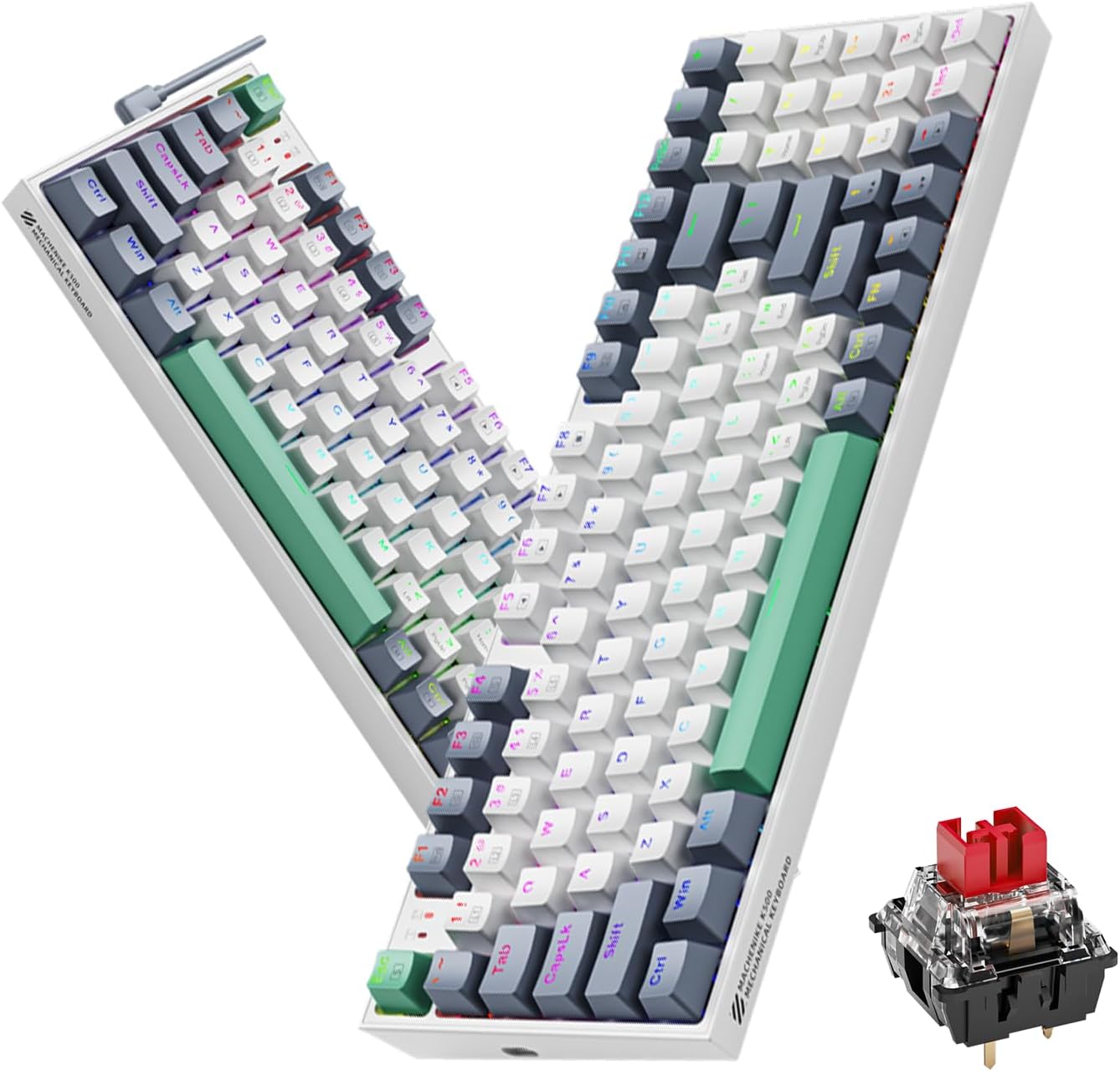
Image 1.1: The Machenike K500-B94 Mechanical Keyboard, showcasing its compact layout and a detailed view of a hot-swappable mechanical switch.
2. Contingut del paquet
Verifiqueu que tots els elements siguin presents al paquet:
- Machenike K500-B94 Mechanical Keyboard
- Cable USB tipus C desmuntable
- Keycap Puller (for hot-swappable switches)
- Switch Puller (for hot-swappable switches)
- Manual d'usuari (aquest document)
3. Instruccions de configuració
- Descomprimir el teclat: Traieu amb cura el teclat i tots els accessoris de l'embalatge.
- Connecteu el cable USB: Insert the Type-C end of the provided USB cable into the port on the keyboard. Connect the standard USB-A end to an available USB port on your computer (PC, Desktop, All-in-one, or Notebook).
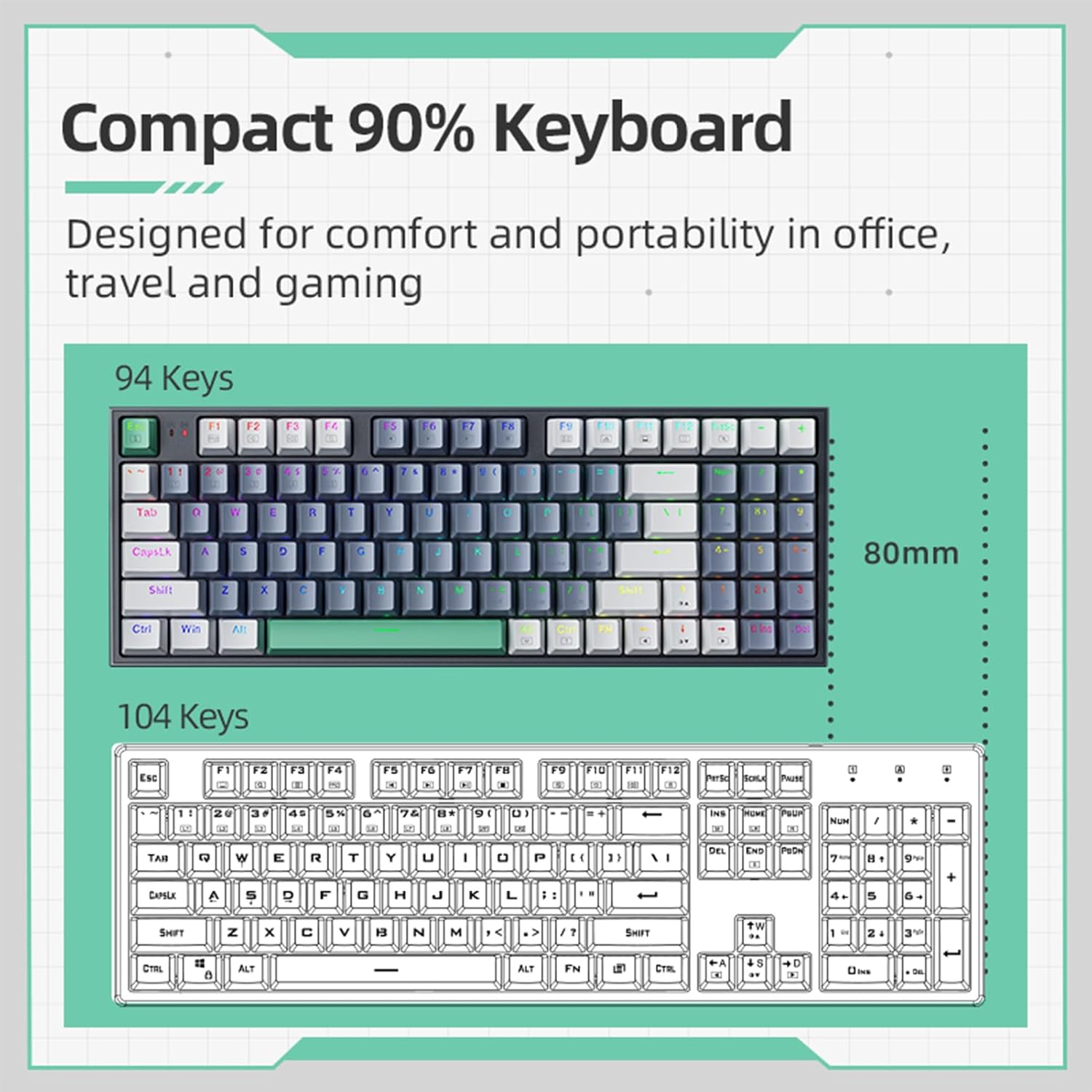
Image 3.1: Illustration of the detachable Type-C USB cable connection to the keyboard, highlighting its compatibility with various devices.
- Instal·lació del controlador: The keyboard is plug-and-play. Your operating system will automatically detect and install the necessary drivers. No additional software installation is required for basic functionality.
- Instal·lació de programari opcional: For advanced customization of RGB lighting and macros, download the official Machenike K500-B94 software from the official Machenike weblloc.
4. Instruccions de funcionament
4.1. Funcions bàsiques del teclat
The Machenike K500-B94 features a 94-key layout, providing a compact yet functional experience. All standard keyboard functions operate as expected.

Image 4.1: A visual representation of the Machenike K500-B94's 94-key compact layout, designed for comfort and portability.
4.2. Control de la il·luminació RGB
The keyboard features customizable RGB backlighting. Use the dedicated function keys or the optional software to adjust lighting effects, brightness, and color.
- Ajust de brillantor: Typically, use Fn + Fletxa amunt/avall claus.
- Cicle d'efectes: Ús Fn + Right/Left Arrow keys to cycle through various lighting modes.
- Selecció de color: Some modes allow color changes via Fn + tecles específiques or through the software.

Image 4.2: Screenshot of the customizable software interface, demonstrating options for RGB lighting effects, brightness, speed, and color selection.
4.3. Commutadors intercanviables en calent
The Machenike K500-B94 features hot-swappable switches, allowing users to change mechanical switches without soldering. This enables customization of typing feel and sound.

Imatge 4.3: Una imatge detallada view of the keyboard with several keycaps and switches removed, illustrating the hot-swappable switch sockets for easy replacement.
Per substituir un interruptor:
- Feu servir l'extractor de tecles proporcionat per treure suaument la tecla desitjada.
- Use the provided switch puller to carefully grip the switch and pull it straight up.
- Alineeu els pins del nou interruptor amb els forats de la placa de circuit imprès i premeu-lo fermament fins que faci clic.
- Torneu a col·locar la tapa de les tecles.
5. Manteniment
5.1. Neteja del teclat
- Desconnecteu el teclat de l'ordinador abans de netejar-lo.
- Use a keycap puller to remove keycaps for thorough cleaning.
- Feu servir aire comprimit per eliminar la pols i les restes que hi ha entre les tecles.
- Netegeu les tecles i la superfície del teclat amb un drap suau iamp tela. Eviteu els productes químics durs.
- Ensure all parts are completely dry before reattaching keycaps and reconnecting the keyboard.
5.2. Gestió de cables
The detachable Type-C cable allows for easy replacement and storage. Ensure the cable is not kinked or excessively bent to prevent damage.
6. Solució De Problemes
- El teclat no respon:
- Assegureu-vos que el cable USB estigui connectat correctament tant al teclat com a l'ordinador.
- Prova de connectar el teclat a un port USB diferent de l'ordinador.
- Prova el teclat en un altre ordinador per descartar un problema específic de l'ordinador.
- Reinicieu l'ordinador.
- La il·luminació RGB no funciona o és incorrecta:
- Check if the lighting is turned off via keyboard shortcuts (e.g., Fn + specific key).
- If using the software, ensure it is running and configured correctly.
- Reinstall the optional software if issues persist.
- Tecles específiques que no funcionen:
- Due to the hot-swappable design, a switch might be improperly seated. Gently remove the keycap and switch, then reinsert the switch firmly.
- If a switch is faulty, replace it with a new one using the provided tools.
7. Especificacions
| Característica | Detall |
|---|---|
| Marca | Machenike |
| Número de model | K500-B94 |
| Color | Blanc |
| Tecnologia de connectivitat | USB (tipus C desmuntable) |
| Nombre de claus | 94 |
| Descripció del teclat | Mechanical, Hot-Swappable |
| Pes del producte | 830 g |
| Dispositius compatibles | PC |
8. Garantia i Suport
Machenike products are designed for reliability and performance. For warranty information and technical support, please refer to the official Machenike weblloc web o contacteu directament amb el seu servei d'atenció al client.
Conserveu el rebut de compra com a comprovant de compra per a reclamacions de garantia.
Per obtenir assistència addicional, visiteu: www.machenike.com


