1. Introducció
This manual provides instructions for the installation, operation, and maintenance of your STRONG SW8000M 8-Port Gigabit Desktop Switch. This device is designed to expand your network connectivity with high-speed Gigabit Ethernet ports, suitable for home and office environments.
2. Característiques del producte
- Velocitat Gigabit: Provides 10/100/1000 Mbps for fast network connections.
- 8-Port Connectivity: Expands network with 8 Gigabit Ethernet ports.
- Plug and Play: No software or configuration required for basic operation.
- Robust Metal Design: Durable metal housing for longevity.
- Muntatge flexible: Supports desktop placement or wall mounting.
- Fanless Operation: Ensures quiet performance, ideal for noise-sensitive areas.
- Optimized Data Traffic: Supports QoS, IGMP, and VLAN functions.
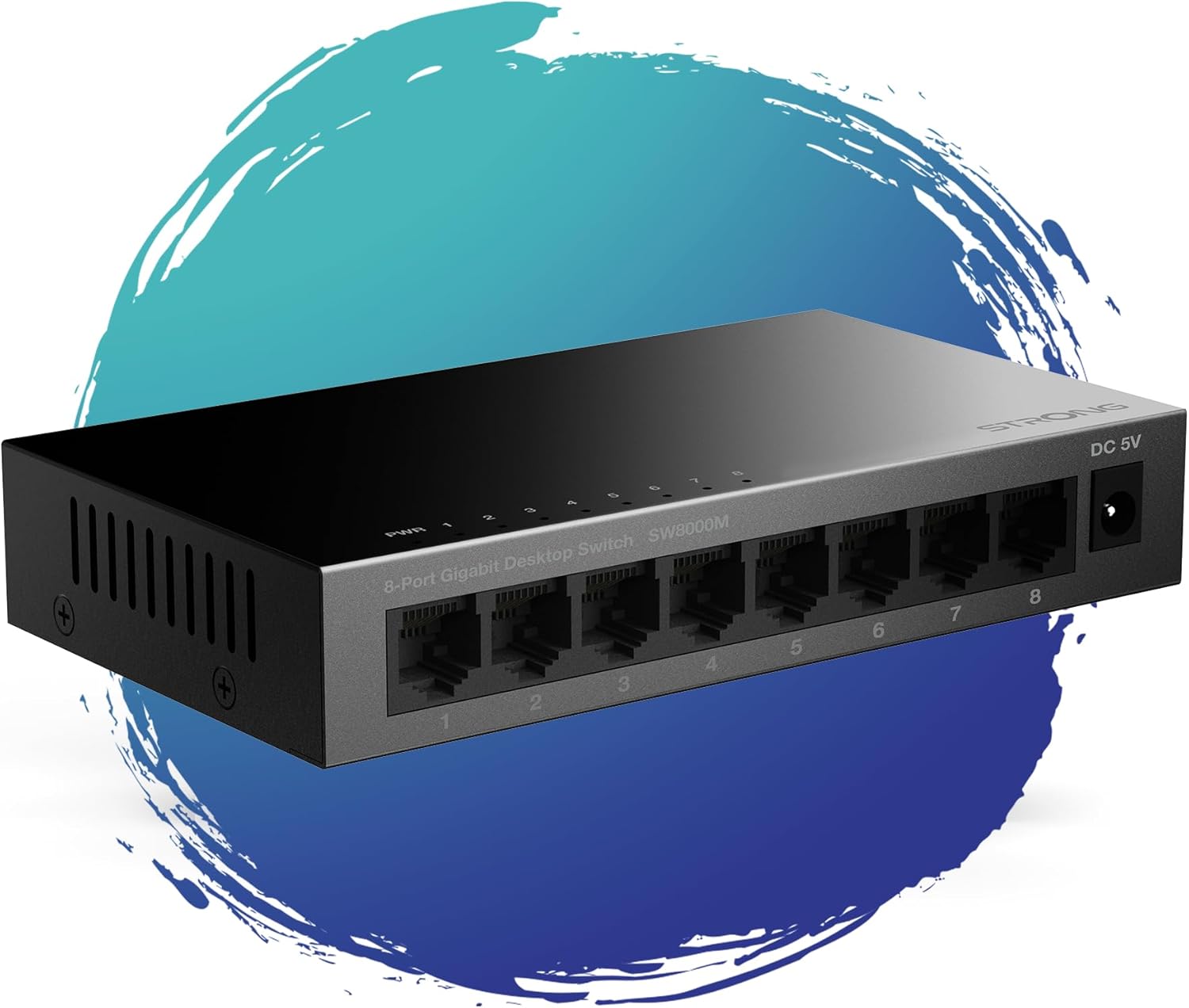
Figura 1: Frontal view of the STRONG SW8000M 8-Port Gigabit Desktop Switch, highlighting its compact design and 8 RJ45 ports.
3. Contingut del paquet
Verifiqueu que tots els elements siguin presents al paquet:
- STRONG SW8000M 8-Port Gigabit Desktop Switch
- Power Adapter (Mains plug)
- Instruccions d'instal·lació (aquest manual)
- Targeta de garantia
4. Configuració i instal·lació
4.1 Col·locació física
The SW8000M switch can be placed on a desktop or mounted on a wall. Ensure the location is well-ventilated and away from direct heat sources or moisture.
- Ubicació d'escriptori: Col·loqueu l'interruptor en una superfície plana i estable.
- Muntatge a la paret: Use the provided mounting options (if applicable) to secure the switch to a wall.

Figure 2: Illustrates the switch's advanced features like QoS, traffic optimization, and IEEE 802.3x flow control.
4.2 Connexió del commutador
- Connect the power adapter to the DC 5V port on the switch and then plug it into a power outlet. The Power LED (PWR) on the switch will illuminate.
- Connect your network devices (e.g., computers, printers, network-attached storage, routers) to any of the 8 Gigabit RJ45 ports using standard Ethernet cables.
- The corresponding LED indicator for each connected port will light up, indicating an active connection. A blinking LED indicates data activity.

Figura 3: posterior view of the switch, detailing the 8 Gigabit RJ45 ports and the DC 5V power input.
5. Funcionament de l'interruptor
The STRONG SW8000M is a plug-and-play device. Once connected, it automatically detects the speed and duplex mode of connected devices, providing optimal performance without manual configuration.
- Indicadors LED: Each port has an LED indicator. A solid light indicates a link, and a blinking light indicates data transmission. The PWR LED indicates the device is powered on.
- Flux de dades: The switch intelligently manages data traffic to ensure smooth and efficient communication between all connected devices.
6. Manteniment
- Neteja: Feu servir un drap suau i sec per netejar l'exterior de l'interruptor. No utilitzeu netejadors líquids ni en aerosol.
- Ventilació: Ensure that the ventilation openings on the sides of the switch are not blocked to prevent overheating.
- Disseny sense ventilador: The fanless design reduces dust accumulation and eliminates operational noise, requiring minimal internal maintenance.
7. Solució De Problemes
- Sense energia: Ensure the power adapter is securely connected to the switch and a working power outlet. Check if the PWR LED is illuminated.
- Sense llum d'enllaç: Verify that the Ethernet cables are properly connected to both the switch and the network device. Try a different port or cable. Ensure the connected device is powered on.
- Connexió lenta: Ensure all connected devices and cables support Gigabit Ethernet for optimal speed. Check for excessive network traffic or faulty cables.
- Connexió intermitent: Check cable connections. Ensure the switch is placed in a stable environment, free from strong electromagnetic interference.
8. Especificacions
| Característica | Descripció |
|---|---|
| Model | SW8000M |
| Nombre de Ports | 8 x RJ45 Gigabit Ethernet |
| Velocitat de transferència de dades | 10/100/1000 Mbps |
| Tipus d'interfície | RJ45 |
| Entrada de potència | 5 volts, 1 Amp |
| Material de la caixa | Metall |
| Dimensions del producte (L x A x A) | 3.07" x 0.98" x 5.43" |
| Pes de l'article | 240 grams (8.5 unces) |
| Temperatura de funcionament | Fins a 50 graus centígrads |
| Components inclosos | Switch, Power Adapter, Manual, Warranty Card |
9. Garantia i Suport
The STRONG SW8000M switch comes with a manufacturer's warranty. Please refer to the included Warranty Card for specific terms and conditions. For technical support or further assistance, please visit the official Strong weblloc o poseu-vos en contacte amb el seu servei d'atenció al client.
Durada de la disponibilitat de recanvis a la UE: 2 Anys


