1. Introducció
This manual provides essential information for the safe and effective use of your Meta Quest 3 512GB virtual reality headset. Please read these instructions thoroughly before operating the device. Retain this manual for future reference.

Image 1.1: The Meta Quest 3 headset with its accompanying Touch Plus controllers. The headset features a sleek, white design with multiple front-facing cameras for mixed reality capabilities. The controllers are ergonomically shaped for comfortable grip and precise interaction in virtual environments.
2. Informació de seguretat
To prevent injury, discomfort, or property damage, ensure you read and follow all safety warnings and instructions provided with your Meta Quest 3 headset. Always be aware of your surroundings when using the device. Clear your play area of obstacles and ensure adequate space for movement. If you experience discomfort, discontinue use immediately.
3. Què hi ha a la caixa
Verifiqueu que tots els components siguin presents en desembalar:
- Meta Quest 3 Headset with adjustable pre-installed Standard Facial Interface
- 2 Touch Plus Controllers
- Wrist straps (for controllers)
- Piles AA (per a controladors)
- Cable de càrrega
- Adaptador de corrent

Imatge 3.1: Un sobreview of the Meta Quest 3 headset and its two Touch Plus controllers. This image highlights the primary components included with the product, showcasinel seu disseny i les mides relatives.
4. Configuració
4.1 Càrrega inicial
Before first use, fully charge the Meta Quest 3 headset using the provided charging cable and power adapter. The charging port is located on the side of the headset. A full charge typically takes approximately 2.5 hours.
4.2 Instal·lació de la bateria del controlador
Insert the included AA batteries into each Touch Plus controller. The battery compartment is located on the handle of each controller. Ensure correct polarity.
4.3 Headset Fit and Adjustment
Place the headset on your head and adjust the straps for a secure yet comfortable fit. The top strap and side straps can be tightened or loosened. Adjust the interpupillary distance (IPD) using the wheel on the bottom of the headset to ensure clear vision. The facial interface can also be adjusted for optimal comfort and field of view.
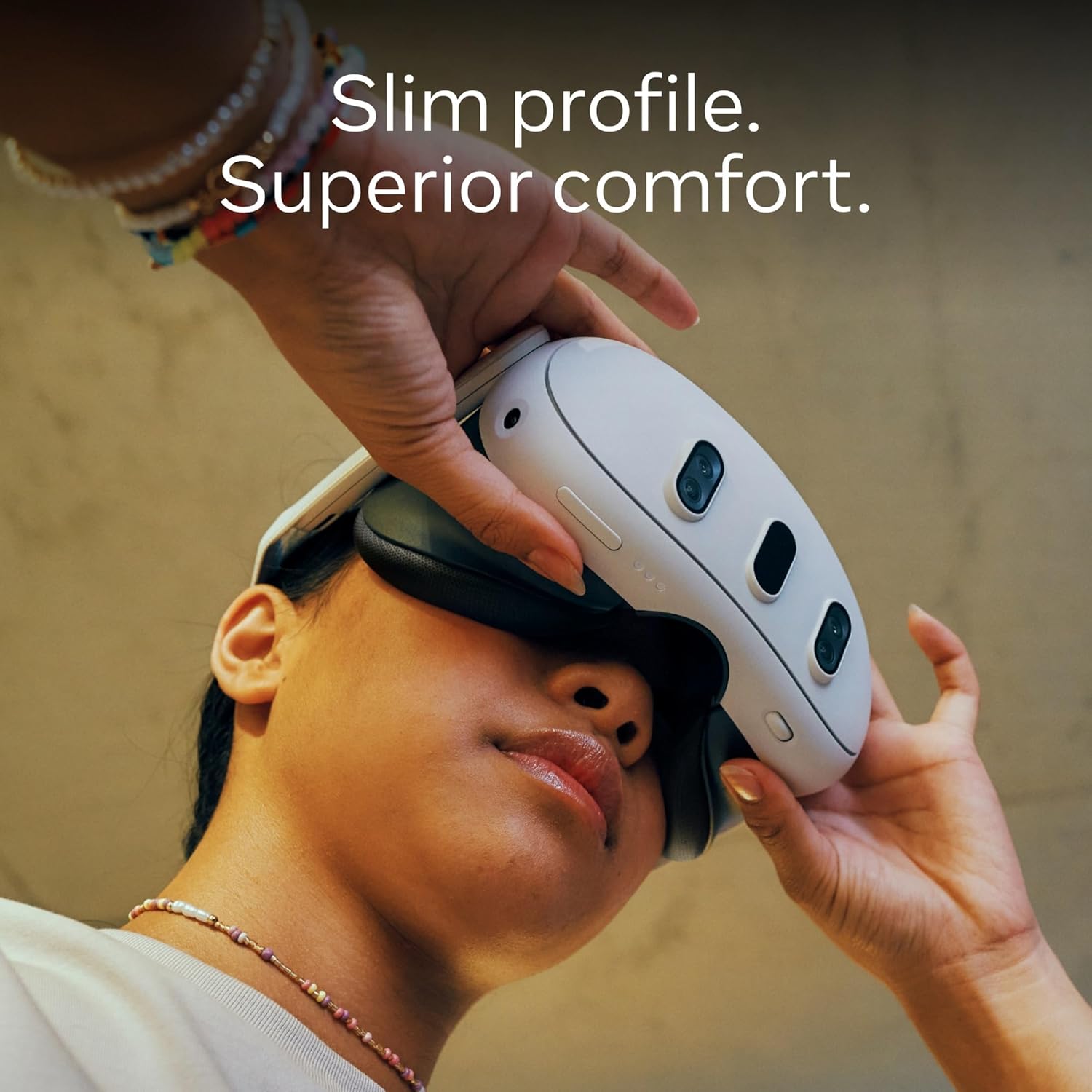
Image 4.1: A user adjusting the Meta Quest 3 headset, demonstrating its slim profile and how to achieve a comfortable fit. The design emphasizes reduced bulk for extended wear.
4.4 Software and Account Setup
Power on the headset. Follow the on-screen instructions to connect to Wi-Fi and log in with your Meta account. If you do not have a Meta account, you will be prompted to create one. Complete the initial tutorial, which includes setting up your Guardian boundary system to define your safe play area.
5. Funcionament
5.1 Navegació bàsica
Navigate the Meta Quest 3 interface using either the Touch Plus controllers or hand tracking. Hand tracking allows you to interact with virtual objects using your bare hands, while controllers offer precise input for gaming and specific applications.
5.2 Mixed Reality Experiences
The Meta Quest 3 features full-color passthrough, allowing you to see your physical surroundings while digital content is overlaid. This enables mixed reality applications where virtual objects blend into your real-world environment. Activate passthrough by double-tapping the side of the headset or through the quick settings menu.

Image 5.1: A user engaged in a mixed reality experience with the Meta Quest 3, demonstrating how virtual elements can interact with the physical environment. The user is holding the Touch Plus controllers, indicating active gameplay.
5.3 Virtual Reality Experiences
For full immersion, the headset provides a wide field of view and high-resolution displays. Access the Meta Quest Store to download and launch virtual reality games and applications. Adjust in-game settings for optimal performance and comfort.
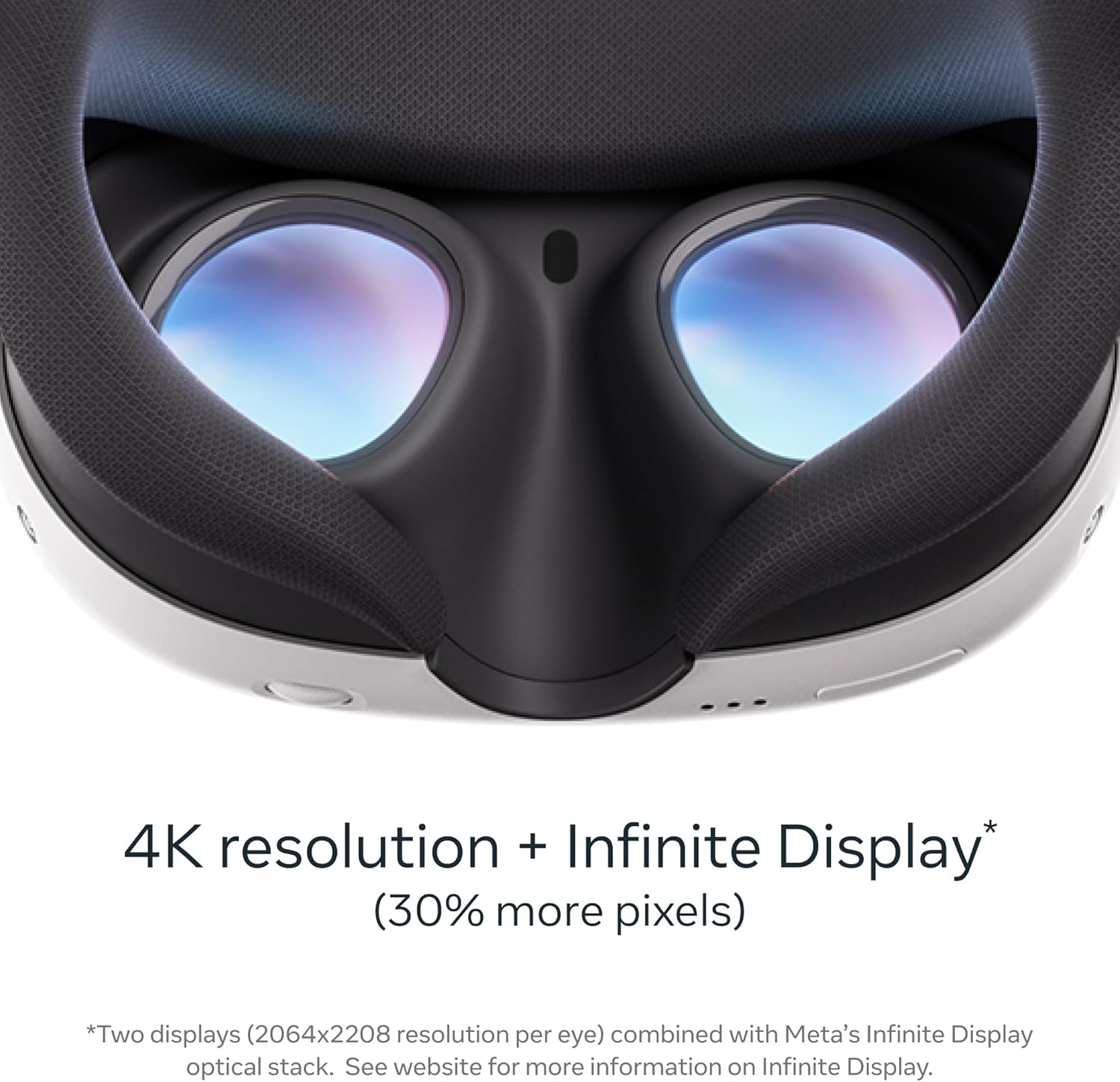
Imatge 5.2: Una imatge detallada view of the Meta Quest 3's internal lenses and facial interface. This close-up highlights the optical system designed for 4K resolution and an expansive field of view, contributing to immersive virtual experiences.
5.4 Entertainment and Productivity
The Meta Quest 3 can be used for watching movies, browsing the web, and productivity tasks. Utilize the virtual screens to create a personal theater experience or a multi-monitor workspace.

Image 5.3: A user relaxing on a couch while watching content on a large virtual screen projected within the Meta Quest 3 headset. This illustrates the device's capability to create a personal cinematic experience anywhere.
5.5 Gestió de la bateria
The headset has an approximate battery life of 2-3 hours depending on usage. Monitor the battery level through the headset's interface. For extended sessions, consider using a compatible external power bank.
6. Manteniment
6.1 Cleaning the Headset and Lenses
Use a dry microfiber cloth to gently clean the headset's exterior. For lenses, use a specialized lens cleaning cloth. Do not use liquid cleaners, alcohol, or abrasive materials, as these can damage the lenses and internal components. Avoid direct sunlight exposure to the lenses, as this can cause permanent screen damage.
6.2 Controller Care
Wipe controllers with a dry or slightly damp cloth. Ensure battery compartments are dry before inserting new batteries. Avoid dropping controllers or exposing them to extreme temperatures.
6.3 Emmagatzematge
Store the Meta Quest 3 in a cool, dry place away from direct sunlight. Use the original packaging or a dedicated carrying case to protect the device from dust and physical damage.
7. Solució De Problemes
7.1 Problemes comuns i solucions
- Headset not powering on: Ensure the headset is fully charged. Try a different power outlet or charging cable.
- Els comandaments no s'emparellan: Check controller batteries. Restart the headset and controllers. Re-pair controllers through the headset's settings menu.
- Blurry vision: Adjust the headset's fit and IPD (interpupillary distance) wheel. Clean the lenses.
- Problemes de seguiment: Ensure your play area has adequate lighting. Clear any reflective surfaces. Restart the Guardian system setup.
- Problemes de connectivitat Wi-Fi: Restart your router and the headset. Ensure you are within range of your Wi-Fi network.
7.2 Restabliment de fàbrica
A factory reset will erase all data from your headset and restore it to its original settings. This can resolve persistent software issues. Consult the official Meta Quest support weblloc web per obtenir instruccions detallades sobre com realitzar un restabliment de fàbrica.
8. Especificacions
| Característica | Detall |
|---|---|
| Número de model | 899-00585-01 |
| Capacitat d'emmagatzematge | 512 GB |
| Resolució de visualització | 2064x2208 pixels per eye (4K+ Infinite Display) |
| Processador | Qualcomm Snapdragon XR2 Gen 2 |
| Camp de View | 360 graus |
| Connectivitat | Bluetooth, WiFi |
| Pes de l'article | 14.1 unces |
| Dimensions del producte | 4.72 x 4.72 x 4.72 polzades |
| Components inclosos | Headset, 2 Touch Plus Controllers, Wrist straps, AA Batteries, Charging cable, Power adapter |
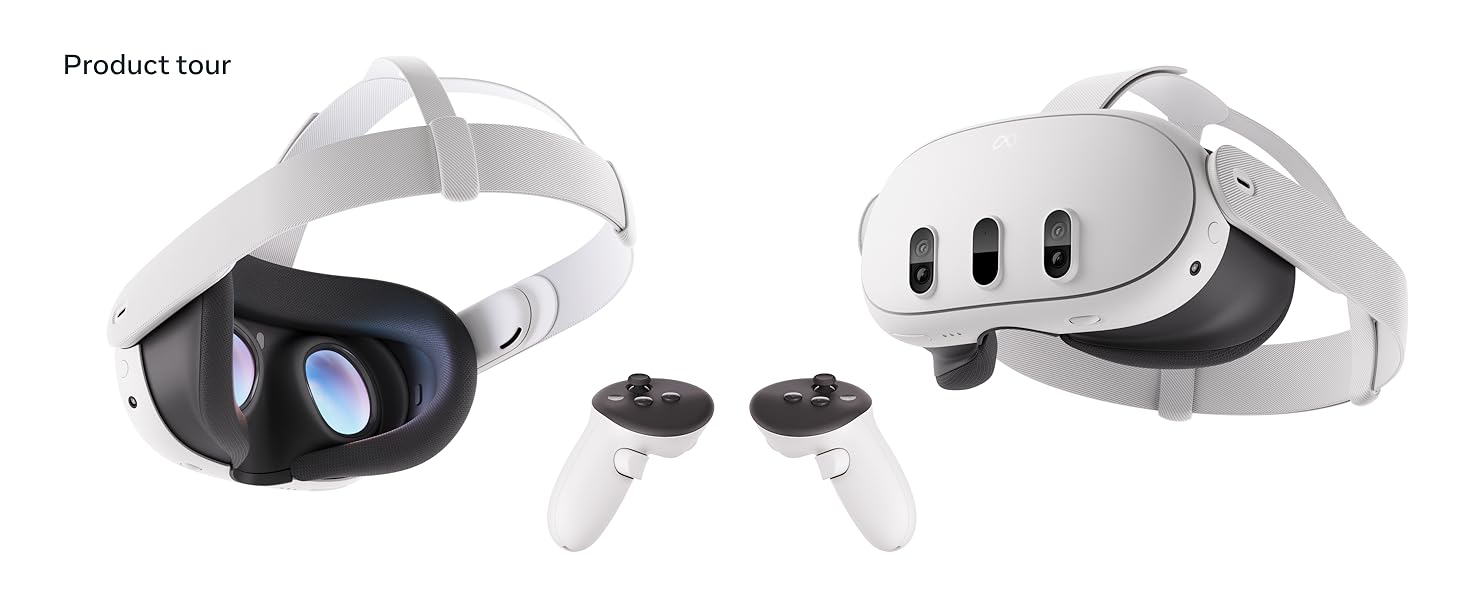
Image 8.1: A diagram illustrating key features of the Meta Quest 3, including its dual RGB cameras for full-color passthrough, 4K+ Infinite Display, powerful GPU, and TruTouch Haptics in the Touch Plus controllers.
9. Garantia i Suport
9.1 Garantia del producte
Your Meta Quest 3 headset is covered by a limited warranty. Details regarding warranty coverage, terms, and conditions can be found on the official Meta Quest weblloc web o dins de l'embalatge del producte. Si us plau, conserveu el comprovant de compra per a reclamacions de garantia.
9.2 Atenció al client
For further assistance, technical support, or to report issues, please visit the official Meta Quest support weblloc. El website provides FAQs, troubleshooting guides, and contact information for customer service representatives.
Official Meta Support: https://www.meta.com/quest/support/


