Introducció
Thank you for choosing the ATUMTEK 55" Selfie Stick Tripod. This all-in-one device combines the functionality of a selfie stick and a stable tripod, designed for capturing photos and videos with ease and versatility. This manual provides detailed instructions on how to set up, operate, and maintain your device to ensure optimal performance.
Què hi ha a la caixa
- 1 x ATUMTEK Selfie Stick Tripod
- 1 x Bluetooth Remote
- 1 x cable de càrrega tipus C
- 1 x Manual d'usuari

Image: The ATUMTEK Selfie Stick Tripod in various configurations, including the main unit, extended tripod, and the detachable remote control.
Configuració
1. Unfolding the Tripod/Extending the Selfie Stick
- Gently pull the phone clamp upwards to release the tripod legs.
- Spread the tripod legs outwards until they form a stable double triangular structure.
- To extend the pole, pull the top section upwards. The pole consists of multiple sections that can be extended to your desired length, up to 55 inches (140cm).
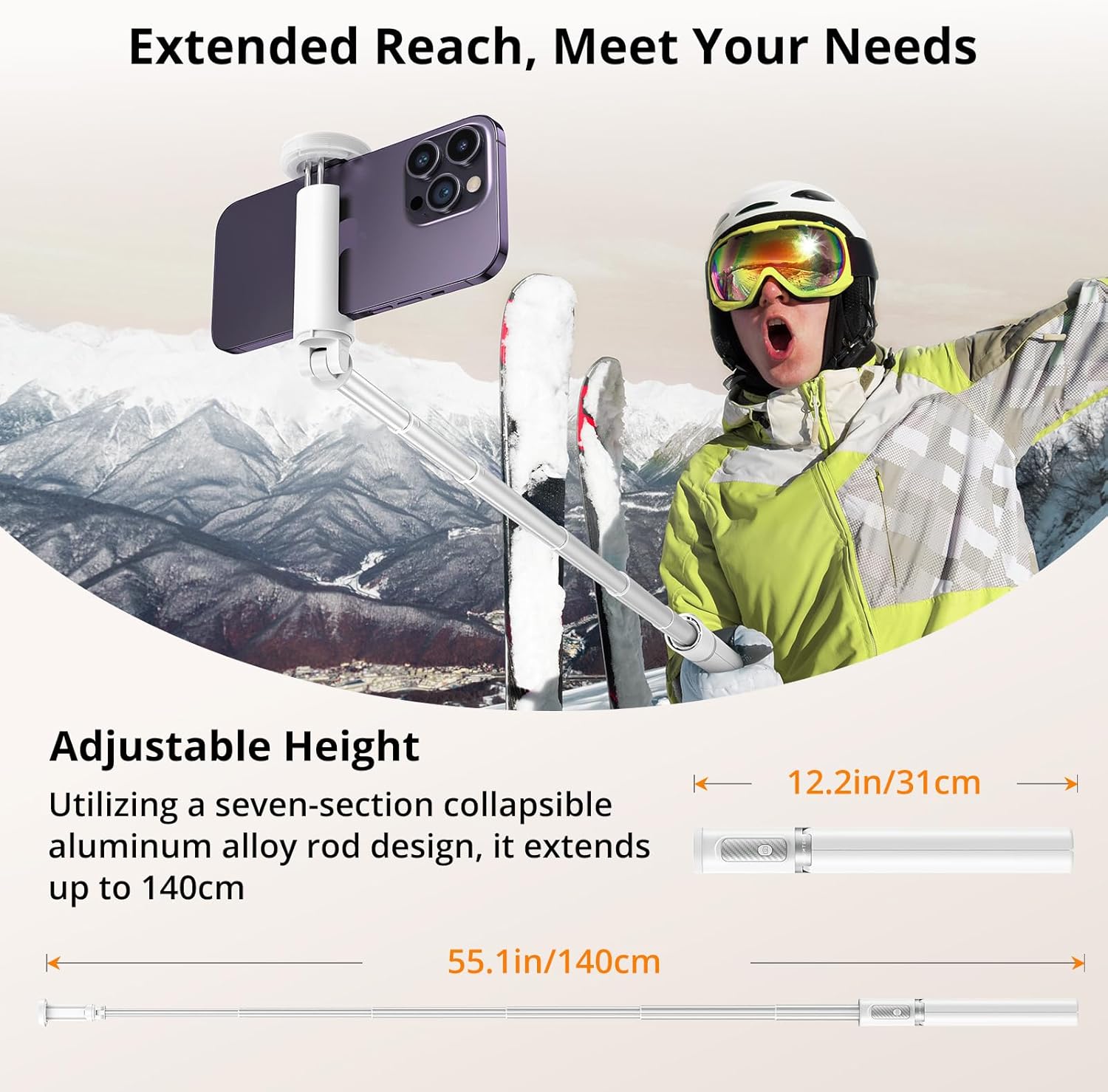
Image: Visual representation of the selfie stick's collapsed (12.2 inches) and fully extended (55.1 inches) states.
2. Connectar el telèfon intel·ligent
- Obre el telèfon clamp. It is designed to securely hold smartphones with widths ranging from 2.12 inches (54mm) to 3.62 inches (92mm).
- Col·loca amb cura el teu telèfon intel·ligent a la tapa.amp, ensuring it is centered and held firmly by the non-slip silicone pads.

Image: The phone clamp demonstrating its adjustable range and compatibility with different phone sizes.
3. Pairing the Bluetooth Remote
- The Bluetooth remote is integrated into the handle. Gently slide it out to detach.
- Press and hold the button on the remote until the indicator light flashes, indicating it's in pairing mode.
- Al teu telèfon intel·ligent, vés a la configuració de Bluetooth i busca els dispositius disponibles.
- Select "ATUMTEK" or a similar name from the list to connect. The indicator light on the remote will stop flashing once successfully paired.
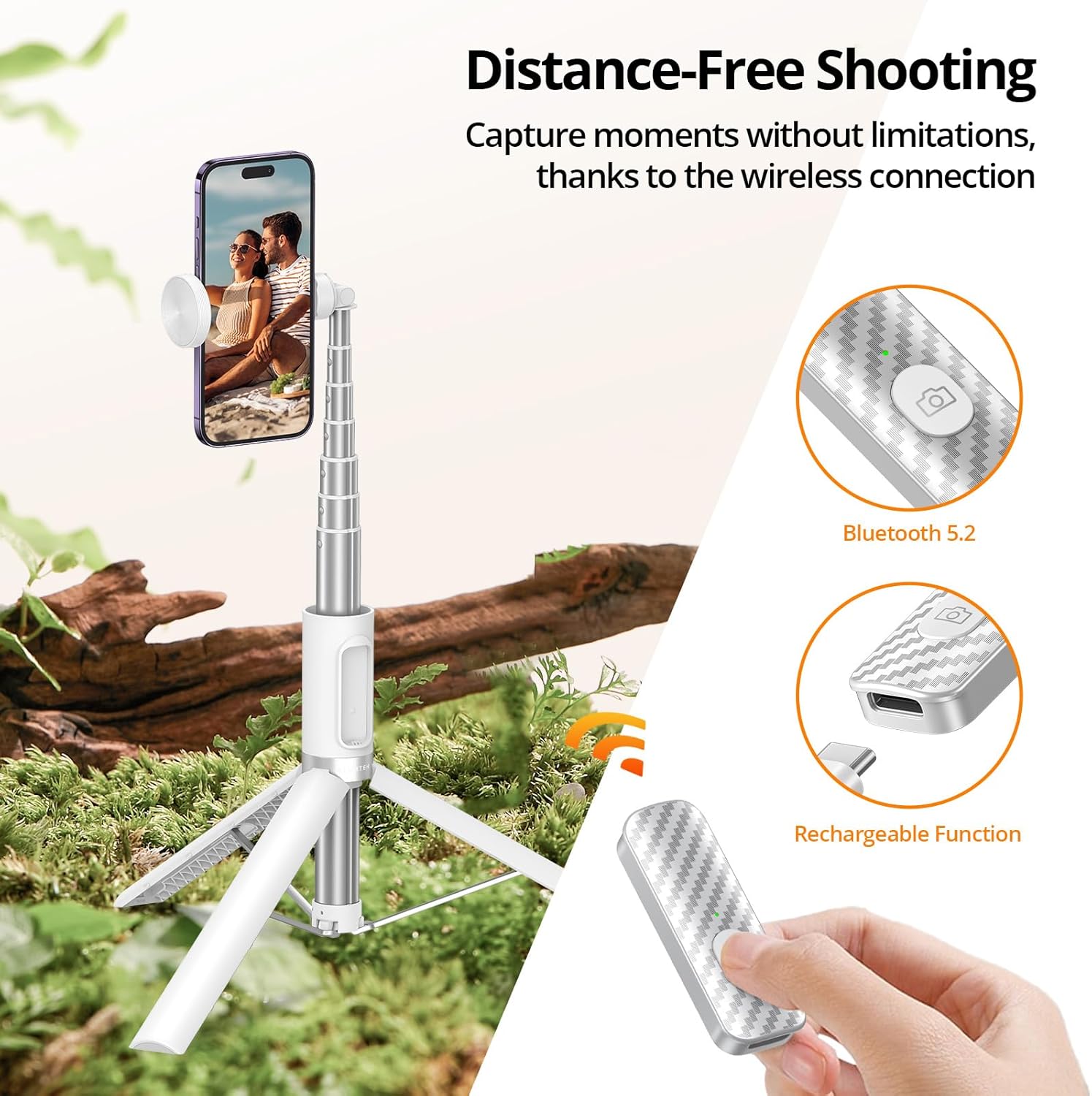
Image: The detachable Bluetooth remote, showing its design and charging capability.
Instruccions de funcionament
Ús com a pal de selfie
- Ensure the tripod legs are folded and secured within the handle.
- Extend the aluminum pole to your desired length.
- Hold the handle firmly and use the Bluetooth remote to capture photos or start/stop video recording.

Image: The product demonstrating its use as a selfie stick for on-the-go capture.
Ús com a trípode
- Extend the tripod legs fully and place the tripod on a flat, stable surface.
- Adjust the height of the pole as needed.
- Use the Bluetooth remote to take stable photos or videos from a distance.
Image: The product demonstrating its use as a stable tripod for professional shots and group photos.
Ajust de l'orientació
- El telèfon clamp allows for 360-degree rotation, enabling you to switch between portrait and landscape modes effortlessly.
- El clamp also offers 180-degree tilt for finding the optimal filming angle.
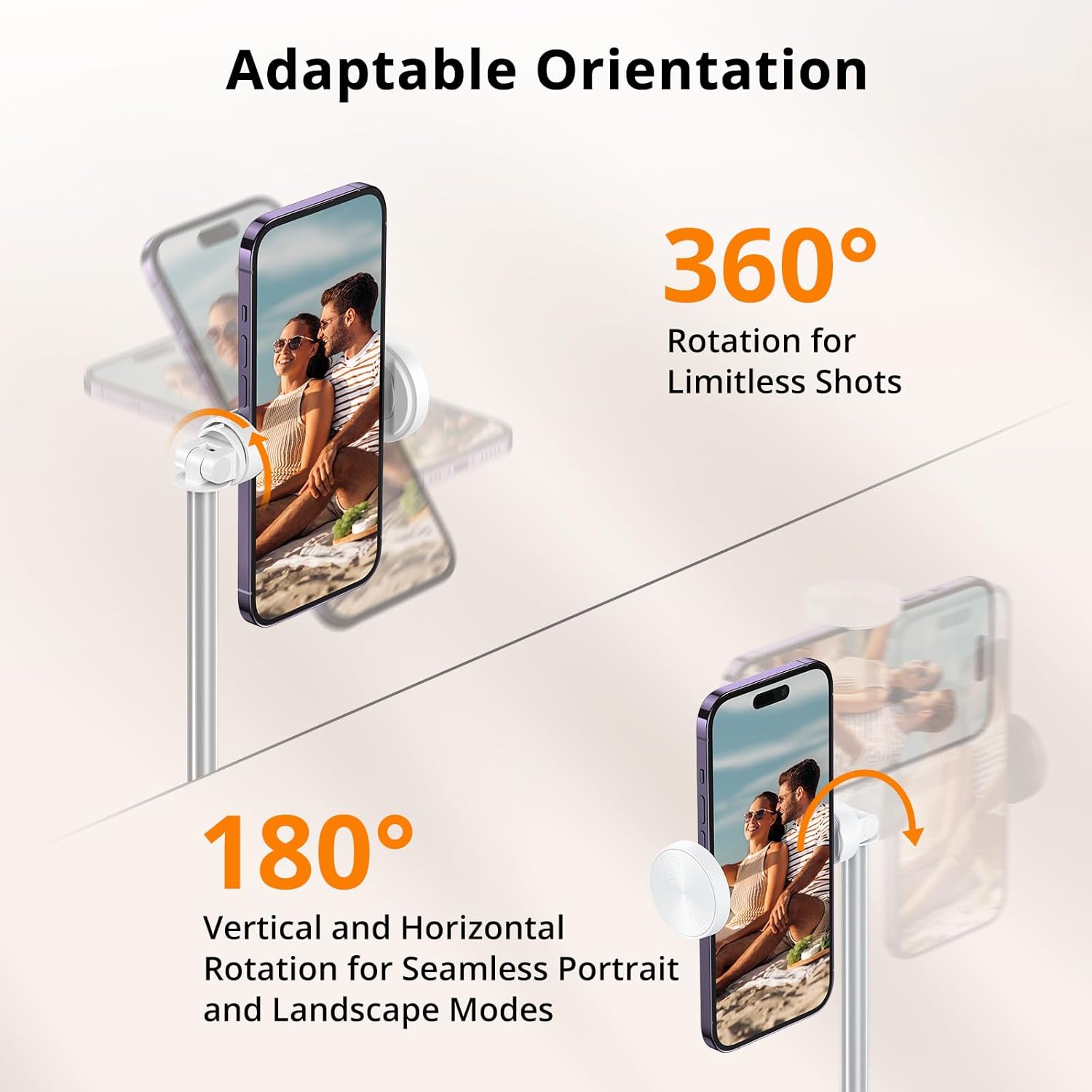
Image: Visual guide to rotating and tilting your smartphone on the tripod.
Vídeos oficials de productes
Video: An unboxing and first impressions review of the ATUMTEK Selfie Stick Tripod, provided by the seller.
Vídeo: Un vídeo promocionalasing the ATUMTEK ATSS158 55" Selfie Stick Tripod in white, provided by the seller.
Manteniment
- Mantingueu el dispositiu net netejant-lo amb un drap suau i sec. Eviteu utilitzar productes de neteja o dissolvents abrasius.
- Ensure the extendable pole sections are free of dust and debris to allow for smooth extension and retraction.
- Store the selfie stick tripod in a cool, dry place when not in use.
- Charge the Bluetooth remote regularly to maintain battery health, especially if not used for extended periods.

Image: Components of the product, emphasizing the quality of materials for durability.
Resolució de problemes
El comandament a distància no es connecta
- Ensure the remote is charged. Connect it to a power source using the provided Type-C cable.
- Assegureu-vos que el Bluetooth estigui habilitat al vostre telèfon intel·ligent.
- Unpair and re-pair the remote from your phone's Bluetooth settings.
- Ensure the remote is within the 33ft/10 meter operating range.
Inestabilitat del trípode
- Assegureu-vos que les potes del trípode estiguin completament esteses i bloquejades a la seva posició.
- Col·loqueu el trípode sobre una superfície plana i anivellada.
- Verify that your smartphone is securely clamped and balanced.

Image: The stable double-triangle structure of the tripod base.
Especificacions
| Característica | Detall |
|---|---|
| Número de model | ATSS158 |
| Material | High-quality Aluminum, ABS+PC |
| Collapsed Length | 12.2 polzades (31 cm) |
| Longitud ampliada | 55 polzades (140 cm) |
| Pes de l'article | 12.3 unces (350 grams) |
| Telèfon Clamp Interval | 2.12 inches (54mm) to 3.62 inches (92mm) |
| Versió Bluetooth | 5.2 |
| Capacitat de la bateria remota | 50 mAh (ió de liti recarregable) |
| Distància remota | Fins a 33 peus (10 metres) |
| Angle de rotació | 360 degrees (phone clamp) |
| Angle d'inclinació | 180 degrees (phone clamp) |
Garantia i Suport
ATUMTEK is committed to providing high-quality products and excellent customer service. Your ATUMTEK Selfie Stick Tripod comes with the following support:
- Política de devolució gratuïta de 30 dies: Si no esteu satisfets amb la vostra compra, podeu retornar-la en un termini de 30 dies per obtenir un reemborsament complet.
- 24-Month Hassle-Free Replacement Service: For any manufacturing defects or issues arising within 24 months of purchase, ATUMTEK offers a free replacement.
- Lifelong Friendly Customer Support: Our dedicated customer support team is available to assist you with any questions or concerns you may have throughout the lifetime of your product.
For support, please refer to the contact information provided on the product packaging or the official ATUMTEK weblloc.


