1. Introducció i finalview
The TONGOU Smart Wi-Fi Light Switch is a versatile and intelligent device designed to bring smart control to your electrical appliances. It integrates seamlessly with your home network, allowing for remote control via a mobile application, voice commands through popular smart assistants like Alexa and Google Assistant, and advanced timing functions. This manual provides detailed instructions for installation, operation, and maintenance to ensure optimal performance and user experience.
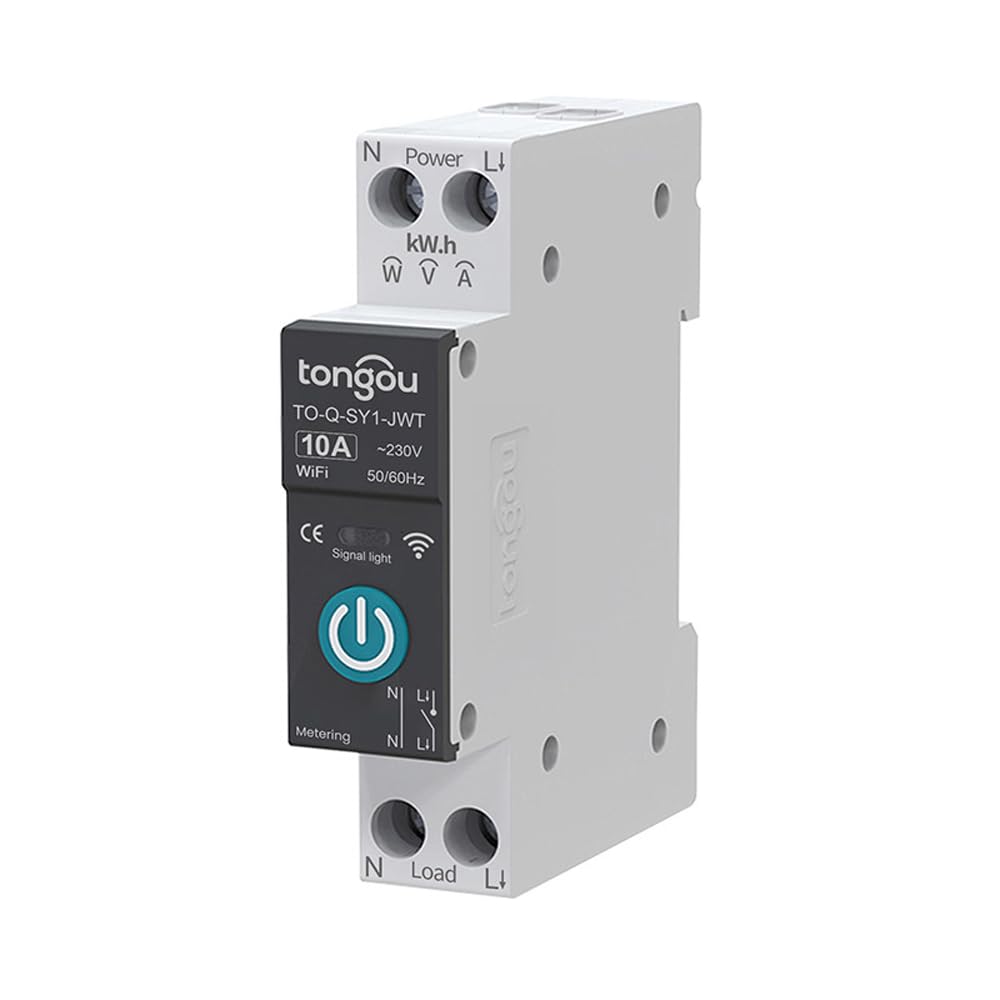
Imatge: Frontal view of the TONGOU Smart Wi-Fi Light Switch, showcasing its compact design and power button.
2. Característiques clau
The TO-Q-SY1 Smart Wi-Fi Light Switch offers a range of features to enhance your smart home experience:
- Comandament a distància: Control your devices from anywhere using the Smart Life/Tuya APP on your smartphone.
- Control de veu: Compatible amb Amazon Alexa i Google Assistant per a un funcionament còmode amb mans lliures.
- Modes de sincronització: Set schedules with Timing Mode, Countdown Mode, and Loop Timing to automate your devices.
- Energy Monitoring (TO-Q-SY1-JWT model): Real-time monitoring of electricity consumption, including current, voltage, and power data.
- Construcció d'alta qualitat: Made with high-precision manganese copper, flame-retardant PA66 shell, and a high-performance chip module for durability and safety.
- Fàcil instal·lació: Snap-on design for simple DIN rail mounting without specialized tools.

Image: Visual representation of the smart switch's key features, including timing, countdown, loop timing, and metering functions.

Image: Illustration highlighting the benefits such as remote control, voice control, various timing options, and real-time electricity monitoring.
3. Especificacions del producte
| Especificació | Detall |
|---|---|
| Selecció de models | TO-Q-SY1-WT (without metering), TO-Q-SY1-JWT (with metering) |
| Corrent nominal | Available from 1A to 63A |
| Voltage | ~230V (50/60Hz) |
| Poles Description | 1P+N (N pole pass-through) |
| Tipus de control | Comandament a distància, Manual |
| Temperatura de treball | 0 °C–40 °C |
| Dimensions (aprox.) | 82mm (3.23in) H x 18mm (0.71in) W x 50mm (1.97in) D |
| Dimensions del paquet | 3.54 x 3.15 x 0.79 polzades; 4.41 unces |
| Fabricant | TONGOU |

Image: Detailed dimensions and model specifications for the DIN rail mounted smart switch.
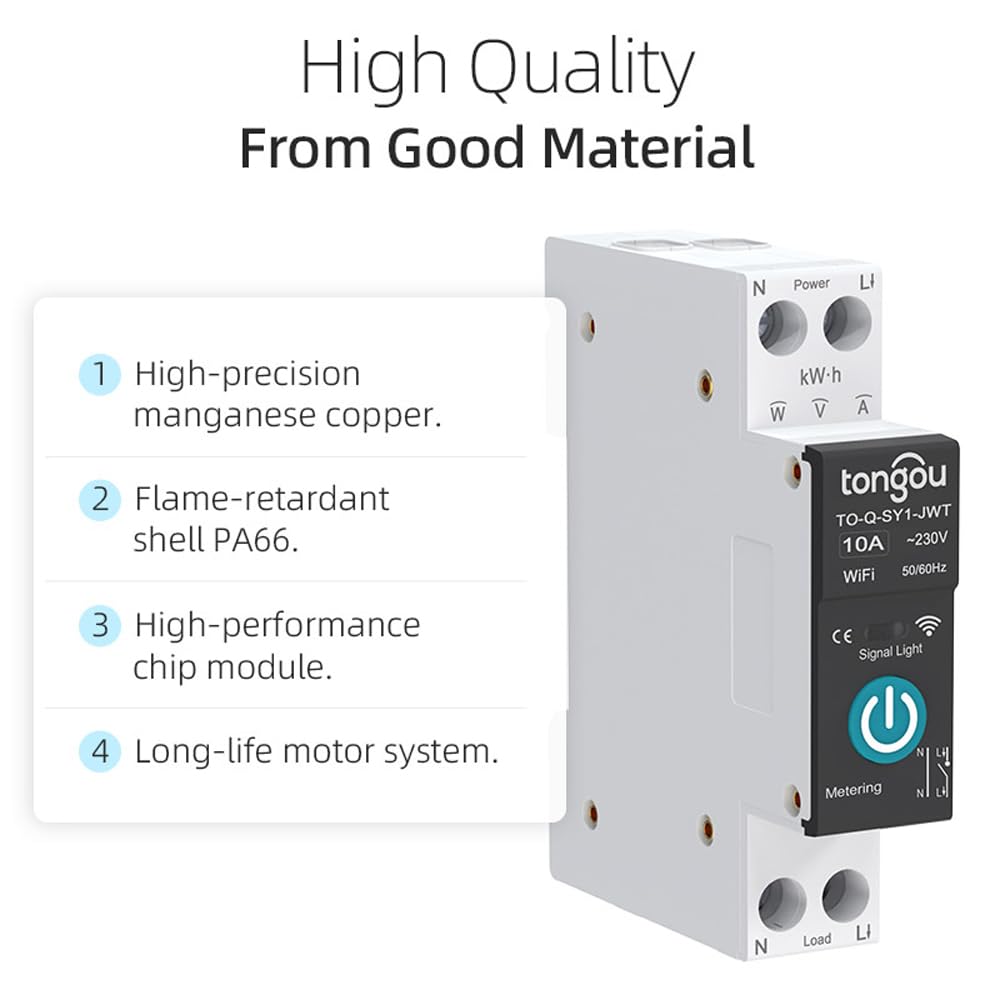
Image: Breakdown of the high-quality materials used in the smart switch, including manganese copper and flame-retardant shell.
4. Configuració
4.1. Instal·lació
The TONGOU Smart Wi-Fi Light Switch is designed for easy installation on a standard 35mm DIN rail. Ensure power is disconnected before installation.
- Mount the switch onto the DIN rail by simply snapping it into place. The snap-on design allows for installation without special tools.
- Connect the wiring to the terminals. The environmentally friendly anti-oxidation terminal screws with a tail structure facilitate easier and secure wiring.
Video: Demonstrates the physical installation of the TONGOU Smart Wi-Fi Switch on a DIN rail, highlighting the snap-on design and terminal wiring.
4.2. Emparellament d'aplicacions
To control your smart switch via the app, follow these pairing steps:
- Download the Smart Life or Tuya Smart app from your device's app store.
- Registreu-vos o inicieu sessió al vostre compte.
- Ensure the smart switch is powered on and the Wi-Fi signal LED is flashing (indicating pairing mode). If not, press and hold the power button for 5-10 seconds until it flashes.
- In the app, tap the '+' icon to add a device. Select 'Electrical Switch' or 'Circuit Breaker (Wi-Fi)'.
- Seguiu les instruccions que apareixen a la pantalla per connectar el commutador a la vostra xarxa Wi-Fi.

Image: Step-by-step visual guide for pairing the smart switch with the Smart Life or Tuya app.
Descripció de l'indicador:
- TO-Q-SY1-WT (without metering):
- Steady blue light: Switch is on.
- Light off: Switch is off or off-grid mode.
- Flashing slowly: Switch is in pairing mode.
- TO-Q-SY1-JWT (with metering):
- Steady blue light: Network successfully connected.
- Flashing slowly: Switch is in pairing mode.
- Light off: Device is in off-grid mode.
- Indicator lights up on button: Switch is off.
- Indicator lights off on button: Switch is on.

Image: Explanation of the LED indicator states for the TO-Q-SY1-WT model.

Image: Explanation of the LED indicator states for the TO-Q-SY1-JWT model.
5. Instruccions de funcionament
5.1. Control remot mitjançant l'aplicació
Once paired, you can control your smart switch from anywhere using the Smart Life/Tuya app:
- Open the app and select your device from the home screen.
- Toqueu la icona d'engegada per encendre o apagar l'aparell connectat.
- Access additional features like timing, countdown, and energy monitoring (for JWT models) directly from the device interface in the app.

Image: Depicts the app interface for remote control and monitoring of the smart switch.
5.2. Control per veu
Integrate your smart switch with Amazon Alexa or Google Assistant for convenient voice control:
- Enable the Smart Life or Tuya Smart skill/action in your Alexa or Google Home app.
- Link your Smart Life/Tuya account.
- Descobreix dispositius. Un cop descoberts, pots utilitzar ordres de veu com ara:
- "Alexa, activa [nom del dispositiu]."
- "Ei Google, desactiva [nom del dispositiu]."

Image: Illustrates the voice control functionality with Amazon Alexa and Google Assistant.
5.3. Funcions de temporització
Automate your devices with various timing options available in the app:
- Horari: Set specific times for the switch to turn on or off daily or on selected days of the week.
- Compte enrere: Set a timer for the switch to turn off after a specified duration.
- Loop Timing: Configure the switch to cycle on and off at regular intervals.
- Sortida / posta de sol: Automate based on local sunrise and sunset times.

Image: Screenshot of the app's smart timer settings, showing options like Schedule, Sunrise, Sunset, and Circulate.
5.4. Energy Monitoring (TO-Q-SY1-JWT model only)
The TO-Q-SY1-JWT model provides real-time energy consumption data directly in the app:
- View live current, voltage, i lectures de potència.
- Access historical electricity consumption records by hour, day, month, and year.
- Monitor total forward energy consumption to better understand and manage your power usage.

Image: Displays the app interface showing real-time metering data, including total electricity consumption and historical usage graphs.
6. Manteniment
To ensure the longevity and optimal performance of your TONGOU Smart Wi-Fi Light Switch, follow these maintenance guidelines:
- Mantingueu el dispositiu net i lliure de pols. Feu servir un drap sec i suau per netejar-lo.
- Eviteu exposar el dispositiu a temperatures extremes, humitat o llum solar directa.
- Do not attempt to disassemble or repair the device yourself. Refer to qualified personnel for any repairs.
- Regularly check for any loose wiring connections to ensure safety and proper function.
7. Solució De Problemes
If you encounter issues with your smart switch, refer to the following common problems and solutions:
- El dispositiu no es connecta a la Wi-Fi:
- Assegureu-vos que la vostra xarxa Wi-Fi sigui de 2.4 GHz. El commutador no admet Wi-Fi de 5 GHz.
- Check if the Wi-Fi signal is strong enough at the switch's location.
- Verify that you have entered the correct Wi-Fi password during pairing.
- Try power cycling the switch (turn off and on the main power supply).
- Reset the switch to pairing mode by holding the power button until the indicator flashes.
- El dispositiu no respon a les ordres de veu/de l'aplicació:
- Check the device's indicator light to confirm it's connected to the network (steady blue light).
- Assegureu-vos que el vostre telèfon intel·ligent tingui una connexió a Internet activa.
- For voice control, verify that your smart assistant (Alexa/Google Assistant) is properly linked to your Smart Life/Tuya account and the device is discovered.
- Inaccurate energy monitoring (TO-Q-SY1-JWT model):
- Ensure the wiring is correctly installed according to the diagram.
- Confirm the device firmware is up to date via the app.
If the issue persists after trying these steps, please contact TONGOU customer support for further assistance.
8. Garantia i Suport
TONGOU is committed to providing high-quality smart home solutions. This product comes with a Garantia de 24 mesos sense preocupacions des de la data de compra. Aquesta garantia cobreix els defectes de materials i de mà d'obra en ús normal.
For warranty claims, technical support, or any inquiries, please refer to the contact information provided on the product packaging or the official TONGOU website. Please have your purchase receipt and product model number ready when contacting support.

Image: Highlights TONGOU's commitment to smart products and the 24-month warranty.


