1. Introducció
The OLIGHT Warrior Nano is a compact and powerful tactical flashlight designed for everyday carry (EDC), outdoor activities, and emergency situations. It features a maximum output of 1200 lumens, a throw distance of 135 meters, and a versatile dual-switch interface. This manual provides detailed instructions for the safe and effective use of your Warrior Nano flashlight.

Image 1.1: The OLIGHT Warrior Nano Tactical Flashlight.
2. Contingut del paquet
Please inspect the package contents upon receipt. If any items are missing or damaged, contact your retailer or OLIGHT customer service.
- Warrior Nano Flashlight (battery included) x 1
- MCC-1A Magnetic Charging Cable x 1
- L-Stand x 1
- Manual d'usuari x 1

Image 2.1: All items included in the Warrior Nano package.
3. Configuració i ús inicial
3.1. Carregant la bateria
The Warrior Nano comes with a rechargeable battery. Before first use, or when the battery indicator shows low power, fully charge the device.
- Connect the MCC-1A magnetic charging cable to a USB power source.
- Attach the magnetic end of the cable to the tail cap of the flashlight. The indicator on the charging cable will glow red during charging and turn green when fully charged.
Una càrrega completa sol trigar aproximadament 2 hores.

Image 3.1: Charging the Warrior Nano using the magnetic charging cable.
3.2. Indicador de nivell de bateria
The side switch features a tri-color battery indicator to show the remaining power:
- Verd: El nivell de bateria és superior al 60%.
- Taronja: El nivell de la bateria està entre el 10% i el 60%.
- Vermell: El nivell de la bateria és inferior al 10%.

Image 3.2: The tri-color battery indicator on the side switch.
4. Funcionament
The Warrior Nano features both a side switch for general use and a tail switch for tactical operations.
4.1. Funcionament de l'interruptor lateral
- Activar/Desactivar: Single click the side switch to turn the flashlight on or off.
- Canvia el nivell de brillantor: When the flashlight is on, press and hold the side switch to cycle through Moonlight, Low, Medium, and High modes. Release the switch to select the desired mode.
- Mode clar de lluna: When the flashlight is off, press and hold the side switch for approximately one second to activate Moonlight mode.
- Mode turbo: Double click the side switch to activate Turbo mode. Double click again to return to the previous mode.
- Mode estroboscòpic: Triple click the side switch to activate Strobe mode. Single click to exit.
4.2. Funcionament de l'interruptor posterior
- Momentary High: Half-press and hold the tail switch for momentary High output. Release to turn off.
- Constant High: Full-press the tail switch for constant High output. Full-press again to turn off.
- Momentary Turbo: Full-press and hold the tail switch for momentary Turbo output. Release to turn off.
- Constant Turbo: Double full-press the tail switch for constant Turbo output. Full-press again to turn off.
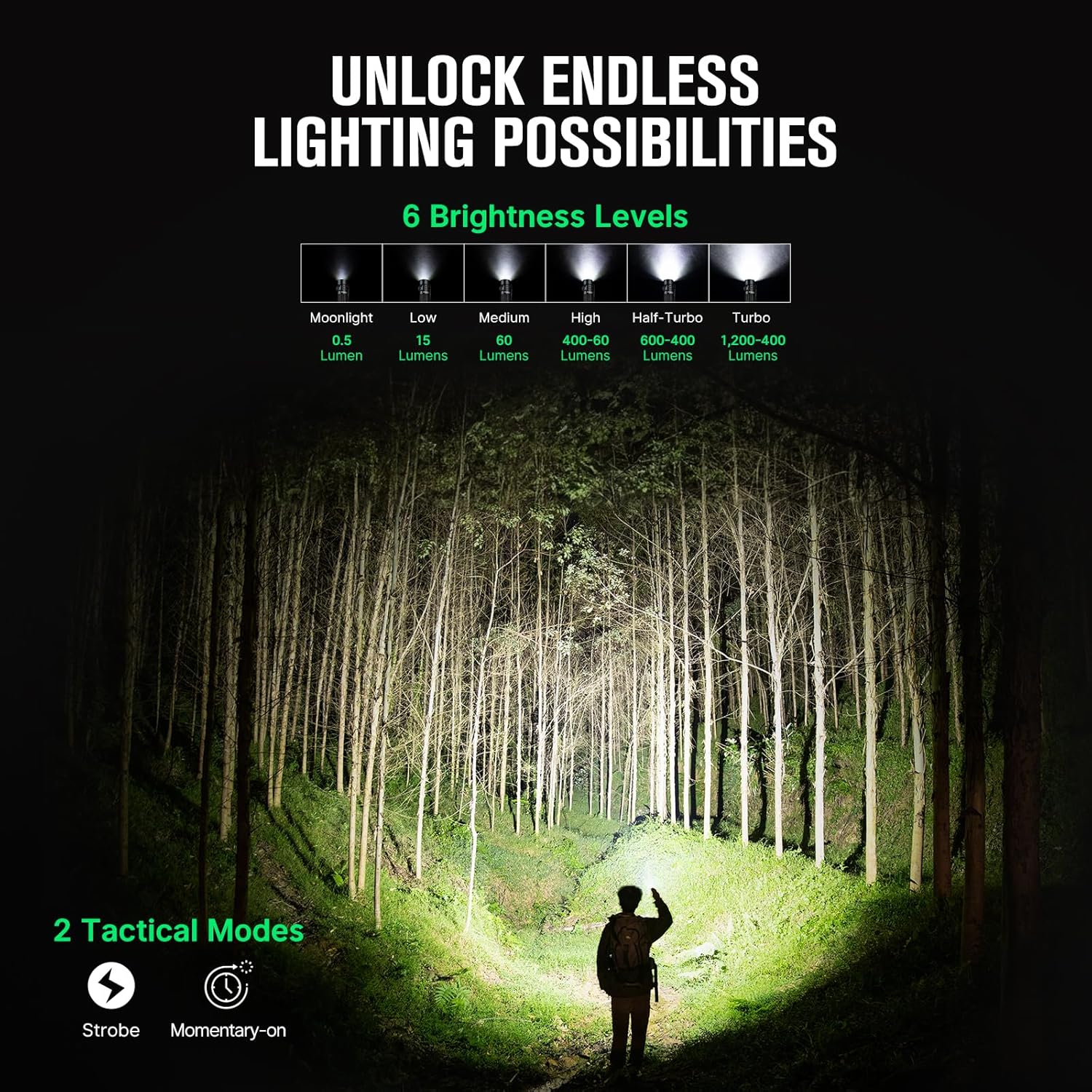
Image 4.1: Available brightness levels and tactical modes.
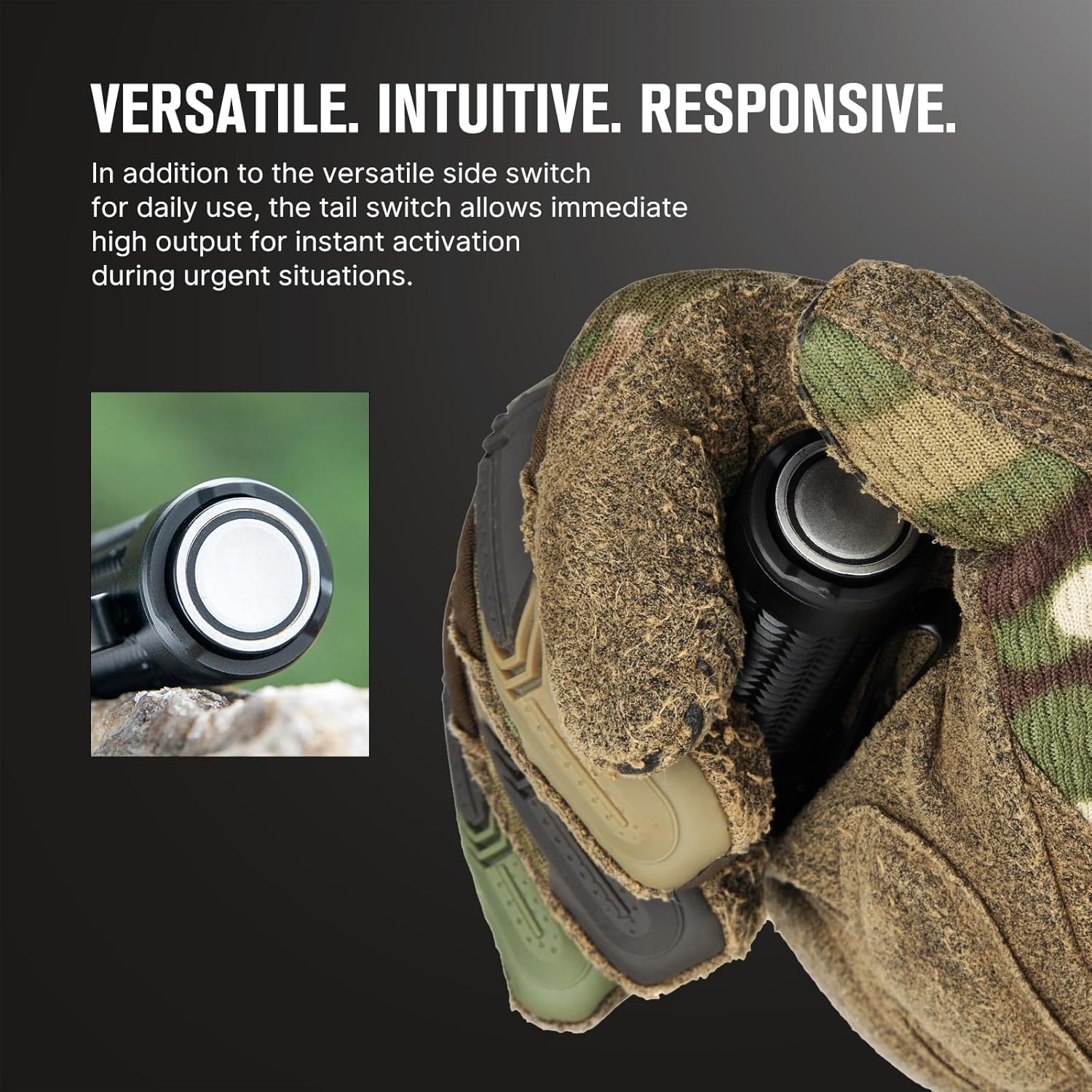
Image 4.2: The side switch for daily use and the tail switch for tactical activation.
4.3. Lockout Feature
To prevent accidental activation, the Warrior Nano includes a lockout feature.
- Activa el bloqueig: When the flashlight is off, press and hold the side switch for approximately two seconds until the Moonlight mode briefly turns on and then off. The flashlight is now locked out.
- Desactiva el bloqueig: Press and hold the side switch for approximately two seconds until the Moonlight mode turns on. The flashlight is now unlocked.

Image 4.3: The lockout feature prevents accidental activation when carrying the flashlight.
5. Manteniment
Proper maintenance ensures the longevity and optimal performance of your Warrior Nano flashlight.
- Neteja: Clean the lens with a soft, clean cloth. For stubborn dirt, use a cotton swab dampamb alcohol fregant.
- Lubricació: Apply a thin layer of silicone grease to the O-rings periodically to maintain water resistance.
- Emmagatzematge: Store the flashlight in a cool, dry place. For long-term storage, it is recommended to charge the battery every 3-6 months to prevent over-discharge.
5.1. Resistència a l'aigua
The Warrior Nano is designed with water resistance to withstand various environmental conditions.

Image 5.1: The Warrior Nano is designed to be water resistant.
6. Solució De Problemes
If you encounter issues with your Warrior Nano, please refer to the following common problems and solutions:
| Problema | Causa possible | Solució |
|---|---|---|
| La llanterna no s'encén | Low battery; Lockout mode active; Loose tail cap | Charge battery; Deactivate lockout mode; Tighten tail cap |
| La sortida de llum és tènue | Low battery; Lens is dirty | Charge battery; Clean lens |
| Flashlight gets hot on high modes | Normal operation for high output; Half-Turbo mode engaged | This is normal. The flashlight has a thermal management system to prevent overheating. Use Half-Turbo mode for sustained high output. |
| La càrrega magnètica no funciona | Charging cable not properly connected; Dirty contact points | Ensure magnetic cable is securely attached; Clean contact points on cable and tail cap. |
If the problem persists, please contact OLIGHT customer support.
7. Especificacions
| Característica | Detall |
|---|---|
| Sortida màxima | 1200 lúmens |
| Max Throw | 135 metres |
| Font d'alimentació | Bateria recarregable de ions de liti |
| Tipus de font de llum | LED |
| Material | Aliatge d'alumini |
| Dimensions (L x P) | 3.18" x 0.9" (81 mm x 23 mm) |
| Pes | 6.4 unces (0.18 kg) |
| Resistència a l'aigua | Water Resistant (IPX8 equivalent) |
| Característiques especials | Dual Switches, Tri-color Battery Indicator, Half-Turbo Mode, Lockout Feature |
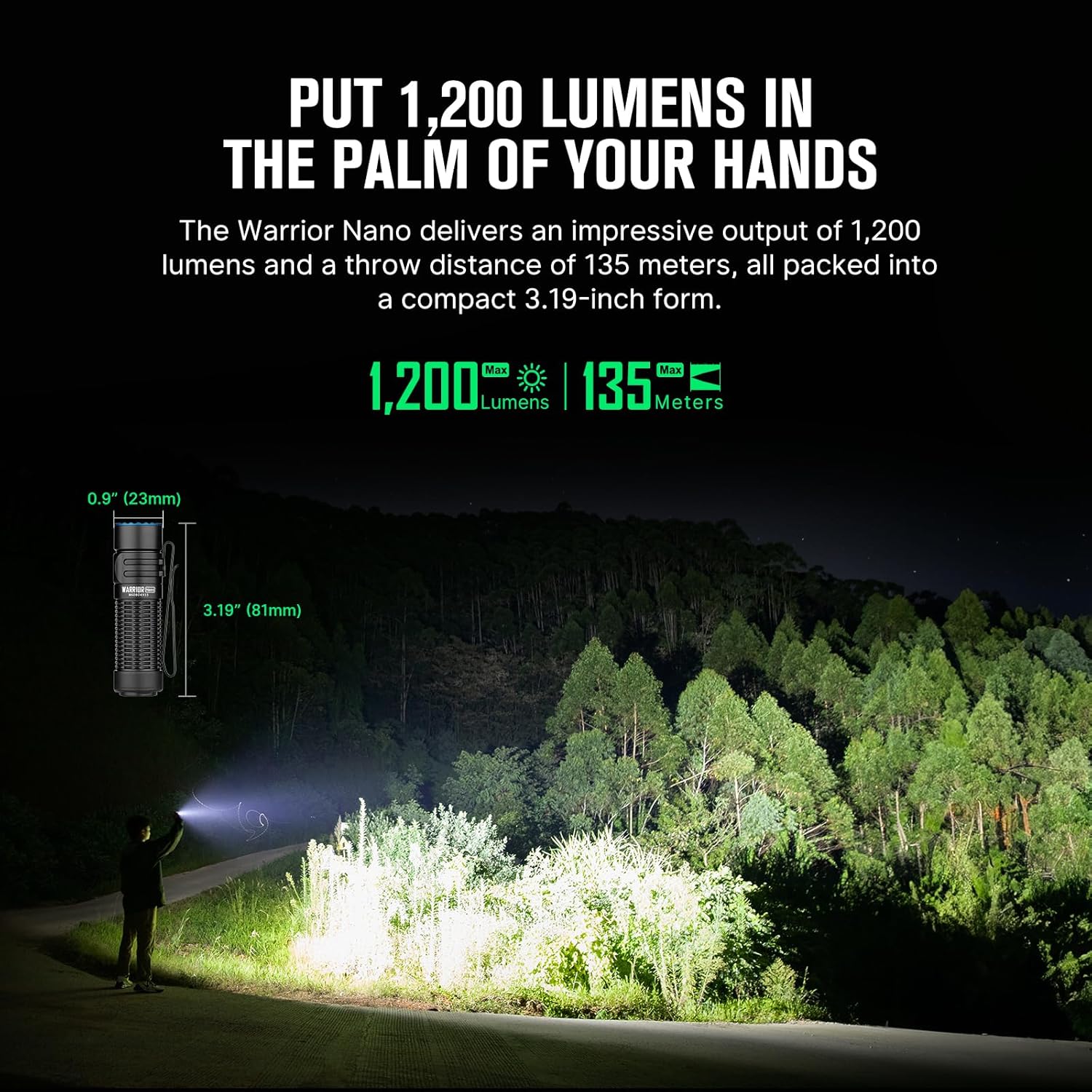
Image 7.1: Dimensions and performance metrics of the Warrior Nano.
8. Garantia i Suport
8.1. Informació de la garantia
OLIGHT offers a Garantia de per vida on its products, ensuring quality and reliability. For specific terms and conditions, please refer to the official OLIGHT weblloc o contacteu amb el servei d'atenció al client.
8.2. Atenció al client
For further assistance, technical support, or warranty claims, please visit the official OLIGHT weblloc web o poseu-vos en contacte amb el seu departament d'atenció al client. També podeu visitar el OLIGHT Store on Amazon per obtenir més informació sobre el producte i recursos d'assistència.


