1. Introducció
The TENMARS TM-213 is a compact, professional UVAB light meter designed for accurate measurement of ultraviolet radiation. This device is suitable for a variety of applications, including industrial monitoring, UV sterilization, graphic arts, photochemical matching, UV EPROM erasure, photoresist exposure, and curing of inks, adhesives, and coatings. It is also useful for laboratory studies such as weathering degradation, virology, microbial genetics, DNA research, and biological hoods.
This manual provides detailed instructions for the safe and effective use of your TM-213 UVAB Light Meter. Please read it thoroughly before operation and retain it for future reference.
2. Informació de seguretat
To ensure safe operation and to prevent damage to the meter, please observe the following safety precautions:
- No feu funcionar el mesurador si sembla danyat o si el casing està obert.
- Avoid exposing the meter to extreme temperatures, humidity, or direct sunlight for prolonged periods.
- Do not attempt to repair or modify the meter. Refer all servicing to qualified personnel.
- Remove batteries if the meter is not to be used for an extended period to prevent battery leakage.
- Keep the sensor clean and free from obstructions for accurate readings.
- This device measures UV radiation. Prolonged exposure to high levels of UV radiation can be harmful. Use appropriate personal protective equipment when working in environments with high UV levels.
3. Contingut del paquet
Verify that all items listed below are present and in good condition upon unpacking:
- TENMARS TM-213 UVAB Light Meter
- Manual d'usuari
- Maleta de transport
- Calibration Certificate (if included)
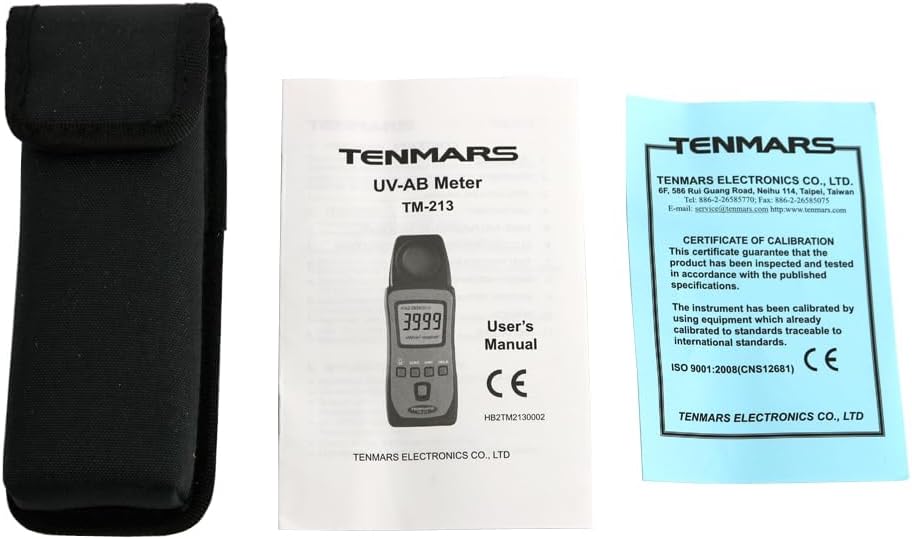
Image 3.1: The TENMARS TM-213 UVAB Light Meter package contents, showing the meter, its protective carrying case, the user manual, and a calibration certificate.

Image 3.2: The TENMARS TM-213 UVAB Light Meter, its carrying case, and the retail packaging.
4. Dispositiu acabatview
Familiarize yourself with the components and controls of your TM-213 UVAB Light Meter.

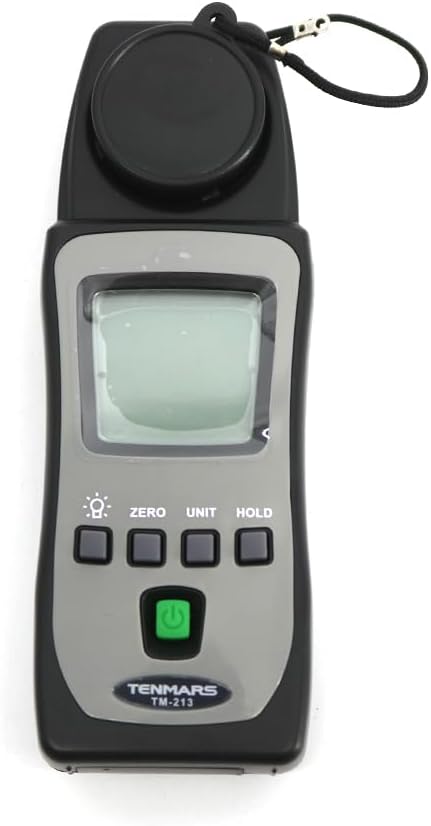
Imatge 4.1: Frontal view of the TM-213 meter. Key features include the LCD display, UV sensor with protective cap, and control buttons for power, zero, unit, and hold functions.
Imatge 4.2: Anglesa view of the TM-213 meter, providing a better perspective of its compact design and button placement.
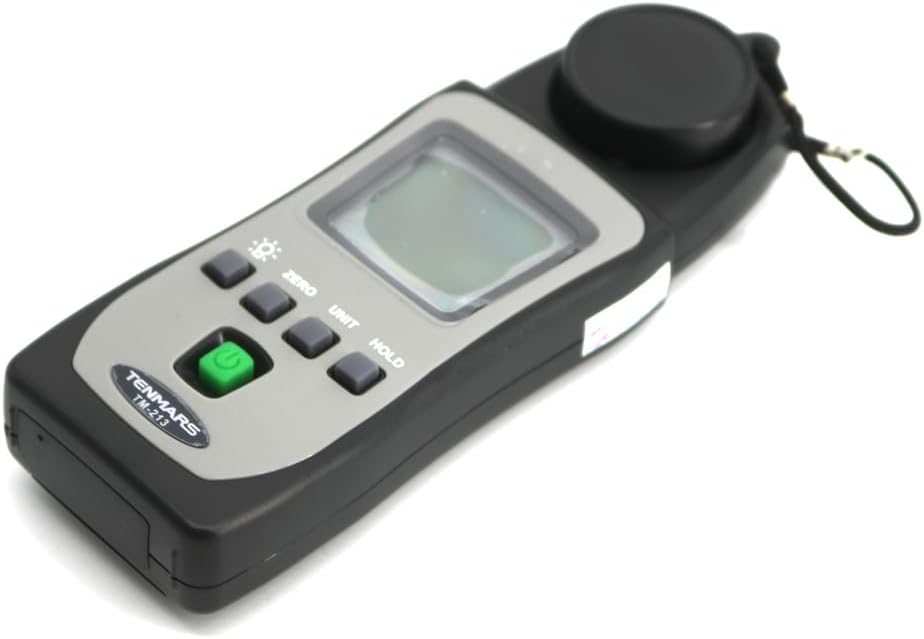
Image 4.3: Close-up of the UV sensor with its protective cap removed, ready for measurement.

Imatge 4.4: Darrere view of the TM-213 meter, displaying the product label with specifications and the battery compartment cover.
4.1 Controls i pantalla
- Pantalla LCD: Shows measurement readings, units, and other indicators.
- Botó d'encendre (●): Turns the meter ON or OFF.
- Botó ZERO: Used to zero the reading before measurement.
- Botó UNIT: Toggles between measurement units (uW/cm² and mW/cm²).
- Botó HOLD: Congela la lectura actual a la pantalla.
- Sensor UV: Detects UVAB radiation. Ensure it is clean and unobstructed.
5. Configuració
5.1 Instal·lació de la bateria
The TM-213 requires two 1.5V AAA batteries for operation. Batteries are not included with the device.
- Localitzeu la tapa del compartiment de la bateria a la part posterior del mesurador.
- Use a small screwdriver to loosen the screw securing the battery cover.
- Traieu la tapa de la bateria.
- Introduïu dues piles AAA d'1.5 V, respectant la polaritat correcta (+/-) tal com s'indica a l'interior del compartiment.
- Col·loqueu la tapa de la bateria i premeu el cargol amb seguretat.

Image 5.1: The battery compartment of the TM-213 meter with the cover removed, illustrating the correct placement for two AAA batteries.
5.2 Engegada/apagada
- To turn the meter ON, press the green Power button (●).
- To turn the meter OFF, press the green Power button (●) de nou.
- The meter features an automatic shutdown function after approximately 15 minutes of inactivity to conserve battery life.
6. Instruccions de funcionament
6.1 Prendre una mesura
- Ensure batteries are installed and the meter is powered ON.
- Remove the protective cap from the UV sensor.
- Posar a zero el comptador: In an area with no UV light (e.g., in a dark room or with the sensor completely covered), press the ZERO button. The display should show "0" or a value very close to zero. This step ensures accuracy.
- Position the UV sensor towards the UV source or area you wish to measure.
- Read the UV radiation value displayed on the LCD screen. The measurement updates approximately every 3 seconds.
6.2 Canvi d'unitats de mesura
The TM-213 can display readings in microwatts per square centimeter (uW/cm²) or milliwatts per square centimeter (mW/cm²).
- Premeu el botó UNITAT button to toggle between uW/cm² and mW/cm².
- Note that 1000 uW/cm² is equivalent to 1 mW/cm².
6.3 Funció de retenció de dades
Per congelar la lectura actual a la pantalla:
- Premeu el botó MANTENIM durant una mesura. La lectura es congelarà.
- Premeu el botó MANTENIM button again to release the reading and resume live measurement.
7. Manteniment
7.1 Neteja
- Netegeu la c del comptadorasing amb un suau, damp tela. No utilitzeu netejadors abrasius ni dissolvents.
- Keep the UV sensor clean and free of dust or debris. Use a soft, lint-free cloth to gently clean the sensor surface.
7.2 Emmagatzematge
- When not in use, always place the protective cap over the UV sensor.
- Store the meter in its carrying case to protect it from dust, moisture, and physical damage.
- Si l'emmagatzemeu durant un període prolongat, traieu les piles per evitar fuites.
- Emmagatzemar en un lloc fresc i sec, lluny de la llum solar directa i de temperatures extremes.

Image 7.1: The TM-213 meter stored in its protective plastic bag and carrying case, demonstrating proper storage for longevity.
8. Solució De Problemes
If you encounter issues with your TM-213 meter, refer to the table below for common problems and solutions.
| Problema | Causa possible | Solució |
|---|---|---|
| El mesurador no s'encén. | Piles gastades o instal·lades incorrectament. | Check battery polarity. Replace with fresh 1.5V AAA batteries. |
| Display shows "OL". | Overload condition; UV radiation exceeds the meter's range. | Move the meter further from the UV source or use in a lower intensity environment. |
| Inaccurate or fluctuating readings. | Dirty sensor, improper zeroing, or external interference. | Clean the UV sensor. Perform a zero calibration in a dark environment. Ensure no strong electromagnetic fields are nearby. |
| Meter shuts off unexpectedly. | Automatic shutdown activated or low battery. | This is normal after 15 minutes of inactivity. If it happens during use, replace batteries. |
9. Especificacions
Technical specifications for the TENMARS TM-213 UVAB Light Meter:
| Paràmetre | Detall |
|---|---|
| Mostra | 3¾ digit LCD with a maximum reading of 4000 |
| Interval de mesura | 3999 uW/cm² to 39.99 mW/cm² (1000 uW/cm² = 1 mW/cm²) |
| UV Sensor Spectrum | Bandpass from 290 nm to 390 nm |
| Precisió | ±4% FS + 2 digits (FS: full scale 15% for UV sunlight) |
| Maximum Sensitivity Wavelength | 365 nm |
| Samptemps temps | Uns 3 segons |
| Indicació d'excés de rang | "OL" displayed on screen |
| Font d'alimentació | 2 piles AAA de 1.5 V |
| Apagat automàtic | Després d'uns 15 minuts d'inactivitat |
| Dimensions (Main Instrument) | 133 x 48 x 27 mm (5.24 x 1.89 x 1.06 polzades) |
| Weight (Main Instrument) | Aproximadament 90 g (0.2 lliures) |
| Conformitat EMC | Complies with EN61326 (1997) + A1 (1998) + A2 (2001) |
| Material | Plàstic |
10. Garantia i Suport
TENMARS products are designed for reliability and performance. For specific warranty information, please refer to the warranty card included with your product or contact your local TENMARS distributor or customer service.
For technical support, troubleshooting assistance beyond this manual, or service inquiries, please contact TENMARS customer support through their official weblloc web o la informació de contacte que es proporciona a la documentació del producte.
Note: The provided JSON includes a "Certificate of Calibration" image, indicating that the product is calibrated and tested according to international standards. This supports the quality and reliability of the device.


