Introducció
Thank you for choosing the iGear Crystal Wireless Earbuds. These earbuds are designed to provide a superior audio experience with advanced features such as Environmental Noise Cancellation (ENC), HiFi stereo sound, and a transparent charging case with an LED digital display. This manual will guide you through the setup, operation, and maintenance of your new earbuds to ensure optimal performance and longevity.
Què hi ha a la caixa
- iGear Crystal Earbuds (Left and Right)
- Transparent Charging Case
- Silicone Cover with String
- Cable de càrrega USB
- Extra Ear Muffs (various sizes)
- Manual d'usuari

Image: The iGear Crystal Wireless Earbuds, showing both earbuds and the transparent charging case with its digital display.
Configuració
1. Càrrega dels auriculars i l'estoig
Before first use, fully charge the earbuds and the charging case. Connect the provided USB charging cable to the Type-C port on the charging case and a compatible USB power source. The LED digital display on the case will show the current battery percentage, que indica l'estat de càrrega.
- A full charge provides approximately 4 hours of playback for the earbuds.
- The portable charging case extends total listening time up to 30 hours.
- Fast charging allows for 3.5 hours of use with just 10 minutes of charging.

Imatge: Primer pla view of the transparent charging case displaying the digital battery percentage for the case and individual earbuds.

Image: Visual representation of the iGear Crystal Earbuds and charging case highlighting the "Up to 30 Hrs" total playtime.
2. Emparellament amb el dispositiu
- Assegureu-vos que els dos auriculars estiguin carregats.
- Obre l'estoig de càrrega. Els auriculars s'encendran automàticament i entraran en mode d'emparellament.
- Al dispositiu (telèfon intel·ligent, tauleta, ordinador portàtil), activeu el Bluetooth.
- Cerca "iGear Crystal" in the list of available Bluetooth devices.
- Select "iGear Crystal" to connect. Once connected, you will hear a confirmation tone.
The earbuds feature an advanced Bluetooth 5.3 chip for stable signals and a connection range of up to 10 meters. After initial pairing, the earbuds will automatically connect to the last paired device when removed from the charging case.
Instruccions de funcionament
Encès/Apagat
- Encès: Obriu l'estoig de càrrega i els auriculars s'encendran automàticament. Si no, premeu i manteniu premuda la zona de control tàctil d'ambdós auriculars durant 3 segons.
- Apagar: Place the earbuds back into the charging case and close the lid. They will automatically power off. Alternatively, press and hold the touch control area on both earbuds for 5 seconds.
Controls tàctils
The iGear Crystal Earbuds feature intuitive touch controls on each earbud for easy management of music playback, calls, and voice assistants.
| Funció | Acció |
|---|---|
| Reproducció/pausa de música | Un sol toc a qualsevol dels auriculars. |
| Pista següent | Toqueu dues vegades l'auricular dret. |
| Pista anterior | Toqueu dues vegades l'auricular esquerre. |
| Respondre/Finalitzar la trucada | Un sol toc a qualsevol dels auriculars. |
| Rebutja la trucada | Prem i mantén premut qualsevol dels auriculars durant 2 segons. |
| Activa l'assistent de veu (Siri/Assistent de Google) | Toqueu tres vegades qualsevol dels auriculars. |
| Puja el volum | Press and hold on the Right earbud. |
| Baixa el volum | Press and hold on the Left earbud. |

Image: Diagram illustrating the touch control area on the iGear Crystal Earbuds, highlighting the multi-function button and support for Google Assistant and Siri.
Cancel·lació de soroll ambiental (ENC)
The iGear Crystal Earbuds are equipped with ENC technology, which uses a sophisticated algorithm to reduce ambient noise during calls. This ensures clearer voice transmission and reception, making your conversations more distinct even in noisy environments.
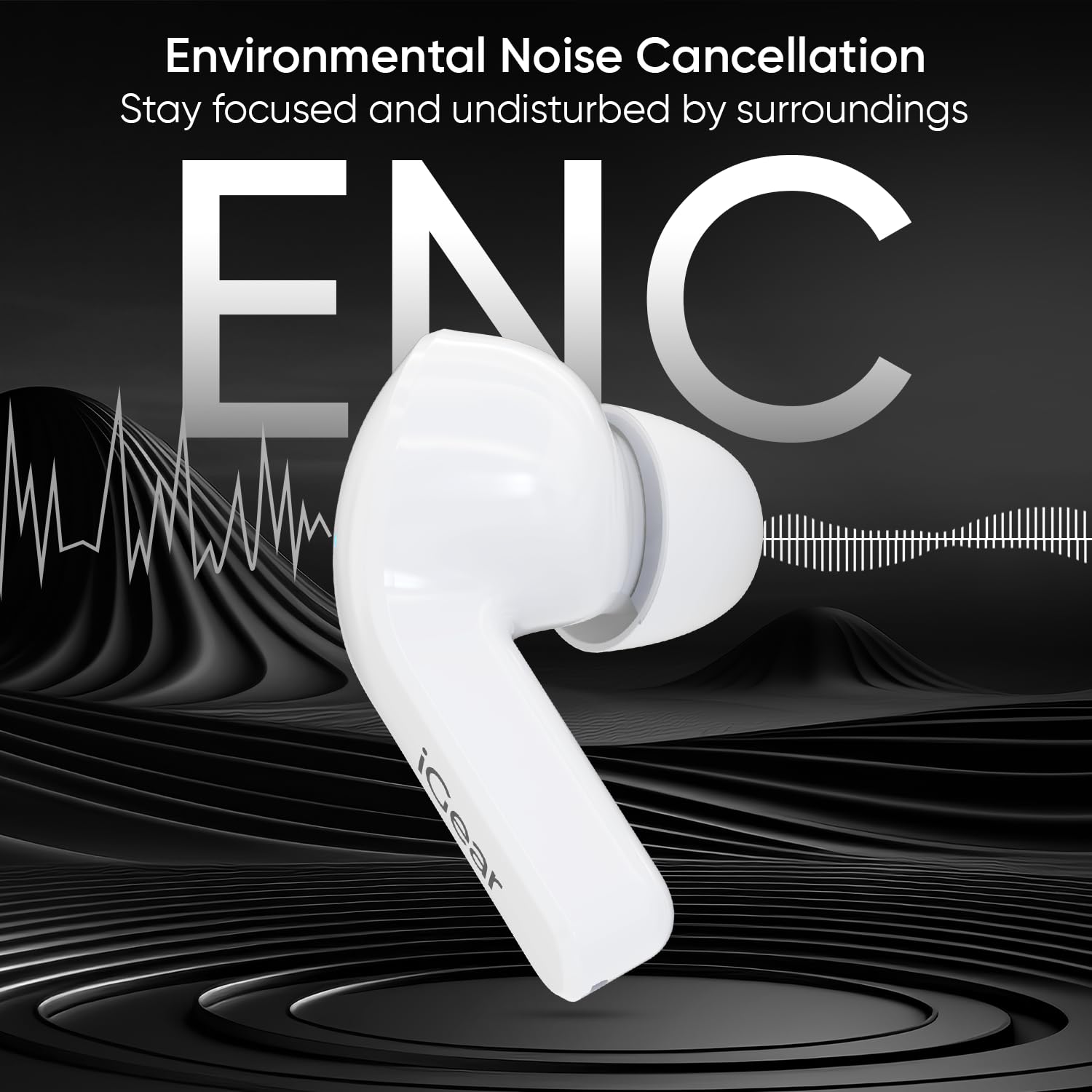
Image: Visual representation of an iGear Crystal earbud with sound waves, illustrating the Environmental Noise Cancellation (ENC) feature for focused listening.
Manteniment
- Neteja: Netegeu regularment els auriculars i l'estoig de càrrega amb un drap suau, sec i sense borrissol. No utilitzeu netejadors abrasius ni dissolvents.
- Consells per a les orelles: Traieu les puntes de les orelles i netegeu-les amb aigua i sabó suau si cal. Assegureu-vos que estiguin completament seques abans de tornar-les a col·locar.
- Resistència a l'aigua: The earbuds are splash-resistant (IPX5 rated), protecting them from sweat and light splashes. Do not submerge them in water or expose them to heavy rain.
- Emmagatzematge: Quan no els utilitzeu, guardeu els auriculars a la seva funda de càrrega per protegir-los i mantenir-los carregats. Guardeu-los en un lloc fresc i sec, allunyat de temperatures extremes.

Image: The iGear Crystal charging case enclosed in its silicone protective cover with a string, emphasizing portability and protection.
Resolució de problemes
If you encounter any issues with your iGear Crystal Earbuds, please refer to the following common solutions:
- Auriculars que no s'emparellan/connecten:
- Assegureu-vos que els dos auriculars estiguin carregats.
- Desactiva el Bluetooth al dispositiu i torna'l a activar.
- Delete "iGear Crystal" from your device's Bluetooth history and attempt to pair again.
- Torneu a col·locar els dos auriculars a l'estoig de càrrega, tanqueu la tapa, espereu uns segons i, a continuació, obriu la tapa per reiniciar el mode d'emparellament.
- Sense so d'un auricular:
- Ensure both earbuds are charged and properly seated in the charging case.
- Try resetting the earbuds by placing them in the case, closing the lid, and then opening it.
- Revisa la configuració d'àudio del dispositiu per assegurar-te que el balanç estigui centrat.
- Problemes de càrrega:
- Assegureu-vos que el cable de càrrega estigui connectat correctament tant a la carcassa com a la font d'alimentació.
- Try using a different USB charging cable or power adapter.
- Netegeu els contactes de càrrega dels auriculars i de l'interior de la funda amb un bastonet de cotó sec.
- Qualitat de trucada baixa:
- Ensure the earbuds are clean and the microphone ports are not obstructed.
- Apropeu-vos més al dispositiu connectat per garantir una connexió Bluetooth estable.
- Ensure ENC is active (if applicable, though it's automatic for calls).
Especificacions
The following table outlines the key technical specifications for the iGear Crystal Wireless Earbuds:
| Característica | Detall |
|---|---|
| Nom del model | Crystal TWS Earbuds |
| Número de model | iG-1025 |
| Tecnologia de connectivitat | Sense fil (Bluetooth 5.3) |
| Interval Bluetooth | Fins a 10 metres |
| Mida del controlador d'àudio | Controladors dinàmics de 14 mm |
| Control de soroll | Cancel·lació de soroll ambiental (ENC) |
| Durada de la bateria dels auriculars | Aprox. 4 hores |
| Temps de reproducció total (amb estoig) | Fins a 30 hores |
| Port de càrrega | USB tipus C |
| Mètode de control | Control tàctil |
| Assistència de veu | Assistent de Google, Siri |
| Nivell de resistència a l'aigua | Splash Resistant (IPX5) |
| Pes de l'article | 65 grams |
| Dimensions del producte | 5 x 2.8 x 4.2 cm |
| Material | ABS + silicona |

Imatge: Una explosió view of the iGear Crystal earbud, showcasing its internal components including the 14mm dynamic driver, emphasizing Hi-Fi Bass and iGear Signature Sound.
Garantia i Suport
iGear products are manufactured with high-quality standards. For any warranty claims or technical support, please contact iGear Tech Private Limited directly. Refer to the packaging or the official iGear weblloc web per conèixer els termes de garantia i la informació de contacte específics.
Fabricant: iGear Tech Private Limited
País d'origen: Xina


