1. Introducció
The Bisofice L8 Mini Pocket Wireless Bluetooth Thermal Printer is a compact and portable device designed for convenient printing of various content types without the need for ink cartridges. This manual provides essential information for setting up, operating, maintaining, and troubleshooting your printer to ensure optimal performance and longevity.
2. Producte acabatview
2.1 Característiques clau
- Disseny portàtil: Small and lightweight, designed for easy transport in a pocket or bag.
- Impressió versàtil: Supports printing of photos, messages, lists, barcodes, hand drawings, OCR text, study notes, banners, files, i web contingut.
- Impressió tèrmica sense tinta: Utilizes thermal printing technology, eliminating the need for ink cartridges and reducing running costs.
- Connectivitat sense fils: Connects to smartphones via Bluetooth 4.0 for convenient printing from iOS and Android devices.
- Alta resolució: Features a 203 DPI print resolution for clear printing effects.
- Bateria recarregable: Equipped with a built-in 1000mAh rechargeable lithium battery.
2.2 Què hi ha a la caixa
Verifiqueu que tots els elements que s'enumeren a continuació s'inclouen al vostre paquet:
- 1 x Bisofice L8 Thermal Printer
- 1 x Rotlle de paper tèrmic
- 1 x cable USB
- 1 x Guia d'inici ràpid
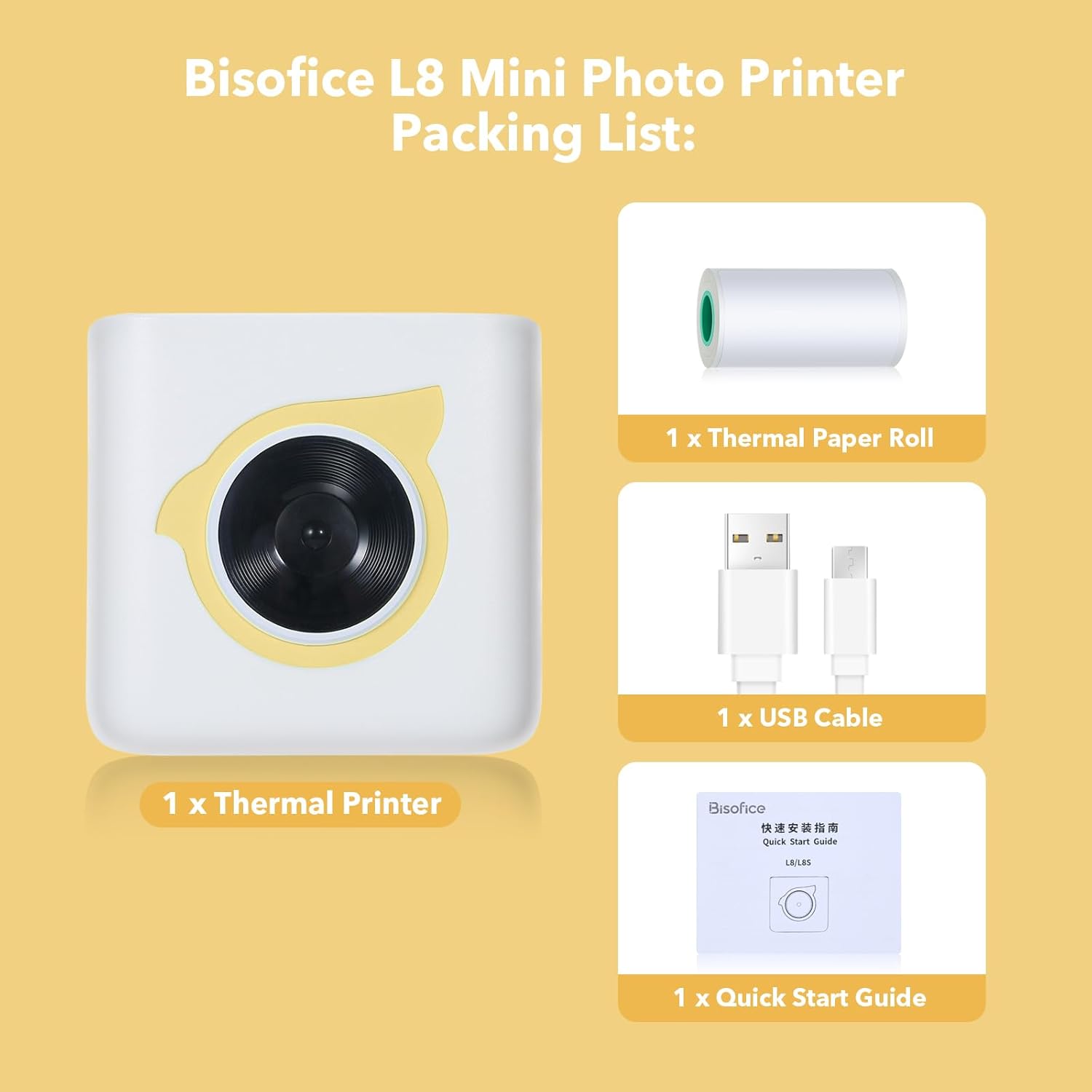
Figure 1: Contents of the Bisofice L8 Printer package.
3. Configuració
3.1 Càrrega de la impressora
Before initial use, fully charge the printer. Connect the provided USB cable to the printer's charging port and a standard USB power adapter (not included). The charging indicator light will typically show the charging status and turn off or change color when fully charged.
3.2 Càrrega de paper tèrmic
- Open the printer cover by gently sliding or pressing the designated release button.
- Insert the thermal paper roll into the paper compartment, ensuring the printing side of the paper faces the print head. The paper should feed smoothly.
- Pull a small length of paper out beyond the cutting edge.
- Tanqueu la coberta de la impressora fermament fins que encaixi al seu lloc.
3.3 Descàrrega i instal·lació d'aplicacions
The Bisofice L8 printer requires the "HerePrint" application for operation. Download the app using one of the following methods:
- Cerca: Cerca "HerePrint" in the Apple App Store (for iOS devices) or Google Play Store (for Android devices).
- Codi QR: Scan the QR code provided in the quick start guide or on the product packaging to directly access the download link.
- Enllaç directe: Visita http://hereprint.hprt.com/app/hereprint per descarregar l'aplicació.

Figure 2: HerePrint App download instructions.
3.4 Connexió Bluetooth
- Ensure your Bisofice L8 printer is powered on.
- Activa el Bluetooth al teu telèfon intel·ligent.
- Open the "HerePrint" application.
- Within the app, navigate to the device connection section (often indicated by a Bluetooth icon or a 'Connect Device' option).
- Select your printer (e.g., "L8" or a similar identifier) from the list of available Bluetooth devices.
- Once connected, the app will indicate a successful connection, and the printer's status light may change.
4. Instruccions de funcionament
The "HerePrint" app provides various functions for printing different types of content. Explore the app's interface to utilize its full capabilities.
4.1 General Printing Functions
- Impressió de text: Input text directly into the app or paste from other sources. The app may offer various fonts and formatting options.
- Impressió de fotos: Select images from your phone's gallery to print. Note that the printer produces monochrome (black and white) thermal prints.
- Label/Sticker Printing: Utilize templates within the app to create custom labels or stickers. Ensure you are using compatible adhesive thermal paper for sticker functionality.
- List Printing: Create shopping lists, to-do lists, or other organized lists using the app's templates.
- Web Impressió: Imprimeix contingut directament des de web pages through the app's integrated browser or sharing function.
- OCR Text Recognition: Use the app to scan text from images and convert it into editable text for printing.
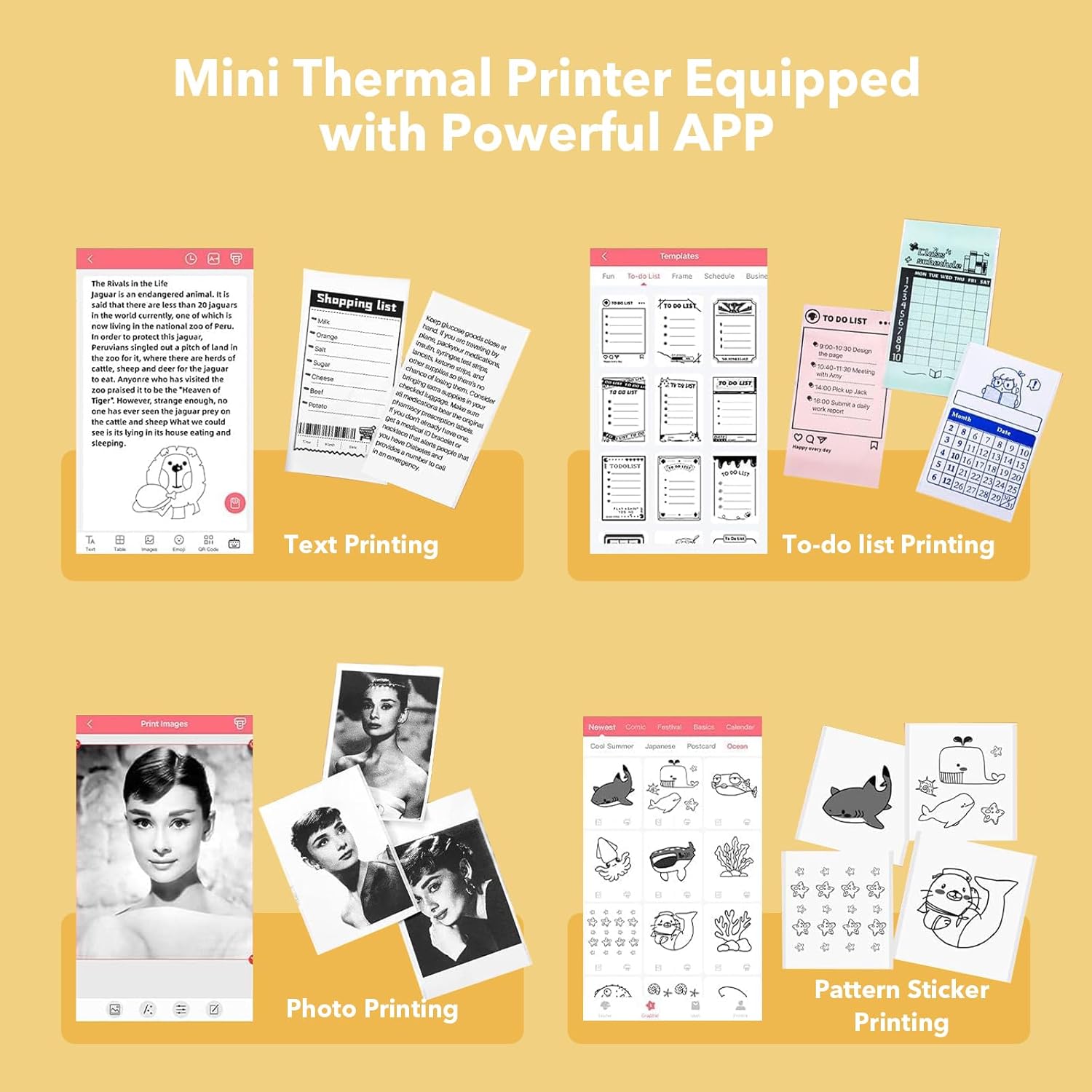
Figura 3: Examples of content printable with the Bisofice L8 and HerePrint app.
4.2 Specific Use Cases
- Notes d'estudi: Print notes, diagrams, or
Documents relacionats - L8

Guia de calibratge de la màquina comptadora de diners BISOFICE
Instruccions detallades per calibrar el detector de bitllets falsos i la comptadora de diners BISOFICE, que cobreixen el volum del sensortagPassos de calibratge de longitud i e per a un funcionament precís.
Guia ràpida d'instal·lació i ús del projector portàtil BISOFICE
Guia oficial d'instal·lació i ús ràpid del projector portàtil BISOFICE. Aprèn sobre la configuració, els paràmetres, les opcions de connectivitat com ara Wi-Fi, Bluetooth i la creació de rèplica de pantalla, i informació de compliment de la normativa de la FCC.
Tauleta de dibuix Bisofice 12HD-A: Guia d'inici ràpid
Una guia completa d'inici ràpid per a la tauleta de dibuix Bisofice 12HD-A, que cobreix la configuració, la instal·lació del controlador, la configuració del llapis i les especificacions tècniques.
Riepilogo Parametri Incisione Laser K6 3W per Materiali Vari
Questo documento riassume i parametri ottimali di incisione e taglio per l'incisore laser Bisofice K6 3W su una vasta gamma di materiali. Include dettagli su potenza, velocità, tempi e note specifiche per ogni materiale.
Paràmetres i especificacions de la màquina de gravat làser Bisofice K6 3W
Especificacions tècniques detallades i paràmetres de gravat per a la màquina de gravat làser Bisofice K6 3W, que cobreixen diversos materials, configuracions i notes de rendiment per a un gravat i tall làser òptims.