Introducció
This manual provides comprehensive instructions for the setup, operation, and maintenance of your NexiGo N60 Pro (Gen 2) 1080P Webcàmera. Llegiu atentament aquest manual abans d'utilitzar el producte per garantir un rendiment i una longevitat òptims.

Image: The NexiGo N60 Pro (Gen 2) 1080P Webcàmera, espectacleasing its sleek design, integrated privacy cover, and the included USB-C to USB-A data cable.
Característiques clau
- Full HD 1080P Weblleva: Equipped with a 2MP CMOS sensor, the N60 Pro delivers sharp and clear video at resolutions up to 1920 x 1080 at 30 frames per second.
- Distortion-Free Lens: Experience natural and lifelike images and videos. This lens technology helps maintain the true appearance of subjects, enhancing overall visual quality.

Image: A side-by-side comparison demonstrating the superior clarity and natural appearance achieved with the N60 Pro's distortion-free lens compared to a standard distortion lens.
- Detachable USB-C to USB-A Cable: Provides faster data transmission for stable and speedy video and image output. This design also contributes to enhanced security against wireless threats.

Imatge: Una imatge detallada view de la webcam's rear, highlighting the detachable USB Type-C port and cable for convenient and secure connectivity.
- Built-in Noise-Canceling Microphone: Ensures clear audio capture by effectively reducing ambient noise, ideal for video calls, streaming, and online learning across various platforms.
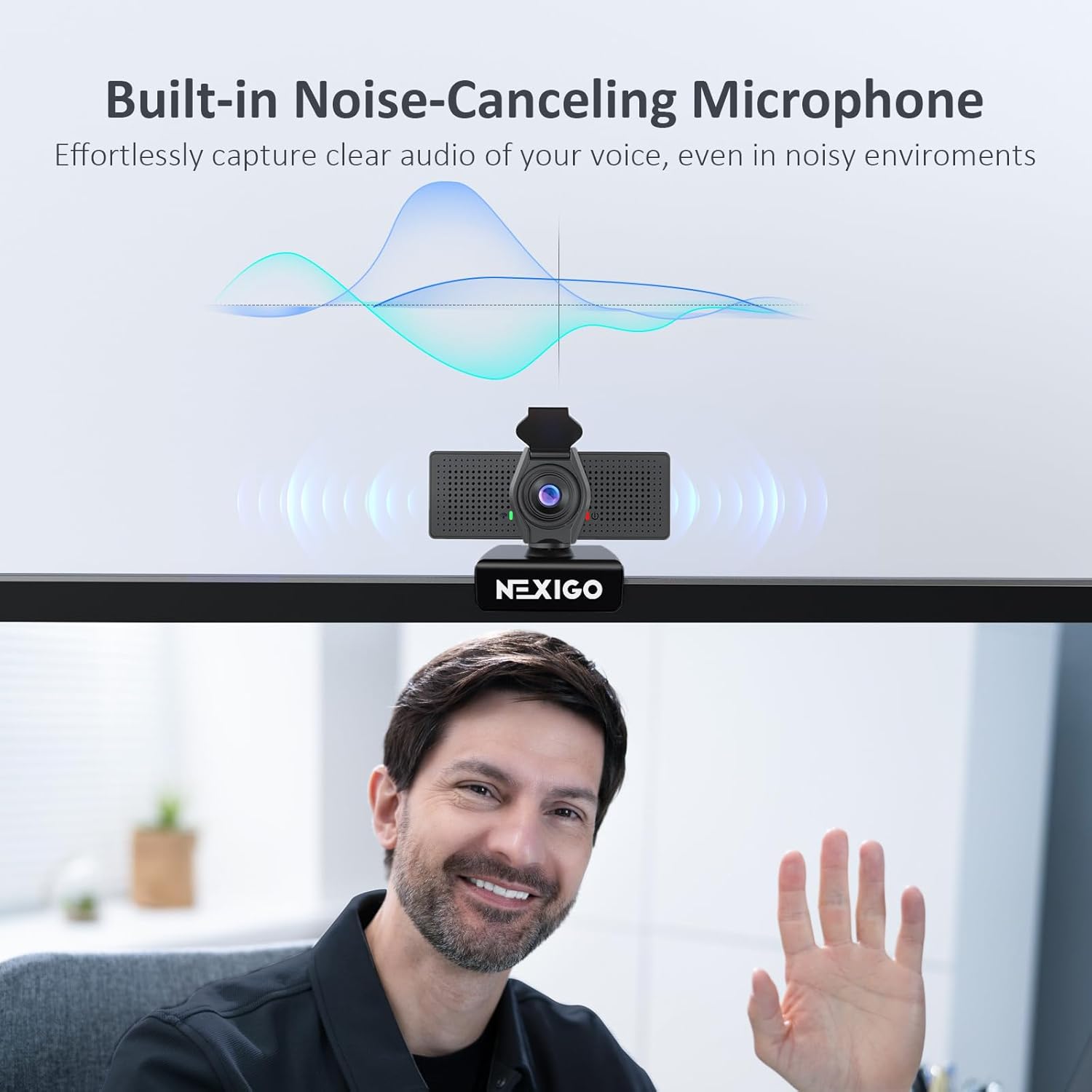
Imatge: Una representació visual de la webcam's built-in noise-canceling microphone, showing how it captures clear audio by filtering out environmental sounds.
- Àmplia compatibilitat: Seamlessly integrates with Mac OS X 10.7+, Windows 7/8/10/11, Android 4.0+, Linux 2.6.24, Chrome OS 29.0.1547, and Ubuntu 10.04+. Compatible with popular applications like Zoom, Skype, Teams, and OBS.

Image: An infographic illustrating the webcam's broad compatibility with operating systems like Mac, Windows, and Chrome OS, and applications such as Skype, Google Meet, Microsoft Teams, Zoom, and OBS.
- Included Privacy Cover: A physical privacy cover is integrated to prevent unauthorized access and ensure your privacy when the webla càmera no està en ús.

Image: The NexiGo webcam positioned on top of a monitor, demonstrating the use of its integrated privacy cover in the closed position for enhanced security.
Què hi ha a la caixa
Upon unboxing your NexiGo N60 Pro (Gen 2) Webcam, please verify that all the following components are included:
- NexiGo N60 Pro (2a generació) 1080P Weblleva
- Cable de dades USB-C a USB-A
- Privacy Cover (pre-installed or separate, depending on model revision)
- Manual d'usuari (aquest document)
Configuració
- Col·locació: Col·loca el webcam on top of your monitor, laptop screen, or a tripod. The integrated clip allows for stable mounting on most displays. Ensure the camera lens is facing you and is at an appropriate height for your video calls.
- Connexió: Connect the detachable USB-C end of the provided cable to the webcam and the USB-A end to an available USB port on your computer (PC or Mac).
- Instal·lació del controlador: The NexiGo N60 Pro (Gen 2) is a plug-and-play device. Your operating system (Windows, macOS, Chrome OS, Linux) should automatically detect and install the necessary drivers within a minute or less. No manual driver installation is typically required.
- Cobertura de privadesa: If the privacy cover is separate, attach it to the webcam. Ensure it can slide open and closed smoothly over the lens.
- Prova inicial: Open a video conferencing application (e.g., Zoom, Skype, Microsoft Teams) or your computer's camera application. Select the "NexiGo N60 Pro" as your video and audio input device. Verify that the video feed is visible and the microphone is picking up your voice.
Instruccions de funcionament
Utilitzant el Webcam with Applications
Once connected, your NexiGo N60 Pro (Gen 2) webcam can be used with various applications for video conferencing, streaming, and recording.
- Video Conferencing (Zoom, Skype, Teams, Google Meet): In the settings of your chosen application, navigate to the audio and video preferences. Select "NexiGo N60 Pro" as your camera and microphone.
- Streaming (OBS, Twitch): In your streaming software, add a new video capture device and select "NexiGo N60 Pro". Configure audio input similarly.
- Gravació: Use your operating system's built-in camera application or third-party software to record video and audio from the weblleva.
NexiGo Webcam Companion App (Optional)
For advanced settings and adjustments, NexiGo offers a dedicated software application. This software allows for fine-tuning of image parameters such as brightness, contrast, saturation, and digital zoom.
- Descarrega: The software can be downloaded from the official NexiGo weblloc. Cerca "NexiGo Webcam Companion App" or refer to the product support page.
- Instal·lació: Seguiu les instruccions a la pantalla per instal·lar el programari.
- Ajustaments: Open the application. You can adjust various settings including:
- Balanç de blancs
- Brillantor
- Contrast
- Hue
- Saturació
- Nitidez
- Gamma
- Compensació de contrallum
- Powerline Frequency (50Hz/60Hz)
- Digital Zoom (up to 2X)
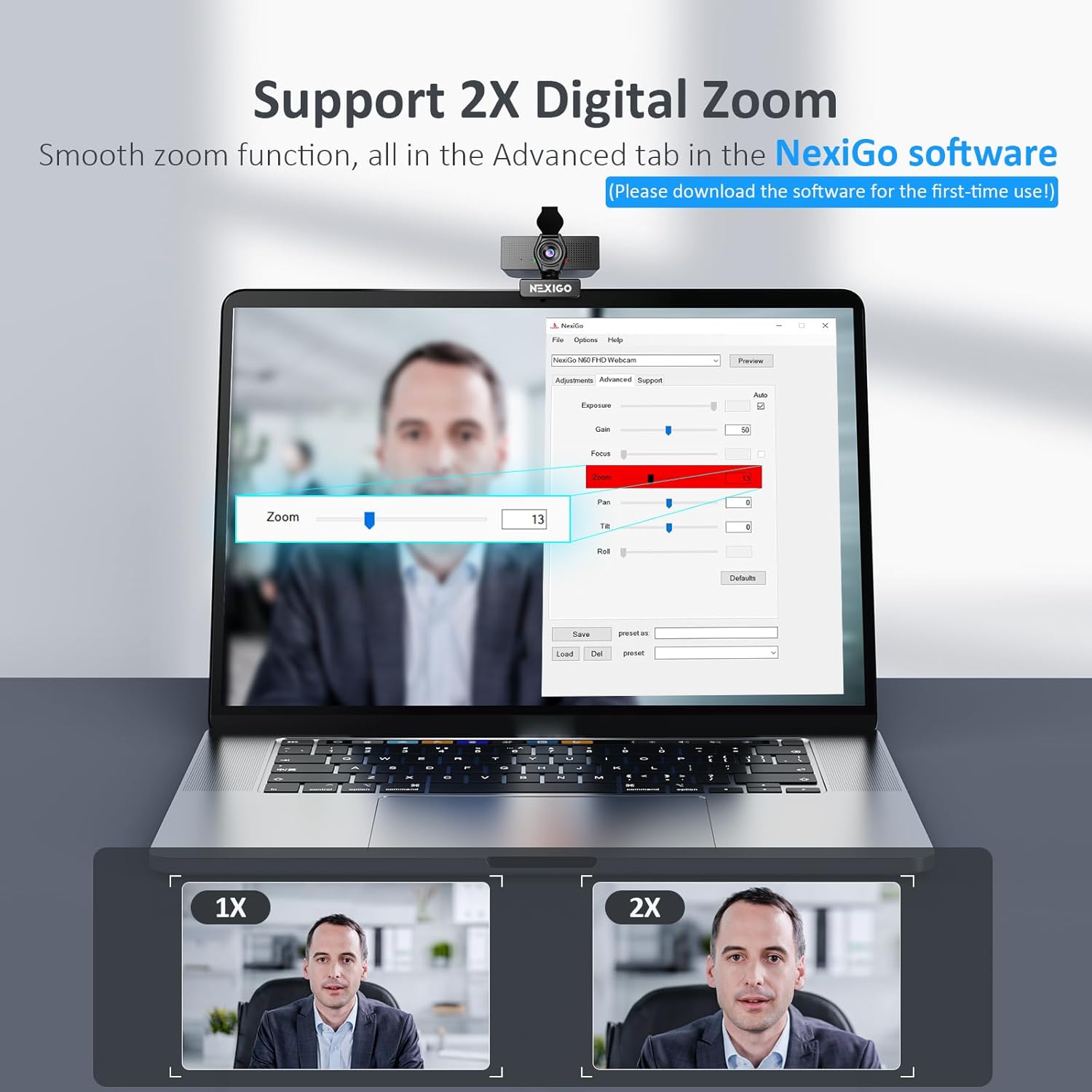
Image: A laptop screen displaying the NexiGo webcam software interface, highlighting the 2X digital zoom functionality and other adjustable settings.
- Presets: The software may allow you to save and load custom presets for different lighting conditions or usage scenarios.
Manteniment
Una cura i un manteniment adequats allargaran la vida útil del vostre webcam and ensure consistent performance.
- Neteja de la lent: Use a soft, lint-free cloth specifically designed for optics (e.g., microfiber cloth) to gently wipe the lens. Do not use abrasive materials or harsh cleaning solutions, as they can scratch or damage the lens coating.
- Neteja del cos: Netegeu el webcam's body with a soft, dry cloth. If necessary, a slightly damp Es pot fer servir un drap, però assegureu-vos que no entri humitat a l'aparell.
- Emmagatzematge: When not in use, especially for extended periods, store the webcam in a clean, dry place. Utilize the privacy cover to protect the lens from dust and scratches.
- Cura del cable: Avoid sharp bends or kinks in the USB cable. Disconnect by pulling the plug, not the cable itself, to prevent damage to the connectors.
Resolució de problemes
If you encounter issues with your NexiGo N60 Pro (Gen 2) webcàmera, consulteu les solucions habituals següents:
| Problema | Possible solució |
|---|---|
| Sense sortida de vídeo ni àudio. |
|
| Poor video quality (grainy, blurry). |
|
| Microphone not working or poor audio. |
|
| Webcàmera no detectada per l'ordinador. |
|
Especificacions
| Característica | Detall |
|---|---|
| Número de model | N60 Pro |
| Dimensions del producte | 3.22 x 2.08 x 1.96 polzades |
| Pes de l'article | 5.3 unces |
| Fabricant | Nextight INC |
| ASIN | B0CF59H6L1 |
| Tecnologia del sensor fotogràfic | CMOS |
| Resolució de captura de vídeo | 1080p (1920x1080) |
| Apertura màxima | 2.8 mil·límetres |
| Tecnologia de connectivitat | USB |
| Color | Negre |
| Data de primera disponibilitat | 9 d'agost de 2023 |
Garantia i Suport
NexiGo is committed to providing high-quality products and excellent customer service.
- Política de devolució: Products can be returned for an exchange or refund within 30 days of purchase.
- Suport tècnic: Lifetime technical support is provided for your NexiGo N60 Pro (Gen 2) weblleva.
- Atenció al client: NexiGo offers 100% US-based customer support with quick responses, typically within 24 hours.
- Plans de protecció: Extended protection plans may be available for purchase, offering additional coverage beyond the standard warranty. Please refer to your purchase details for more information.
- Informació de contacte: For support, please visit the official NexiGo weblloc web o consulteu les dades de contacte que s'inclouen a l'embalatge del producte.


