Introducció
Thank you for choosing the MOES 16A Smart Plug with Energy Monitoring. This smart plug is designed to enhance your home automation experience by allowing you to control connected devices remotely, monitor energy consumption, and integrate with popular smart home platforms like Apple HomeKit, Amazon Alexa, and Google Home. Please read this manual carefully before use to ensure proper installation and operation.
Informació de seguretat
- No desmunteu ni modifiqueu el dispositiu.
- Keep the device away from water, fire, and high humidity environments.
- Ensure the connected appliance's power consumption does not exceed the smart plug's maximum rating (16A, 3680W).
- Aquest dispositiu només està dissenyat per a ús interior.
- For safety, do not connect multiple smart plugs in series.
Producte acabatview
The MOES Smart Plug features a compact design with essential controls and indicators.

Imatge 1: Davant i lateral view of the MOES Smart Plug, highlighting the On/Off & Reset Button/LED, 16A current rating, electricity monitoring feature, and dimensions (85mm length, 50mm width, 50mm height). The plug supports AC 85-250V, 50/60Hz, with a maximum power of 3680W.
- On/Off & Reset Button/LED: Press to manually turn the plug on or off. Press and hold for several seconds to initiate pairing mode or factory reset. The LED indicates the plug's status (e.g., solid for on, blinking for pairing).
- Potència nominal: Admet fins a 16 Amperes and 3680 Watts.
- Monitorització de l'electricitat: Tracks real-time and historical power consumption of connected devices.
Configuració
1. Initial Plug-in
- Plug the MOES Smart Plug into a standard wall outlet.
- The LED indicator will start blinking, indicating it's in pairing mode. If not, press and hold the On/Off & Reset button for 5 seconds until it blinks rapidly.
2. Instal·lació i emparellament de l'aplicació
The MOES Smart Plug supports multiple smart home ecosystems. Choose your preferred method:
Per a Apple HomeKit:
- Open the Apple Home app on your iOS device (iOS 16.0 or above required).
- Tap the "+" icon and select "Add Accessory."
- Scan the HomeKit setup code located on the smart plug or its packaging.
- Seguiu les instruccions a la pantalla per completar el procés de vinculació.
For Amazon Alexa / Google Home (via Tuya Smart or MOES App):
First, install the Tuya Smart app or MOES app on your smartphone (Android 8.1+ or iOS 16.0+).
- Download the "Tuya Smart" or "MOES" app from the App Store or Google Play Store.
- Registreu-vos o inicieu sessió al vostre compte.
- Toca la icona "+" a l'aplicació per afegir un dispositiu nou.
- Seleccioneu "Presa elèctrica" o "Endoll intel·ligent" de la llista de dispositius.
- Confirm the LED indicator is blinking rapidly. If not, reset the plug.
- Enter your 2.4GHz Wi-Fi network credentials. Note: The plug may not connect to 5GHz Wi-Fi networks. If you experience issues, temporarily disable 5GHz on your router during setup.
- Seguiu les instruccions de l'aplicació per completar l'aparellament.
- Once paired with the Tuya Smart/MOES app, you can link it to Alexa or Google Home via their respective apps' "Skills" or "Works with Google" sections.

Imatge 2: Compatibility table detailing app versions and gateway device requirements for Tuya Smart, Home (Apple HomeKit), Google Home, Amazon Alexa, and MOES apps. For example, Google Home requires Android 8.1 and above, Google Play service 22.46.17 and above, and Bluetooth Low Energy 4.2 and above.
Instruccions de funcionament
Control manual
Press the physical button on the side of the smart plug to manually turn the connected appliance on or off.
Control d'aplicacions
Use the MOES, Tuya Smart, Apple Home, Google Home, or Amazon Alexa app to remotely control the smart plug from anywhere with an internet connection. You can turn it on/off, set schedules, and monitor energy.

Imatge 3: Illustration of remote control functionality, showing a mobile phone displaying the MOES app interface controlling various smart devices like lamps, air conditioners, ovens, washing machines, and coffee machines within a home environment.
Control de veu
Integra't amb Amazon Alexa o Google Assistant per a un control amb mans lliures.
- Per a Alexa: Say "Alexa, turn on [device name]" or "Alexa, turn off [device name]".
- Per a l'Assistent de Google: Say "Hey Google, turn on [device name]" or "Hey Google, turn off [device name]".
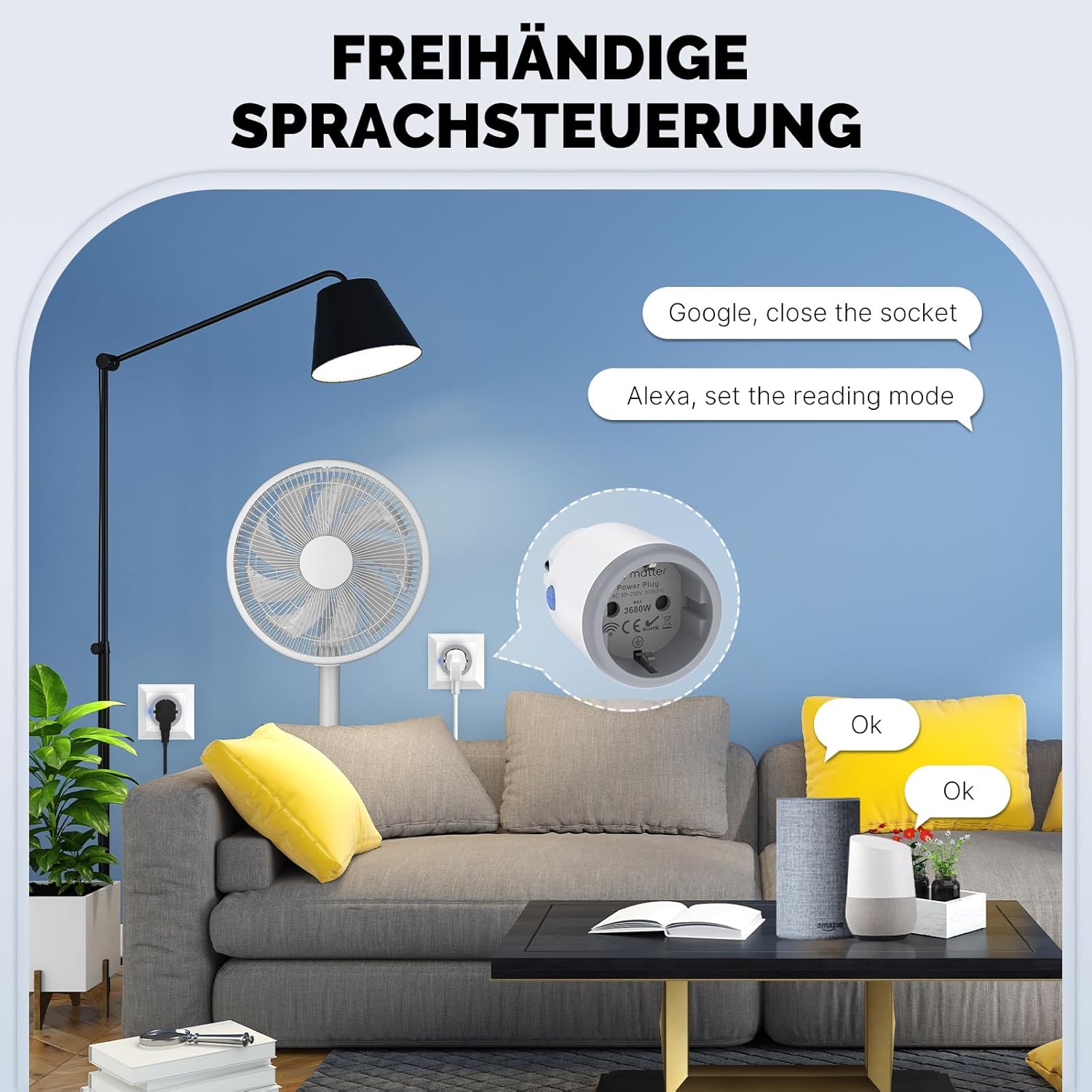
Imatge 4: Depiction of hands-free voice control, showing a user interacting with Amazon Alexa and Google Assistant devices to control the smart plug. Examples include "Google, close the socket" and "Alexa, set the reading mode."
Programació i temporitzadors
Set up custom schedules, countdown timers, or random on/off cycles through the app to automate your devices.

Imatge 5: Visual representation of personalized scheduling features within the app, including options for setting specific schedules (e.g., turn on lights daily at 18:00), circulating schedules (e.g., turn on AC daily from 20:00 to 8:00), random on/off, and delay-off functions (e.g., TV turns off automatically after 3 hours).
Monitorització energètica
View real-time and historical power consumption data for devices connected to the smart plug within the app. This helps you understand and manage your energy usage.
Manteniment
- Netegeu l'endoll intel·ligent amb un drap sec i suau. No utilitzeu netejadors líquids.
- Assegureu-vos que l'endoll estigui desconnectat de la presa de corrent abans de netejar-lo.
- Eviteu exposar el dispositiu a temperatures extremes o a la llum solar directa.
Resolució de problemes
- Plug not responding: Ensure the plug is securely inserted into the wall outlet and the power supply is active.
- No es pot connectar a Wi-Fi:
- Ensure your Wi-Fi network is 2.4GHz. This device may not be compatible with 5GHz networks. Temporarily disable 5GHz on your router during setup if necessary.
- Comproveu la vostra contrasenya de Wi-Fi.
- Acosta l'endoll intel·ligent al teu encaminador Wi-Fi.
- Reset the smart plug by pressing and holding the button for 5 seconds until the LED blinks rapidly, then try pairing again.
- El control per veu no funciona:
- Ensure the smart plug is successfully linked to your Alexa or Google Home account.
- Check the device name in your smart home app; use this exact name for voice commands.
- Verifica la teva connexió a Internet.
- Energy monitoring data incorrect: Ensure the connected appliance is functioning correctly and the plug is receiving stable power.
Especificacions
| Número de model | MT-WP-EU-MS |
| Marca | MOES |
| Corrent nominal | 16 Ampere |
| Max Wattage | 3680 watts |
| Mode de funcionament | On-off-on |
| Tipus de controlador | Amazon Alexa, Apple HomeKit, Google Home (via Tuya/MOES App) |
| Material | Plàstic |
| Pes de l'article | 103 g |
| Dimensions | 9.6 x 5.7 x 5.4 cm |
Garantia i Suport
MOES products come with a standard manufacturer's warranty. For specific warranty details, please refer to the warranty card included with your purchase or visit the official MOES website. For technical support, troubleshooting assistance, or any inquiries, please contact MOES customer service through their official channels.
You can visit the MOES store on Amazon for more information: MOES Store
Informació d'eliminació
This symbol on the product or its packaging indicates that this product shall not be treated as household waste. Instead, it shall be handed over to the applicable collection point for the recycling of electrical and electronic equipment. By ensuring this product is disposed of correctly, you will help prevent potential negative consequences for the environment and human health, which could otherwise be caused by inappropriate waste handling of this product.