1. Introducció
Thank you for choosing the GoSports 54 Inch Air Hockey Arcade Table. This manual provides essential information for the safe assembly, operation, maintenance, and troubleshooting of your new air hockey table. Please read this manual thoroughly before use and retain it for future reference.
1.1 Contingut del paquet
Verify that all components listed below are present in your package. If any items are missing or damaged, please contact GoSports customer support.
- GoSports 54 Inch Air Hockey Table
- 2 Pushers
- 3 discs
- AC Adapter (for motor and scoreboard)
- Marcador electrònic
- Maquinari de muntatge
- Manual d'instruccions

Image 1.1: The GoSports 54 Inch Air Hockey Arcade Table with included accessories.
2. Informació de seguretat
Si us plau, observeu les següents precaucions de seguretat per evitar lesions o danys al producte:
- Mantingueu les peces petites allunyades dels nens per evitar perills d'asfixia.
- Ensure the table is placed on a level, stable surface to prevent tipping.
- Utilitzeu només l'adaptador de CA proporcionat.
- Do not expose the table to excessive moisture or direct sunlight.
- Adult supervision is recommended for younger players.
- Do not attempt to modify or disassemble the AC motor or electronic components.
- Mantingueu les mans i els dits allunyats de les peces mòbils durant el funcionament.
3. Muntatge i muntatge
The GoSports 54 Inch Air Hockey Table comes largely pre-assembled. Follow these steps to complete the setup:
3.1 Col·locació de les cames
- Carefully unbox the air hockey table and place the main table body upside down on a soft, protected surface to prevent scratches.
- Identify the four leg pieces and the corresponding attachment points on the underside of the table.
- Align each leg with its designated corner and secure it using the provided hardware (screws, washers, nuts) as per the included assembly diagram. Ensure all connections are tight.
- Attach the leg levelers to the bottom of each leg. Adjust them later to ensure the table is perfectly level.
3.2 Attaching the Goals
- Locate the two goal assemblies.
- Attach each goal to its respective end of the table using the provided screws.
3.3 Connexió de l'adaptador de CA
- Once the table is fully assembled and upright, locate the AC adapter port, typically on the underside or side of the table.
- Plug the AC adapter into the port and then into a standard electrical outlet. This powers the air blower and the electronic scoreboard.
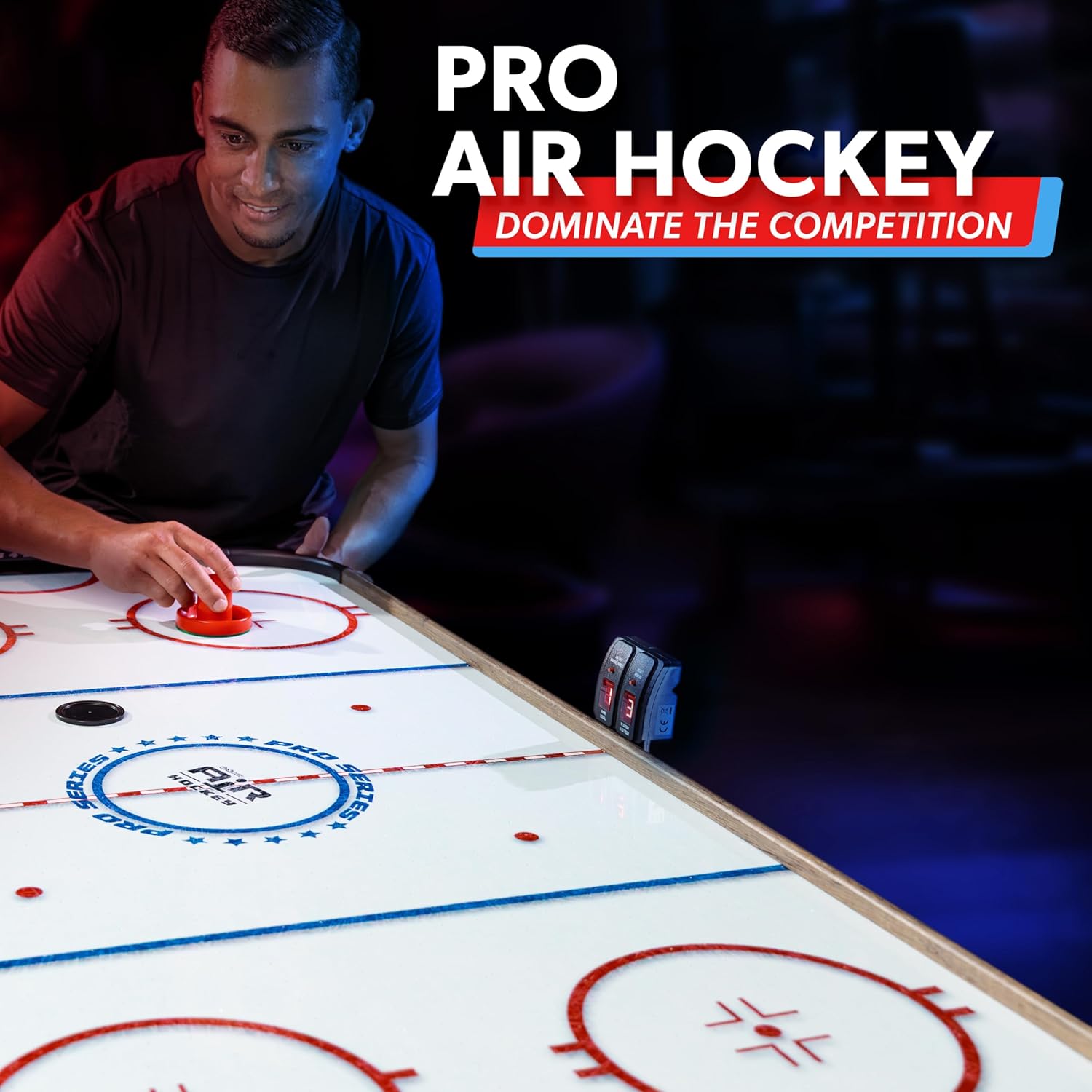
Image 3.1: Illustration of the table's underside, indicating leg assembly points.
4. Instruccions de funcionament
4.1 Engegada/apagada
- After connecting the AC adapter, the air blower will automatically activate, creating a cushion of air for smooth puck movement.
- The electronic scoreboard will also power on.
- To turn off the table, simply unplug the AC adapter from the wall outlet.
4.2 Using the Electronic Scoreboard
The electronic scoreboard tracks scores for two players. It typically features:
- ON/OFF/RESET Button: Press to turn the scoreboard on or off. Hold to reset scores to zero.
- Score Sensors: Located in each goal, these sensors automatically detect when a puck enters and update the score.
- Compartiment de la bateria: The scoreboard may require AAA batteries for its display, even if the main air blower is AC powered. (Check product specifications for battery requirements).

Image 4.1: The electronic scoreboard with score tracking for two players.
4.3 Jugabilitat
- Each player stands at one end of the table, holding a pusher.
- Place a puck in the center of the playing surface.
- Players use their pushers to strike the puck, attempting to score by sending it into the opponent's goal.
- The air blower ensures the puck glides smoothly across the surface.
- The electronic scoreboard will automatically track goals.
- The game typically ends when one player reaches a predetermined score (e.g., 7 goals).

Image 4.2: The AC powered air blower creates a smooth playing surface for the puck.
5. Manteniment
Proper maintenance will extend the life of your air hockey table:
- Neteja: Regularly wipe the playing surface with a soft, damp cloth. Avoid abrasive cleaners or solvents. Ensure the surface is dry before playing.
- Pols: Dust the air holes on the playing surface periodically to ensure optimal airflow. A soft brush or compressed air can be used carefully.
- Emmagatzematge: When not in use, store the table in a dry, cool place away from direct sunlight and extreme temperatures.
- Puck and Pusher Care: Keep pucks and pushers clean. Replace worn or damaged items as needed.
- Niveladors de cames: Periodically check and adjust the leg levelers to maintain a perfectly level playing surface.
6. Solució De Problemes
Consulteu la taula següent per veure els problemes habituals i les seves solucions:
| Problema | Causa possible | Solució |
|---|---|---|
| Puck does not glide smoothly. | Air holes are blocked by dust or debris. L'adaptador de CA no està connectat correctament. | Clean air holes with a soft brush or compressed air. Ensure AC adapter is securely plugged into the table and wall outlet. |
| Electronic scoreboard is not working. | AC adapter not connected. Scoreboard batteries are dead (if applicable). Scoreboard is off. | Check AC adapter connection. Replace AAA batteries in the scoreboard. Press the ON/OFF button on the scoreboard. |
| Table is wobbly or uneven. | Legs are not securely tightened. Leg levelers are not adjusted. | Tighten all leg assembly hardware. Adjust the leg levelers until the table is stable and level. |
7. Especificacions
| Característica | Detall |
|---|---|
| Número de model | AIRHOCKEY-54-OAK |
| Dimensions del producte (L x A x A) | 137.2 cm x 68.6 cm x 78.7 cm (54 polzades x 27 polzades x 31 polzades) |
| Pes de l'article | 17.2 kg (38 lliures) |
| Material | Fusta d'enginyeria |
| Font d'alimentació | AC Motor (for air blower) |
| Marcador | Electronic LED (AAA batteries not included for display) |
| Accessoris inclosos | 2 Pushers, 3 Pucks, AC Adapter |
| Muntatge obligatori | Yes (Legs and goals) |
8. Garantia i atenció al client
GoSports products are manufactured with quality and durability in mind. For specific warranty details, please refer to the warranty card included with your product or visit the official GoSports weblloc.
8.1 Informació de contacte
If you have any questions, require assistance with assembly, or need to report missing/damaged parts, please contact GoSports customer support:
- Weblloc: www.gosports.com
- Correu electrònic: support@gosports.com
- Telèfon: Refer to the GoSports weblloc per als números de contacte regionals.


