1. Introducció
This manual provides detailed instructions for the installation, operation, and maintenance of your ID-COOLING FROZN A410 Black Air CPU Cooler. Please read this manual thoroughly before installation to ensure proper setup and optimal performance.
The FROZN A410 is a high-performance air CPU cooler designed for efficient heat dissipation, featuring 4 direct-contact heat pipes and a 120mm FDB fan. It is compatible with a wide range of Intel and AMD sockets.
Description: This video provides a brief overview of the ID-COOLING FROZN A410 Black CPU Cooler, showcasing el seu disseny i les seves característiques.
2. Informació de seguretat
- Ensure your computer is powered off and unplugged from the wall outlet before installation.
- Manipuleu els components amb cura per evitar danys.
- Eviteu tocar les aspes del ventilador mentre el ventilador està en funcionament.
- Keep thermal paste away from children and pets. If ingested, seek medical attention immediately.
- Consulteu el manual de la placa base per obtenir instruccions específiques sobre la instal·lació de la CPU i el refrigerador.
3. Contingut del paquet
Verifiqueu que tots els components que s'enumeren a continuació siguin presents al vostre paquet:
- Dissipador de calor
- Ventilador de refrigeració de 120 mm
- Mounting Hardware (for Intel and AMD sockets)
- Pasta tèrmica
- Guia d'instal·lació (aquest document)
4. Especificacions
| Característica | Detall |
|---|---|
| Dimensions del producte | 4.72"L x 0.98"W x 4.72"H (Fan dimensions) |
| Marca | ID-REFREDAMENT |
| Tipus de connector d'alimentació | PWM de 4 pins |
| Voltage | 12 Volts |
| Wattage | 35 watts |
| Mètode de refrigeració | Aire |
| Dispositius compatibles | Escriptori |
| Nivell de soroll | 29.85 dB(A) Max. |
| Material | Aluminum (Heatsink fins) |
| Velocitat de rotació màxima | 2000 RPM |
| Capacitat de cabal d'aire | 78.25 peus cúbics per minut (CFM) |
| Pes de l'article | 2.2 lliures |
| Compatibilitat de socket de CPU | Intel LGA1700/1851/1200/115X; AMD AM4/AM5 |
5. Guia d'instal·lació
Follow these general steps for installation. Refer to the specific platform instructions and included diagrams for detailed guidance.
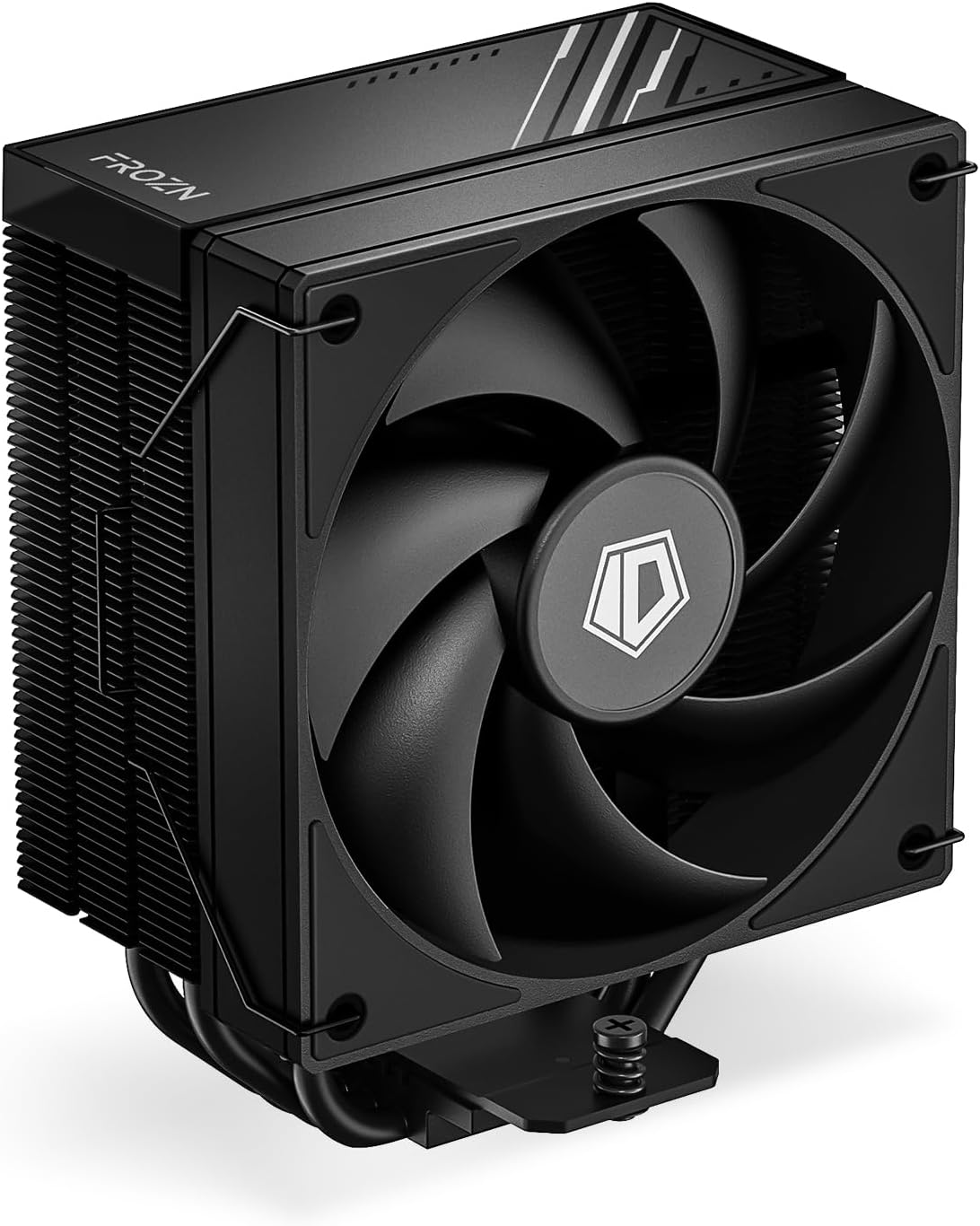
Description: A detailed view of the ID-COOLING FROZN A410 Black Air CPU Cooler, highlighting its compact design and fan.
5.1. General Pre-Installation Steps
- Apagueu l'ordinador i desconnecteu-lo de la font d'alimentació.
- Obriu la carcassa de l'ordinador per accedir a la placa base.
- Remove any existing CPU cooler. Clean the CPU surface thoroughly to remove old thermal paste using an alcohol wipe or similar cleaner.
- Identify your CPU socket type (Intel LGA or AMD AM).
5.2. Intel LGA1700/1851/1200/115X Installation
For Intel platforms, use the provided Intel backplate, standoffs, and brackets.
- Step 1: Prepare the Backplate. Adjust the screws on the Intel backplate to the corresponding positions for your socket type (LGA1851/1700: pull screws outward; LGA1200/115X: push screws inward). Remove the adhesive backing and install the backplate on the back of the motherboard, aligning the screws with the mounting holes.
- Step 2: Install Standoffs and Brackets. Thread the stud bolts onto the backplate screws. Place the Intel brackets over the stud bolts, ensuring correct orientation for your socket type (LGA1851/1700 or LGA1200/115X). Secure them with the tightening nuts.
- Step 3: Apply Thermal Paste. Clean the CPU surface. Apply a thin, even layer of the included thermal paste onto the center of the CPU's integrated heat spreader (IHS).
- Step 4: Install Heatsink. Remove the protective sticker from the bottom of the heatsink. Carefully place the heatsink onto the CPU, aligning the mounting holes with the brackets. Secure the heatsink by tightening the two screws on each side in an alternating cross pattern until snug. Do not overtighten.
- Step 5: Install Fan. Secure the 120mm fan to the heatsink tower using the provided fan clips.
- Step 6: Connect Fan Cables. Connect the fan's 4-pin power cable to the "CPU_FAN" header on your motherboard. If your model has ARGB lighting, connect the ARGB cable to the appropriate ARGB header (e.g., ASUS AURA, MSI MYSTIC LIGHT, GIGABYTE RGB FUSION, ASROCK POLYCHROME SYNC).
Visual Aid: For a visual demonstration of the Intel installation process, please refer to the following video:
Description: This video demonstrates the installation of the FROZN A620 PRO SE cooler on an Intel LGA platform, which uses a similar mounting mechanism to the FROZN A410. It covers backplate preparation, standoff and bracket installation, thermal paste application, heatsink mounting, and fan attachment.
5.3. Instal·lació d'AMD AM4/AM5
For AMD platforms, the motherboard's stock backplate is needed. Use the provided AMD standoffs and brackets.
- Step 1: Remove Stock Retention Frame. Remove the original AMD plastic retention frame from the motherboard. Keep the motherboard's stock backplate in place.
- Step 2: Install Standoffs and Brackets. Install the red AMD standoffs onto the motherboard's stock backplate screws. Place the AMD brackets over the standoffs. Secure them with the tightening nuts.
- Step 3: Apply Thermal Paste. Clean the CPU surface. Apply a thin, even layer of the included thermal paste onto the center of the CPU's integrated heat spreader (IHS).
- Step 4: Install Heatsink. Remove the protective sticker from the bottom of the heatsink. Carefully place the heatsink onto the CPU, aligning the mounting holes with the brackets. Secure the heatsink by tightening the two screws on each side in an alternating cross pattern until snug. Do not overtighten.
- Step 5: Install Fan. Secure the 120mm fan to the heatsink tower using the provided fan clips.
- Step 6: Connect Fan Cables. Connect the fan's 4-pin power cable to the "CPU_FAN" header on your motherboard. If your model has ARGB lighting, connect the ARGB cable to the appropriate ARGB header (e.g., ASUS AURA, MSI MYSTIC LIGHT, GIGABYTE RGB FUSION, ASROCK POLYCHROME SYNC).
Visual Aid: For a visual demonstration of the AMD AM4/AM5 installation process, please refer to the following video:
Description: This video demonstrates the installation of the SE 224 XTS cooler onto an AMD AM5 platform, which uses a similar mounting mechanism to the FROZN A410. It covers removal of the stock retention frame, standoff and bracket installation, thermal paste application, heatsink mounting, and fan attachment.
6. Instruccions de funcionament
The ID-COOLING FROZN A410 features a 120mm PWM (Pulse Width Modulation) fan and Fluid Dynamic Bearing (FDB) technology for optimal performance.
- PWM Functionality: The fan speed is automatically controlled by your motherboard based on CPU temperature. This ensures efficient cooling when needed and quiet operation during lighter loads. You can typically adjust fan curves in your motherboard's BIOS/UEFI settings or through manufacturer-provided software.
- Fluid Dynamic Bearing (FDB): The FDB fan is designed for quieter operation, reduced vibration, and a longer lifespan compared to traditional bearings.
- Flux d'aire òptim: Ensure proper airflow within your PC case by maintaining clear pathways for air intake and exhaust.
7. Manteniment
- Neteja de pols: Netegeu periòdicament la pols de les aletes del dissipador de calor i de les aspes del ventilador amb aire comprimit o un raspall suau. Assegureu-vos que el ventilador no giri durant la neteja.
- Pasta tèrmica: Thermal paste should be reapplied if the cooler is removed or if CPU temperatures become consistently higher than normal. Clean off old thermal paste completely before applying new paste.
8. Solució De Problemes
- El ventilador no gira:
- Check if the 4-pin fan cable is securely connected to the "CPU_FAN" header on the motherboard.
- Verify fan settings in your motherboard's BIOS/UEFI.
- Temperatures altes de la CPU:
- Ensure the heatsink is properly seated on the CPU and the mounting screws are tightened evenly.
- Comproveu si la pasta tèrmica s'ha aplicat correctament i adequadament. Torneu a aplicar-la si cal.
- Netegeu qualsevol acumulació de pols del dissipador de calor i del ventilador.
- Verify proper airflow within your PC case.
- Soroll excessiu:
- Comproveu si hi ha cables o obstruccions que toquin les aspes del ventilador.
- Adjust fan speed settings in your motherboard's BIOS/UEFI to a lower RPM if temperatures allow.
9. Garantia i Suport
ID-COOLING products are backed by a manufacturer's warranty. For specific warranty terms and conditions, please refer to the warranty information included with your product or visit the official ID-COOLING website. If you encounter any issues or have questions not covered in this manual, please contact ID-COOLING customer support or your original retailer.
Informació de contacte: Refer to the ID-COOLING official website for the most up-to-date support and contact details.


