Introducció
The Cisco Headset 721 is a wireless on-ear Bluetooth headset designed for professional use, offering comfort and advanced features for communication and collaboration. This manual provides comprehensive instructions for its setup, operation, and maintenance.
Què hi ha a la caixa
Verifiqueu que tots els elements siguin presents al paquet:
- Cisco Headset 721 (Single On-Ear Headset)
- Adaptador Bluetooth USB-A HD
- Suport de càrrega
- Cable de càrrega USB-A
- Soft Protective Case
- Ear Cushions (pre-installed or spare)
- Diadema (integrada)

Image: The Cisco Headset 721 shown alongside its soft protective case, highlighting its portability.
Configuració
1. Càrrega dels auriculars
Before initial use, fully charge the headset. The headset has a battery life of approximately 23 hours of talk time.
- Connecteu el cable de càrrega USB-A a la base de càrrega.
- Connect the other end of the USB-A charging cable to a powered USB port (e.g., computer, wall adapter).
- Place the headset onto the charging stand, ensuring proper alignment. The LED indicator on the headset will show charging status.
2. Connexió mitjançant Bluetooth
The headset can connect wirelessly to two devices simultaneously via Bluetooth.
- Encès: Press and hold the Power button on the headset until the LED indicator flashes.
- Mode de sincronització: With the headset powered on, press and hold the Bluetooth button until the LED indicator flashes blue and red alternately. This indicates pairing mode.
- Vinculació de dispositius: On your device (e.g., smartphone, laptop), go to Bluetooth settings and select "Cisco Headset 721" from the list of available devices.
- Confirmació: The headset LED will turn solid blue when successfully paired.
3. Connecting with USB-A HD Bluetooth Adapter
For optimal performance and integration with Cisco applications, use the provided USB-A HD Bluetooth Adapter.
- Plug the USB-A HD Bluetooth Adapter into an available USB-A port on your computer.
- The adapter will automatically attempt to pair with your Cisco Headset 721. The LED on the adapter will indicate connection status.
- Ensure your headset is in pairing mode if it does not connect automatically.
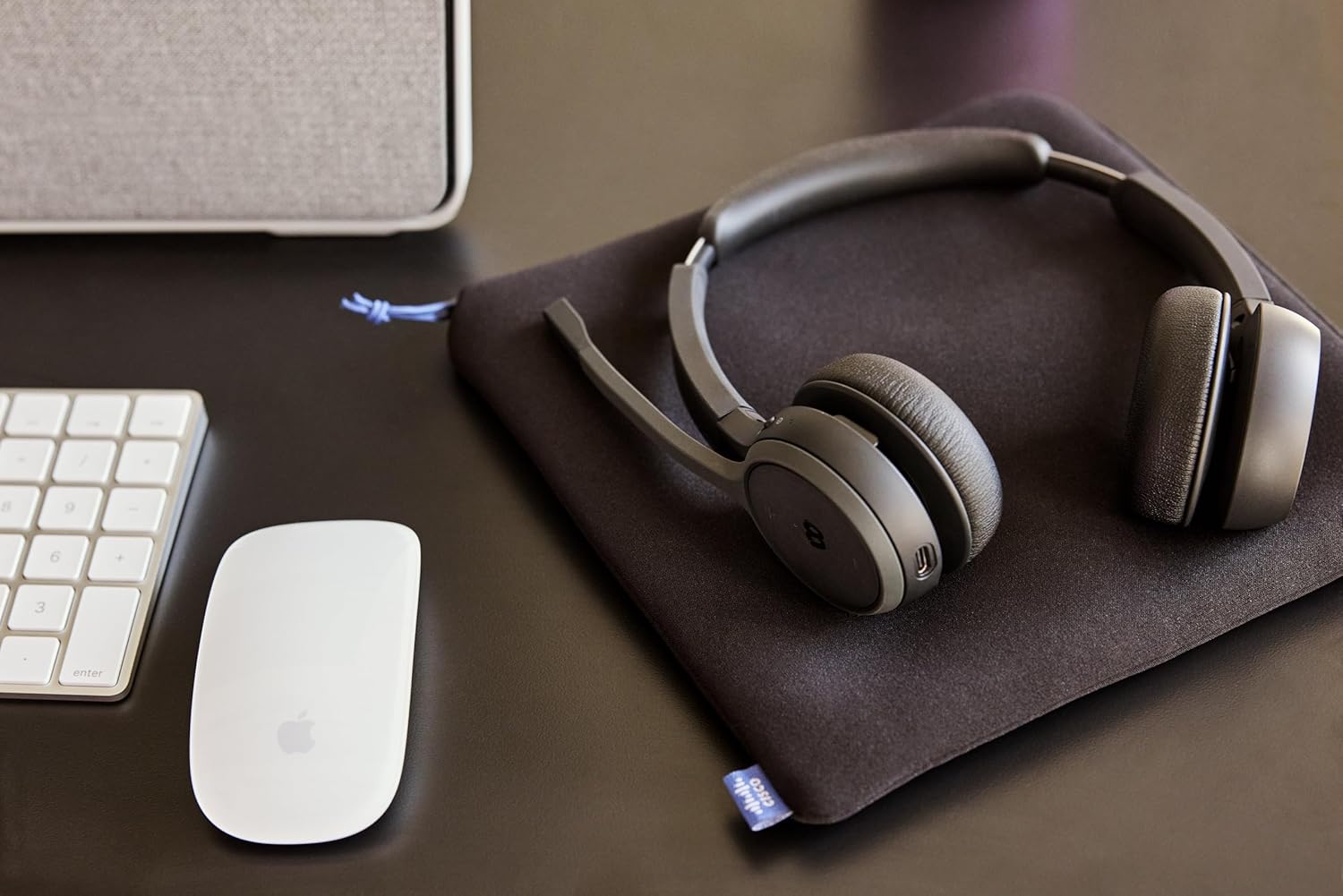
Image: The Cisco Headset 721, USB-A adapter, and charging stand arranged on a desk, illustrating a typical setup.
4. Adjusting the Microphone Boom Arm
The microphone boom arm rotates 276 degrees for optimal placement and features a flip-to-mute function.
- Position the microphone approximately two finger-widths from the corner of your mouth for clear audio.
- To mute the microphone, flip the boom arm upwards. Flip it down to unmute.
Instruccions de funcionament
Controls a l'orella
The headset features intuitive on-ear controls for managing calls and media.
- Pujar/baixar el volum: Feu servir els botons de volum dedicats per ajustar els nivells d'àudio.
- Respondre/Finalitzar la trucada: Press the Call button once to answer an incoming call or end an active call.
- Silencia/Activa el silenci: In addition to the flip-to-mute boom arm, a dedicated mute button may be present for quick toggling.
- Reprodueix/Pausa contingut multimèdia: Press the Call button once to play or pause media playback.
- Seguiment anterior / següent: Use specific media control buttons if available, or double-press/triple-press the Call button (refer to specific model documentation for exact functionality).
Webex Button Integration
El dedicat Webex button provides seamless integration with Cisco Webex applications.
- Uneix-te Webex reunió: Premeu el botó Webex button to quickly join an active or scheduled Webex reunió.
- Webex Control: The button may also provide quick access to other Webex-specific functions depending on the application version.
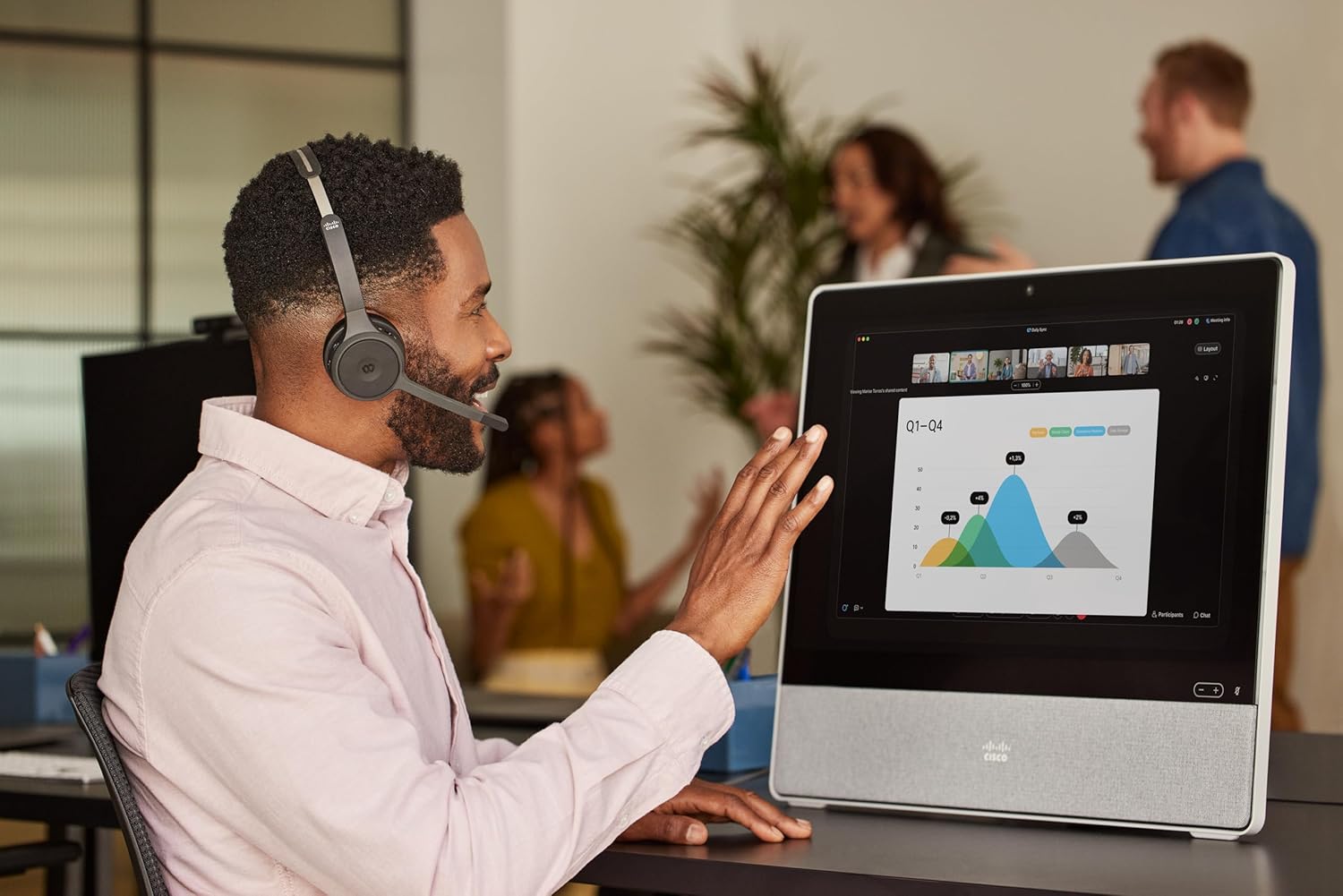
Image: A person wearing the Cisco Headset 721 while engaged in a video conference on a large display, demonstrating its use in a professional setting.
AI Voice-Activated Microphones
The headset features AI voice-activated microphones designed to minimize background noise, ensuring clear communication.
- These microphones automatically focus on your voice and suppress ambient sounds.
- No specific user action is required for this feature; it operates automatically.
Emparellament multipunt
The headset supports multipoint pairing, allowing it to be connected to two Bluetooth devices simultaneously.
- Once paired with two devices, the headset can seamlessly switch between them for calls or media.
- Per example, you can be connected to your laptop for a video conference and your smartphone for incoming calls.
Manteniment
Neteja dels auriculars
Regular cleaning helps maintain the headset's hygiene and performance.
- Use a soft, dry, lint-free cloth to wipe the surfaces of the headset.
- Per als coixins de les orelles, netegeu suaument amb un drap lleugerament damp cloth (water only) and allow to air dry completely before use.
- Eviteu l'ús de productes químics agressius, dissolvents o materials abrasius.
Emmagatzematge
When not in use, store the headset properly to protect it from damage.
- Use the provided soft protective case for storage and transport.
- Emmagatzemar en un lloc fresc i sec, lluny de la llum solar directa i de temperatures extremes.
Resolució de problemes
Problemes comuns i solucions
| Problema | Solució |
|---|---|
| Els auriculars no s'encén. | Ensure the headset is fully charged. Connect it to the charging stand and check the LED indicator. |
| No es pot emparellar amb un dispositiu. | Ensure the headset is in pairing mode (LED flashing blue/red). Check your device's Bluetooth settings. Try restarting both the headset and the device. |
| No hi ha àudio o hi ha mala qualitat d'àudio. | Check the volume levels on both the headset and the connected device. Ensure the headset is selected as the audio output device. Move closer to the connected device to avoid interference. |
| El micròfon no funciona. | Ensure the microphone boom arm is flipped down (unmuted). Check microphone settings on your connected device/application (e.g., Webex). |
| Webex button not responding. | Ensure the headset is properly connected to a device running the Webex application. Verify that the Webex application is up to date. |
Especificacions
| Característica | Detall |
|---|---|
| Número de model | HS-WL-721-BUNAS-C |
| Tecnologia de connectivitat | Sense fil (Bluetooth) |
| Versió Bluetooth | 4.0 |
| Interval Bluetooth | 10 metres |
| Col·locació de l'orella | A l'orella |
| Factor de forma | A l'orella |
| Control de soroll | Passive Noise Cancellation, Sound Isolation |
| Durada de la bateria | 23 hores (temps de conversa) |
| Tipus de control | Call Control, Button, App |
| Característiques especials | Adjustable Headband, Fast Charging, Lightweight, Multipoint Pairing, Noise Isolation |
| Dispositius compatibles | Telèfons mòbils, ordinadors de sobretaula, ordinadors portàtils, tauletes |
| Pes de l'article | 0.12 quilograms (4.2 unces) |
| Material | Aluminum, Stainless Steel, Leather or Faux Leather, Memory Foam |
| Components inclosos | Cable, Charging Station, Ear Cushions, Headband, Protective Case |
Garantia i Suport
The Cisco Headset 721 comes with a Two-Year Limited Liability Warranty, garantint la tranquil·litat pel que fa a defectes de fabricació i problemes de rendiment.
For technical support, warranty claims, or further assistance, please visit the official Cisco support website or contact your Cisco product provider. Ensure you have your product model number (HS-WL-721-BUNAS-C) and proof of purchase available.
Plans de protecció opcionals
Additional protection plans may be available for extended coverage:
- Pla de protecció de 2 anys: Extends coverage for 24 months.
- Pla de protecció de 3 anys: Extends coverage for 36 months.
- Protecció completa: Un pla mensual que cobreix les compres passades i futures elegibles.
Please refer to the terms and conditions of these plans for full details.


