1. Introducció
Gràcies per la compraasing the TOPTRO X2 Mini Portable Projector. This manual provides essential information for setting up, operating, and maintaining your projector. Please read it thoroughly before use to ensure optimal performance and safety.

Image 1.1: TOPTRO X2 Projector, carrying bag, and screen projection.

Image 1.2: Key features of the TOPTRO X2 Projector.
2. Instruccions de seguretat
- No mireu directament a la lent del projector quan estigui encès.amp està activat.
- Assegureu-vos una ventilació adequada al voltant del projector per evitar el sobreescalfament.
- Keep the projector away from water, moisture, and flammable materials.
- Feu servir només l'adaptador de corrent que s'inclou amb el projector.
- Do not attempt to disassemble or repair the projector yourself. Contact professional support if needed.
- Mantenir fora de l'abast dels nens.
3. Contingut del paquet
Si us plau, comproveu el paquet per veure si hi ha els elements següents:
- TOPTRO X2 Mini Portable Projector
- Adaptador d'alimentació
- Control remot
- Cable HDMI
- Cable AV
- Manual d'usuari
- Bossa de transport
4. Producte acabatview
Familiaritzeu-vos amb els components i els controls del projector.

Image 4.1: Projector controls and ports.
4.1 Davant View
- Lent de projecció: Emits the image.
- Anell de focus: Ajusta la claredat de la imatge.
4.2 Amunt View
- Tauler de control: Power button, navigation buttons, OK button.
4.3 Rear/Side View
- Entrada d'alimentació: Es connecta a l'adaptador de corrent.
- Ports HDMI: Connect to HDMI-enabled devices (laptops, game consoles).
- Ports USB: Connecteu unitats USB per a la reproducció de contingut multimèdia.
- Port AV: Connect to older devices using the AV cable.
- Sortida d'àudio (3.5 mm): Connecteu altaveus externs o auriculars.
- Receptor IR: Per a senyals de comandament a distància.
5. Configuració
5.1 Col·locació
Position the projector on a stable, flat surface or mount it. Ensure the projection path is clear.

Image 5.1: Multiple installation options.
5.2 Connexió d'alimentació
- Connect the power adapter to the projector's power input.
- Connecteu l'adaptador de corrent a una presa de corrent.
5.3 Ajust del focus
Gireu l'anell d'enfocament de la lent del projector fins que la imatge projectada sigui clara i nítida.
5.4 Correcció Keystone
If the projected image appears trapezoidal, use the manual keystone correction feature to adjust the vertical angle. This projector supports ±15° vertical keystone correction.

Image 5.2: Manual keystone correction.
6. Funcionament
6.1 Encès/Apagat
Press the power button on the projector or remote control to turn the unit on or off.
6.2 Selecció de la font d'entrada
Use the 'Source' button on the remote or projector to select your desired input (HDMI1, HDMI2, USB, AV, Screen Mirroring).

Image 6.1: Projector ports and compatible devices.
6.3 Connexió sense fil (reflexió de pantalla WiFi)
The TOPTRO X2 supports wireless screen mirroring for iOS, Android, Windows 10, and Mac devices. No additional adapters or cables are needed.
- Select 'Screen Mirroring' as the input source.
- Follow the on-screen instructions to connect your device via WiFi.

Image 6.2: Wireless WiFi connection in use.
6.4 Connexió Bluetooth
Connecteu altaveus o auriculars Bluetooth externs per a una experiència d'àudio millorada.
- Navegueu fins a la configuració de Bluetooth al menú del projector.
- Activa el Bluetooth i cerca els dispositius disponibles.
- Select your Bluetooth speaker or headphones to pair.

Image 6.3: Bluetooth 5.0 connectivity.
6.5 Adjusting Projection Size (Zoom)
The projector features a zoom function to adjust the screen size from 75% to 100% without moving the projector.

Image 6.4: Zoom function (75%-100%).
6.6 Connexió de dispositius externs
Connect various devices such as TV sticks, laptops, game consoles, or USB drives to the projector's HDMI or USB ports.
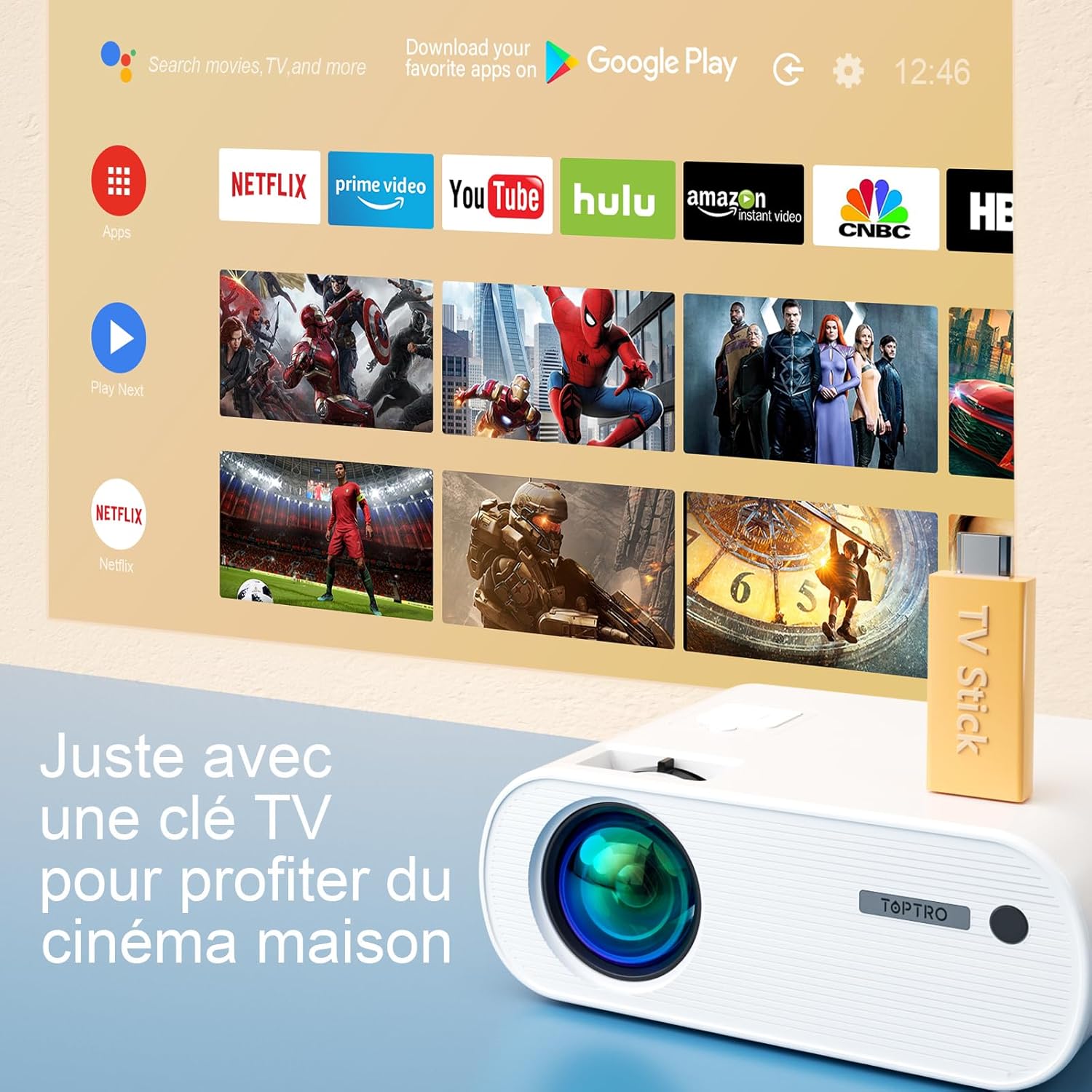
Image 6.5: Enjoying home cinema with a TV stick.
7. Manteniment
7.1 Neteja
- Feu servir un drap suau i sec per netejar l'exterior del projector.
- For the lens, use a professional lens cleaning cloth and solution. Avoid harsh chemicals.
- Regularly clean the ventilation vents to prevent dust buildup.
7.2 Emmagatzematge
When not in use, store the projector in its carrying bag in a cool, dry place, away from direct sunlight and extreme temperatures.
7.3 Lamp Atenció
The projector features an LED lamp with an extended lifespan of up to 90,000 hours, ensuring long-term use without frequent lamp substitució.

Image 7.1: Projector features including 90,000 hours LED lamp vida.
8. Solució De Problemes
- Sense energia: Ensure the power adapter is securely connected to both the projector and the power outlet.
- Sense imatge: Check the input source selection. Ensure the connected device is powered on and sending a signal. Adjust focus.
- Imatge borrosa: Adjust the focus ring. Ensure the projection surface is flat.
- Sense so: Check the volume settings on both the projector and the connected device. Ensure external speakers are properly connected or paired via Bluetooth.
- El control remot no funciona: Canvieu les piles. Assegureu-vos que no hi hagi obstacles entre el comandament a distància i el receptor d'infrarojos del projector.
- Problemes de connexió WiFi: Ensure your device and projector are within range of the WiFi network. Restart both devices.
9. Especificacions
Detailed technical specifications for the TOPTRO X2 Projector:

Image 9.1: Brightness and contrast comparison.
| Característica | Especificació |
|---|---|
| Marca | TOPTRO |
| Sèrie Model | X2 |
| Tipus de visualització | LCD |
| Resolució nativa | 1280 x 720 píxels |
| Resolució suportada | Full HD 1080P |
| Brillantor | 12000 lúmens |
| Relació de contrast | 20000:1 |
| Tecnologia de connectivitat | Wi-Fi, Bluetooth |
| Interfície del maquinari | HDMI, USB, AV |
| Correcció de pedra clau | Manual ±15° (Vertical) |
| Funció de zoom | 75% - 100% |
| Lamp La vida | Fins a 90,000 hores |
| Dimensions del producte (L x A x A) | 21.2 x 17.2 x 8 cm |
| Factor de forma | Portàtil |
| Tipus de muntatge | Taula |
10. Garantia i Suport
TOPTRO is committed to providing high-quality products and professional technical support. While specific warranty details may vary by region or retailer, TOPTRO ensures quality control before delivery.
If you encounter any issues or have questions regarding your TOPTRO X2 projector, please do not hesitate to contact TOPTRO customer support. Our team is available to assist you.
For support, please refer to the contact information provided with your purchase or visit the official TOPTRO weblloc.


