1. Introducció
Thank you for choosing Bewinner Bluetooth Earbuds. These earbuds are designed to provide a high-quality audio experience with enhanced connectivity and comfort. This manual will guide you through the setup, operation, and maintenance of your new earbuds.
2. Informació de seguretat
- No exposeu els auriculars ni l'estoig de càrrega a temperatures extremes, humitat o líquids.
- Eviteu deixar caure o sotmetre el dispositiu a forts impactes.
- Do not attempt to disassemble or modify the earbuds or charging case.
- Mantenir fora de l'abast dels nens i mascotes.
- Feu servir només el cable de càrrega proporcionat o un equivalent certificat.
- L'escolta prolongada a nivells de volum elevats pot causar danys auditius.
3. Contingut del paquet
Verifiqueu que tots els elements siguin presents al vostre paquet:
- Bewinner Bluetooth Earbuds (Left and Right)
- Estoig de càrrega
- Cable de càrrega USB
- Puntes d'orella de silicona (petites, mitjanes, grans)
- Manual d'usuari

Image: Package contents including earbuds, charging case, cable, and ear tips.
4. Configuració
4.1. Càrrega dels auriculars i l'estoig
Abans del primer ús, carregueu completament els auriculars i l'estoig de càrrega.
- Col·loca els auriculars a l'estoig de càrrega. Assegura't que estiguin correctament col·locats.
- Connecteu el cable de càrrega USB al port de càrrega de la carcassa i a una font d'alimentació USB.
- Els indicadors lluminosos de la carcassa mostraran l'estat de càrrega. Un cop carregada completament, els llums indicaran que s'ha completat o s'apagaran.
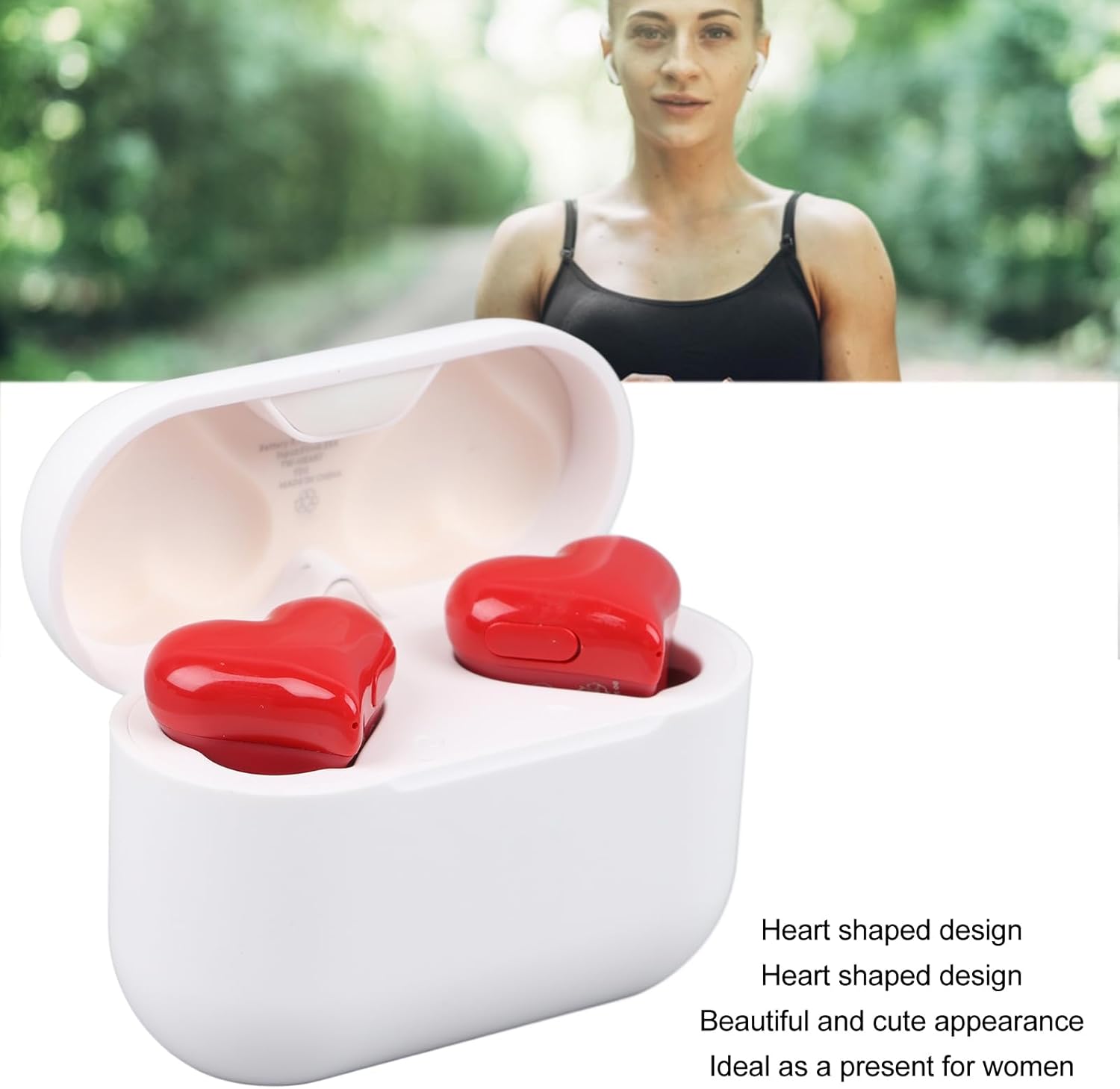
Image: Charging case with charging port visible.
4.2. Vinculació amb un dispositiu
The earbuds utilize Bluetooth 5.0 technology for a stable connection.
- Obre l'estoig de càrrega. Els auriculars entraran automàticament en mode d'emparellament.
- Al dispositiu (telèfon intel·ligent, tauleta, ordinador portàtil), activeu el Bluetooth.
- Cerca available Bluetooth devices and select "Bewinner Earbuds" (or similar name) from the list.
- Once connected, you will hear a confirmation tone, and the indicator lights on the earbuds will change.

Imatge: Tecnologia Bluetooth 5.3 per a una connexió estable.
4.3. Posar-se els auriculars
Choose the ear tips that provide the most comfortable and secure fit for optimal sound quality and noise isolation.
- Introduïu suaument els auriculars als canals auditius.
- Twist slightly to ensure a snug and comfortable fit.
- Experiment with the different sized silicone ear tips to find your ideal fit.

Image: Earbud properly inserted in ear.
5. Instruccions de funcionament
5.1. Controls bàsics
The earbuds feature touch controls for easy management of audio and calls.
- Reproduir/pausa: Toqueu una vegada a qualsevol dels auriculars.
- Pista següent: Fes doble toc a l'auricular dret.
- Pista anterior: Fes doble toc a l'auricular esquerre.
- Respondre/Finalitzar la trucada: Toqueu una vegada a qualsevol dels auriculars.
- Rebutja la trucada: Manteniu premut qualsevol dels auriculars durant 2 segons.
- Activa l'Assistent de veu: Toqueu tres vegades qualsevol dels auriculars.
5.2. Noise Control (Active Noise Cancellation)
These earbuds feature Active Noise Cancellation (ANC) to reduce ambient noise.
- Toggle ANC: Press and hold the touch area on the right earbud for 2 seconds to switch between ANC On, Transparency Mode, and ANC Off.

Image: Earbuds delivering superior sound quality.
6. Manteniment
6.1. Neteja
- Netegeu els auriculars i l'estoig de càrrega amb un drap suau, sec i sense borrissol.
- No utilitzeu productes químics o materials abrasius.
- Traieu les puntes de les orelles i netegeu-les amb aigua i sabó suau, i després eixugueu-les bé abans de tornar-les a col·locar.
6.2. Emmagatzematge
- Guardeu els auriculars a la funda de càrrega quan no els feu servir per protegir-los i mantenir-los carregats.
- Emmagatzemar en un lloc fresc i sec, lluny de la llum solar directa.
6.3. Resistència a l'aigua
The earbuds are IPX4 life waterproof, meaning they are resistant to splashing water from any direction. They are not designed for submersion in water.

Image: IPX4 water resistance for daily use.
7. Solució De Problemes
| Problema | Causa possible | Solució |
|---|---|---|
| Els auriculars no s'aparellen | Bluetooth off on device, earbuds not in pairing mode, out of range. | Assegura't que el Bluetooth estigui activat. Col·loca els auriculars a l'estoig, tanca'ls i obre'ls per tornar a entrar en el mode d'emparellament. Acosta't al dispositiu. |
| Sense so | Volume too low, not connected, media paused. | Increase device volume. Reconnect earbuds. Check if media is playing. |
| Un auricular no funciona | Bateria baixa, problema de connexió. | Place both earbuds in the case to charge. Re-pair the earbuds. |
| Mala qualitat del so | Ajust incorrecte, puntes d'orella brutes, interferències. | Ajusteu els auriculars. Netegeu les puntes de les orelles. Allunyeu-vos de les fonts d'interferència. |
8. Especificacions
| Característica | Detall |
|---|---|
| Marca | Guanyador |
| Model | B0CFZ9Z13H |
| Tecnologia de connectivitat | Sense fil (Bluetooth 5.0) |
| Control de soroll | Cancel·lació activa del soroll |
| Col·locació de l'orella | A l'orella |
| Factor de forma | A l'orella |
| Forma de l'auricular | Cor |
| Material | Acrilonitril butadiè estirè (ABS), policarbonat (PC) |
| Pes de l'article | 5 unces (aprox. 0.14 quilograms) |
| Dimensions del paquet | 5.91 x 5.16 x 2.4 polzades |

Image: Charging case dimensions.
9. Garantia i Suport
Bewinner products are designed for reliability and performance. For warranty information or technical support, please refer to the contact details provided on the product packaging or the official Bewinner weblloc web. Conserveu el rebut de compra com a comprovant de compra.
