Introducció
The Urbanista San Francisco USB C Wired Earbuds are designed to provide a clear and rich audio experience with convenient features for daily use. These earbuds feature a USB-C connection, an in-line microphone, and multi-functional controls, making them compatible with a wide range of modern devices.

Image: Urbanista San Francisco USB C Wired Earbuds in Midnight Black, showcasing the ergonomic design, inline remote with controls, and the USB-C connector.
Contingut del paquet
- Urbanista San Francisco USB C Wired Earbuds
- Manual d'instruccions (aquest document)
Configuració
- Connecta't al dispositiu: Insert the USB-C connector of the earbuds into the USB-C port of your compatible smartphone, tablet, or computer. Ensure the connection is secure.
- Portar els auriculars: Gently place the earbuds into your ears. The ergonomic design is intended for a comfortable and secure fit. Adjust them until they feel snug.

Imatge: Un primer pla view of the USB-C connector, highlighting its design for universal compatibility.
Instruccions de funcionament
The Urbanista San Francisco earbuds feature an in-line remote with integrated controls for audio playback and call management.
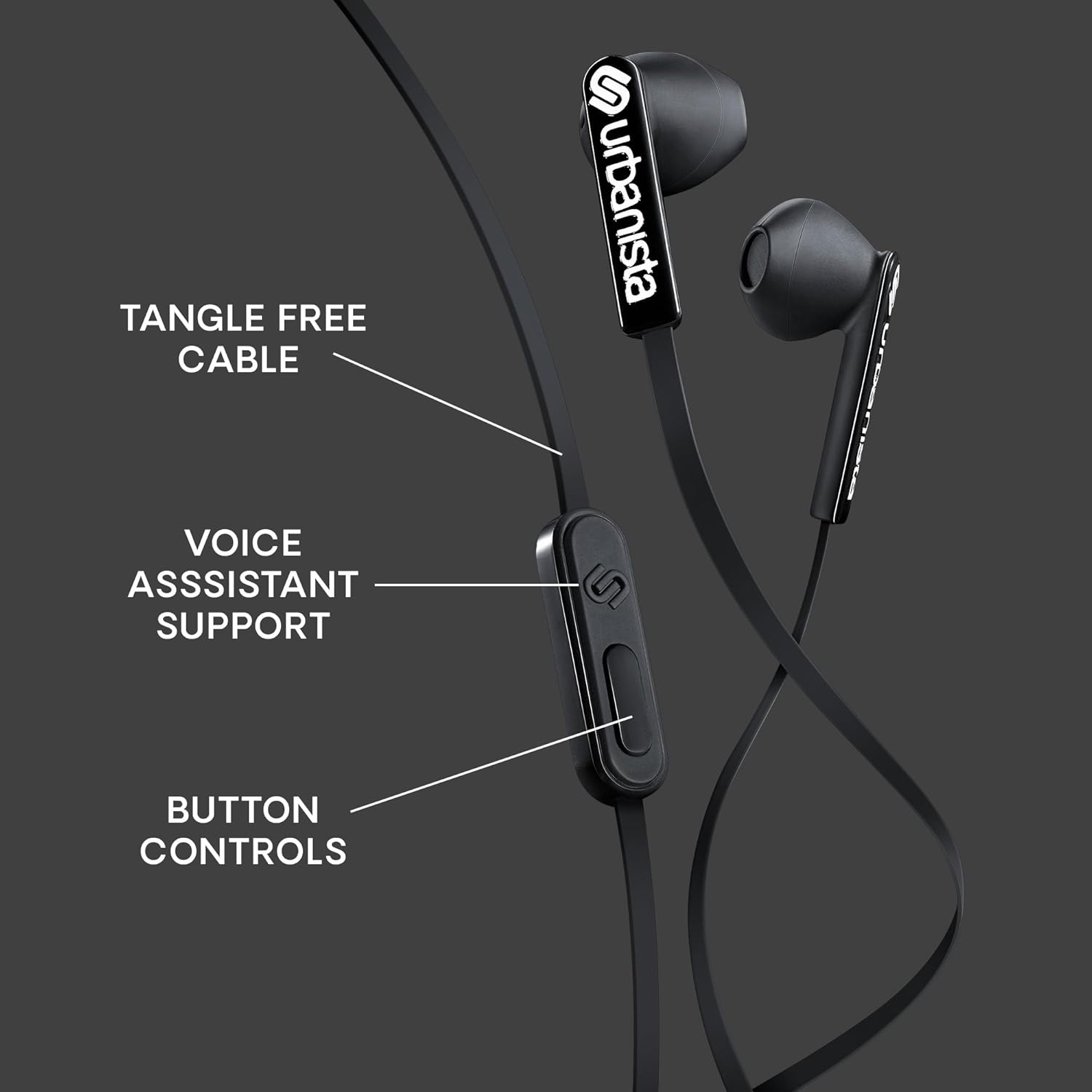
Imatge: Detallada view of the in-line remote control, indicating the button layout for various functions.
Funcions del botó:
- Reproduir/pausa: Premeu el botó central una vegada per reproduir o pausar l'àudio.
- Pista següent: Premeu el botó central dues vegades ràpidament per saltar a la pista següent.
- Pista anterior: Press the center button three times quickly to go to the previous track.
- Respondre/Finalitzar la trucada: Premeu el botó central una vegada per respondre a una trucada entrant o finalitzar una trucada activa.
- Rebutja la trucada: Press and hold the center button for approximately 2 seconds to reject an incoming call.
- Control de volum: Use the dedicated volume up (+) and volume down (-) buttons on the remote to adjust audio levels.
- Assistent de veu: Press and hold the center button for approximately 2 seconds (when not on a call) to activate your device's voice assistant (compatible with iOS, Android, and Windows).
Ús del micròfon:
The built-in microphone allows for hands-free communication. Ensure the microphone is positioned clearly for optimal voice pickup during calls or voice assistant commands.
Manteniment
- Neteja: Regularly clean the earbuds with a soft, dry cloth. Avoid using harsh chemicals or abrasive materials. For ear tips, gently wipe with a slightly damp drap i assegureu-vos que estiguin completament secs abans d'utilitzar-los.
- Emmagatzematge: Store the earbuds in a clean, dry place when not in use. The tangle-free cable design helps prevent knots, but proper coiling can extend cable life.
- Eviteu l'aigua: These earbuds are not water-resistant. Avoid exposure to liquids, moisture, or extreme temperatures.
Resolució de problemes
| Problema | Solució |
|---|---|
| Sense so ni volum baix |
|
| El micròfon no funciona |
|
| Static or distorted sound |
|
Especificacions
- Nom del model: San Francisco USB C
- Tecnologia de connectivitat: Amb cable
- Presa per a auriculars: USB C
- Mida del controlador d'àudio: 14.2 mil·límetres
- Interval de freqüència: 20 Hz - 20,000 Hz
- Tipus de control: Volume Control, Button Control, Voice Assistant
- Característica del cable: Sense enredos
- Components inclosos: Auriculars
- Pes de l'article: 0.05 quilograms (aproximadament 1.58 unces)
- Material: Plàstic
- Fabricant: URBANISTA
Garantia i Suport
For warranty information and customer support, please refer to the official Urbanista weblloc web o contacteu directament amb el seu servei d'atenció al client. Conserveu el comprovant de compra per a qualsevol reclamació de garantia.
Visita el Urbanista Store on Amazon per a més informació.