Introducció
The Marantz STEREO 70s AV Receiver is designed to provide an immersive audio-visual experience with advanced features for home entertainment. This receiver offers 8K video quality, exceptional sound, and versatile connectivity options, including built-in streaming capabilities. Its compact design allows for flexible placement in various home environments.
This manual provides detailed instructions for setting up, operating, maintaining, and troubleshooting your Marantz STEREO 70s AV Receiver to ensure optimal performance and longevity.
Contingut del paquet
Abans de començar la configuració, comproveu que el paquet inclogui tots els elements que s'enumeren a continuació:
- Marantz STEREO 70s AV Receiver
- Remote Control + 2 AAA Batteries
- Antenes AM / FM
- Audyssey Microphone + Stand
- Etiquetes de fil
- Guia d'inici ràpid
Configuració
1. Col·locació
The STEREO 70s is meticulously engineered in a compact chassis, making it suitable for various spaces. Ensure adequate ventilation around the unit to prevent overheating. Place the receiver on a stable, flat surface, away from direct sunlight, heat sources, and excessive moisture.
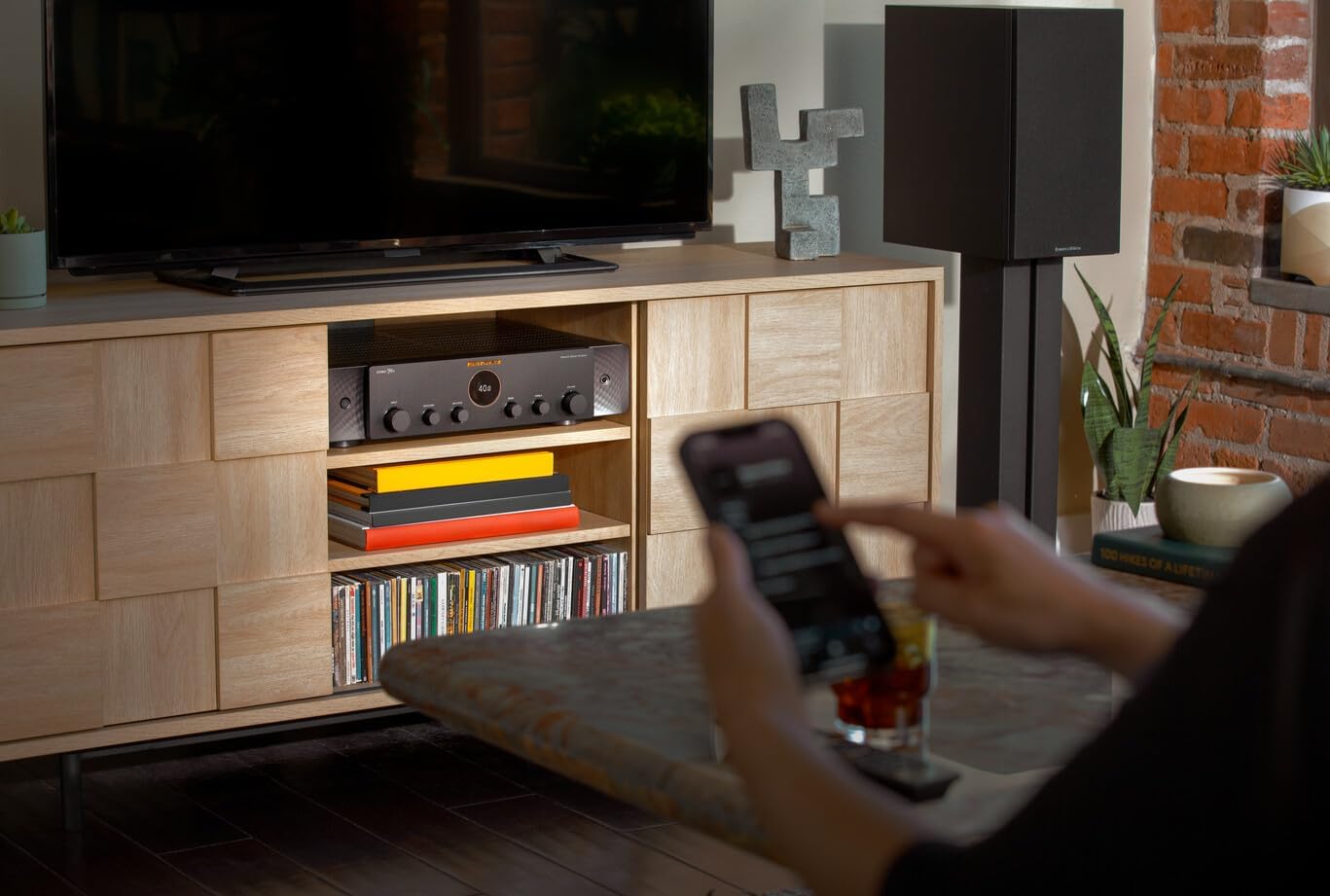
Figure 1: Marantz STEREO 70s receiver integrated into a home entertainment setup, demonstrating its compact size.
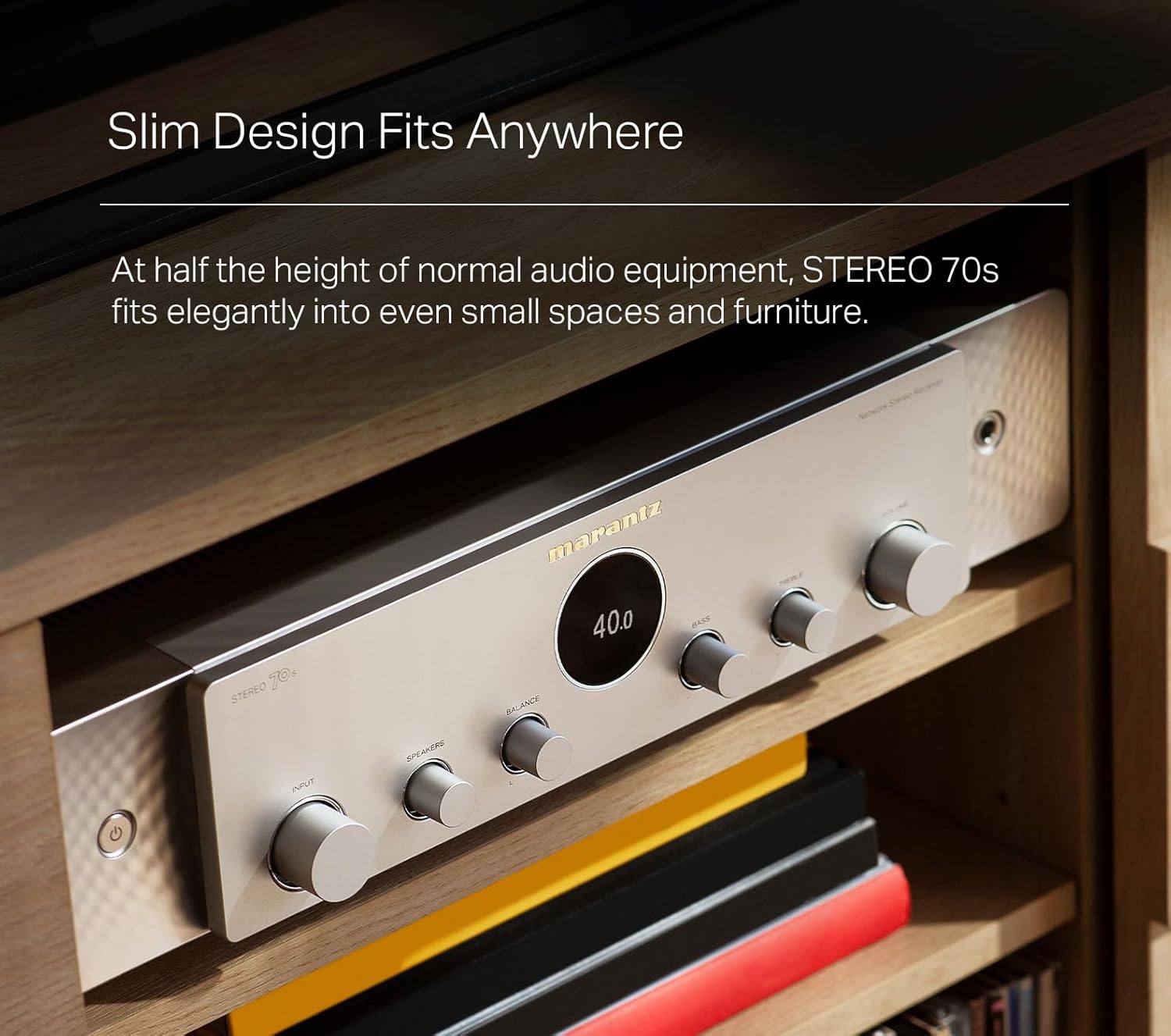
Figure 2: The slim design of the STEREO 70s allows it to fit elegantly into small spaces and furniture.
2. Connexió dels altaveus
The STEREO 70s features 75 watts per channel through its discrete Class A/B Amplification, designed for a 2-channel stereo setup. Connect your passive speakers to the speaker terminals on the rear panel. Ensure correct polarity (+ to + and – to –) for each speaker.
- Connect the right speaker to the R terminals.
- Connect the left speaker to the L terminals.
- For optimal bass performance, connect one or two subwoofers to the dedicated subwoofer outputs.

Figure 3: Rear panel connections, including speaker outputs and dual subwoofer outputs.
3. Connexió de fonts de vídeo (HDMI)
The STEREO 70s is equipped with the latest HDMI technology, supporting 8K video quality. It features six HDMI inputs (including three 8K compatible) and one HDMI ARC output. Connect your streaming systems, game consoles, and smart TV apps via HDMI for enhanced control and high-resolution audio and video.
- Connect your TV's HDMI ARC/eARC port to the receiver's HDMI OUT (ARC) port.
- Connect your video sources (Blu-ray player, game console, streaming device) to any of the HDMI IN ports.
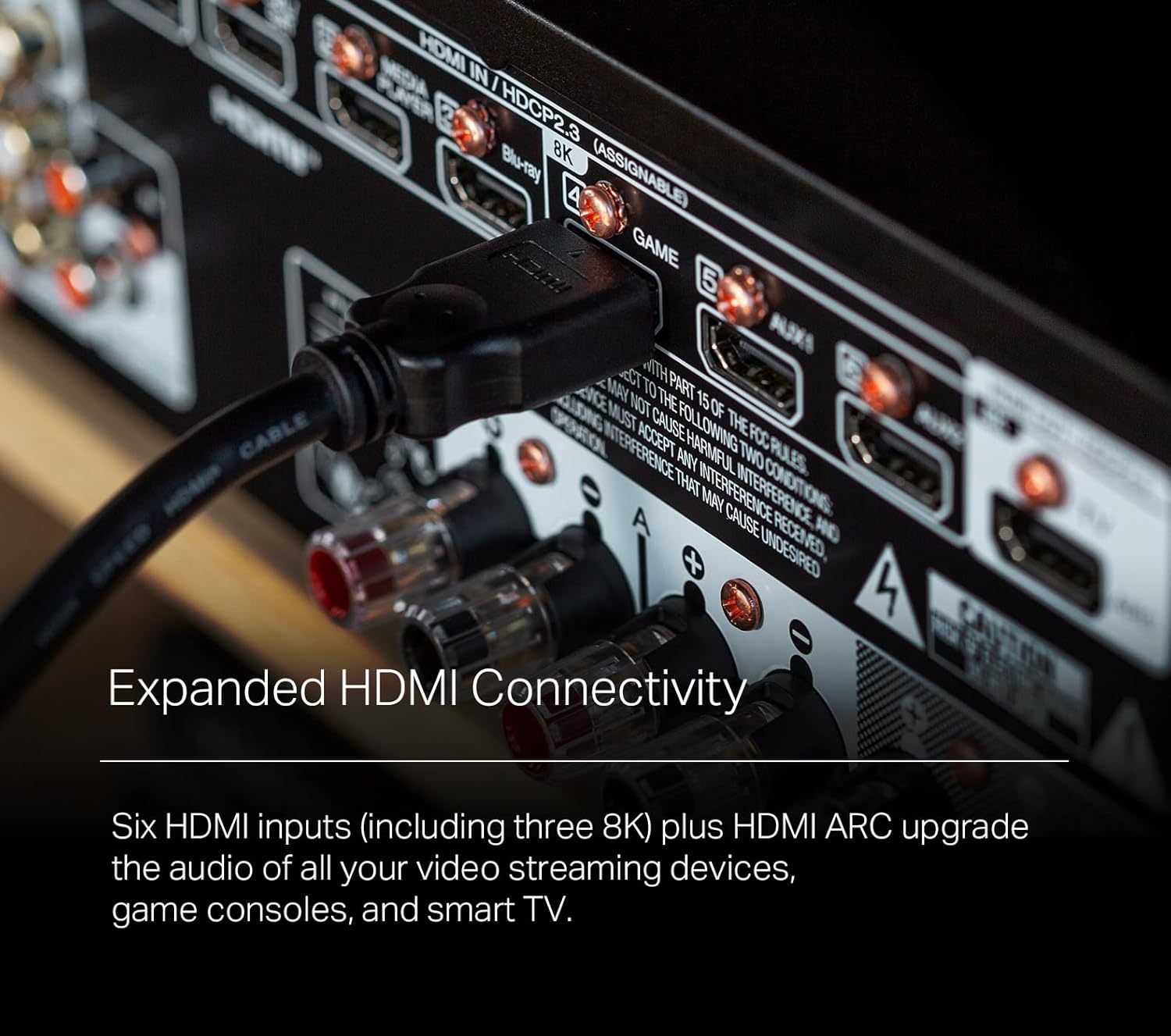
Figure 4: Expanded HDMI connectivity on the rear panel, showing multiple HDMI inputs and an HDMI ARC output.
4. Connexió de fonts d'àudio
The receiver offers various audio input options:
- Entrada fonètica (MM): Connect your turntable to the PHONO (MM) input for vinyl playback.
- Entrades d'àudio analògics: Use RCA cables to connect other analog audio devices (CD player, tape deck) to the CD, AUX1, or AUX2 inputs.
- Entrades d'àudio digital: Connect devices with optical or coaxial digital outputs to the OPTICAL or COAXIAL inputs.
5. Connexió a la xarxa
The STEREO 70s features built-in HEOS streaming for access to services like Spotify, AirPlay 2, and more. It supports both wired and wireless network connections.
- Connexió per cable: Connect an Ethernet cable from your router to the NETWORK port on the receiver.
- Connexió sense fil: Attach the included Wi-Fi antennas to the rear panel. Follow the on-screen instructions or use the HEOS app for Wi-Fi setup.
Instruccions de funcionament
1. Controls bàsics
The receiver can be operated using the front panel controls or the included remote control.

Figure 5: Front panel controls of the Marantz STEREO 70s.
- Botó d'encesa: Encén o apaga la unitat.
- Selector d'entrada: Selects the desired audio/video input source.
- Pom de volum: Ajusta el nivell de volum principal.
- Botons de greus/aguts: Adjusts the bass and treble levels for fine-tuning sound.
- Pom d'equilibri: Adjusts the left/right speaker balance.
The remote control provides comprehensive control over all receiver functions, including input selection, volume, sound modes, and HEOS streaming controls.
2. Two-Channel Home Theater Experience
The STEREO 70s is designed to deliver a powerful two-channel home theater experience. By connecting two speakers and up to two subwoofers, it creates immersive audio for both movies and music without the need for a complex multi-channel surround sound setup.

Figure 6: The STEREO 70s creating a two-channel home theater and music listening experience.
3. HEOS Streaming
The built-in HEOS streaming functionality allows you to access various online music services, internet radio, and music stored on your local network. Download the HEOS app on your smartphone or tablet for full control over multi-room audio and streaming features.
- Spotify Connect: Stream music directly from the Spotify app.
- AirPlay 2: Reprodueix àudio en streaming des de dispositius Apple.
- Bluetooth: Pair your Bluetooth-enabled device to stream audio wirelessly.
- Multi-Zone Capability: Extend music throughout your home, sync rooms, or enjoy independent playback in different zones.
4. Sound Adjustments
Utilize the Bass, Treble, and Balance controls on the front panel or remote to customize your listening experience. For advanced sound optimization, use the included Audyssey microphone and follow the on-screen setup guide to calibrate your speakers to your room's acoustics.
Manteniment
Proper maintenance ensures the longevity and optimal performance of your Marantz STEREO 70s AV Receiver.
- Neteja:
- Desconnecteu el cable d'alimentació abans de netejar.
- Feu servir un drap suau i sec per netejar les superfícies exteriors.
- No utilitzeu netejadors abrasius, ceres ni dissolvents.
- Regularly dust the ventilation openings to prevent dust buildup.
- Actualitzacions de firmware:
Marantz may release firmware updates to improve performance or add new features. Connect your receiver to the internet and check for updates periodically through the system settings menu or the HEOS app.
Resolució de problemes
If you encounter issues with your Marantz STEREO 70s, refer to the following common troubleshooting steps. For more complex problems, consult the official Marantz support weblloc o contacteu amb el servei d'atenció al client.
Sense poder
- Ensure the power cord is securely plugged into the receiver and a working wall outlet.
- Comproveu si la presa de corrent està activa connectant-hi un altre dispositiu.
Sense so
- Verify that the correct input source is selected on the receiver.
- Comproveu les connexions dels altaveus per assegurar-vos que la polaritat sigui correcta i que estiguin ben ajustades.
- Assegureu-vos que el volum no estigui al mínim ni silenciat.
- Confirm that your speakers are functioning correctly.
Sense vídeo
- Ensure HDMI cables are securely connected to both the receiver and the TV/source device.
- Verify that the TV is set to the correct HDMI input.
- Check the HDMI cable for damage; try a different cable if necessary.
Problemes de connectivitat de xarxa
- Ensure your router is powered on and functioning.
- For wired connections, check the Ethernet cable.
- For wireless connections, ensure Wi-Fi antennas are properly attached and the receiver is within range of your Wi-Fi network.
- Reinicieu el router i el receptor.
Especificacions
| Característica | Detall |
|---|---|
| Dimensions del producte | 15.2 x 17.4 x 4.3 polzades |
| Pes de l'article | 24 lliures |
| Número de model | STEREO70S |
| Potència de sortida | 75 watts per canal (2 canals) |
| AmpTipus de lificació | Classe A/B |
| Entrades HDMI | 6 (3 x 8K compatible) |
| Sortides HDMI | 1 (compatible amb ARC/eARC) |
| Tecnologia de connectivitat | Bluetooth, Wi-Fi, Ethernet |
| Serveis de streaming | HEOS Built-in (Spotify Connect, AirPlay 2, etc.) |
| Mode de sortida d'àudio | Estèreo (2 canals) |
| Característiques especials | 8K Video Pass-through, Multi-Room Audio, Phono Input (MM) |
Garantia i Suport
For detailed warranty information, please refer to the warranty card included with your product or visit the official Marantz weblloc web. Els termes i condicions de la garantia poden variar segons la regió i el distribuïdor.
If you require technical assistance or have questions regarding your Marantz STEREO 70s AV Receiver, please contact Marantz customer support or visit their official support page for FAQs, software updates, and service information.
Recursos en línia: Marantz Official Support Weblloc


