1. Producte acabatview
The REDTIGER F7N is a dual-channel dash camera system designed to record video footage from both the front and rear of your vehicle. It features 4K resolution for the front camera and 1080P for the rear, utilizing a STARVIS 2 sensor for enhanced low-light performance. The device includes a 3.18-inch touch screen, voice control capabilities, 5.8GHz WiFi for smartphone connectivity, built-in GPS, and various recording modes such as loop recording, G-sensor activated emergency recording, and 24-hour parking monitoring.

Imatge 1.1: acabatview of the REDTIGER F7N dash cam's dual recording capabilities and STARVIS 2 technology.
2. Contingut del paquet
Verify that all items are present in the package before installation.
- REDTIGER F7N Front Dash Camera
- Rear Camera with connection cable
- Cable d'alimentació del vehicle
- Muntatge de succió
- Lent polaritzant circular (CPL)
- Targeta MicroSD de 128 GB (preinstal·lada o inclosa per separat)
- Hardwire Kit (for parking monitoring functionality)
- Manual d'usuari

Image 2.1: The included Circular Polarizing Lens (CPL) helps reduce glare and reflections.
3. Característiques clau
- Gravació dual: Simultaneous 4K (front) and 1080P (rear) video capture.
- STARVIS 2 Sensor: Advanced sensor technology for superior low-light performance and clarity.
- Pantalla tàctil de 3.18 polzades: Intuitive interface for settings adjustment and video playback.
- Control de veu: Hands-free operation for common commands to minimize driving distractions.
- WiFi de 5.8 GHz: Fast wireless connection to the REDTIGER app for video management and firmware updates.
- GPS integrat: Records speed, location, and route data for playback.
- WDR & HDR Technology: Enhances video quality in varying light conditions.
- Enregistrament en bucle: Automatically overwrites older footage per garantir l'enregistrament continu.
- Sensor G: Detects impacts and sudden movements, automatically locking and protecting incident footage.
- Monitorització d'aparcament les 24 hores: Offers G-Sensor and Time-Lapse parking modes (requires hardwire kit).

Image 3.1: Details of STARVIS 2 Super Night Vision technology, including F/1.5 aperture and 6-layer lens.
4. Configuració i instal·lació
4.1 Instal·lació de la càmera frontal
- Netegeu la zona del parabrisa on es muntarà la càmera del salpicader.
- Attach the suction mount to the front camera.
- Securely press the suction mount onto the windshield, ensuring it does not obstruct the driver's view. Position the camera to capture the road ahead clearly.
- Adjust the camera lens angle as needed.
4.2 Instal·lació de la càmera posterior
- Mount the rear camera on the rear windshield, typically inside the vehicle, ensuring a clear view de la part posterior.
- Route the rear camera cable to the front camera, tucking it along the vehicle's headliner and A-pillars to keep it tidy.
- Connect the rear camera cable to the designated port on the front dash camera.
4.3 Connexió d'alimentació
- Insert the 128GB MicroSD card into the dash cam's card slot.
- Connect the vehicle power cable to the dash cam's power input port.
- Plug the other end of the power cable into your vehicle's 12V power outlet (cigarette lighter socket).
- For 24-hour parking monitoring, install the included hardwire kit according to its separate instructions.
4.4 Initial Setup (Touch Screen)
Upon first power-on, the dash cam will guide you through initial settings using its touch screen interface.
- Seleccioneu el vostre preferit Llengua.
- Estableix el correcte Zona horària.
- Confirm other basic settings as prompted.

Image 4.1: The touch screen interface for initial setup, including language and time zone selection.
5. Funcionament
5.1 Enregistrament bàsic
Once powered on, the dash cam will automatically begin recording. A red indicator light or icon on the screen typically confirms recording is active.
5.2 Control de veu
The F7N supports voice commands for hands-free operation. Speak clearly and directly to the dash cam. Common commands include:
- "Lock the Video": Locks the current recording segment to prevent overwriting.
- "Take Picture": Captures a still image.
- "Open Screen": Turns on the display.
- "Turn On Wifi": Activates the Wi-Fi function.
- "Turn Off Recording": Stops the current recording.
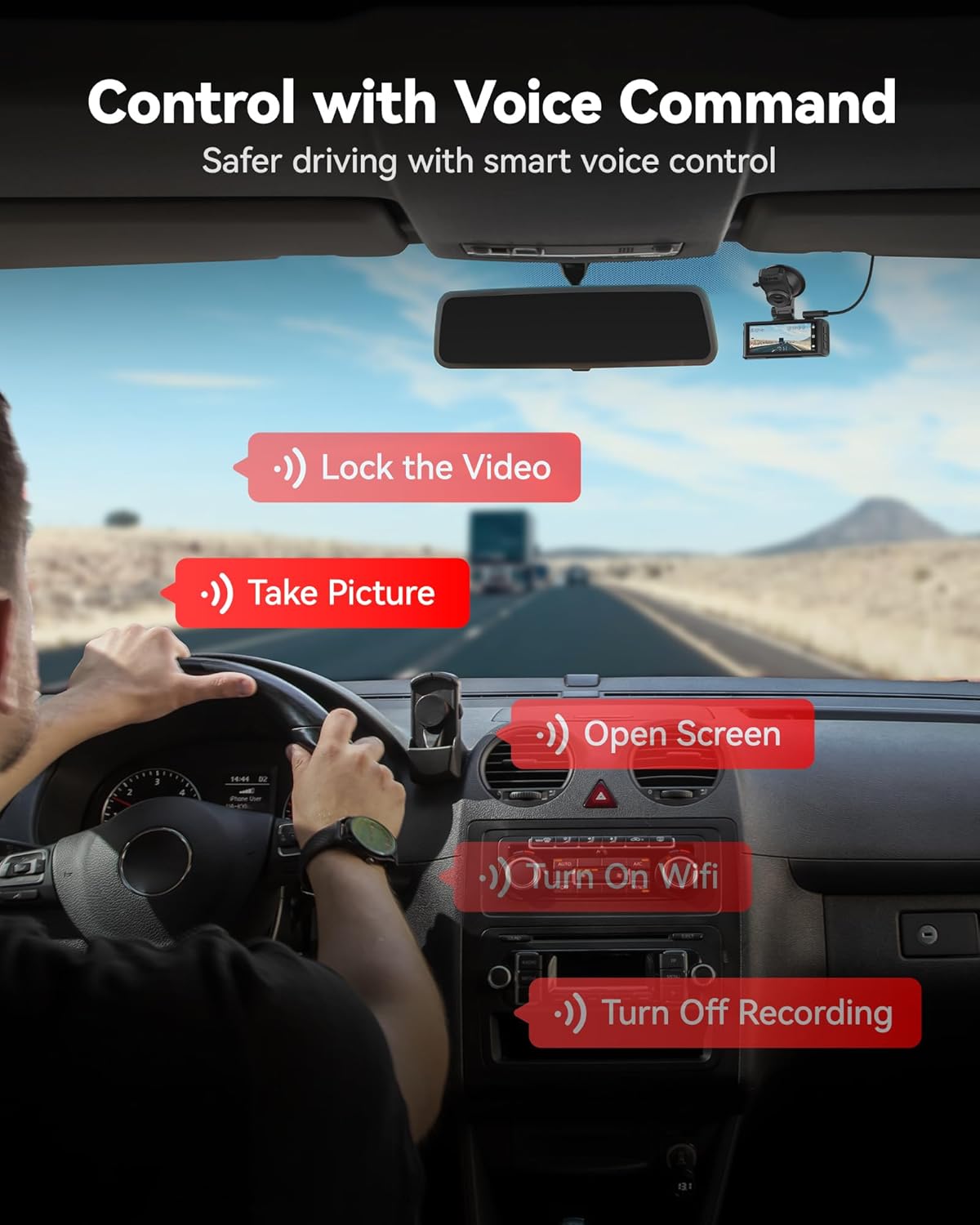
Imatge 5.1: Ex.amples of voice commands for controlling the dash cam.
5.3 Touch Screen Functions
The 3.18-inch touch screen allows for direct interaction with the dash cam's menus and functions. Tap icons to:
- Access settings.
- Review vídeos i fotografies gravats.
- Manually lock emergency video.
- Toggle Wi-Fi on/off.
Connectivitat WiFi 5.4 i aplicació
The dash cam features 5.8GHz WiFi for fast connection to the REDTIGER app (available on Android and iOS). This allows you to:
- View viu footage.
- Reprodueix vídeos gravats.
- Descarrega vídeos al teu telèfon intel·ligent.
- Ajusteu la configuració de la càmera.
- Perform firmware updates (OTA Update).

Image 5.2: Illustration of 5.8GHz WiFi connectivity for smooth phone synchronization and download via the REDTIGER app.
5.5 Funcionalitat del GPS
The built-in GPS module records your vehicle's location, speed, and route data. This information can be viewed during video playback using the REDTIGER app or a compatible desktop player.

Image 5.3: GPS route tracking showing speed, location, and route on a map during video playback.
6. Recording and Maintenance Features
6.1 Enregistrament en bucle
The dash cam continuously records in short segments (e.g., 1, 3, or 5 minutes). When the memory card is full, the oldest unlocked footage es sobreescriu automàticament amb les noves gravacions. Això garanteix que la gravació no s'aturi mai a causa d'una targeta de memòria plena.
Sensor G de 6.2 polzades (enregistrament d'emergència)
The integrated G-sensor detects sudden impacts or rapid acceleration/deceleration. When triggered, the current video segment is automatically locked and saved to a protected folder, preventing it from being overwritten by loop recording. The sensitivity of the G-sensor can typically be adjusted in the settings.
6.3 24-hour Parking Monitoring
To enable continuous surveillance while your vehicle is parked, the dash cam offers two parking monitoring modes:
- Mode d'aparcament amb sensor G: The camera remains in standby and automatically begins recording if an impact or sudden motion is detected.
- Mode d'estacionament temporal: The camera continuously records at a low frame rate, condensing hours of footage into minutes for efficient review.
Nota: The 24-hour parking monitoring function requires the included hardwire kit to be properly installed to provide continuous power to the dash cam when the vehicle is off.

Image 6.1: Illustration of G-sensor mode and Time-lapse mode for 24-hour parking monitoring.
7. Solució De Problemes
| Problema | Possible solució |
|---|---|
| La càmera del salpicader no s'encén. |
|
| La gravació s'atura o footage està corrupte. |
|
| Problemes de connexió Wi-Fi. |
|
| El control per veu no respon. |
|
| El monitor d'aparcament no funciona. |
|
8. Especificacions
| Característica | Detall |
|---|---|
| Nom del model | F7N |
| Resolució de la càmera frontal | 4K UHD |
| Resolució de la càmera posterior | 1080P FHD |
| Sensor | STARVIS 2 |
| Mostra | Pantalla tàctil de 3.18" |
| Camp davanter de View | 170 graus |
| Camp posterior de View | 140 graus |
| Connectivitat | 5.8GHz Wi-Fi, GPS |
| Mètode de control | Toc, veu |
| Emmagatzematge | MicroSD Card (up to 256GB, 128GB included) |
| Tipus de muntatge | Muntatge de succió |
| Components inclosos | Hardwire Kit, CPL, 128GB Card |
9. Garantia i Suport
REDTIGER products are covered by a limited warranty. For detailed warranty information, product support, or technical assistance, please refer to the official REDTIGER weblloc web o contacteu directament amb el servei d'atenció al client. Conserveu el rebut de compra com a comprovant de compra per a reclamacions de garantia.
Assistència en línia: Visit the official REDTIGER weblloc web per a preguntes freqüents, actualitzacions de firmware i informació de contacte.


