1. Introducció
This manual provides comprehensive instructions for the POGOLAB Overdrive Guitar Pedal. Please read this manual thoroughly before using the pedal to ensure proper operation and to maximize its performance. Keep this manual for future reference.
2. Producte acabatview
The POGOLAB Overdrive Guitar Pedal is a compact effect unit designed to add overdrive tones to your electric guitar signal. It features two distinct overdrive modes, "Flat" and "Bright", and independent controls for Gain, Tone, and Level, allowing for versatile sound shaping. The pedal incorporates true bypass switching to preserve your guitar's original tone when the effect is disengaged.
2.1 Característiques clau
- Dual Overdrive Tones: Offers "Flat" and "Bright" modes for a range of overdrive characteristics.
- Controls independents: Dedicated knobs for Gain, Tone, and Level provide precise sound adjustment.
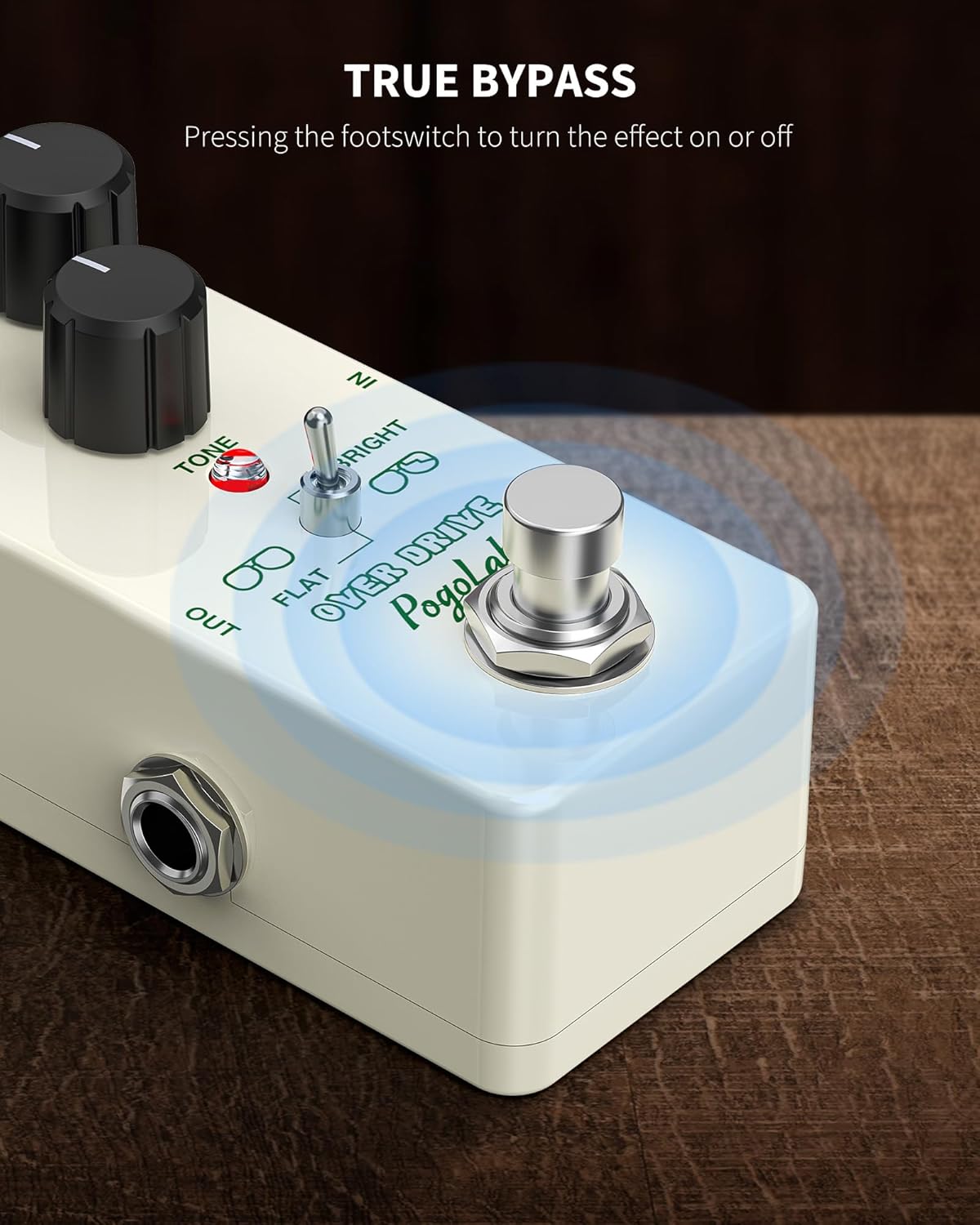
- True Bypass: Ensures signal integrity when the effect is off.
- Construcció duradora: Housed in an aluminum-alloy shell for reliability.
- Disseny compacte: Mini pedal size for easy integration into any pedalboard.
2.2 Controls i connexions

The pedal features the following controls and connections:
- Mando GAIN: Adjusts the amount of overdrive or distortion. Turning clockwise increases gain.
- Control de nivell: Controls the overall output volume of the effect.
- Mando de TONE: Shapes the tonal character, from darker to brighter sounds.
- FLAT/BRIGHT Switch: Toggles between two distinct overdrive voicings. "Flat" provides a more balanced tone, while "Bright" offers increased treble presence.
- Interruptor de peu: Engages or disengages the overdrive effect.
- EN Jack: 1/4-inch input for connecting your guitar.
- OUT Jack: 1/4-inch output for connecting to your amplifier o altres pedals d'efectes.
- Entrada DC 9V: Power input for a standard 9V DC (center negative) power adapter.
3. Configuració
Follow these steps to set up your POGOLAB Overdrive Guitar Pedal:
- Connexió d'alimentació: Connect a standard 9V DC (center negative) power adapter (not included) to the DC 9V input jack on the pedal. Ensure the power supply meets the specified voltage i requisits de polaritat.
- Connexió de guitarra: Connect your electric guitar to the "IN" jack of the pedal using a 1/4-inch instrument cable.
- AmpConnexió del lifier: Connect the "OUT" jack of the pedal to your amplifier's input (or to the input of another effects pedal in your signal chain) using a 1/4-inch instrument cable.
- Encès: Once all connections are secure, power on your amplifier. The pedal will be ready for use.

4. Instruccions de funcionament
To operate the POGOLAB Overdrive Guitar Pedal, use the footswitch to activate the effect and adjust the knobs to shape your desired sound.
4.1 Activació de l'efecte
Press the footswitch to toggle the effect on or off. When the effect is active, the LED indicator will illuminate. When the effect is off, the pedal operates in true bypass mode, meaning your guitar signal passes through unaffected.
4.2 Adjusting Overdrive Tones

- GUANY: Start with the GAIN knob at a lower setting and gradually increase it to achieve your desired level of overdrive. Lower settings provide a subtle boost, while higher settings produce a more saturated, distorted sound.
- TO: Adjust the TONE knob to brighten or darken your sound. Turning it clockwise increases treble, making the sound sharper, while turning it counter-clockwise reduces treble for a warmer tone.
- NIVELL: Use the LEVEL knob to match the output volume of the pedal to your bypassed signal, or to boost your signal for solos.
- FLAT/BRIGHT Switch: Experiment with this switch to select between the two distinct overdrive characteristics. The "Flat" setting offers a more neutral, balanced overdrive, suitable for rhythm or subtle lead work. The "Bright" setting adds more high-end presence, ideal for cutting through a mix or for a more aggressive lead tone.

5. Manteniment
Proper care and maintenance will ensure the longevity and optimal performance of your POGOLAB Overdrive Guitar Pedal.
- Neteja: Use a soft, dry cloth to clean the pedal's exterior. Avoid using abrasive cleaners, solvents, or waxes, as these can damage the finish or internal components.
- Emmagatzematge: Store the pedal in a cool, dry place away from direct sunlight and extreme temperatures. If storing for an extended period, disconnect all cables.
- Manipulació: Handle the pedal with care. Avoid dropping it or subjecting it to strong impacts, which can damage the internal circuitry or external casing.
- Font d'alimentació: Always use a compatible 9V DC (center negative) power adapter. Using an incorrect power supply can damage the pedal and void the warranty.
6. Solució De Problemes
If you encounter any issues with your POGOLAB Overdrive Guitar Pedal, refer to the following common problems and solutions:
| Problema | Causa possible | Solució |
|---|---|---|
| No fa so quan s'acciona el pedal. |
|
|
| Weak or distorted sound (unintended). |
|
|
| L'indicador LED no s'il·lumina. |
|
|
If the problem persists after trying these solutions, please contact POGOLAB customer support for further assistance.
7. Especificacions

| Paràmetre | Valor |
|---|---|
| Poder | DC 9V (center negative) |
| Voltage | DC 9V |
| Consum actual nominal | 5 mA |
| Dimensions (L x A x A) | 92 x 49 x 46 mm (3.62 x 1.93 x 1.85 polzades) |
| Pes | 175 g (6.4 unces) |
| Impedància d'entrada | 1 MΩ |
| Impedància de sortida | 1 KΩ |
| Tipus de connector | Àudio de 1/4 de polzada |
| Format del senyal | Analògic |
| Tipus de material | Plastic, Metal, Circuit Board (Aluminum-Alloy Shell) |
| Estil | Compacte |
| ASIN | B0CGV6ZF1D |
| Data de primera disponibilitat | 14 d'octubre de 2023 |
8. Què hi ha a la caixa
The POGOLAB Overdrive Guitar Pedal package includes:
- POGOLAB Overdrive Guitar Pedal x 1
Note: A 9V DC (center negative) power adapter and instrument cables are not included and must be purchased separately.
9. Garantia i Suport
POGOLAB is committed to providing quality products. For information regarding warranty coverage, technical support, or service inquiries, please refer to the warranty card included with your purchase or contact POGOLAB customer support directly through their official weblloc web o el venedor on es va comprar el producte.
Conserveu el vostre comprovant de compra per a reclamacions de garantia.


