1. Introducció
This manual provides comprehensive instructions for the proper use, installation, and maintenance of your Okin Dewert 81794 IPROXX2 Handset Remote Control. This device is designed for operating Dewert Okin drive systems in hospital beds and electric adjustable beds, facilitating adjustments for patient care and comfort. Please read this manual thoroughly before operating the handset.
2. Producte acabatview
2.1 Components
- Okin Dewert 81794 IPROXX2 Handset
- Coiled Connection Cable
- Connector de 13 pins
2.2 Característiques clau
- 8 functional buttons for bed adjustments
- Llum indicador d'encesa
- Integrated lock/unlock function
- Durable coiled cable with 13-pin connection

Image 1: The Okin Dewert 81794 IPROXX2 Handset with its coiled connection cable and 13-pin connector.
3. Compatibilitat
The Okin Dewert 81794 IPROXX2 Handset is designed to replace adjustable bed remote control 81794 IPROXX2. It is compatible with Okin control box series MC15, MC16, and MC17. Before ordering or connecting, it is crucial to verify the brand and model of your existing control box to ensure compatibility.
To confirm compatibility, locate the product code on your existing handset or control box. The model number D.81794 should match for direct replacement.
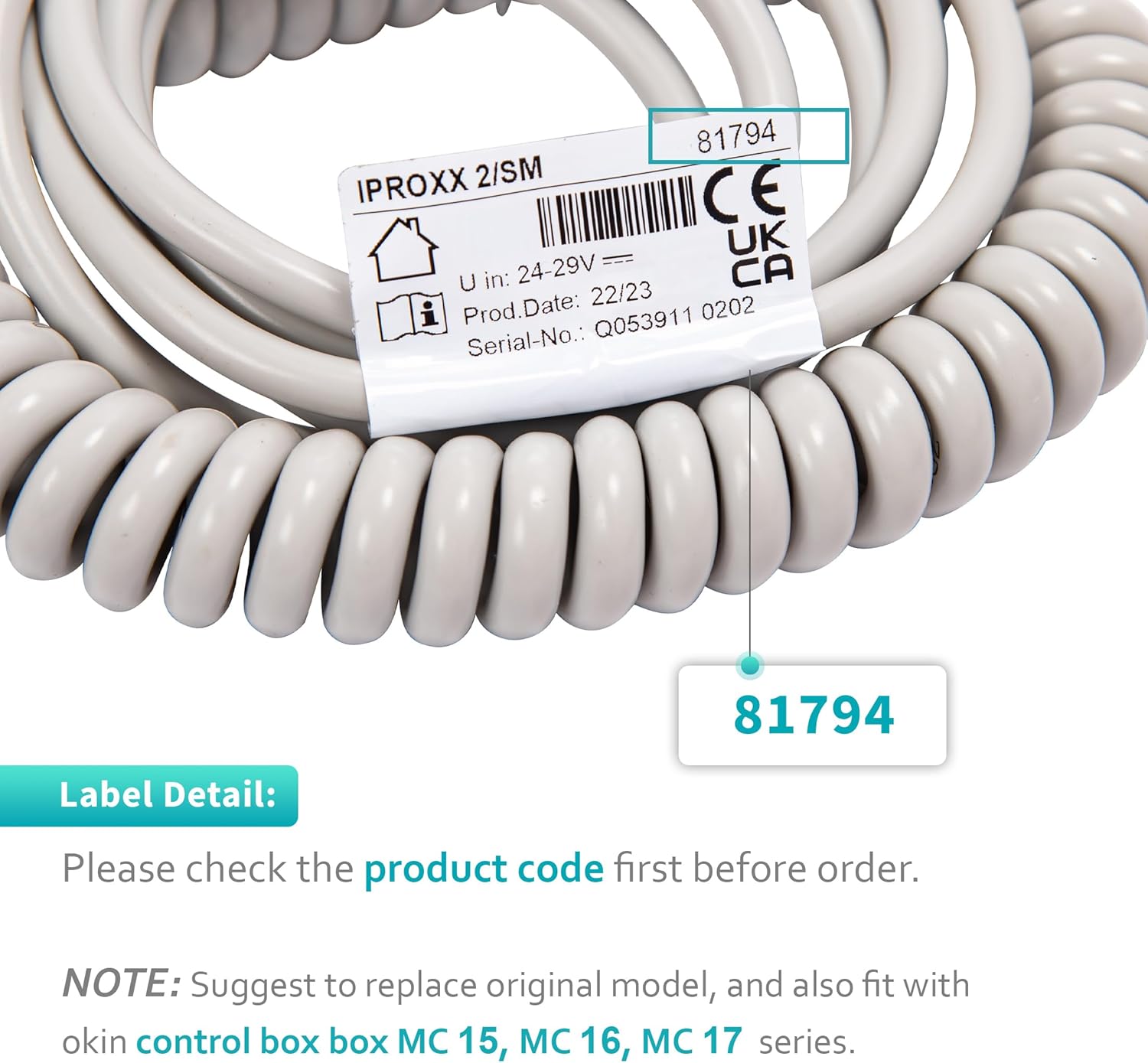
Imatge 2: Un primer pla view of the product label, highlighting the '81794' model number for verification.
4. Configuració
4.1 Connexió del telèfon
- Ensure the adjustable bed's power supply is disconnected from the wall outlet before proceeding.
- Locate the 13-pin connection port on your Okin control box. This port is typically found on the side or underside of the control box.
- Align the 13-pin connector of the new handset cable with the port on the control box. The connector is designed to fit in only one orientation.
- Gently push the connector firmly into the port until it is securely seated. Do not force the connection.
- Once connected, reconnect the adjustable bed's power supply to the wall outlet.
- Test the handset by pressing the adjustment buttons to ensure proper function.

Imatge 3: Una imatge detallada view of the 13-pin connector, which connects the handset to the control box.
5. Instruccions de funcionament
5.1 Funcions bàsiques
The handset features 8 functional buttons for adjusting the bed's position. These buttons typically control the head and foot sections of the bed.
- Botons de cap amunt/avall: Adjust the head section of the bed upwards or downwards.
- Botons de pujada/baixada del peu: Adjust the foot section of the bed upwards or downwards.
- Combined Up/Down Buttons: Simultaneously adjust both head and foot sections, or specific pre-set positions depending on the bed model.
5.2 Indicador d'alimentació
A 'Power On' indicator light is located on the handset. This light illuminates when the handset is receiving power and is ready for operation.
5.3 Funció de bloqueig
The handset includes a lock/unlock feature to prevent unintended adjustments. This is particularly useful in hospital or care settings. To activate or deactivate the lock, use the provided key or follow the specific instructions for your bed model, which may involve a combination of buttons or a physical key mechanism on the handset itself.

Imatge 4: Frontal view of the handset showing the 8 functional buttons and indicator, and the back view showing the clip and lock mechanism.
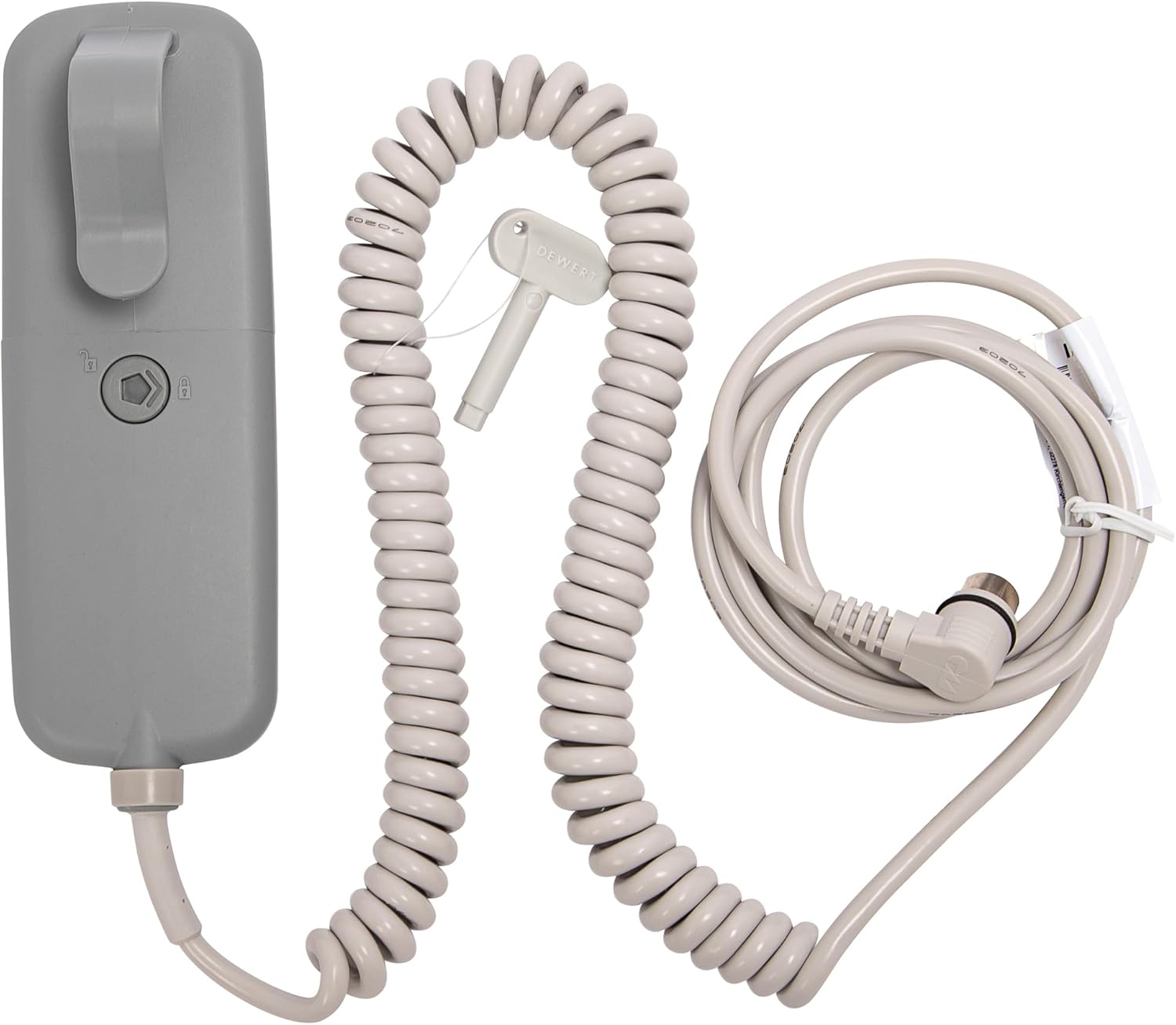
Image 5: The handset, coiled cable, and the small key used for the lock/unlock function.
6. Manteniment
- Neteja: Disconnect the handset from the power source before cleaning. Use a soft, damp cloth with a mild, non-abrasive cleaner. Do not immerse the handset in water or use harsh chemicals.
- Emmagatzematge: Store the handset in a dry, cool place away from direct sunlight and extreme temperatures when not in use for extended periods.
- Cura del cable: Avoid kinking or sharply bending the cable. Regularly inspect the cable and connector for any signs of damage.
7. Solució De Problemes
- Handset Not Responding:
- Ensure the 13-pin connector is securely plugged into the control box.
- Verify that the bed's power cord is properly connected to a functional wall outlet.
- Check if the 'Power On' indicator light on the handset is illuminated. If not, check power connections.
- Confirm that the handset's lock function is not activated. Use the key to unlock if necessary.
- Funcionalitat parcial:
- If only some buttons work, inspect the cable for any visible damage or kinks.
- Ensure the handset is fully compatible with your control box model (MC15, MC16, MC17 series).
- Funcionament intermitent:
- Check for loose connections at both the handset and the control box.
- Avoid placing heavy objects on the cable or handset.
If troubleshooting steps do not resolve the issue, consult the manual for your specific adjustable bed or control box, or contact Okin customer support for further assistance.
8. Especificacions
| Especificació | Detall |
|---|---|
| Número de model | D.81794 |
| Entrada Voltage | 24-29V |
| Tipus de cable | Connexió de 13 pins |
| Nombre de botons | 8 |
| Color | Blanc |
| Pes de l'article | 11.2 unces |
| Dimensions del paquet | 8.5 x 6 x 2.5 polzades |
9. Garantia i Suport
For information regarding product warranty, please refer to the documentation provided with your original adjustable bed system or contact the manufacturer directly. Okin products are designed for durability and reliability.
For technical support or further inquiries, please contact your product supplier or visit the official Okin weblloc web per obtenir les dades de contacte del servei d'atenció al client.


